
PureOpen — Markdown Editor
Per-block RTL, AI file to Word
Dirancang untuk iPhone, iPad, Mac, iPod touch
Gratis
- Batasan usia4+
- KategoriProduktivitas
- PengembangYechiel Ben David
- BahasaInggris+ 2 lainnya
- Ukuran8,1 MB
Tertaut ke halaman resmi App Store
Download.org tidak menyimpan file PureOpen — Markdown Editor apa pun. Tombol ini membuka halaman aplikasi di App Store, tempat Yechiel Ben David menerbitkannya. Halaman terakhir diperiksa pada 16/11/2026.
Tangkapan layar
Tentang
Pengembang belum menyediakan teks ini dalam bahasa Anda.
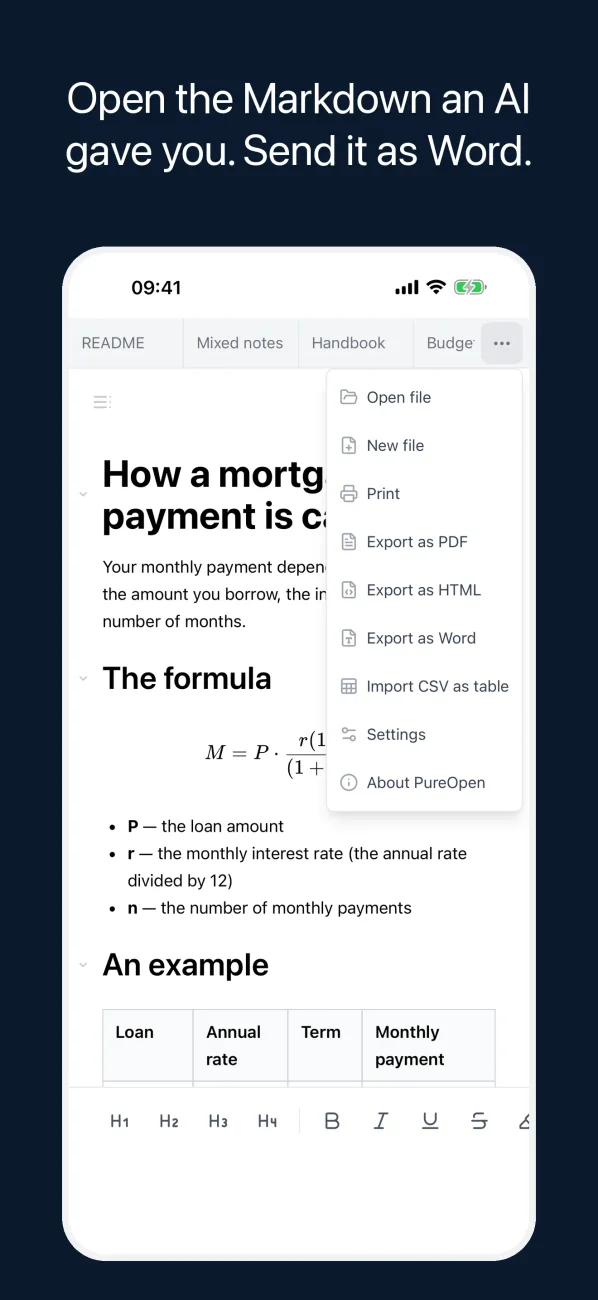
PureOpen opens a Markdown file as a document, gets every paragraph's direction right in Hebrew, Arabic and English, and sends it on as Word, PDF or a web page. It leaves every line you didn't touch exactly as it was.
THE MARKDOWN FILE AN AI GAVE YOU
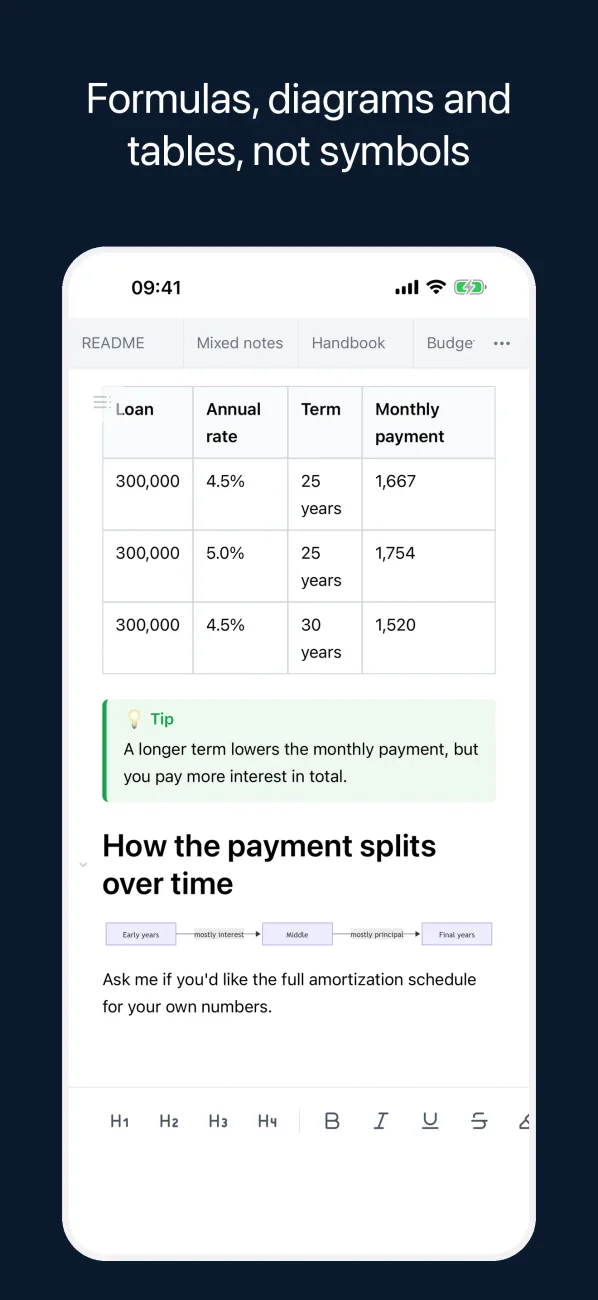
AI tools hand people .md files that open as a wall of symbols, and pasting them into Word keeps the symbols. PureOpen shows the file formatted: headings, tables, task lists, footnotes, formulas, Mermaid diagrams and callouts, the way the writer meant them.
• Export as Word: formulas become Word equations you can edit, footnotes become real Word footnotes, a diagram becomes a picture. Hebrew and mixed-direction text keep their direction.
• Export as one self-contained web page, or as a PDF of exactly what is on screen.
• It all happens on the device. Nothing is uploaded to a converter.
HEBREW, ARABIC AND ENGLISH IN ONE FILE
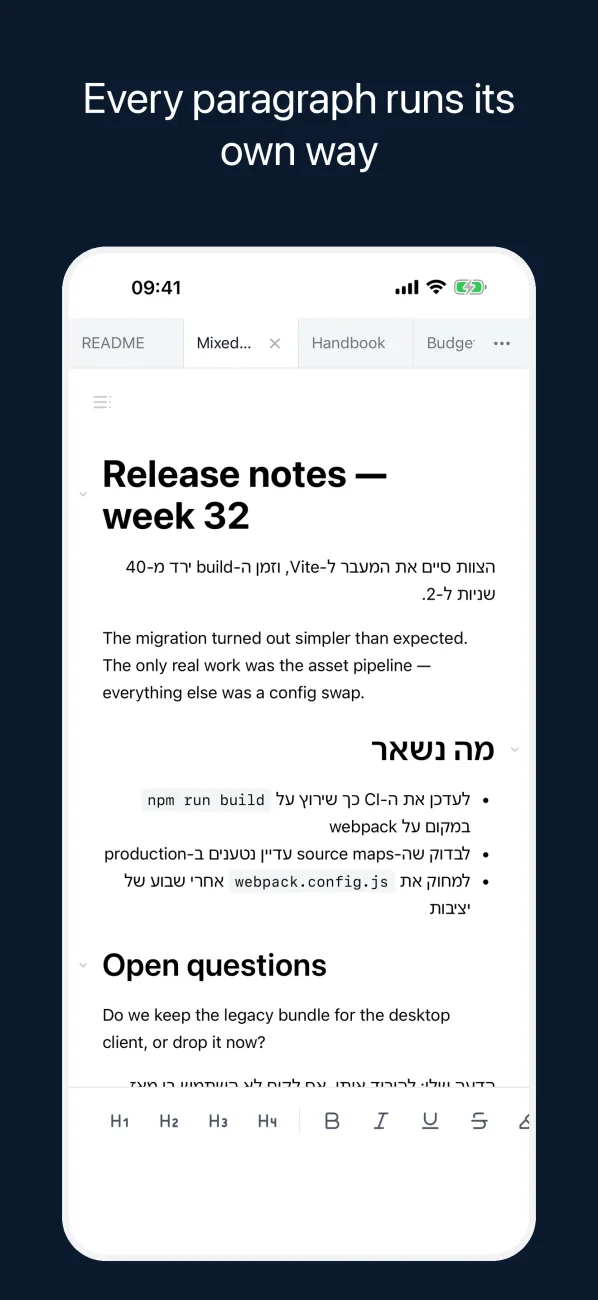
Most editors treat right-to-left as a switch for the whole document, which breaks the moment a Hebrew or Arabic sentence contains an English term. PureOpen decides direction per block: every paragraph, heading and list item takes its direction from its own first strong character.
• A Hebrew paragraph aligns right, the English one under it aligns left, and each stays that way as you edit.
• English words, code and links inside an RTL sentence sit where they belong.
• Nothing is written into your Markdown to make this work. No direction marks, no wrapper tags.
IT DOES NOT REWRITE YOUR FILE
Many editors reformat the whole file on save: list markers, escapes, blank lines. PureOpen writes back only what you changed, in the file's own spelling. A one-line edit shows as a one-line diff in Git. In our tests, 95 of 95 real Markdown files came back byte-identical.
• If saving from the formatted view would lose a single word, the file opens as text with an explanation instead.
• Autosave 600ms after you stop typing. If another app changes the file, it reloads and keeps your place.
OPEN IT FROM THE FILE
• Right-click a Markdown file in Finder, or long-press it in Files, and PureOpen is at the top of Open With. It opens in a tab in the window you already have. No library, no import.
• Files from an Obsidian vault or a repository are edited in place, and nothing is written beside them.
LONG DOCUMENTS AND TABLES
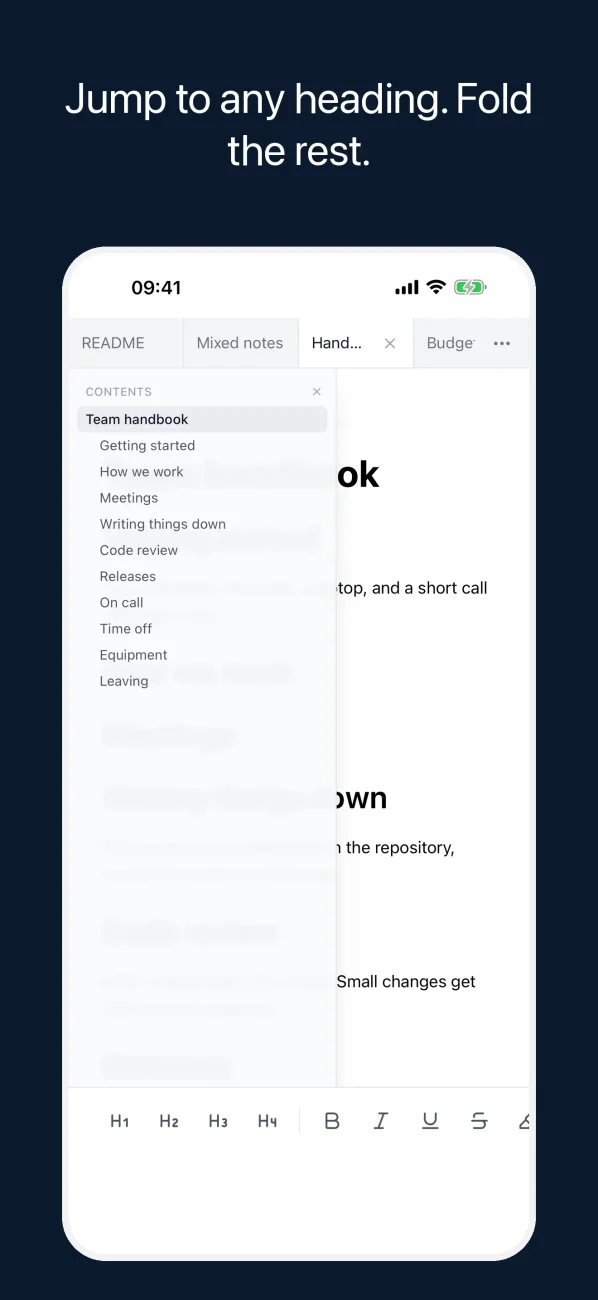
• A table of contents beside the document marks the heading you are reading. Click to jump.
• Fold any section under its heading. Folding is never written to the file.
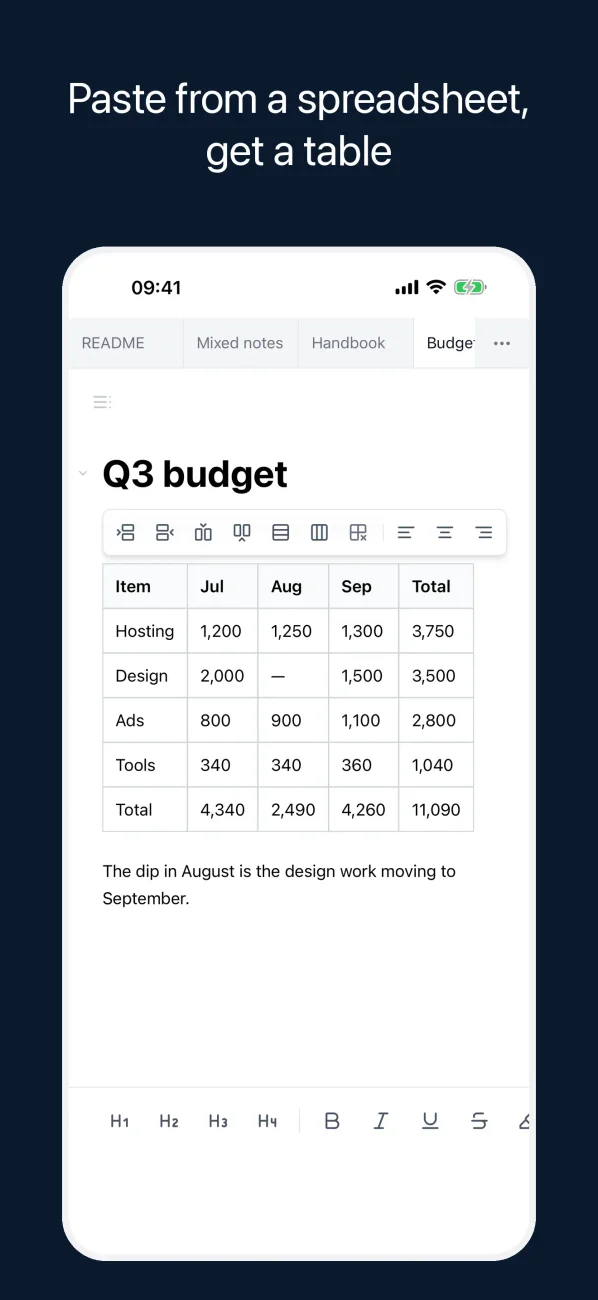
• Paste a range from Excel, Numbers or a web page and it becomes a Markdown table. Import a CSV as a table. Edit cell by cell, with a toolbar for rows, columns and alignment.
ALSO
• Browser-style tabs: ⌘1–⌘9, Ctrl+Tab, ⌘W closes the tab. Your tabs come back next time.
• Source mode (⌘/) shows the file as text, each line in its own direction.
• Find and replace, links (⌘K), footnotes edited in place, text size, dark mode.
• Interface in English, Hebrew and Arabic.
• No network, no account, no telemetry. Your files stay on your device.
PureOpen is free, with no in-app purchases and no subscription.
Yang baru
Versi 2.2 · 14/11/2026
Open the Markdown an AI gave you, send it as Word.
• Export as Word. Formulas become equations you can edit in Word, footnotes become real footnotes, Mermaid diagrams become pictures, and Hebrew and Arabic keep their direction.
• Export as one self-contained web page, alongside PDF.
• Formulas, Mermaid diagrams, callouts, footnotes and images are now shown formatted. A diagram shows its code only while you edit it.
• A table of contents beside the document, and folding under every heading.
• Tables: edit cell by cell with a table toolbar, paste a range from Excel or Numbers, or import a CSV.
• Your file keeps its own spelling. Lines you didn't edit are written back exactly as they were, and a save that would lose a word opens the file as text instead.
• Source mode shows the file as text, with every formatting command still working.
• Find and replace, links, footnotes edited in place, and text size in Settings.
• The interface is now in Arabic as well as English and Hebrew.
• On iPhone: one ⋯ menu beside the tabs, larger buttons, and a button to hide the keyboard. Tabs and recent files no longer disappear after an update.
Free, offline, no account.
Privasi aplikasi
Yang dinyatakan Yechiel Ben David di App Store tentang cara aplikasi ini menangani data.
-
Data tidak dikumpulkan
Pengembang tidak mengumpulkan data apa pun dari aplikasi ini.
Praktik privasi dapat bervariasi, misalnya berdasarkan fitur yang Anda gunakan atau usia Anda.
Informasi
- Penjual
- Yechiel Ben David
- Kategori
- Produktivitas
- Versi
- 2.2
- Diperbarui
- 14/11/2026
- Dirilis
- 19/8/2026
- Ukuran
- 8,1 MB
- Memerlukan
- iOS 15.0 atau yang lebih baru
- Batasan usia
- 4+
- Harga
- Gratis
- Bahasa
- Inggris, Arab, Ibrani
- Hak cipta
- © 2026 Y. Ben David
Mungkin Anda juga suka
-
 OkojoProduktivitas
-
 Inkstone: AI Knowledge BaseProduktivitas
-
 Folio: Notes, PDFs & CanvasProduktivitas
-
 Kasten - Zettelkasten CardsProduktivitas
-
 Rootkeep: Personal CRMProduktivitas
-
 PDFDockProduktivitas
-
 Markdown Viewer: Copy for AIProduktivitas
-
 Nook: Read, Write, OwnProduktivitas
-
 Narratives: Private AI NotesProduktivitas
-
 Relay Shortcut TriggerProduktivitas