Qr Code Scan + Generate
QR Code Scan Generate Share
Entwickelt für iPhone, iPad
Kostenlos · In-App-Käufe
- Altersfreigabe4+
- KategorieProduktivität
- EntwicklerMUSTAFA OZDEMIR
- SprachenEnglisch+ 1 weitere
- Größe8,2 MB
Verlinkt auf die offizielle App Store-Seite
Download.org hostet keine Datei von Qr Code Scan + Generate. Die Schaltfläche öffnet die App-Seite bei App Store, wo MUSTAFA OZDEMIR die App veröffentlicht. Eintrag zuletzt geprüft am 15.11.2026.
Screenshots

Info
Der Entwickler hat diesen Text nicht in Ihrer Sprache bereitgestellt.
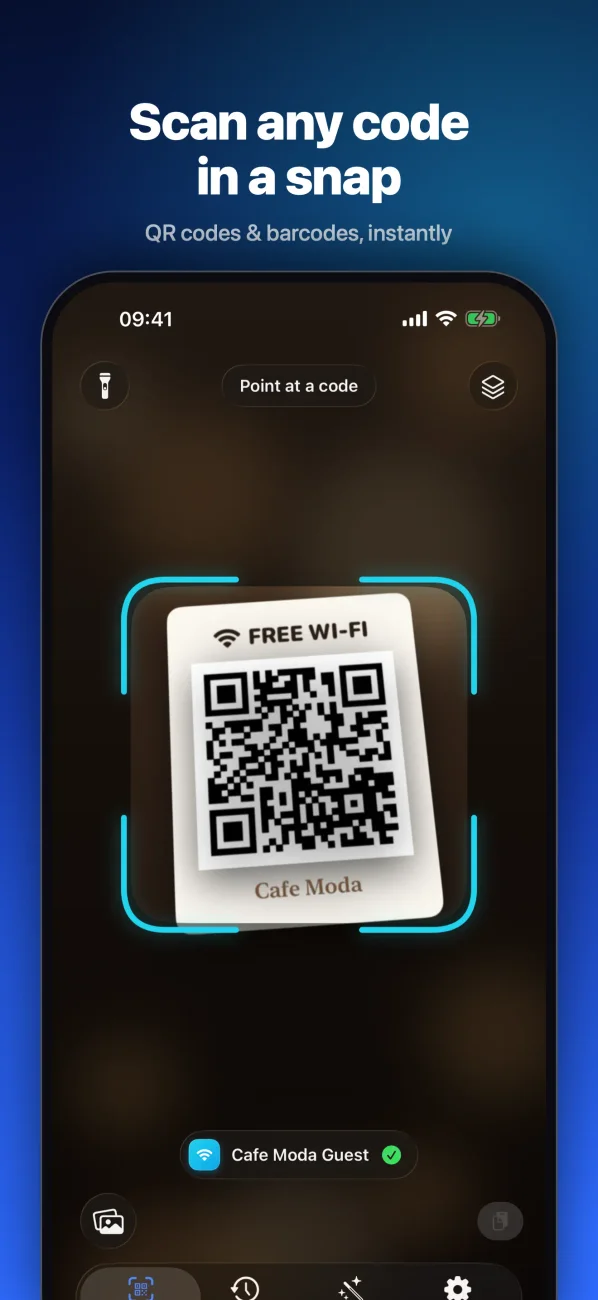
Developed by a professional engineering team, this is the most lightweight (but fast, efficient, and feature-rich) QR code scanner and barcode scanner app for iOS you could ever find on AppStore.
QR code reader, barcode scanner app focuses on the core functionality to scan and read the most common types of QR codes and barcodes with super fast speed and delightful user experience, designed for all iOS devices.
QR code reader, barcode scanner app is extremely easy to use. It simply uses the iPhone's camera to scan and read QR code and barcode in a second then allows you to do appropriate actions effectively.
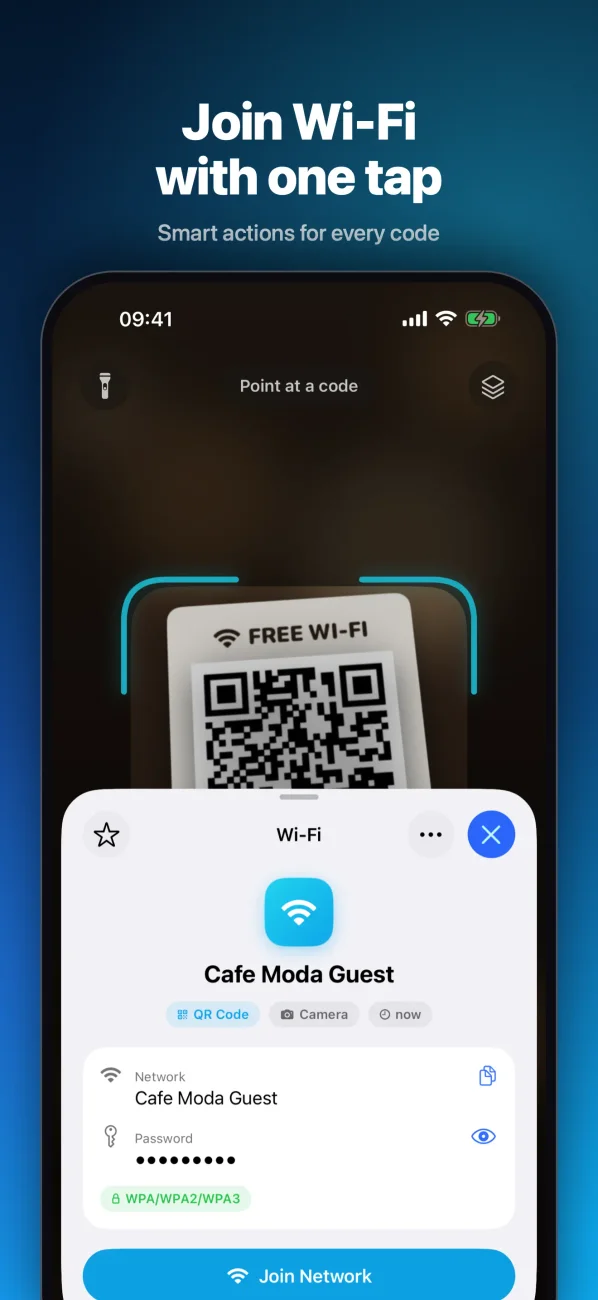
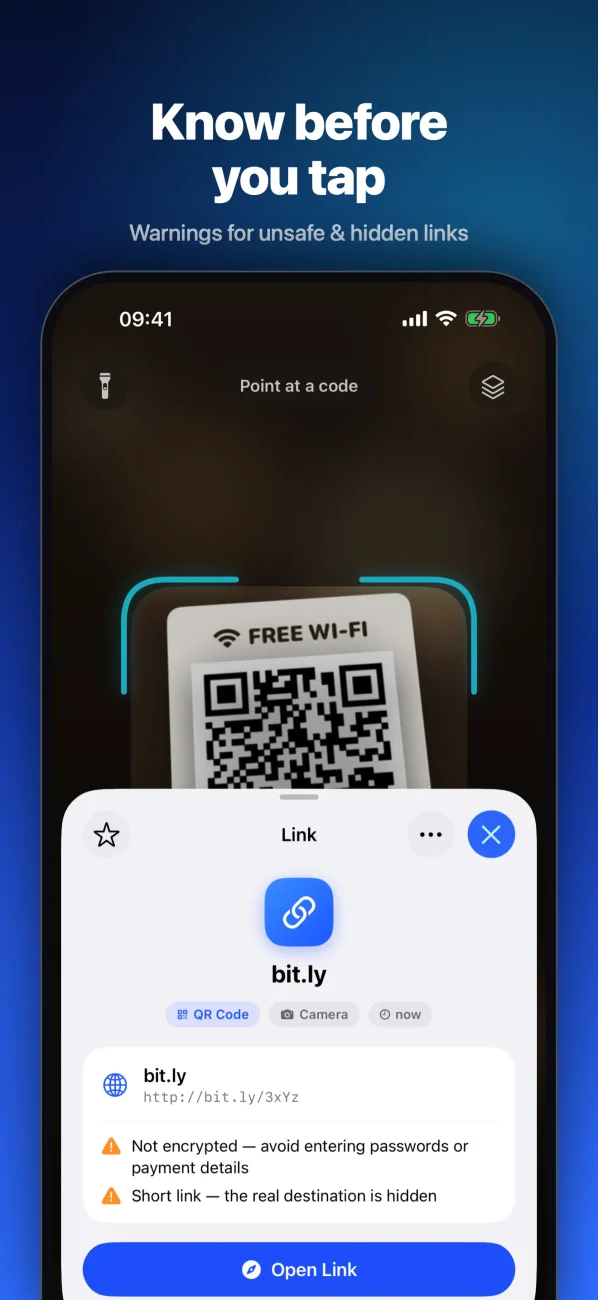
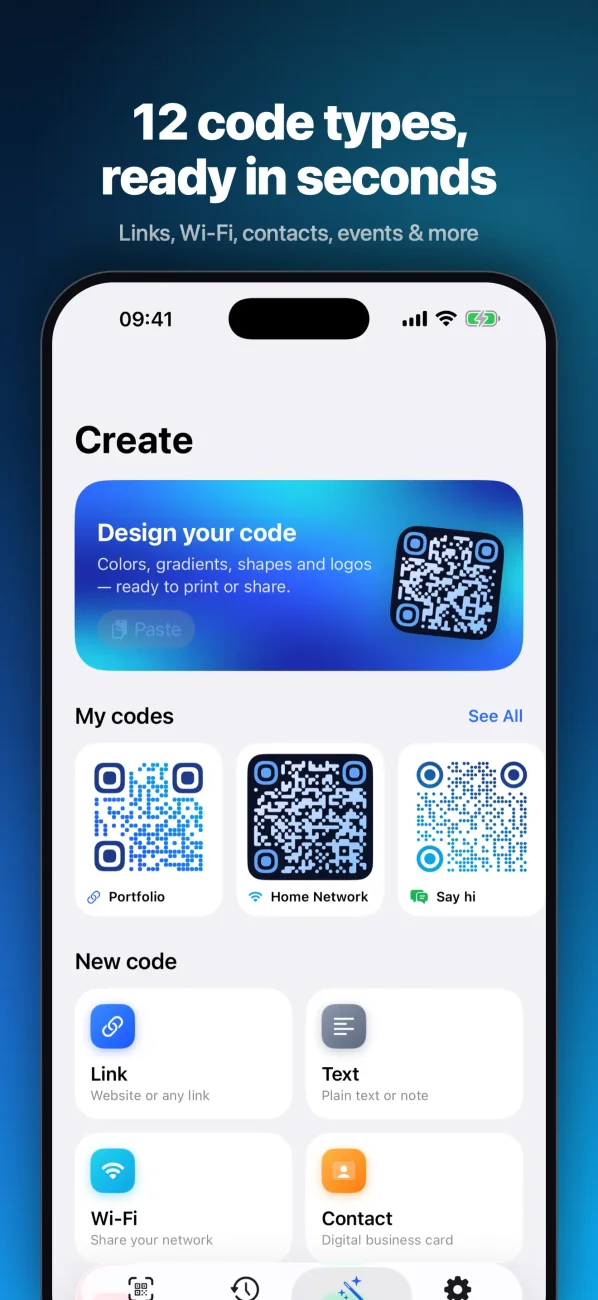
QR code scanner, barcode scanner iOS app helps you to scan and read all types of QR code and barcodes: Contact Info, Phone, Email, Website, Product, Text, SMS, Wifi, Map Location, Calendar Event and more…
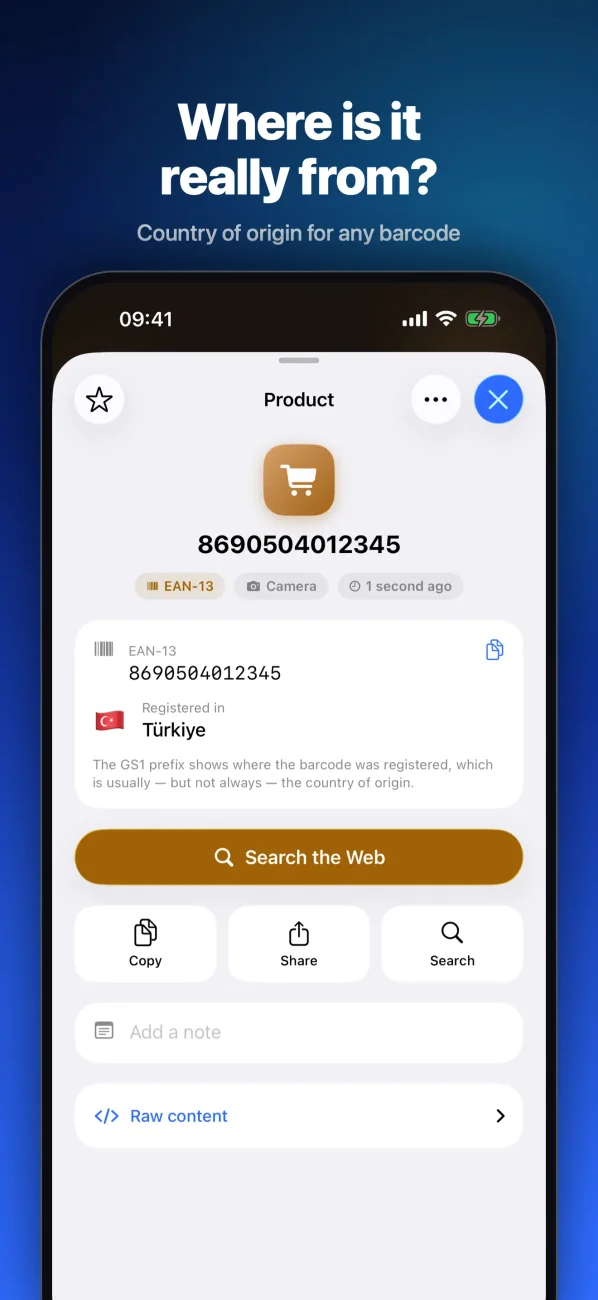
QR code scanner, barcode scanner app can also read and help you to check the country origin and product information of a barcode to reduce the possibility of buying low quality or unknown origin products.
QR code scanner, barcode scanner app doesn’t require any special permission, it doesn’t collect any personal information or access to your device storage, contact list, or anything else. It’s simply a QR code reader app to help you scan QR codes and scan barcodes on the go, everywhere, using iPhones.
QR code scanner, barcode reader app also has a QR generator feature allowing you to generate your own QR codes with different types easily.
No ads
Super-fast, super-lightweight, and easy to use
Appropriate actions on each QR code or Barcode: search on All Web Browsers and open a webpage, add a contact, send an email, call a phone number, connect to a wifi network, add an event to calendar...
Advanced setting options to ensure the scanner is optimized for your own iPhone's camera
Batch scan mode: Scan multiple QR codes and barcodes at once
QR code generator: generate QR code using your iPhone.
HOW TO USE:
- To scan a QR code or barcode, simply open the QR scanner and barcode scanner app, point the camera in front of the QR code or barcode, and the app will automatically read the code and show you its content efficiently.
- To scan images from your device's gallery or even from content in any other apps, simply use the "Share" functionality in the iOS menu: select the image in your gallery -> click the "Share" option -> select "Scan Image" with the QR scanner and barcode scanner app.
- To generate QR codes: simply open the QR code reader and barcode reader app -> select "Generate" at the bottom menu. There are many types of QR codes that you can generate based on your needs, such as contents from clipboards, website URL, text, contact information, phone number, SMS, calendar event, wifi... The QR code is created and the app allows you to save it to the device's gallery, or share the code image anywhere.
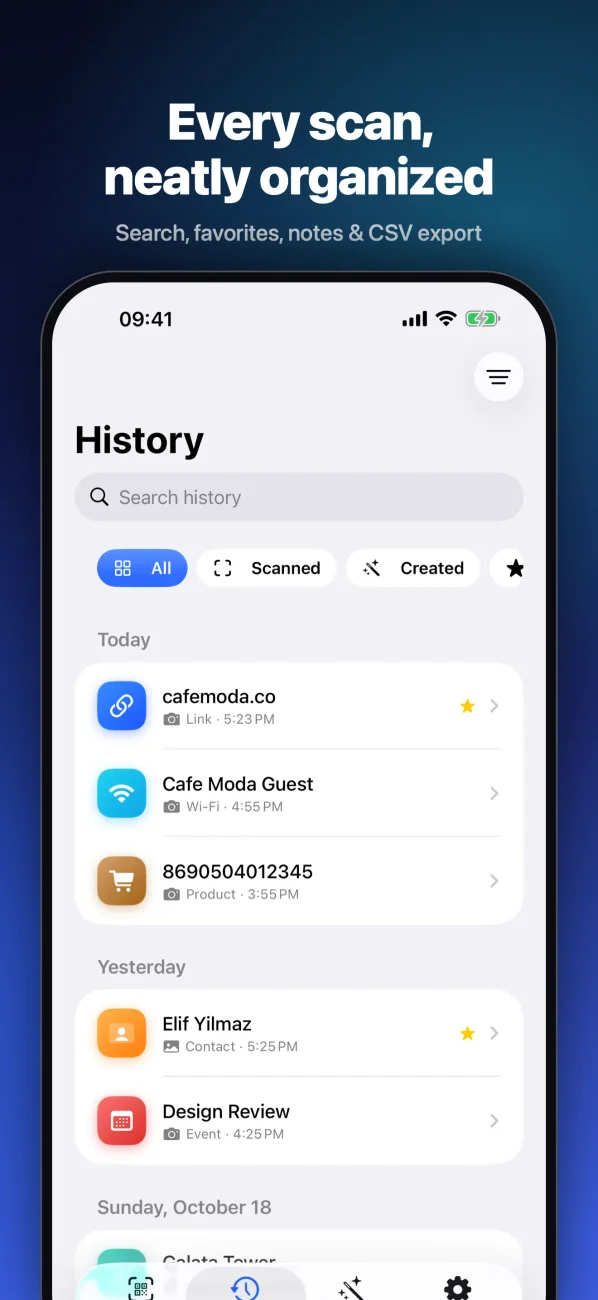
- History feature allows you to view all the QR codes and barcodes that have been scanned from the QR code reader and barcode reader app. The history is organized clearly thus helping you to find your information as efficiently as possible.
- In the settings menu, there are many options to optimize the QR code reader and barcode scanner app for your own device as well as your preferences.
Terms of Use: https://www.apple.com/legal/internet-services/itunes/dev/stdeula/
Neue Funktionen
Version 2.0.1 · 26.10.2026
Version 2.0.1
• Uninterrupted scanning: no more full-screen ads after you scan a code
• Ads moved away from buttons and the tab bar, so you won't tap one by accident
• Banners only appear when there's an ad to show, with no empty space left behind
• Small layout fixes and polish
App-Datenschutz
Was MUSTAFA OZDEMIR im App Store zum Umgang dieser App mit Daten angibt.
-
Daten, die zum Tracking Ihrer Person verwendet werden
Können verwendet werden, um Sie über Apps und Websites anderer Unternehmen hinweg zu verfolgen.
- Diagnose
-
Nicht mit Ihnen verknüpfte Daten
Können erfasst werden, sind aber nicht mit Ihrer Identität verknüpft.
- Kennungen
- Nutzungsdaten
- Diagnose
Die Datenschutzpraktiken können variieren, zum Beispiel je nach den von Ihnen verwendeten Funktionen oder Ihrem Alter.
Informationen
- Anbieter
- MUSTAFA OZDEMIR
- Kategorie
- Produktivität
- Version
- 2.0.1
- Aktualisiert
- 26.10.2026
- Veröffentlicht
- 23.06.2021
- Größe
- 8,2 MB
- Erfordert
- iOS 26.0 oder neuer
- Altersfreigabe
- 4+
- Preis
- Kostenlos
- In-App-Käufe
- Ja
- Sprachen
- Englisch, Türkisch
- Copyright
- © Mustafa OZDEMIR
Das könnte Ihnen auch gefallen
-
 DejaView – Deine QR Code KarteTeile Social, Business & mehr
-
 QR- & Barcode Scanner ProCodes scannen & erstellen
-
 Paw Agenda: Haustier-PlanerErinnerungen für Hund & Katze
-
 Wake on LAN: Magnova AirLinkProduktivität
-
 Draw Ai: AI Presentation MakerProduktivität
-
 BeeVaro: Arıcılık YönetimiProduktivität
-
 OnloiProduktivität
-
 Oto Yıka İşletmeProduktivität
-
 CastellaProduktivität
-
 CNC Machining ToolkitProduktivität