
Quick Capture for Obsidian
Daily notes & Markdown tasks
Entwickelt für iPhone, iPad
Kostenlos · In-App-Käufe
- Altersfreigabe4+
- KategorieProduktivität
- EntwicklerDaiki Yamaguchi
- SprachenEnglisch
- Größe14,4 MB
Verlinkt auf die offizielle App Store-Seite
Download.org hostet keine Datei von Quick Capture for Obsidian. Die Schaltfläche öffnet die App-Seite bei App Store, wo Daiki Yamaguchi die App veröffentlicht. Eintrag zuletzt geprüft am 24.11.2026.
Screenshots

Info
Der Entwickler hat diesen Text nicht in Ihrer Sprache bereitgestellt.
Capture notes and tasks as plain Markdown in your Obsidian vault.
Open. Type. Done.
Shard opens to a focused capture field. Save a thought to your daily note or add a task to your task file without opening your full vault workspace.
CAPTURE
• Save posts to your daily note and tasks to your task file
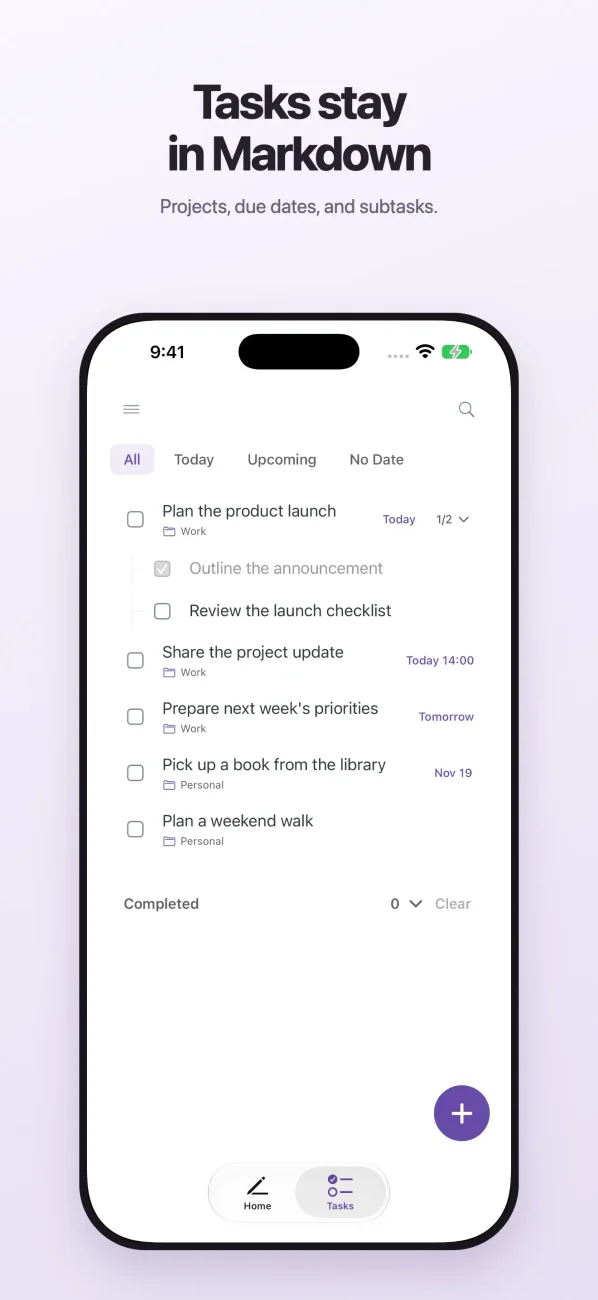
• Set a Project and due date while you write a task on Home
• Use custom Post formats and destinations
• Attach images
• Use common Daily Notes and Periodic Notes folder and date settings
• Write to your selected vault folder on your device or in iCloud Drive
• Keep text captures queued on your device when the vault is temporarily unavailable
• Capture text and webpage URLs through the Share Sheet
• Run Post and Task actions from Shortcuts
TASKS
• Manage Markdown checkboxes, Projects, and subtasks
• Add due dates and times
• Browse All, Today, Upcoming, and No Date
• Save edits to existing tasks automatically
• Set task reminders, including date-only and custom reminders
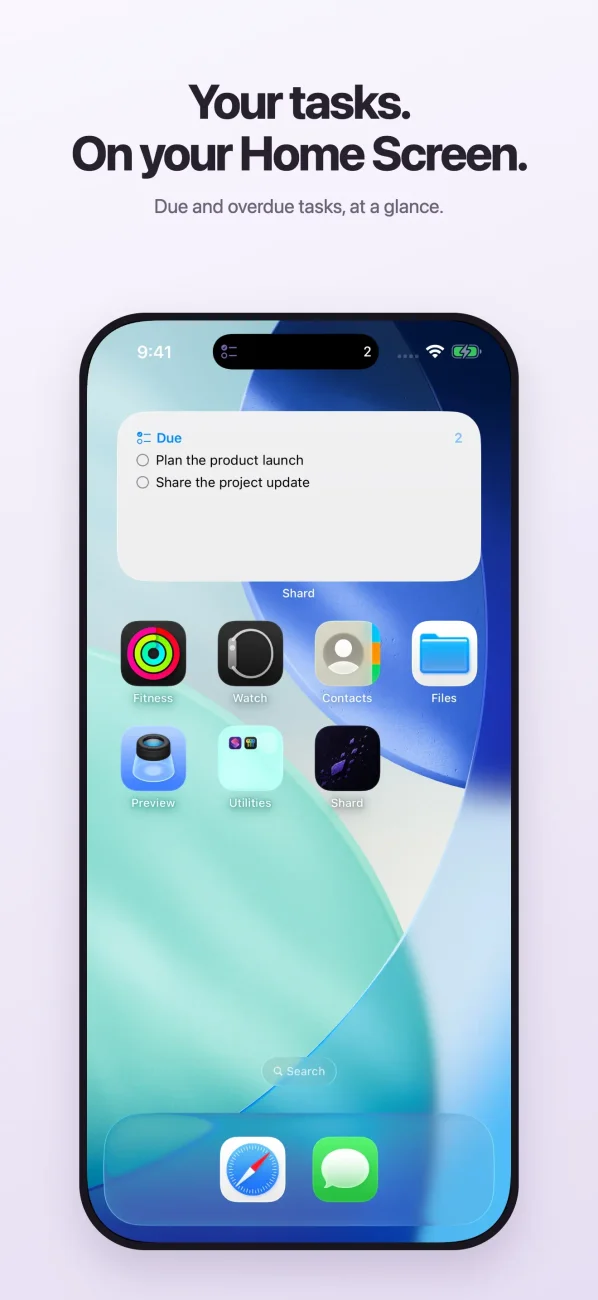
• View due and overdue tasks in Home Screen widgets
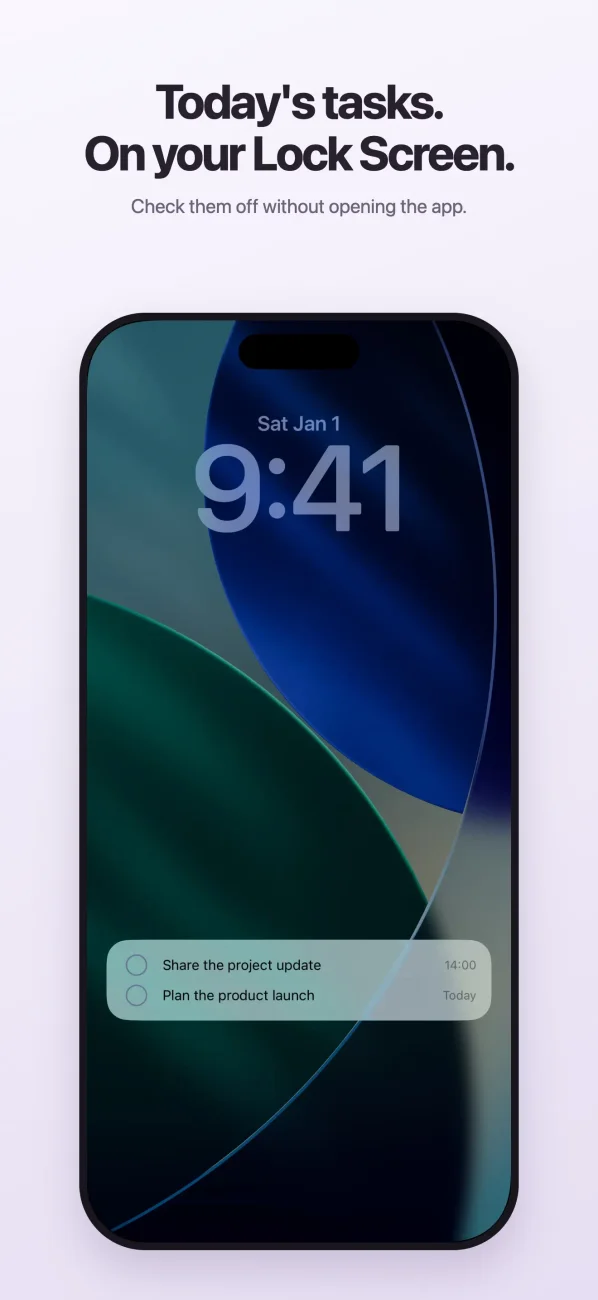
• View today's tasks on your Lock Screen with Live Activities and check them off there
• Open capture from Lock Screen buttons for New Post and New Task
FREE AND SHARD PLUS
Capture, unlimited tasks, images, reminders at the due time, widgets, Live Activities, Shortcuts, and Share Sheet capture are free.
Create up to 3 Projects and 3 custom note destinations for free. Shard Plus removes both limits and unlocks custom Post formats, early and multiple reminders, and custom reminder times. Existing Projects, custom note destinations, and saved formats remain available when a subscription expires. Creating beyond the free limits or editing a custom Post format requires Plus. You can restore the standard Post format for free.
MADE FOR YOUR CURRENT WINDOW
Capture and task controls adapt to changes in the available display area, including iPhone Duo.
PRIVATE BY DESIGN
No Shard account. No analytics. No tracking. Your content is written to the vault folder you choose. If a text capture cannot be written immediately, it waits locally on your device.
Your notes stay in plain Markdown with no proprietary file format.
Obsidian is a trademark of Dynalist Inc. Shard is an independent app and is not affiliated with or endorsed by Dynalist Inc.
Terms of Use (EULA):
https://www.apple.com/legal/internet-services/itunes/dev/stdeula/
Neue Funktionen
Version 1.8.7 · 23.11.2026
Custom task reminders are now available with Shard Plus.
• Set early or multiple reminders, including reminders for date-only tasks.
• Preview notification times as you change a task's schedule.
• Choose from 48 Project icons.
• Improved Schedule layout and reminder controls.
App-Datenschutz
Was Daiki Yamaguchi im App Store zum Umgang dieser App mit Daten angibt.
-
Keine Daten erfasst
Der Entwickler erfasst keine Daten von dieser App.
Die Datenschutzpraktiken können variieren, zum Beispiel je nach den von Ihnen verwendeten Funktionen oder Ihrem Alter.
Informationen
- Anbieter
- Daiki Yamaguchi
- Kategorie
- Produktivität
- Version
- 1.8.7
- Aktualisiert
- 23.11.2026
- Veröffentlicht
- 13.06.2026
- Größe
- 14,4 MB
- Erfordert
- iOS 17.0 oder neuer
- Altersfreigabe
- 4+
- Preis
- Kostenlos
- In-App-Käufe
- Ja
- Sprachen
- Englisch
- Copyright
- © 2026 Daiki Yamaguchi
Das könnte Ihnen auch gefallen
-
 Cairn — Markdown TasksProduktivität
-
 Litho: Screenshot to ObsidianProduktivität
-
 Simple Memo - Obsidian VoiceProduktivität
-
 Voice Inbox for ObsidianProduktivität
-
 VaultSync for ObsidianSelbstgehostet via Syncthing
-
 Quick Draft for ObsidianProduktivität
-
 TaskForge: Obsidian AufgabenMarkdown-To-do-Liste & Widgets
-
 Quick Capture - Vault notesProduktivität
-
 Actions For ObsidianDeine Notizen + Kurzbefehle.
-
 Obsidian Web ClipperProduktivität