
Quick Capture for Obsidian
Daily notes & Markdown tasks
Designed for iPhone, iPad
Free · In-app purchases
- Age rating4+
- CategoryProductivity
- DeveloperDaiki Yamaguchi
- LanguagesEnglish
- Size14.4 MB
Links to the official App Store page
Download.org hosts no file of Quick Capture for Obsidian. The button opens its official App Store page, published by Daiki Yamaguchi. Listing last checked on Nov 24, 2026.
Screenshots

About
Capture notes and tasks as plain Markdown in your Obsidian vault.
Open. Type. Done.
Shard opens to a focused capture field. Save a thought to your daily note or add a task to your task file without opening your full vault workspace.
CAPTURE
• Save posts to your daily note and tasks to your task file
• Set a Project and due date while you write a task on Home
• Use custom Post formats and destinations
• Attach images
• Use common Daily Notes and Periodic Notes folder and date settings
• Write to your selected vault folder on your device or in iCloud Drive
• Keep text captures queued on your device when the vault is temporarily unavailable
• Capture text and webpage URLs through the Share Sheet
• Run Post and Task actions from Shortcuts
TASKS
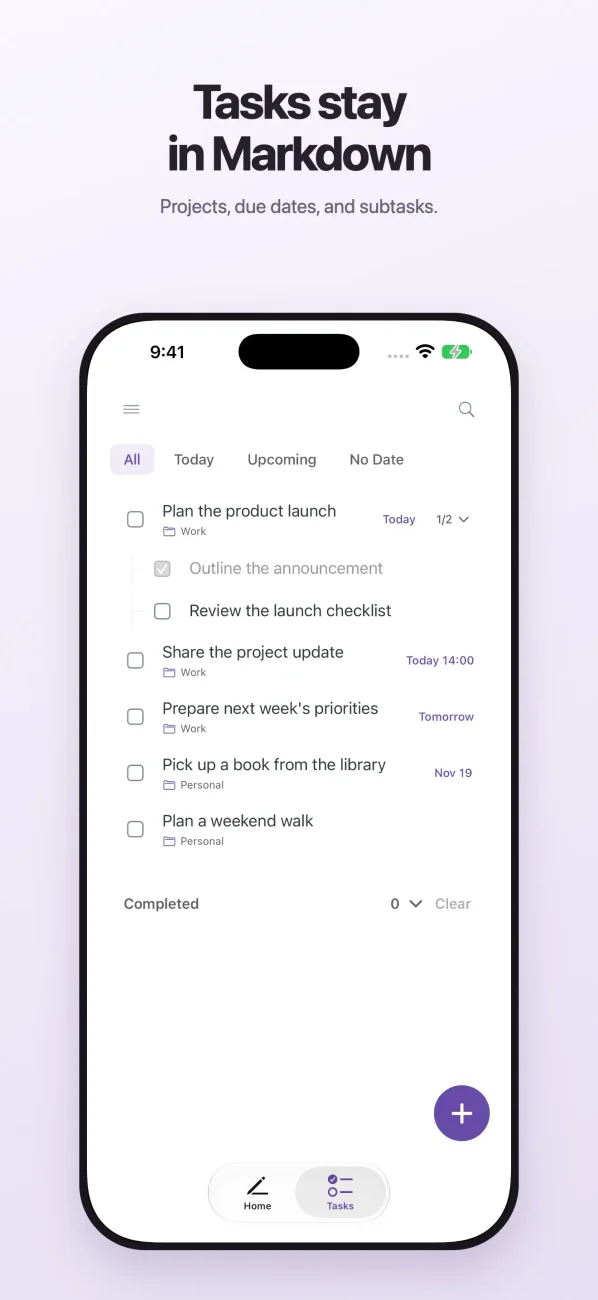
• Manage Markdown checkboxes, Projects, and subtasks
• Add due dates and times
• Browse All, Today, Upcoming, and No Date
• Save edits to existing tasks automatically
• Set task reminders, including date-only and custom reminders
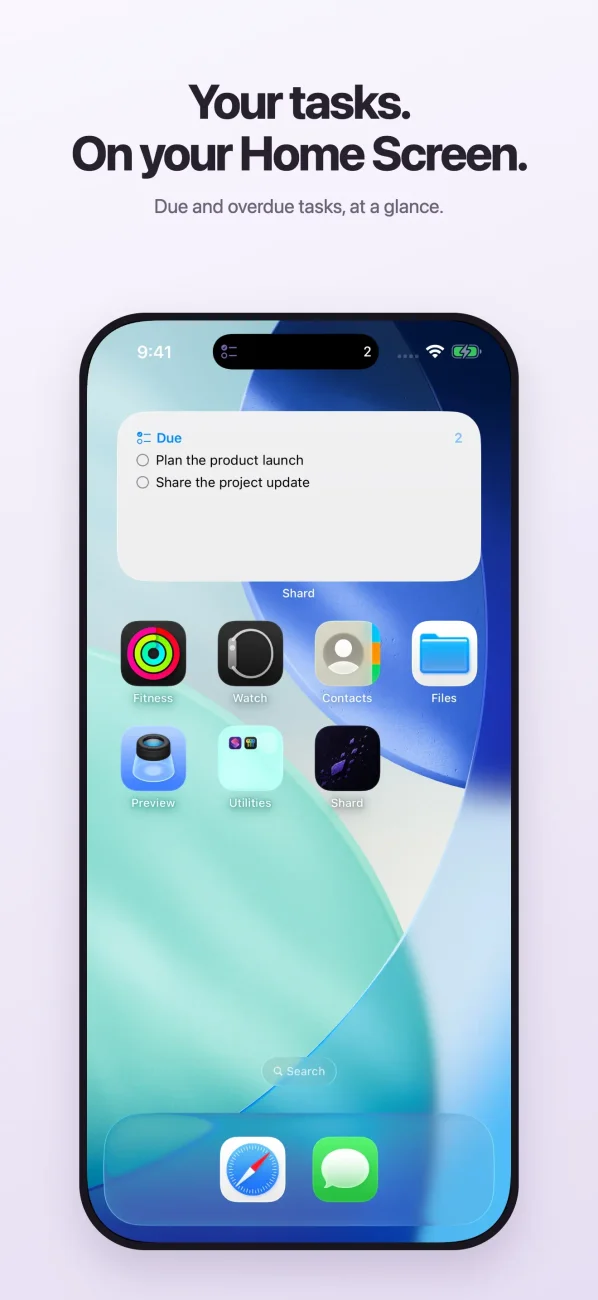
• View due and overdue tasks in Home Screen widgets
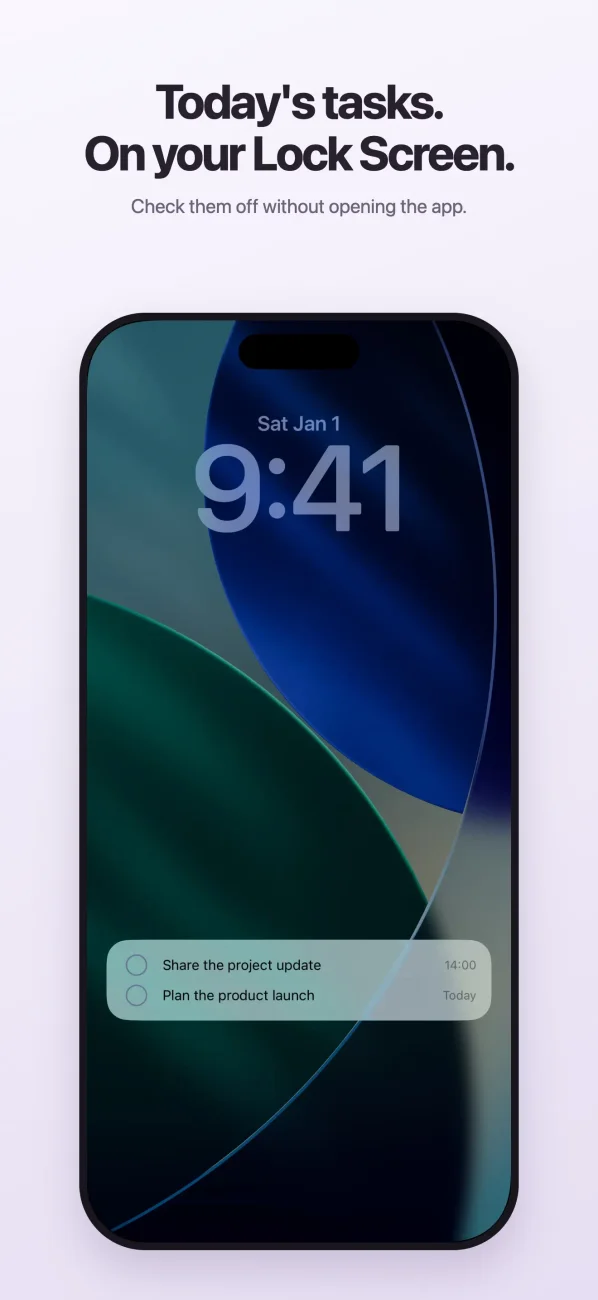
• View today's tasks on your Lock Screen with Live Activities and check them off there
• Open capture from Lock Screen buttons for New Post and New Task
FREE AND SHARD PLUS
Capture, unlimited tasks, images, reminders at the due time, widgets, Live Activities, Shortcuts, and Share Sheet capture are free.
Create up to 3 Projects and 3 custom note destinations for free. Shard Plus removes both limits and unlocks custom Post formats, early and multiple reminders, and custom reminder times. Existing Projects, custom note destinations, and saved formats remain available when a subscription expires. Creating beyond the free limits or editing a custom Post format requires Plus. You can restore the standard Post format for free.
MADE FOR YOUR CURRENT WINDOW
Capture and task controls adapt to changes in the available display area, including iPhone Duo.
PRIVATE BY DESIGN
No Shard account. No analytics. No tracking. Your content is written to the vault folder you choose. If a text capture cannot be written immediately, it waits locally on your device.
Your notes stay in plain Markdown with no proprietary file format.
Obsidian is a trademark of Dynalist Inc. Shard is an independent app and is not affiliated with or endorsed by Dynalist Inc.
Terms of Use (EULA):
https://www.apple.com/legal/internet-services/itunes/dev/stdeula/
What’s new
Version 1.8.7 · Nov 23, 2026
Custom task reminders are now available with Shard Plus.
• Set early or multiple reminders, including reminders for date-only tasks.
• Preview notification times as you change a task's schedule.
• Choose from 48 Project icons.
• Improved Schedule layout and reminder controls.
App privacy
What Daiki Yamaguchi declares on the App Store about how this app handles data.
-
Data not collected
The developer does not collect any data from this app.
Privacy practices may vary, for example with the features you use or your age.
Information
- Seller
- Daiki Yamaguchi
- Category
- Productivity
- Version
- 1.8.7
- Updated
- Nov 23, 2026
- Released
- Jun 13, 2026
- Size
- 14.4 MB
- Requires
- iOS 17.0 or later
- Age rating
- 4+
- Price
- Free
- In-app purchases
- Yes
- Languages
- English
- Copyright
- © 2026 Daiki Yamaguchi
You might also like
-
 Cairn — Markdown TasksPlan today from your notes
-
 Litho: Screenshot to ObsidianOn-device OCR, two taps, done
-
 Simple Memo - Obsidian VoiceSpeak a note, get it by email
-
 Voice Inbox for ObsidianQuick capture & transcribe
-
 VaultSync for ObsidianSelf-Hosted Syncthing Notes
-
 Quick Draft for ObsidianCapture voice, text & photos
-
 TaskForge: Obsidian TasksMarkdown To-Do List & Widgets
-
 Quick Capture - Vault notesCapture notes in Obsidian
-
 Actions For ObsidianYour notes + Shortcuts.
-
 Obsidian Web ClipperSave the web. Own your data.