- Altersfreigabe4+
- KategorieBildung
- EntwicklerNoppon Sukpirom
- SprachenEnglisch+ 4 weitere
- Größe3,4 MB
Rachii Geometry ist bei App Store derzeit möglicherweise nicht verfügbar
Bei unserer letzten Prüfung war der Store-Eintrag nicht erreichbar. Der Link führt weiterhin zur offiziellen App Store-Seite.
Screenshots
Info
Der Entwickler hat diesen Text nicht in Ihrer Sprache bereitgestellt.
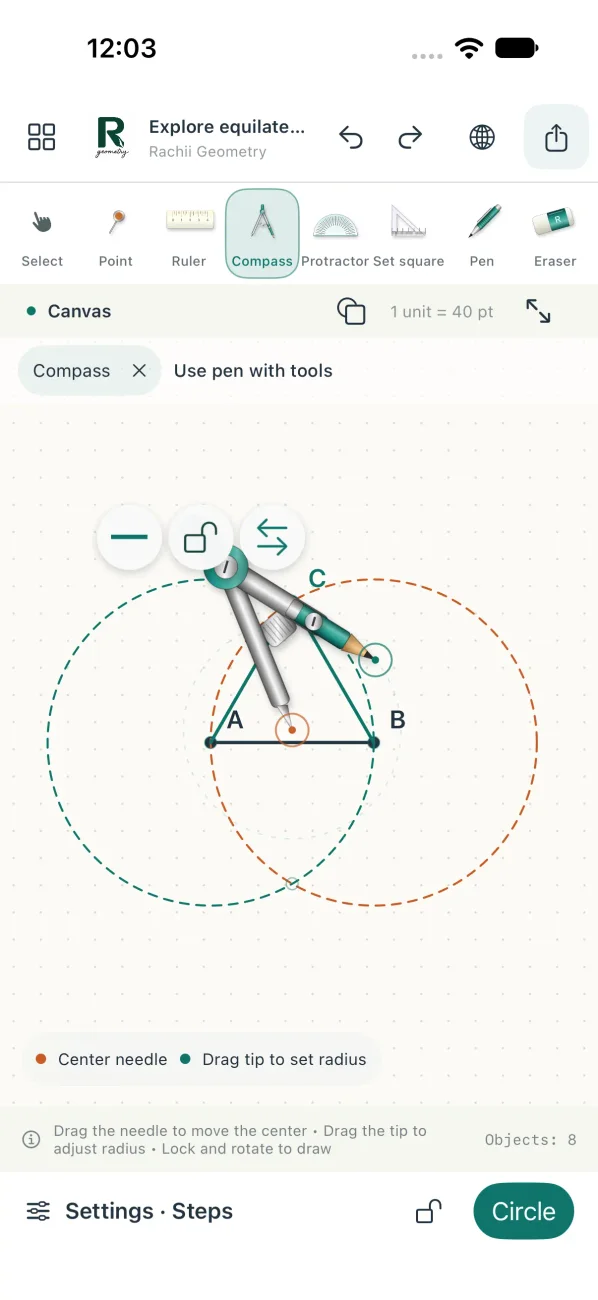
Turn your iPhone or iPad into a space for exploring geometric construction. Rachii Geometry places illustrated compasses, rulers, protractors and set squares on your canvas. Draw with your finger, or Apple Pencil on a compatible iPad.
CONSTRUCT WITH VISIBLE INSTRUMENTS
• Set and lock the compass radius, draw circles and arcs, swap its needle and drawing tip, and choose solid or dashed lines.
• Use a pen along a ruler or set-square edge. Snap the ruler parallel or perpendicular to existing lines.
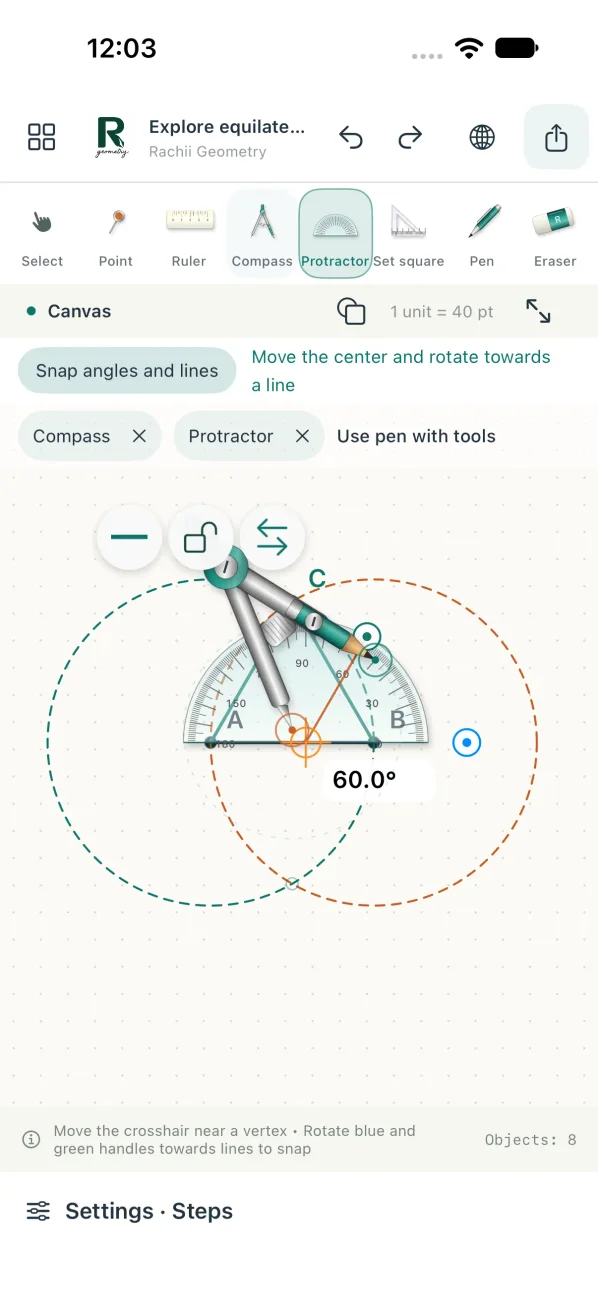
• Measure angles with a 180° or 360° protractor that snaps to vertices and lines.
CREATE AND EDIT
• Name points and snap them to nearby lines and intersections.
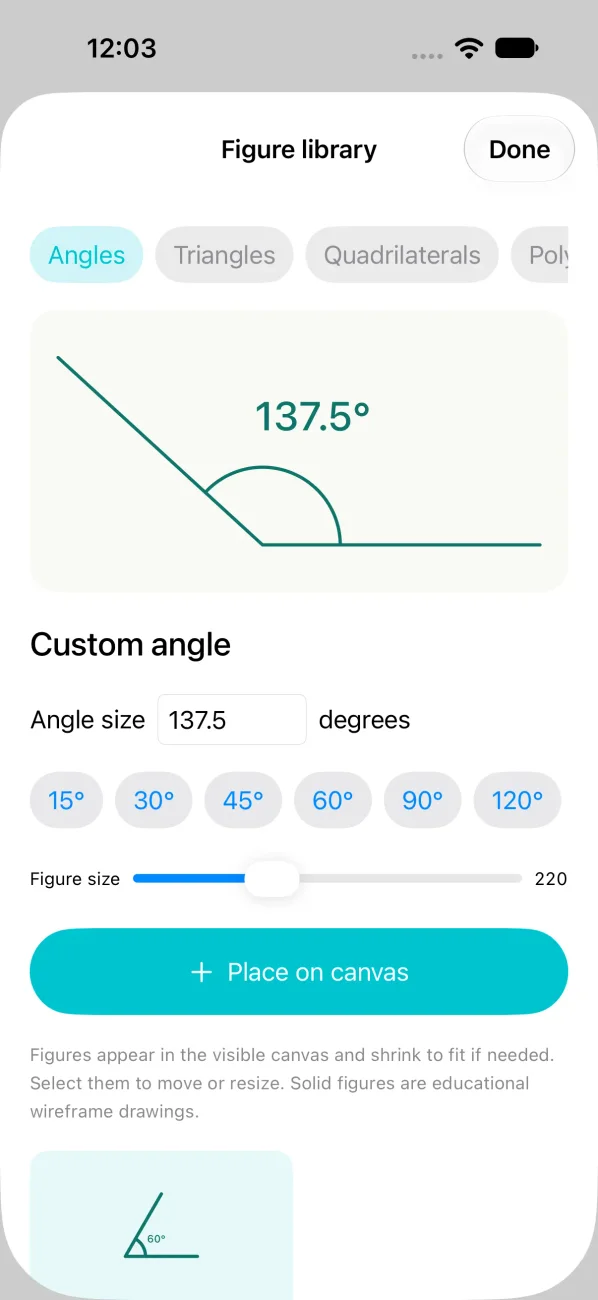
• Insert 48 figure templates: angles, triangles, quadrilaterals, polygons, circles, ellipses, solid wireframes and nets.
• Set custom angles from 1 to 360 degrees, including decimals.
• Select several objects to move, resize, recolor or delete together.
• Erase just the area you rub, with undo and redo.
KEEP AND SHARE YOUR WORK
• Worksheets save on your device. Open earlier work from the library and restore worksheets from Trash.
• A fresh launch starts with a blank canvas while keeping previous worksheets.
• Export PDF, PNG or editable .rachiigeo backup files.
• Explore equilateral-triangle and perpendicular-bisector examples and review construction steps.
Choose Thai, English, Simplified Chinese, Korean or Japanese using the globe button. No account, ads, in-app purchases or subscription. Drawing and local worksheets work offline.
Requires iOS/iPadOS 17 or later. Up to 500 objects per worksheet; imported backups up to 20 MB. Solid figures are 2D wireframes. Objects do not maintain dynamic geometry constraints. The app does not automatically sync worksheets across devices.
Neue Funktionen
Version 1.1 · 12.10.2026
Now available in Thai, English, Simplified Chinese, Korean and Japanese.
• Tap the globe to change language instantly or follow your device language.
• Localized tools, figure library, help and privacy policy.
• Your language choice is remembered. Existing worksheets, point names and your text stay unchanged.
App-Datenschutz
Was Noppon Sukpirom im App Store zum Umgang dieser App mit Daten angibt.
-
Keine Daten erfasst
Der Entwickler erfasst keine Daten von dieser App.
Die Datenschutzpraktiken können variieren, zum Beispiel je nach den von Ihnen verwendeten Funktionen oder Ihrem Alter.
Informationen
- Anbieter
- Noppon Sukpirom
- Kategorie
- Bildung
- Version
- 1.1
- Aktualisiert
- 12.10.2026
- Veröffentlicht
- 12.10.2026
- Größe
- 3,4 MB
- Erfordert
- iOS 17.0 oder neuer
- Altersfreigabe
- 4+
- Sprachen
- Englisch, Japanisch, Koreanisch, Vereinf. Chinesisch, Thai
- Copyright
- © 2026 Noppon Sukpirom
Das könnte Ihnen auch gefallen
-
 Zirkelwerk GeometrieGeodreieck & Zirkel für Mathe
-
 수학비서Bildung
-
 Mind Power BankBildung
-
 Aimphan - อาชีวศึกษาBildung
-
 AI Tutor: Homework HelperBildung
-
 Geometry Nets HelperBildung
-
 Qanda Teacher : Solve and earnBildung
-
 EvalBeeBildung
-
 3D-Erde und Mond, Sonne SterneLebendige Ihren Händen PRO HD
-
 ProloquoBildung