- Age rating4+
- CategoryEducation
- DeveloperNoppon Sukpirom
- LanguagesEnglish+ 4 more
- Size3.4 MB
Links to the official App Store page
Download.org hosts no file of Rachii Geometry. The button opens its official App Store page, published by Noppon Sukpirom. Listing last checked on Nov 13, 2026.
Screenshots
About
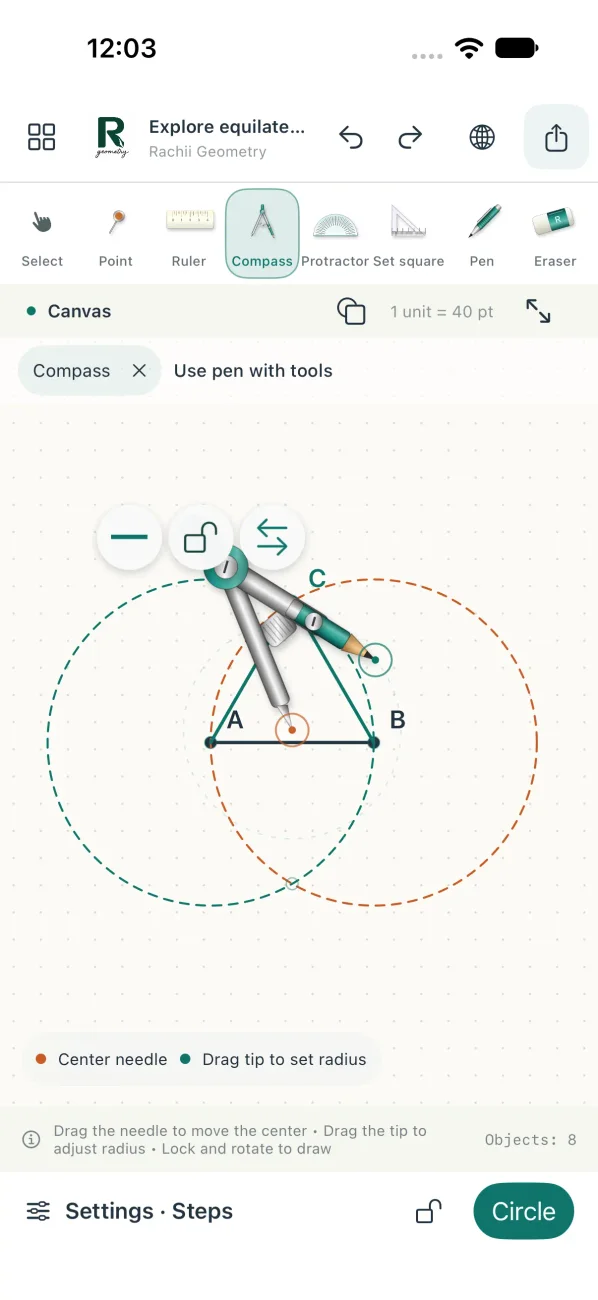
Turn your iPhone or iPad into a space for exploring geometric construction. Rachii Geometry places illustrated compasses, rulers, protractors and set squares on your canvas. Draw with your finger, or Apple Pencil on a compatible iPad.
CONSTRUCT WITH VISIBLE INSTRUMENTS
• Set and lock the compass radius, draw circles and arcs, swap its needle and drawing tip, and choose solid or dashed lines.
• Use a pen along a ruler or set-square edge. Snap the ruler parallel or perpendicular to existing lines.
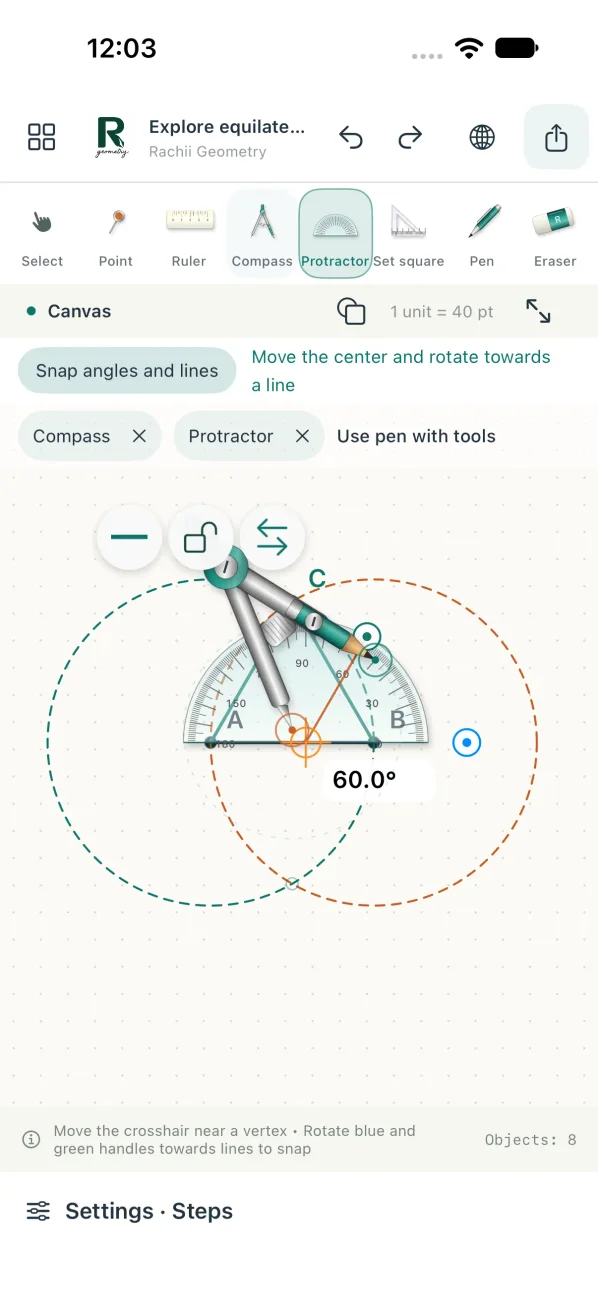
• Measure angles with a 180° or 360° protractor that snaps to vertices and lines.
CREATE AND EDIT
• Name points and snap them to nearby lines and intersections.
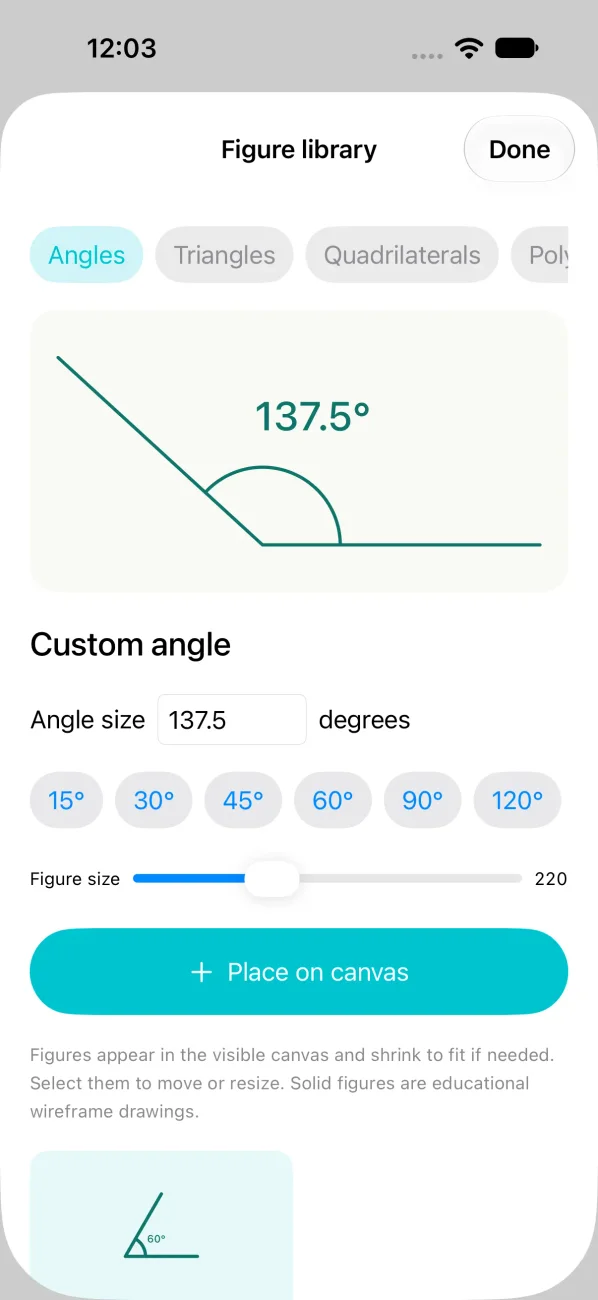
• Insert 48 figure templates: angles, triangles, quadrilaterals, polygons, circles, ellipses, solid wireframes and nets.
• Set custom angles from 1 to 360 degrees, including decimals.
• Select several objects to move, resize, recolor or delete together.
• Erase just the area you rub, with undo and redo.
KEEP AND SHARE YOUR WORK
• Worksheets save on your device. Open earlier work from the library and restore worksheets from Trash.
• A fresh launch starts with a blank canvas while keeping previous worksheets.
• Export PDF, PNG or editable .rachiigeo backup files.
• Explore equilateral-triangle and perpendicular-bisector examples and review construction steps.
Choose Thai, English, Simplified Chinese, Korean or Japanese using the globe button. No account, ads, in-app purchases or subscription. Drawing and local worksheets work offline.
Requires iOS/iPadOS 17 or later. Up to 500 objects per worksheet; imported backups up to 20 MB. Solid figures are 2D wireframes. Objects do not maintain dynamic geometry constraints. The app does not automatically sync worksheets across devices.
What’s new
Version 1.1 · Oct 12, 2026
Now available in Thai, English, Simplified Chinese, Korean and Japanese.
• Tap the globe to change language instantly or follow your device language.
• Localized tools, figure library, help and privacy policy.
• Your language choice is remembered. Existing worksheets, point names and your text stay unchanged.
App privacy
What Noppon Sukpirom declares on the App Store about how this app handles data.
-
Data not collected
The developer does not collect any data from this app.
Privacy practices may vary, for example with the features you use or your age.
Information
- Seller
- Noppon Sukpirom
- Category
- Education
- Version
- 1.1
- Updated
- Oct 12, 2026
- Released
- Oct 12, 2026
- Size
- 3.4 MB
- Requires
- iOS 17.0 or later
- Age rating
- 4+
- Price
- $4.99
- Languages
- English, Japanese, Korean, Simplified Chinese, Thai
- Copyright
- © 2026 Noppon Sukpirom
You might also like
-
 Compasswork GeometryRuler & compass constructions
-
 수학비서Education
-
 Mind Power BankEducation
-
 Aimphan - อาชีวศึกษาEducation
-
 AI Tutor: Homework HelperThe Math Solver App, Answer AI
-
 Geometry Nets HelperEducation
-
 Qanda Teacher : Solve and earnEarn cash by solving math!
-
 EvalBeeOMR Answer sheet scanner app
-
 3D Earth & moon, sun and starsReal live planet at your hands
-
 ProloquoThe Next Generation AAC App