RecordDeck
Record your sets - stream live
Entwickelt für iPhone, iPad
Kostenlos · In-App-Käufe
- Altersfreigabe4+
- KategorieMusik
- EntwicklerJoris Willekens
- SprachenEnglisch
- Größe4,2 MB
Verlinkt auf die offizielle App Store-Seite
Download.org hostet keine Datei von RecordDeck. Die Schaltfläche öffnet die App-Seite bei App Store, wo Joris Willekens die App veröffentlicht. Eintrag zuletzt geprüft am 23.11.2026.
Screenshots

Info
Der Entwickler hat diesen Text nicht in Ihrer Sprache bereitgestellt.
RecordDeck turns your iPhone into a professional DJ set recorder. Connect your mixer with a single USB cable and capture your master mix in pristine quality — no laptop, no extra gear, no cables into the headphone jack.
RECORD YOUR SETS
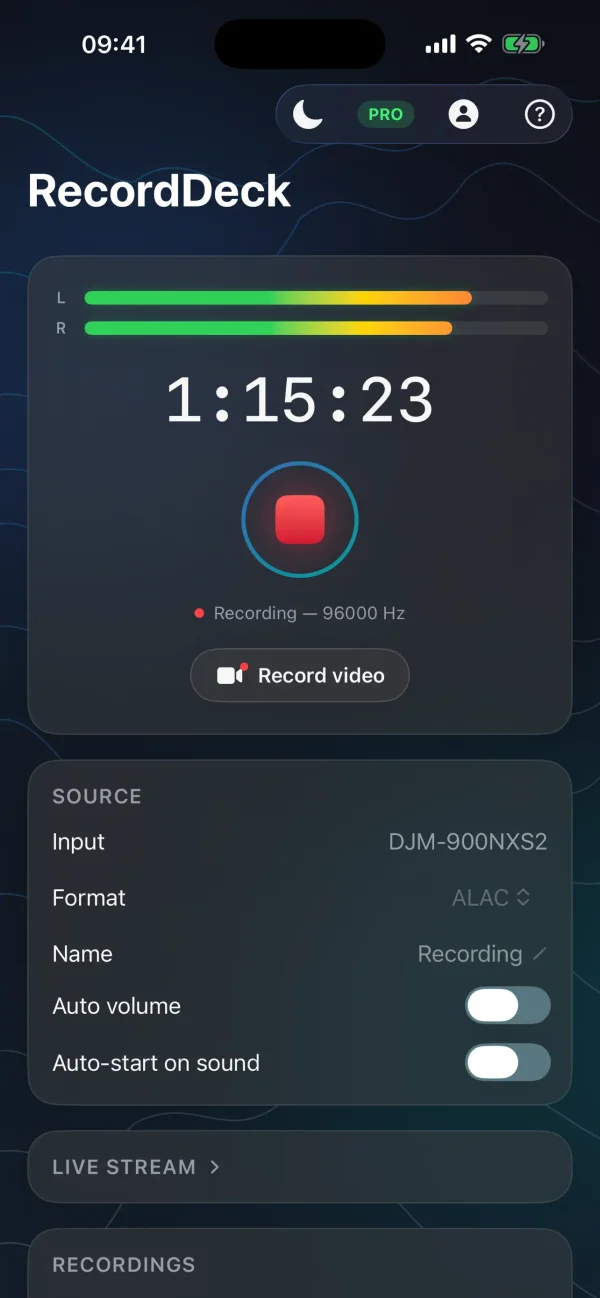
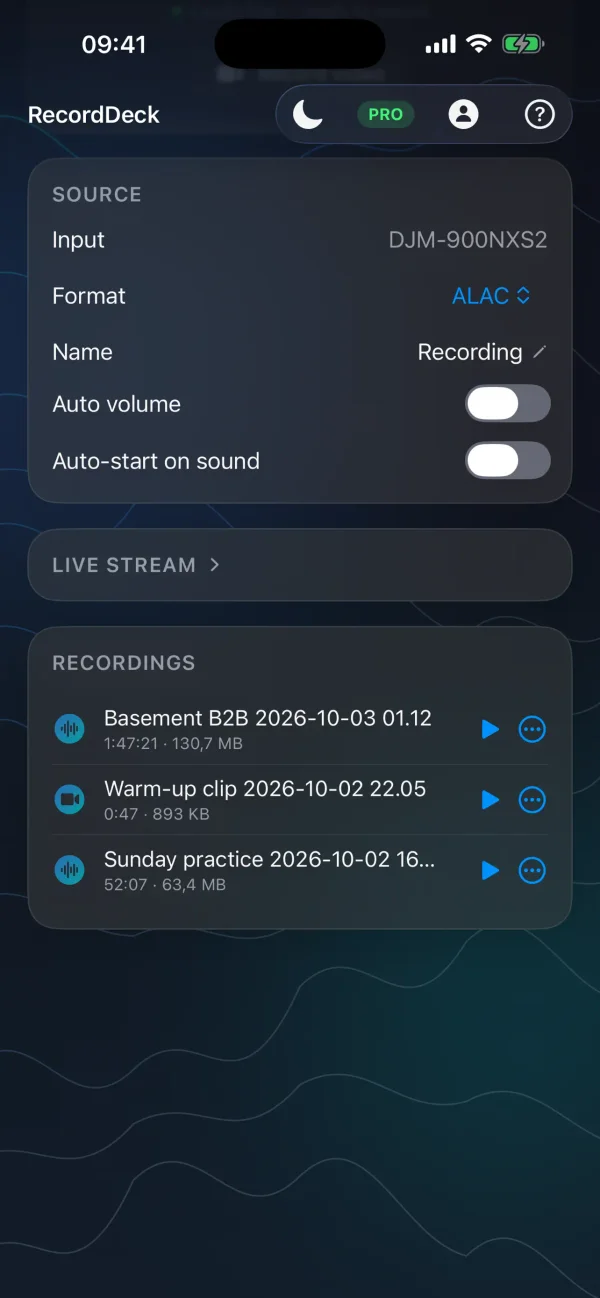
• Direct digital recording from class-compliant DJ mixers (Pioneer DJM-900NXS2, 750MK2, V10, A9 and more) and USB audio interfaces
• Lossless ALAC, WAV or AAC — up to 24-bit
• Auto-start on sound: press play on your first track and RecordDeck starts by itself, including a 2-second pre-roll so the first beat is never lost
• Auto volume rescues quiet recordings and pulls back clipping
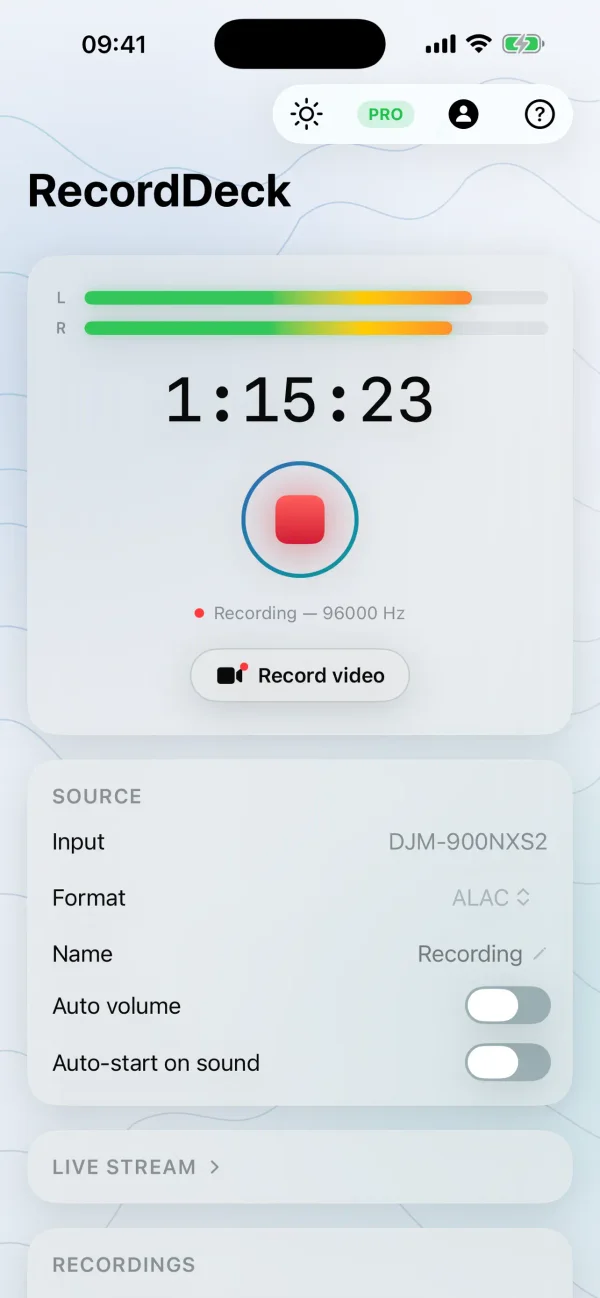
• Keeps recording with the screen locked, for sets as long as your battery lasts
STREAM LIVE
• Stream your mix straight to Twitch, YouTube, Facebook Live or any RTMP platform — or reach several at once through Restream
• Choose your video: live camera (front or back) or a clean RecordDeck visual with audio only
• The stream taps the same direct mixer feed as your recording, so your audience hears the mix — not the room
LISTEN, SHARE, MANAGE
• Play back your sets right in the app
• Share recordings to your favourite apps, AirDrop them to your Mac, or save to Files
• Clear level meters show exactly what is being recorded
WORKS WITH YOUR GEAR
Any mixer or audio interface that works with iPhone works with RecordDeck: connect via USB-C, or the Lightning to USB 3 Camera Adapter on older iPhones. No drivers, no configuration — the built-in setup guide walks you through cables, channel routing and streaming setup.
The free version records up to 10 minutes per session. RecordDeck Pro unlocks unlimited recording and live streaming.
Neue Funktionen
Version 1.6.18 · 20.11.2026
• A quick welcome guide that helps you connect your mixer, with live detection
• Try video for free: film a 30-second clip with your mixer's sound
• A hint when you're recording from the built-in microphone, with setup help
• Video clips stay in sync when the audio route changes while filming
• Small fixes and improvements
Enhance and share (Pro)
• Enhance a recording with a peak limiter, Loudness and Sub Bass — saved as a copy, the original stays untouched.
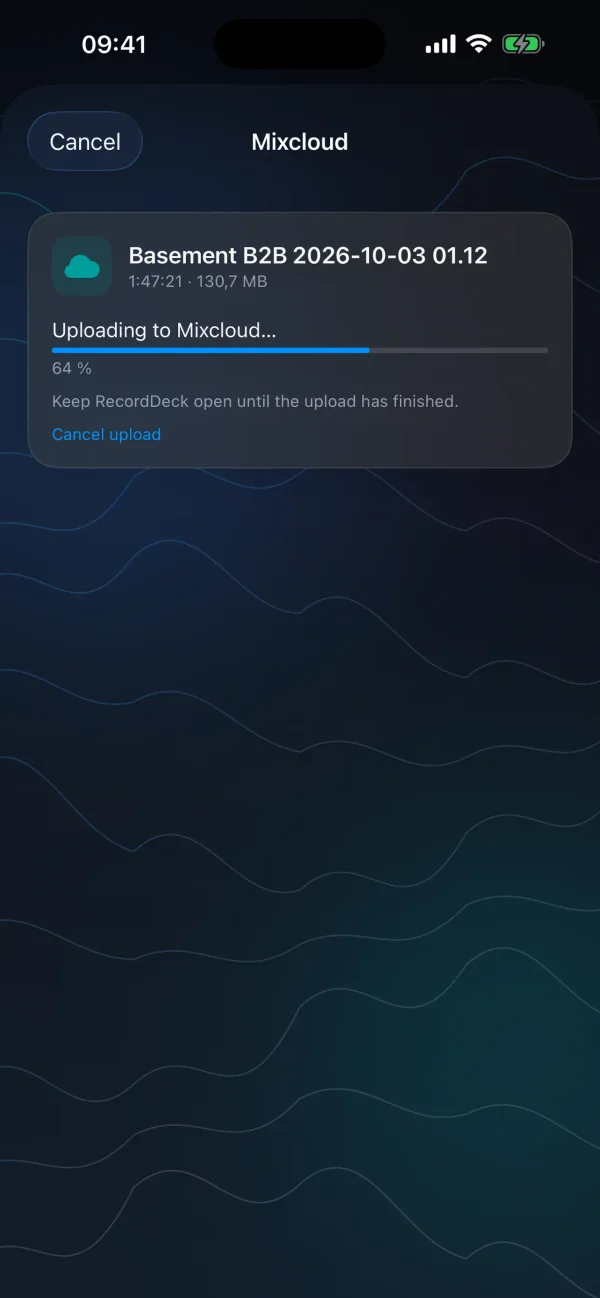
• Upload straight to Mixcloud or Dropbox from the recordings list.
Never lose a set
• Recordings survive a crash or a force-quit: everything up to the last few seconds is kept.
• Recording carries on by itself after a phone call or a USB hiccup on the mixer.
• A warning shows when your iPhone is running out of space for a long set.
• A reminder when Airplane Mode is off, so a call can't interrupt your set.
• See the running recording on your Lock Screen and in the Dynamic Island.
Also new
• A waveform in the player: tap or drag to jump to any moment.
• A cleaner Record video button, and a "…" menu on every recording.
• RecordDeck lets you know when a new version is available.
• Pro is clearly marked as a one-time purchase — no subscription.
Fixes
• Video clips now always keep their mixer audio, also after an audio recording or after watching an earlier clip.
App-Datenschutz
Was Joris Willekens im App Store zum Umgang dieser App mit Daten angibt.
-
Nicht mit Ihnen verknüpfte Daten
Können erfasst werden, sind aber nicht mit Ihrer Identität verknüpft.
- Kontaktinformationen
Die Datenschutzpraktiken können variieren, zum Beispiel je nach den von Ihnen verwendeten Funktionen oder Ihrem Alter.
Informationen
- Anbieter
- Joris Willekens
- Kategorie
- Musik
- Version
- 1.6.18
- Aktualisiert
- 20.11.2026
- Veröffentlicht
- 16.09.2026
- Größe
- 4,2 MB
- Erfordert
- iOS 17.0 oder neuer
- Altersfreigabe
- 4+
- Preis
- Kostenlos
- In-App-Käufe
- Ja
- Sprachen
- Englisch
- Copyright
- © Webcode