
- Altersfreigabe4+
- KategorieProduktivität
- EntwicklerGale Wolfenbarger
- SprachenEnglisch
- Größe1,5 MB
Verlinkt auf die offizielle App Store-Seite
Download.org hostet keine Datei von RemListDB. Die Schaltfläche öffnet die App-Seite bei App Store, wo Gale Wolfenbarger die App veröffentlicht. Eintrag zuletzt geprüft am 06.11.2026.
Screenshots

Info
Der Entwickler hat diesen Text nicht in Ihrer Sprache bereitgestellt.
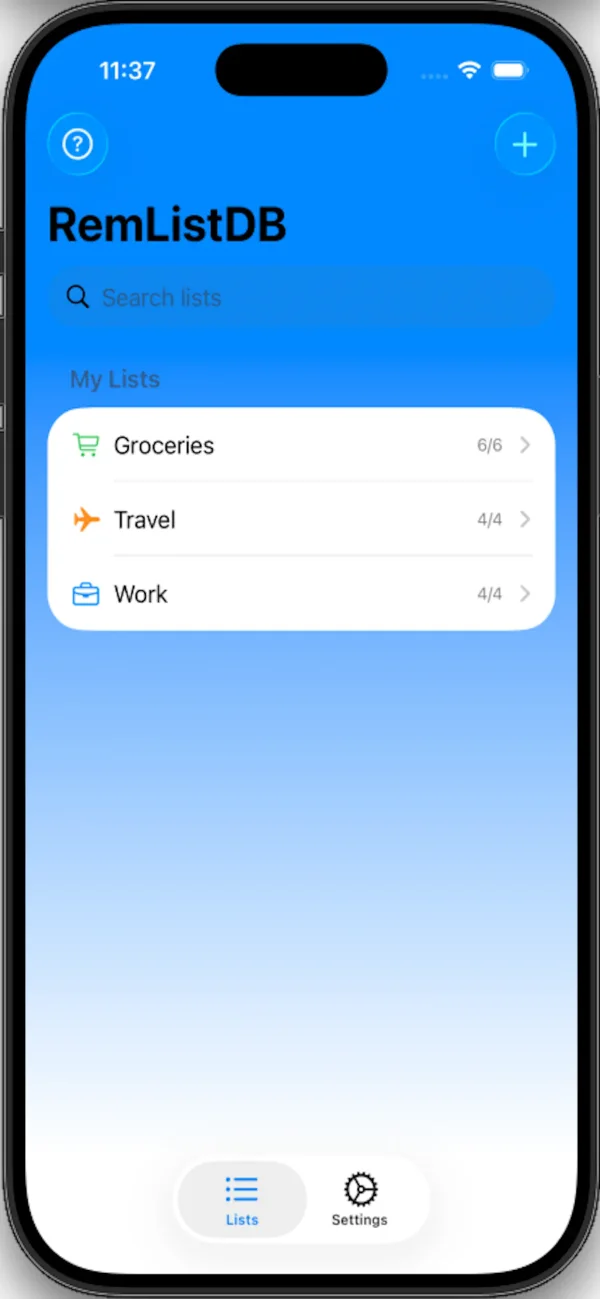
RemListDB is a simple, fast reminder list app for iPhone and iPad. Organize tasks into color-coded, icon-labeled lists, with optional due dates, priorities, notes, and local notifications.
• Multiple lists, each with a custom color and icon (choose from ~90 SF Symbols).
• Edit any list at any time — rename it, recolor it, or change its icon.
• Due dates with local notifications when an item is due.
• Priority levels (Low / Medium / High) with visual indicators.
• Notes on every item.
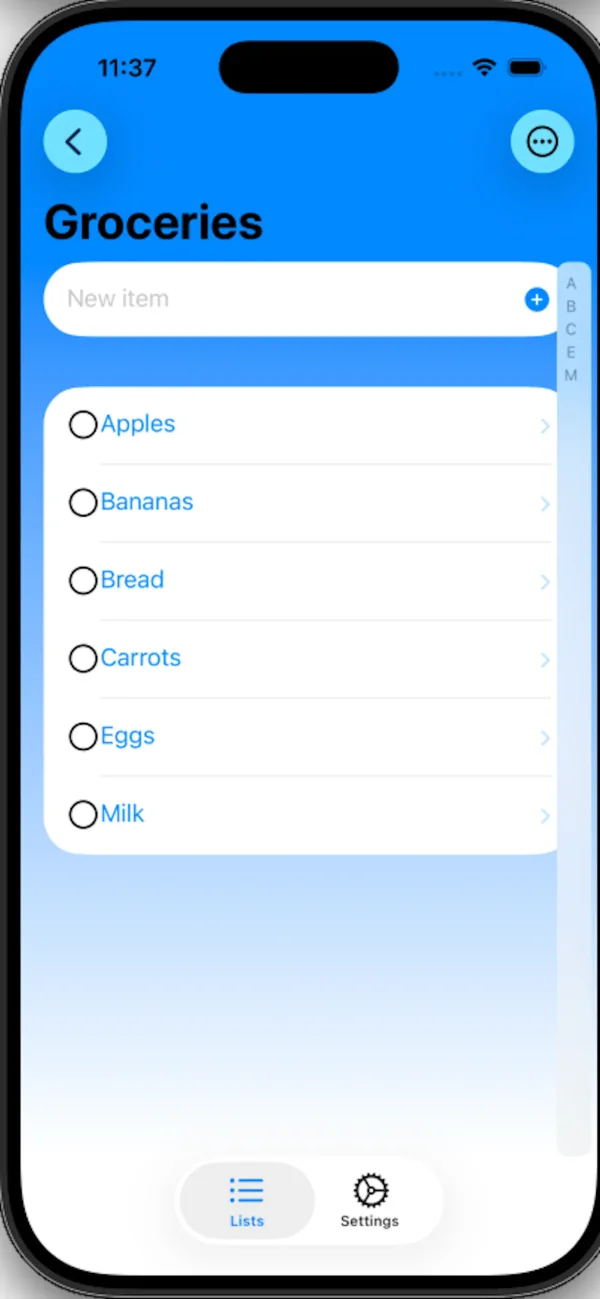
• Search across lists and items.
• Sort by name, date created, due date, or priority.
• Alphabet quick-index for fast scrolling.
• Optional confirmation before deleting lists or items.
• Unfiled items section preserves items when a list is deleted.
• Export and import your data as JSON.
• Light and Dark mode, with adaptive colors.
• Fully accessible — VoiceOver support throughout.
Neue Funktionen
Version 1.2.1 · 09.07.2026
- Last Completed Date: every completion is now timestamped. Sort items by Last Completed, or enable "Show Last Completed" in Settings → Display Options to see when each item was finished.
- Sort direction: pick ascending or descending for any sort order from the redesigned sort menu. The default direction is configurable in Settings → Behavior.
- Streamlined toolbar: Sort, Show/Hide Completed, Edit List, and Help are now individual buttons with clear circle icons. The "More Options" ellipsis menu has been retired.
- VoiceOver rotors: jump straight to Overdue Items, High Priority, or Incomplete items in any list.
- Dynamic Type: the badge row under each item now wraps to a vertical layout at accessibility text sizes so nothing is clipped.
- Help refresh: new entries cover Last Completed, default sort direction, and the redesigned toolbar.
- Readability fix: last-completed timestamps render in the primary text color so they stay legible in both light and dark mode.
App-Datenschutz
Was Gale Wolfenbarger im App Store zum Umgang dieser App mit Daten angibt.
-
Keine Daten erfasst
Der Entwickler erfasst keine Daten von dieser App.
Die Datenschutzpraktiken können variieren, zum Beispiel je nach den von Ihnen verwendeten Funktionen oder Ihrem Alter.
Informationen
- Anbieter
- Gale Wolfenbarger
- Kategorie
- Produktivität
- Version
- 1.2.1
- Aktualisiert
- 09.07.2026
- Veröffentlicht
- 16.10.2026
- Größe
- 1,5 MB
- Erfordert
- iOS 18.0 oder neuer
- Altersfreigabe
- 4+
- Preis
- Kostenlos
- Sprachen
- Englisch
- Copyright
- © 2026 Gale L. Wolfenbarger
Das könnte Ihnen auch gefallen
-
 Scooch - Room & Floor PlannerGrundriss zeichnen, Raumplaner
-
 iLinkboxProduktivität
-
 Smart Switch, kopi min DatenDatenübertragung: Dateifreigab
-
 TextEdit - TexteditorTexte schreiben und bearbeiten
-
 SanDisk Ixpand™ ChargerProduktivität
-
 PDFelement: PDF-Editor & ScanDateien umwandeln & signieren
-
 ONLYOFFICE DocumentsEine solide mobile Büro-Suite
-
 ButterflyMXProduktivität