
- Age rating4+
- CategoryProductivity
- DeveloperGale Wolfenbarger
- LanguagesEnglish
- Size1.5 MB
Links to the official App Store page
Download.org hosts no file of RemListDB. The button opens its official App Store page, published by Gale Wolfenbarger. Listing last checked on Nov 6, 2026.
Screenshots
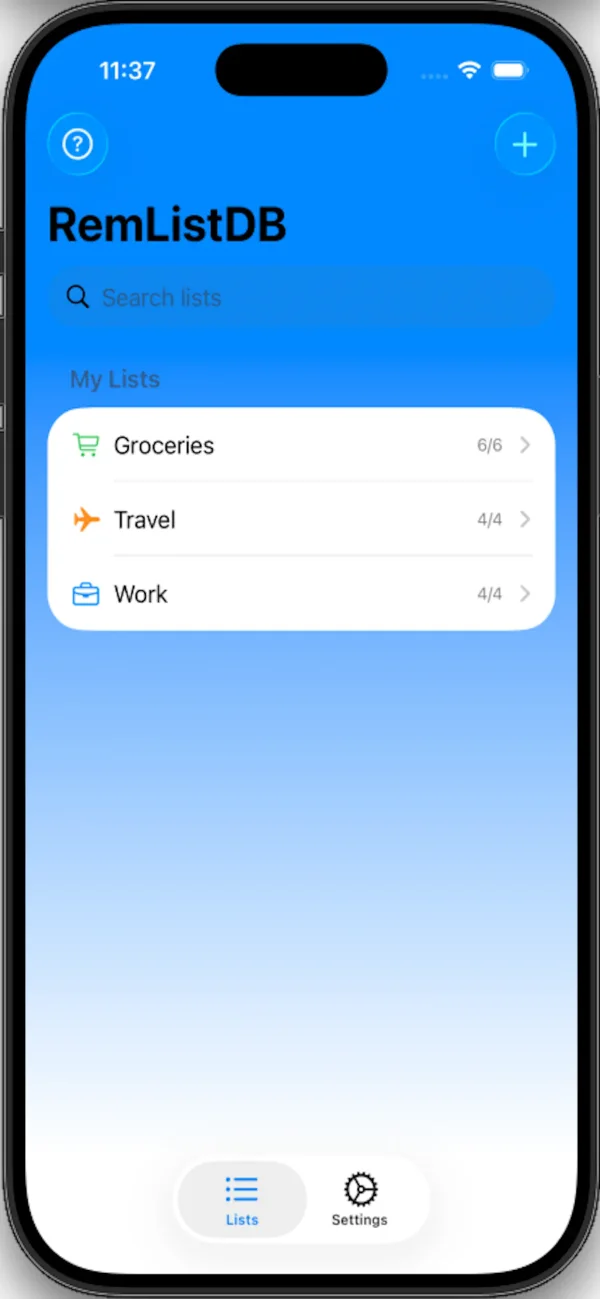
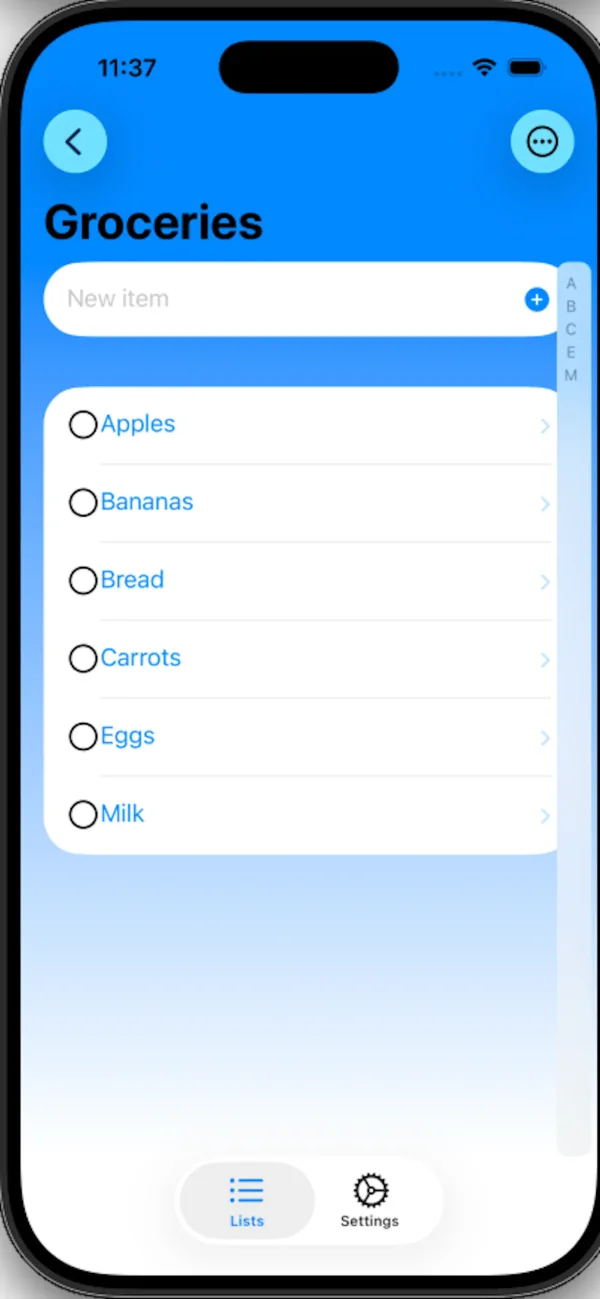

About
RemListDB is a simple, fast reminder list app for iPhone and iPad. Organize tasks into color-coded, icon-labeled lists, with optional due dates, priorities, notes, and local notifications.
• Multiple lists, each with a custom color and icon (choose from ~90 SF Symbols).
• Edit any list at any time — rename it, recolor it, or change its icon.
• Due dates with local notifications when an item is due.
• Priority levels (Low / Medium / High) with visual indicators.
• Notes on every item.
• Search across lists and items.
• Sort by name, date created, due date, or priority.
• Alphabet quick-index for fast scrolling.
• Optional confirmation before deleting lists or items.
• Unfiled items section preserves items when a list is deleted.
• Export and import your data as JSON.
• Light and Dark mode, with adaptive colors.
• Fully accessible — VoiceOver support throughout.
What’s new
Version 1.2.1 · Jul 9, 2026
- Last Completed Date: every completion is now timestamped. Sort items by Last Completed, or enable "Show Last Completed" in Settings → Display Options to see when each item was finished.
- Sort direction: pick ascending or descending for any sort order from the redesigned sort menu. The default direction is configurable in Settings → Behavior.
- Streamlined toolbar: Sort, Show/Hide Completed, Edit List, and Help are now individual buttons with clear circle icons. The "More Options" ellipsis menu has been retired.
- VoiceOver rotors: jump straight to Overdue Items, High Priority, or Incomplete items in any list.
- Dynamic Type: the badge row under each item now wraps to a vertical layout at accessibility text sizes so nothing is clipped.
- Help refresh: new entries cover Last Completed, default sort direction, and the redesigned toolbar.
- Readability fix: last-completed timestamps render in the primary text color so they stay legible in both light and dark mode.
App privacy
What Gale Wolfenbarger declares on the App Store about how this app handles data.
-
Data not collected
The developer does not collect any data from this app.
Privacy practices may vary, for example with the features you use or your age.
Information
- Seller
- Gale Wolfenbarger
- Category
- Productivity
- Version
- 1.2.1
- Updated
- Jul 9, 2026
- Released
- Oct 16, 2026
- Size
- 1.5 MB
- Requires
- iOS 18.0 or later
- Age rating
- 4+
- Languages
- English
- Copyright
- © 2026 Gale L. Wolfenbarger
You might also like
-
 Scooch - Room & Floor PlannerPlan a room, see what fits
-
 iLinkboxSmart Read Later & Link Saver
-
 Smart Switch, Copy My DataData transfer: File Share
-
 TextEdit - Text EditorTXT, RTF, Markdown, LaTeX & AI
-
 SanDisk Ixpand™ ChargerProductivity
-
 PDFelement: PDF Editor & ScanDocuments Converter & Signer
-
 ONLYOFFICE DocumentsA complete mobile office suite
-
 ButterflyMXAccess made simple