
Ringscut: Ringtone Maker
Cut songs, set in one tap
Entwickelt für iPhone, iPad
Kostenlos
- Altersfreigabe4+
- KategorieMusik
- EntwicklerDuc Le
- SprachenEnglisch
- Größe5,4 MB
Verlinkt auf die offizielle App Store-Seite
Download.org hostet keine Datei von Ringscut: Ringtone Maker. Die Schaltfläche öffnet die App-Seite bei App Store, wo Duc Le die App veröffentlicht. Eintrag zuletzt geprüft am 20.11.2026.
Screenshots

Info
Der Entwickler hat diesen Text nicht in Ihrer Sprache bereitgestellt.
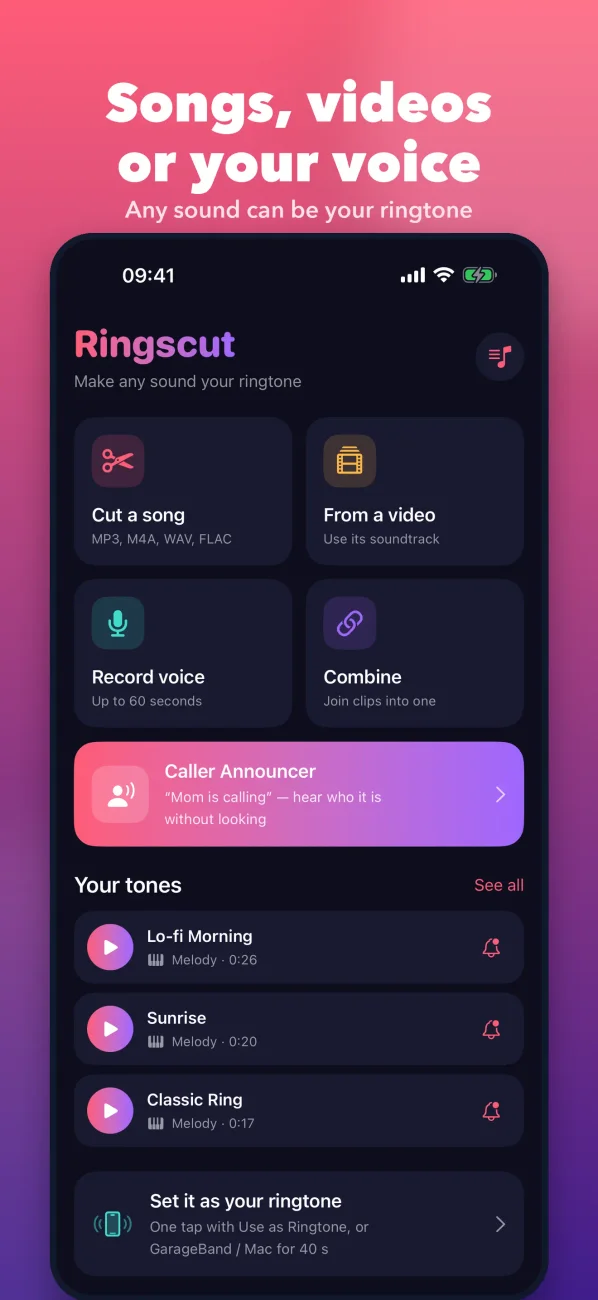
Ringscut turns any sound into a ringtone, text tone or alarm: the best part of a song, a video's soundtrack, your own voice, a caller announcement that tells you who's calling, or several of them joined together. On iOS 26 and later you set it with one tap, no GarageBand needed.
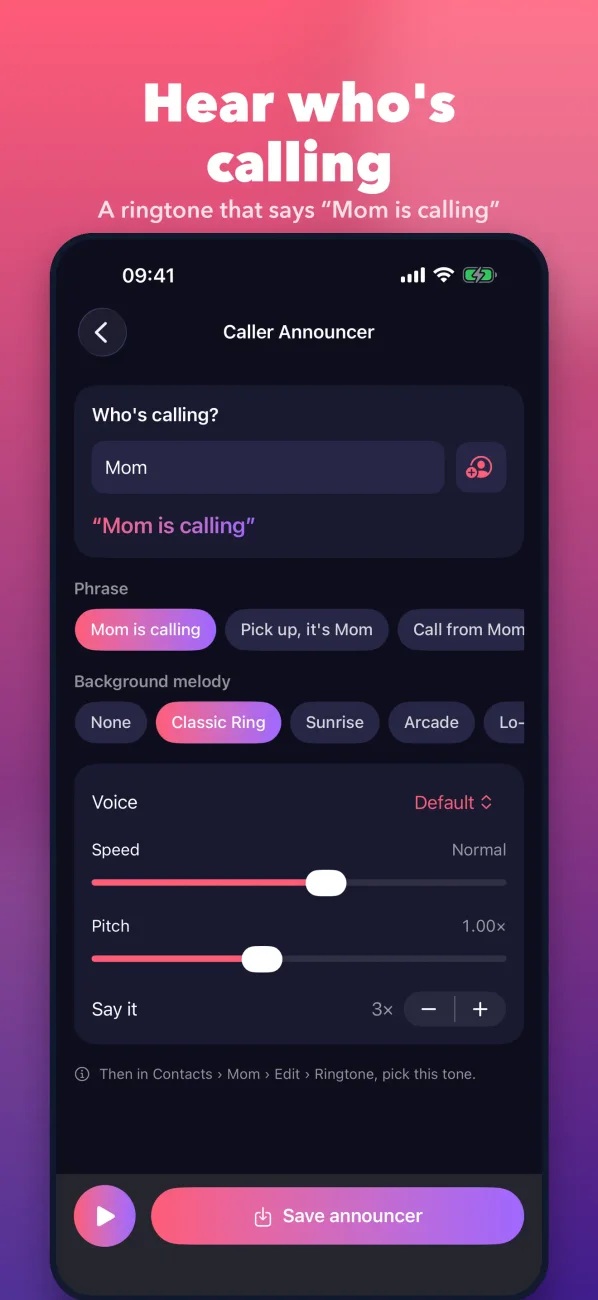
CALLER ANNOUNCER
• Type a name or pick it from your contacts, and Ringscut makes a tone that says “Mom is calling”, “Pick up, it's Alex” or your own phrase
• Choose the voice, speed and pitch, and a background melody that softens while the name is spoken
• Assign it to that contact and know who's calling without looking at your phone
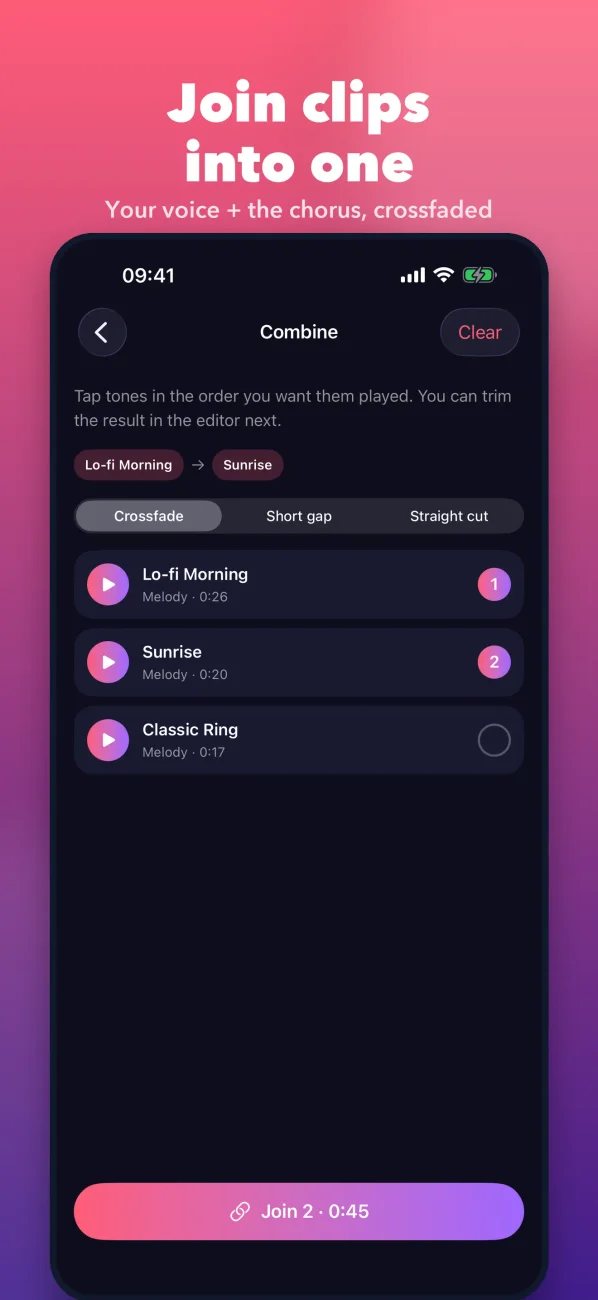
COMBINE CLIPS
• Join 2–4 of your tones in any order: a voice intro before a song, two drops back to back
• Smooth crossfade, a short gap or a straight cut, then trim the result like any song
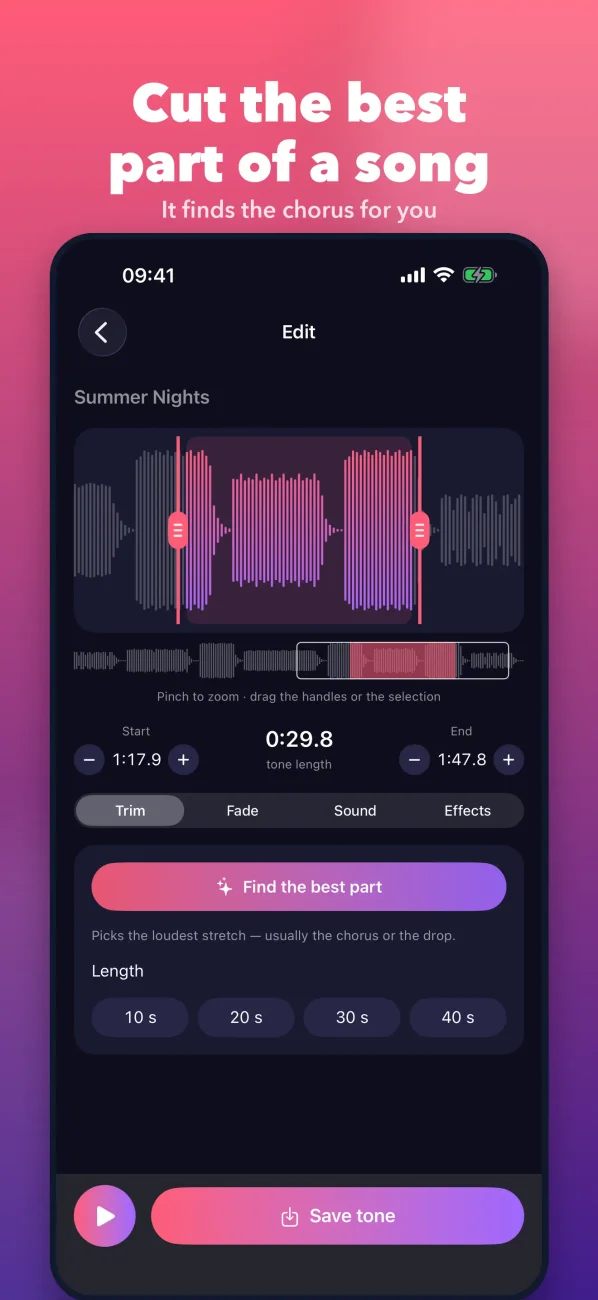
CUT ANY SONG
• Open MP3, M4A, WAV, FLAC and AIFF files from Files, iCloud Drive or other apps
• Find the Best Part jumps to the loudest stretch, usually the chorus or the drop
• Pinch-to-zoom waveform with drag handles and 0.1-second nudges
• Quick lengths: 10, 20, 30 or 40 seconds
FROM VIDEOS AND YOUR VOICE
• Take the soundtrack from any video in your photo library
• Record up to 60 seconds of your voice, singing or a message from the kids
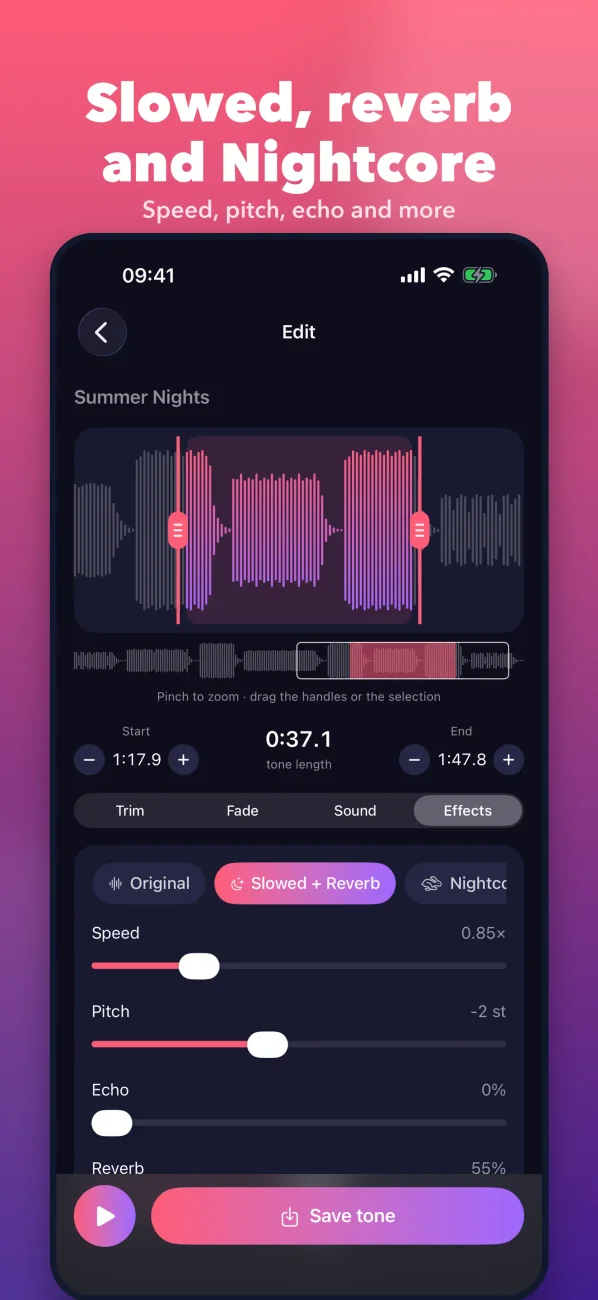
EFFECTS AND SOUND
• Slowed + Reverb, Nightcore, Concert Hall, Canyon Echo, Chipmunk and Deep Voice
• Fine-tune speed, pitch, echo and reverb
• Smooth fade-in and fade-out, loudness normalizing, volume boost, repeat and play backwards
SET IT AS YOUR RINGTONE, YOUR WAY
• On iPhone (iOS 26+): tap the bell › Use as Ringtone. Done in seconds, tones up to 30 s
• GarageBand: up to 40 s, also for text tones and contact ringtones, with a step-by-step guide
• Mac: send an .m4r (up to 40 s) and drag it onto your iPhone in Finder
• Every tone is also in the Files app under On My iPhone › Ringscut, and length checks keep it within iOS limits
Everything is made on your iPhone; your songs and recordings are never uploaded. Ringscut is free and supported by ads.
Ringscut can't use songs protected by Apple Music.
Neue Funktionen
Version 2.0.2 · 15.11.2026
• Ringtones for people: pick contacts or a whole group, and each person gets a tone that says their name, made in one go
• Setting a ringtone is now 2 clear steps: add it to your iPhone, then choose who hears it (everyone, one person, a group or an alarm)
• Ringscut opens the person's contact card for you, with a hint showing where Ringtone is
App-Datenschutz
Was Duc Le im App Store zum Umgang dieser App mit Daten angibt.
-
Daten, die zum Tracking Ihrer Person verwendet werden
Können verwendet werden, um Sie über Apps und Websites anderer Unternehmen hinweg zu verfolgen.
- Kennungen
- Nutzungsdaten
-
Nicht mit Ihnen verknüpfte Daten
Können erfasst werden, sind aber nicht mit Ihrer Identität verknüpft.
- Standort
- Kennungen
- Nutzungsdaten
- Diagnose
Die Datenschutzpraktiken können variieren, zum Beispiel je nach den von Ihnen verwendeten Funktionen oder Ihrem Alter.
Informationen
- Anbieter
- Duc Le
- Kategorie
- Musik
- Version
- 2.0.2
- Aktualisiert
- 15.11.2026
- Veröffentlicht
- 23.10.2016
- Größe
- 5,4 MB
- Erfordert
- iOS 17.0 oder neuer
- Altersfreigabe
- 4+
- Preis
- Kostenlos
- Sprachen
- Englisch
- Copyright
- © Duc Le
Das könnte Ihnen auch gefallen
-
 XTune : Ringtone MakerMusik
-
 RinglyCut: Klingelton-MakerSongs schneiden – offline
-
 Ringtone Maker - Extract MusicMusik
-
 Music Editor : Ringtone MakerMusik
-
 Klingelton Maker für iPhoneEigene Töne & Alarm Sounds
-
 Klingelton-Ersteller: RingStarKlingeltöne einfach erstellen
-
 Garage Ringtones KlingeltonGaragen Klingeltöne Erstellen
-
 Bester Klingelton HerstellerKlingeltöne einfach ändern
-
 CrazyTone Klingelton-GeneratorEigene Klingeltöne erstellen
-
 RingtoneMall: Power Your SoundMusik