
- Age rating4+
- CategoryMusic
- DeveloperDuc Le
- LanguagesEnglish
- Size5.4 MB
Links to the official App Store page
Download.org hosts no file of Ringscut: Ringtone Maker. The button opens its official App Store page, published by Duc Le. Listing last checked on Nov 20, 2026.
Screenshots
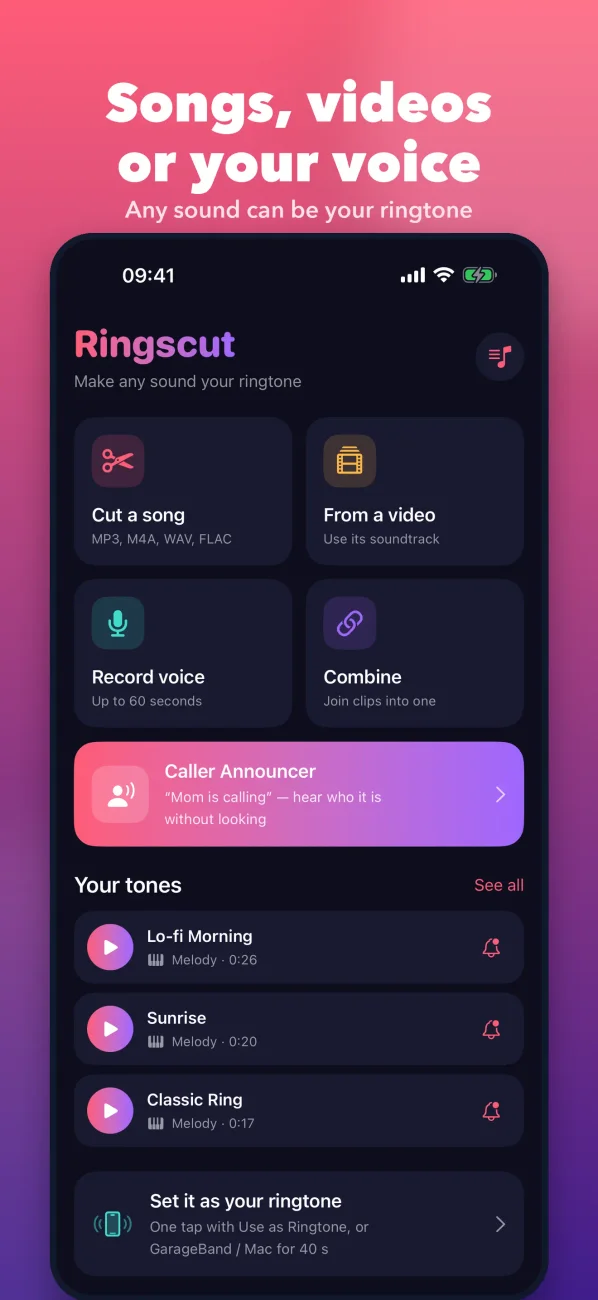

About
Ringscut turns any sound into a ringtone, text tone or alarm: the best part of a song, a video's soundtrack, your own voice, a caller announcement that tells you who's calling, or several of them joined together. On iOS 26 and later you set it with one tap, no GarageBand needed.
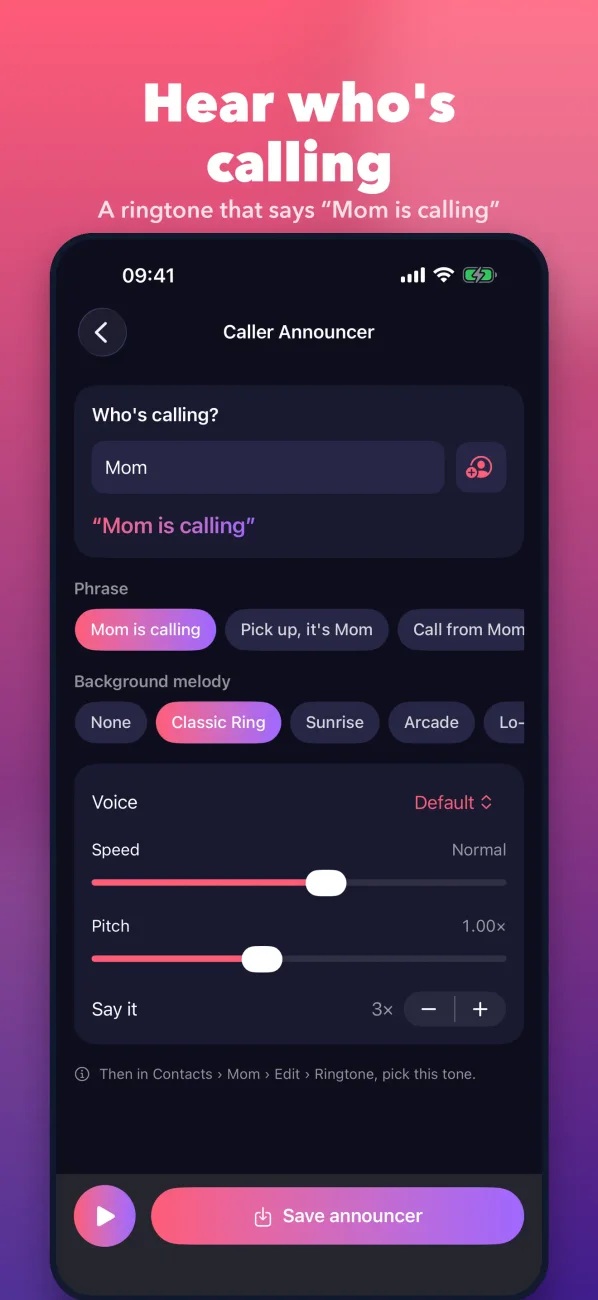
CALLER ANNOUNCER
• Type a name or pick it from your contacts, and Ringscut makes a tone that says “Mom is calling”, “Pick up, it's Alex” or your own phrase
• Choose the voice, speed and pitch, and a background melody that softens while the name is spoken
• Assign it to that contact and know who's calling without looking at your phone
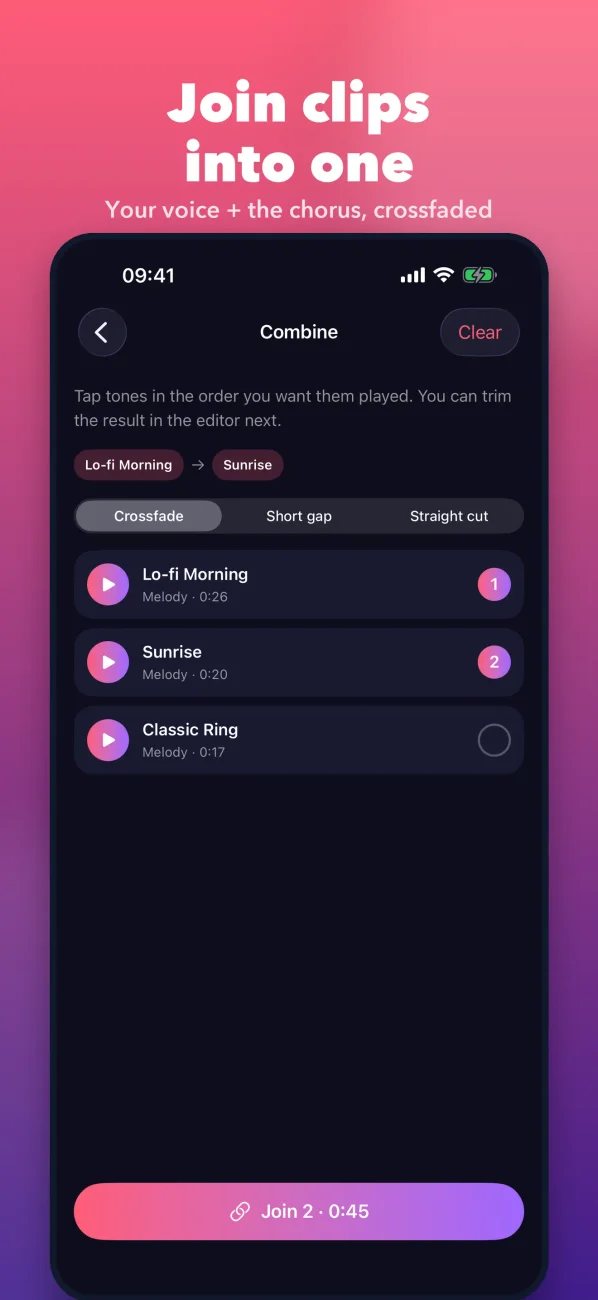
COMBINE CLIPS
• Join 2–4 of your tones in any order: a voice intro before a song, two drops back to back
• Smooth crossfade, a short gap or a straight cut, then trim the result like any song
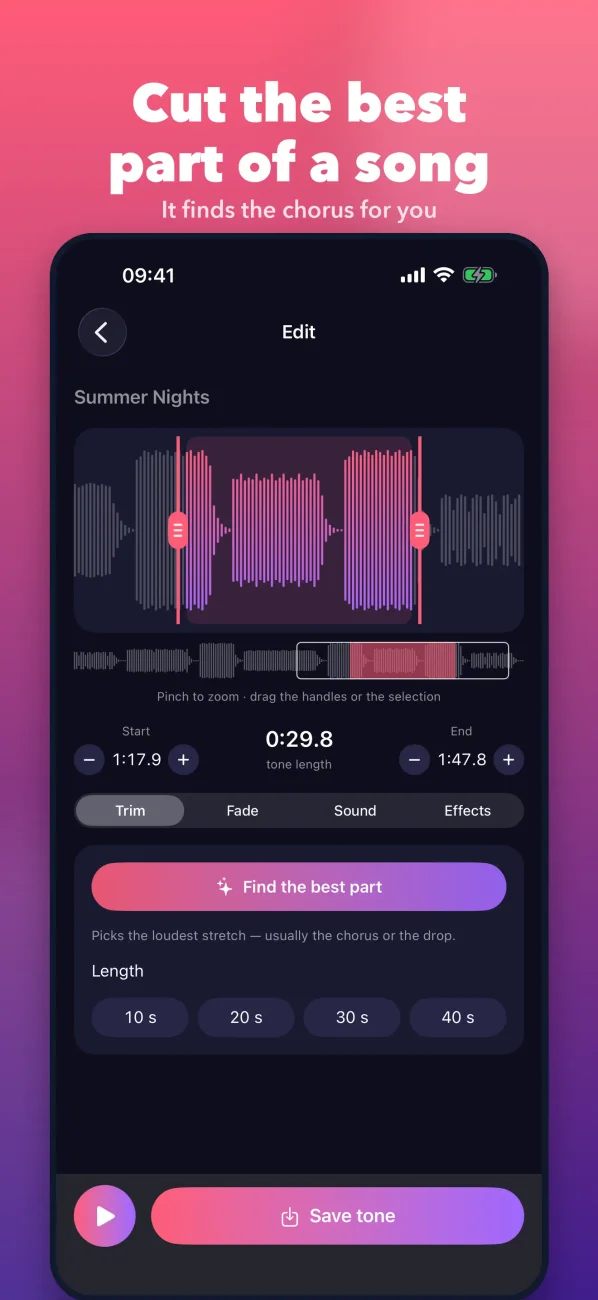
CUT ANY SONG
• Open MP3, M4A, WAV, FLAC and AIFF files from Files, iCloud Drive or other apps
• Find the Best Part jumps to the loudest stretch, usually the chorus or the drop
• Pinch-to-zoom waveform with drag handles and 0.1-second nudges
• Quick lengths: 10, 20, 30 or 40 seconds
FROM VIDEOS AND YOUR VOICE
• Take the soundtrack from any video in your photo library
• Record up to 60 seconds of your voice, singing or a message from the kids
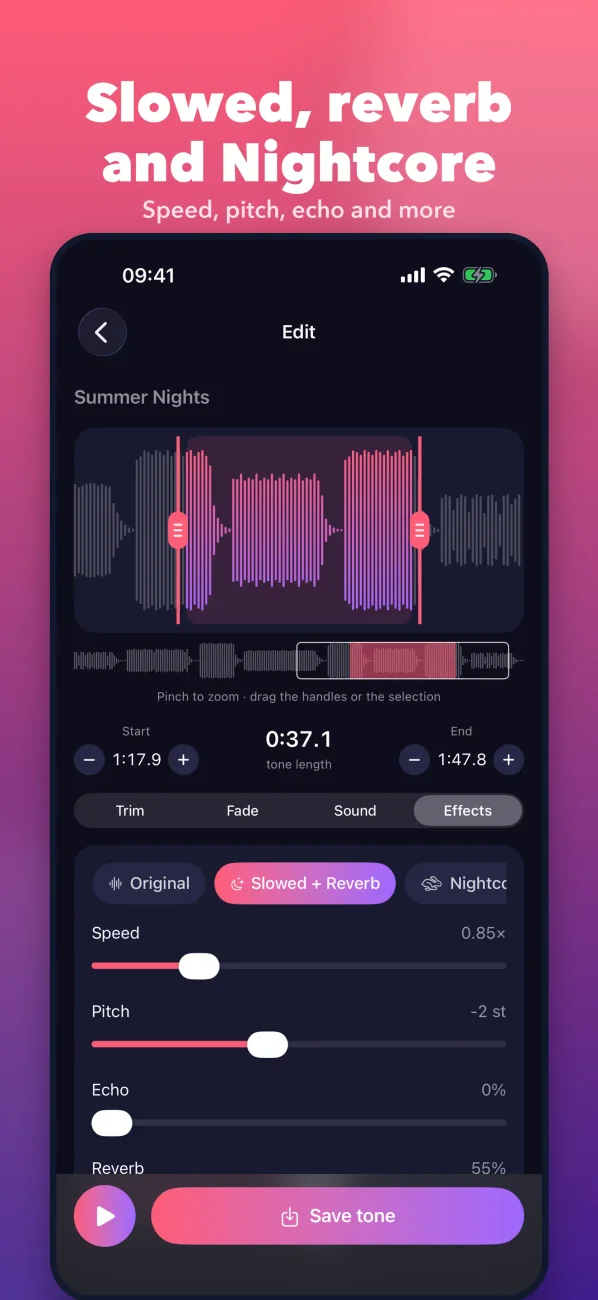
EFFECTS AND SOUND
• Slowed + Reverb, Nightcore, Concert Hall, Canyon Echo, Chipmunk and Deep Voice
• Fine-tune speed, pitch, echo and reverb
• Smooth fade-in and fade-out, loudness normalizing, volume boost, repeat and play backwards
SET IT AS YOUR RINGTONE, YOUR WAY
• On iPhone (iOS 26+): tap the bell › Use as Ringtone. Done in seconds, tones up to 30 s
• GarageBand: up to 40 s, also for text tones and contact ringtones, with a step-by-step guide
• Mac: send an .m4r (up to 40 s) and drag it onto your iPhone in Finder
• Every tone is also in the Files app under On My iPhone › Ringscut, and length checks keep it within iOS limits
Everything is made on your iPhone; your songs and recordings are never uploaded. Ringscut is free and supported by ads.
Ringscut can't use songs protected by Apple Music.
What’s new
Version 2.0.2 · Nov 15, 2026
• Ringtones for people: pick contacts or a whole group, and each person gets a tone that says their name, made in one go
• Setting a ringtone is now 2 clear steps: add it to your iPhone, then choose who hears it (everyone, one person, a group or an alarm)
• Ringscut opens the person's contact card for you, with a hint showing where Ringtone is
App privacy
What Duc Le declares on the App Store about how this app handles data.
-
Data used to track you
May be used to track you across apps and websites owned by other companies.
- Identifiers
- Usage data
-
Data not linked to you
May be collected but is not linked to your identity.
- Location
- Identifiers
- Usage data
- Diagnostics
Privacy practices may vary, for example with the features you use or your age.
Information
- Seller
- Duc Le
- Category
- Music
- Version
- 2.0.2
- Updated
- Nov 15, 2026
- Released
- Oct 23, 2016
- Size
- 5.4 MB
- Requires
- iOS 17.0 or later
- Age rating
- 4+
- Price
- Free
- Languages
- English
- Copyright
- © Duc Le
You might also like
-
 XTune : Ringtone Makermake ringtone & Custom Tones
-
 RinglyCut: Ringtone Maker MP3Cut songs, set tones & alerts
-
 Ringtone Maker - Extract MusicCreate Ringtones with Music
-
 Music Editor : Ringtone MakerVideo To MP3 : Merge Audio
-
 Ringtones for iPhone + MakerCustom tones, Alerts & Alarm
-
 Ringtone Maker : RingStarMake ringtones quickly&easily
-
 Garage Ringtones MakerRingtone Maker GarageRingtones
-
 Garage Ringtones - Music 2024Custom ringtone & Alarm sounds
-
 Ringtone Maker: CrazyToneRing, Alarm & Call Tone Maker
-
 RingtoneMall: Power Your SoundMake sound truly yours