
Rocko: Climbing Video Camera
Auto-follow bouldering editor
Entwickelt für iPhone
Kostenlos
- Altersfreigabe4+
- KategorieFoto und Video
- EntwicklerYU LU
- SprachenEnglisch+ 1 weitere
- Größe166,3 MB
Verlinkt auf die offizielle App Store-Seite
Download.org hostet keine Datei von Rocko: Climbing Video Camera. Die Schaltfläche öffnet die App-Seite bei App Store, wo YU LU die App veröffentlicht. Eintrag zuletzt geprüft am 28.11.2026.
Screenshots


Info
Der Entwickler hat diesen Text nicht in Ihrer Sprache bereitgestellt.
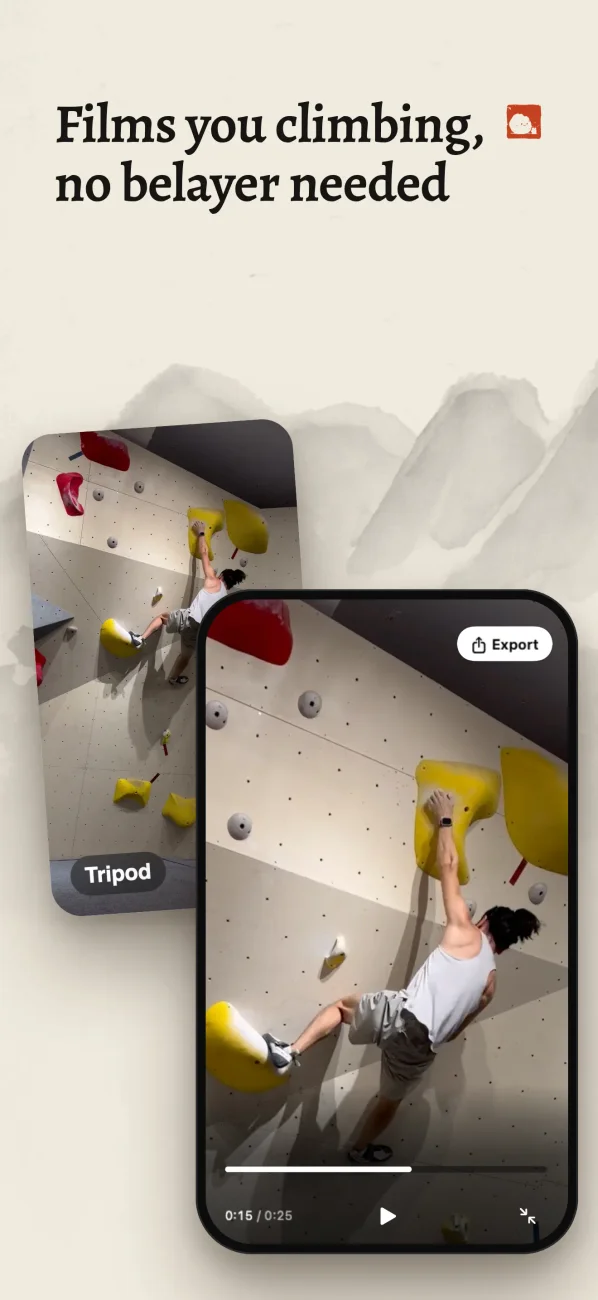
Rocko is a camera app for climbers. Put your iPhone on the ground or a tripod at the bottom of the wall, tap record, and climb. You don't need anyone to film you.
SHARP, WITHOUT LOSING YOU OFF THE EDGE
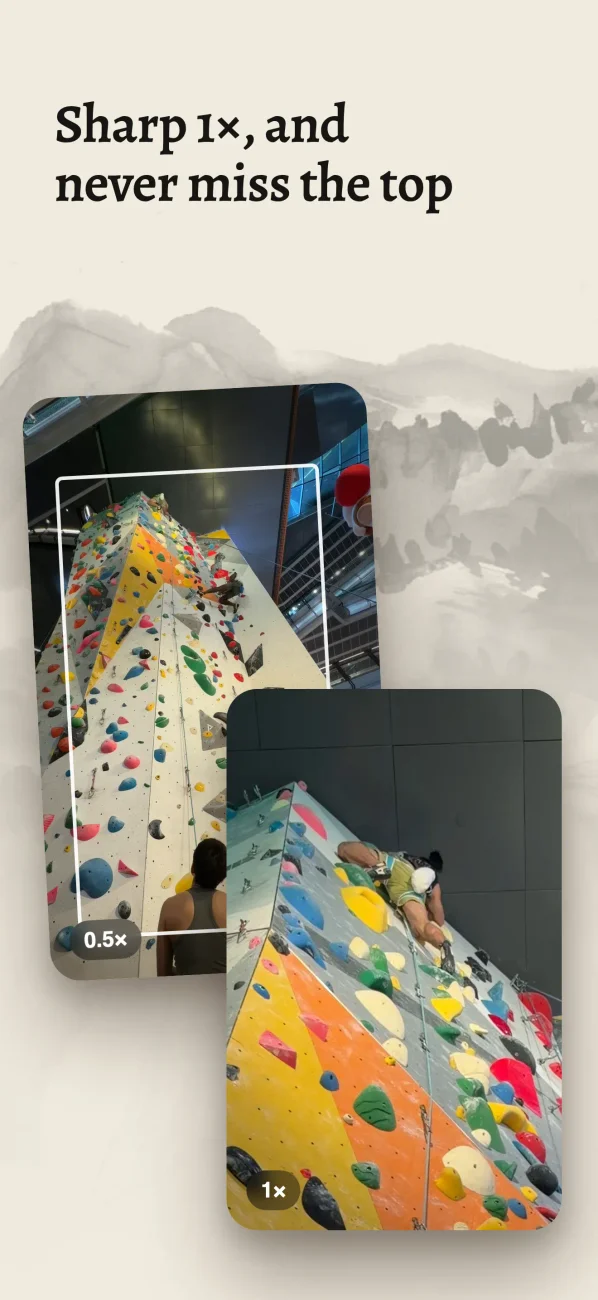
The normal 1× camera gives a sharp picture, but you leave the frame as soon as you climb high or make a big move. The 0.5× ultra wide sees the whole wall, but you end up small and soft. In Dual Lens mode, Rocko records with both at the same time:
- While you're inside the 1× view, the video uses the sharp 1× picture, so you can see every hand and foot.
- When you get near the edge of the 1× view, it switches to the 0.5× picture, with colours and positions matched so the switch doesn't show.
- You don't pick a lens before you climb, and you never miss the top. When you edit, you can still choose the whole wall or the close-up.
IT FOLLOWS YOU, EVEN ON A BUSY WALL
After you climb, Rocko finds you in the video and keeps you in the middle of the frame, moving smoothly in close as you go up. It ignores your belayer and the people climbing next to you. To tell it which climber is you, raise your hand before you start, or tap yourself on the screen. If it follows the wrong person for a moment, you can fix just that part.
IT SPEEDS UP YOUR RESTS FOR YOU
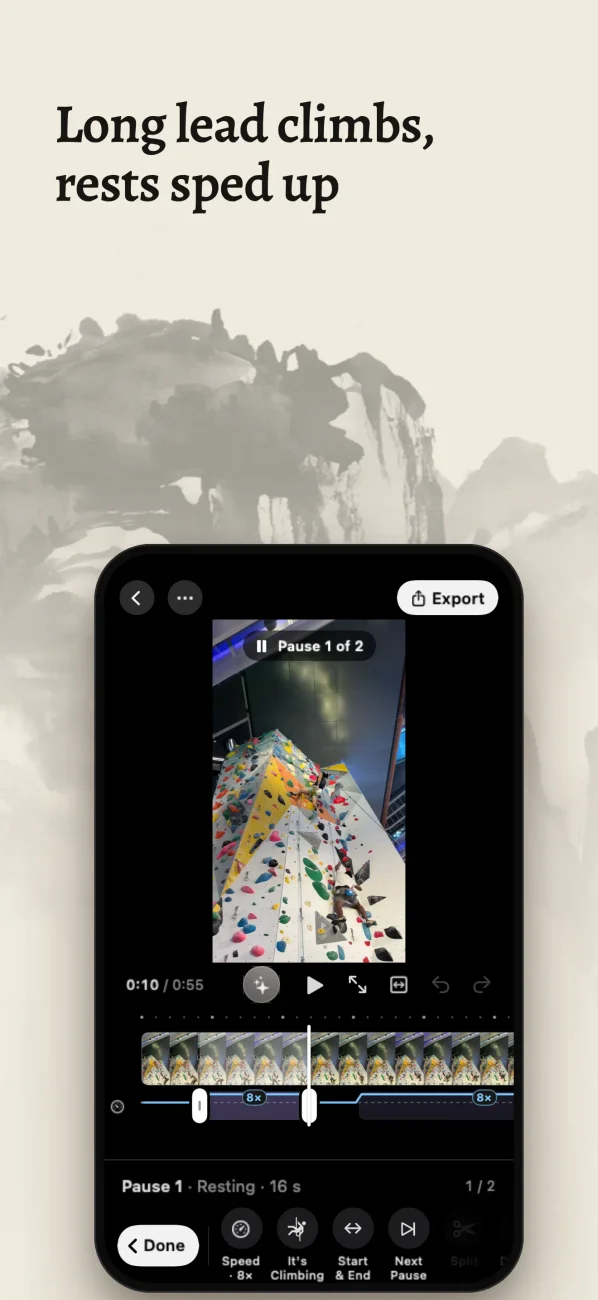
Rocko finds the times you stop to rest or shake out and plays them faster, so your video is mostly climbing. You don't have to scrub through the video to cut them yourself.
IT ADDS YOUR HEART RATE, GYM AND BOARD TO THE VIDEO
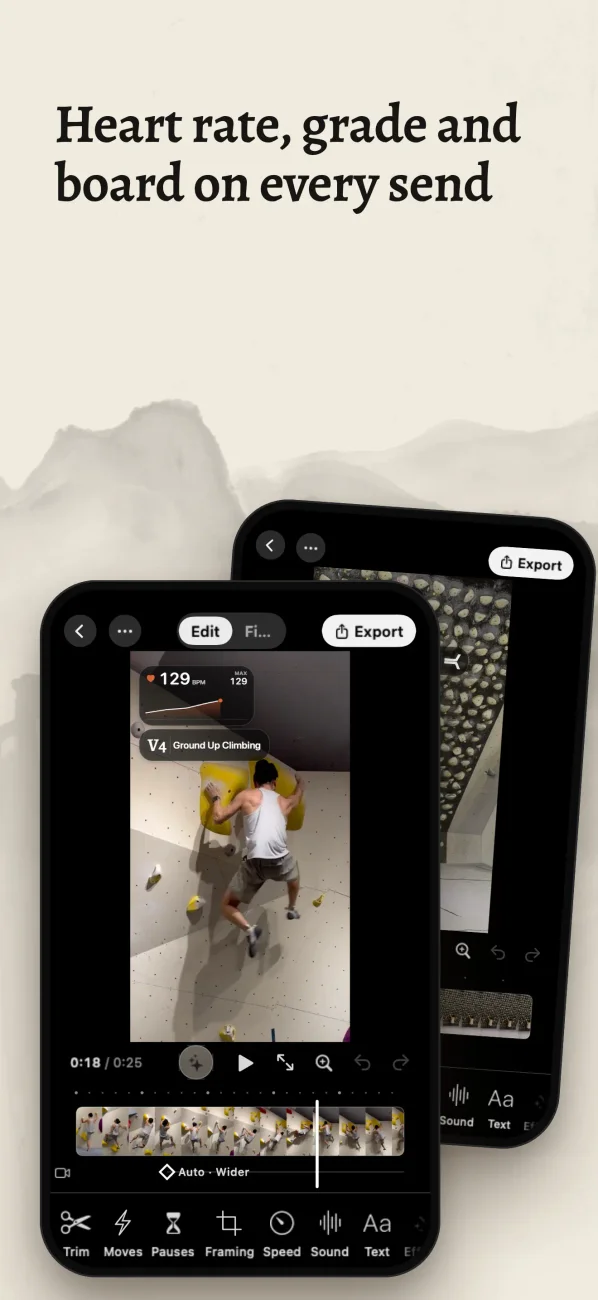
If you wear an Apple Watch, your heart rate is shown on the video. Rocko also fills in the gym you're at and, on a Kilter or other LED board, the problem you lit up. You can add the grade and music yourself with a tap, and Cut to Music makes the climb end with the song. You can also put several climbs together into one video.
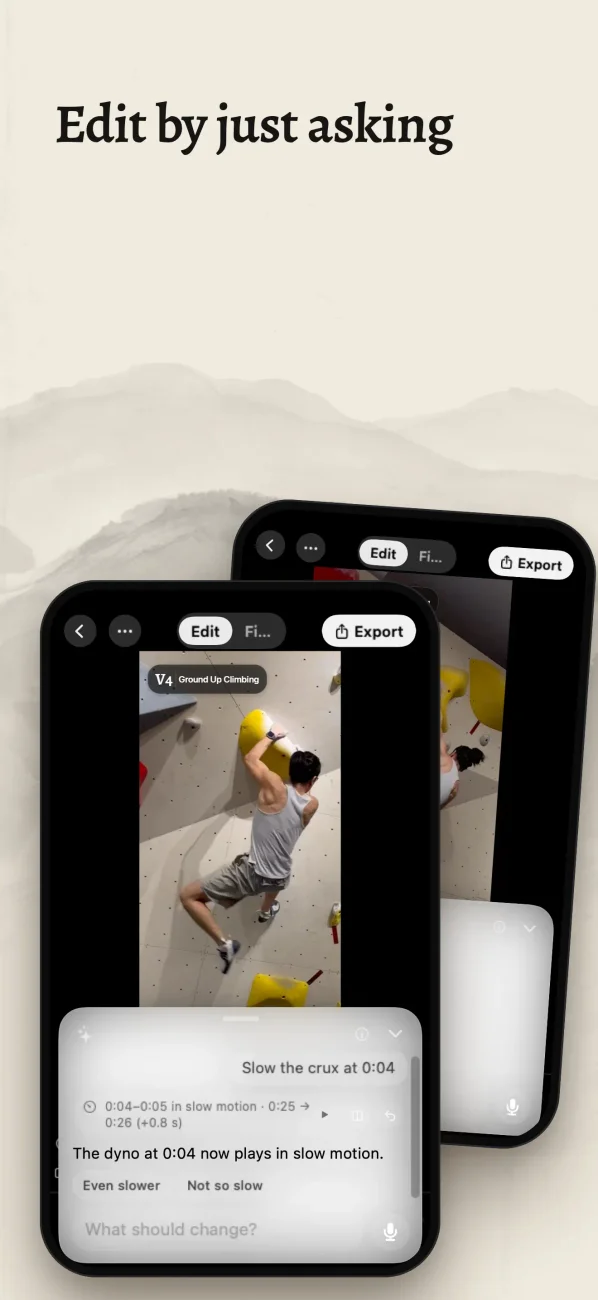
EDIT BY ASKING
Tap the bubble in the editor and say or type what you want: cut the start, slow down the crux, add a calm song. Rocko makes the edit with the editor's own tools, shows you what changed, and Undo puts it back. Pick from 25 free songs or your own music, and 16 text styles for titles.
IT WORKS WITH YOUR APPLE WATCH
Start and stop filming from your wrist. Each session is saved as a workout, and your climbs are drawn as peaks, one for every climb.
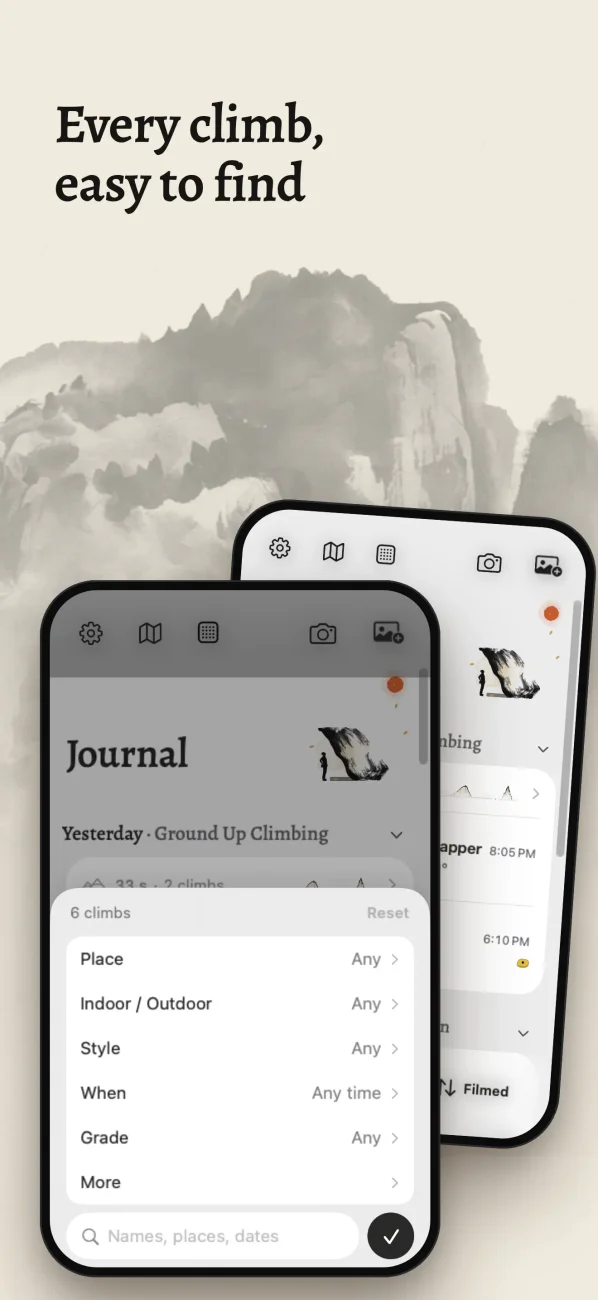
IT KEEPS A LOG OF EVERY CLIMB
Every climb you film is saved with the gym, the style and the wall angle. You can filter by gym, grade, style or board to find any climb quickly. You can also bring in climbing videos that are already in your Photos, and see a map of every gym and crag you've climbed.
YOUR VIDEOS STAY ON YOUR PHONE
Tracking happens on your iPhone. Rocko plays your videos straight from Photos, so it doesn't make a second copy.
Neue Funktionen
Version 1.12 · 27.11.2026
• Faces: hide other people in your videos. Rocko finds their faces and masks them with blur, mosaic or an emoji, and keeps the climber clear.
• Open videos from Files or the share sheet, and add several at once.
• Rocko joins in: he walks and climbs round the picture while your climb is tracked or saved, and you can play a little wall game with him while you wait.
• The journal has a Grid view and can group climbs by type, hold colour, grade or board. Folding a section drops its pictures into a chalk bag.
• Hand-drawn rings around holds, in Pencil, Crayon or Marker.
• Climb Recap looks better on light walls, and its route line starts from the ground.
• Bug fixes and improvements.
App-Datenschutz
Was YU LU im App Store zum Umgang dieser App mit Daten angibt.
-
Nicht mit Ihnen verknüpfte Daten
Können erfasst werden, sind aber nicht mit Ihrer Identität verknüpft.
- Standort
- Benutzerinhalte
- Kennungen
- Nutzungsdaten
- Diagnose
Die Datenschutzpraktiken können variieren, zum Beispiel je nach den von Ihnen verwendeten Funktionen oder Ihrem Alter.
Informationen
- Anbieter
- YU LU
- Kategorie
- Foto und Video
- Version
- 1.12
- Aktualisiert
- 27.11.2026
- Veröffentlicht
- 06.11.2026
- Größe
- 166,3 MB
- Erfordert
- iOS 18.0 oder neuer
- Altersfreigabe
- 4+
- Preis
- Kostenlos
- Sprachen
- Englisch, Vereinf. Chinesisch
- Copyright
- © 2026 Yu Lu
Das könnte Ihnen auch gefallen
-
 FramePro AIFoto und Video
-
 FramelightFoto und Video
-
 GR Viewer for GR2 & GR3RAW-Foto herunterladen
-
 Klettervideo-Editor: CruxCutKI-Follow-Cam auf dem iPhone
-
 Ai 3d model for freecadFoto und Video
-
 Small CornerFoto und Video
-
 RitchieCam — Filter CameraFoto und Video
-
 Limi Cam - Retro film CameraFoto und Video
-
 Blur ID - Chat Screenshot BlurAuto Gesicht Avatar Text Pixel
-
 Smoothrase - AI erase on photoFoto und Video