
Rostrum - Speaker Timer
Silent countdown for talks
Entwickelt für iPhone, iPad, Mac
Kostenlos
- Altersfreigabe4+
- KategorieProduktivität
- EntwicklerScott GREER
- SprachenEnglisch
- Größe809,0 KB
Verlinkt auf die offizielle App Store-Seite
Download.org hostet keine Datei von Rostrum - Speaker Timer. Die Schaltfläche öffnet die App-Seite bei App Store, wo Scott GREER die App veröffentlicht. Eintrag zuletzt geprüft am 13.11.2026.
Screenshots
Info
Der Entwickler hat diesen Text nicht in Ihrer Sprache bereitgestellt.
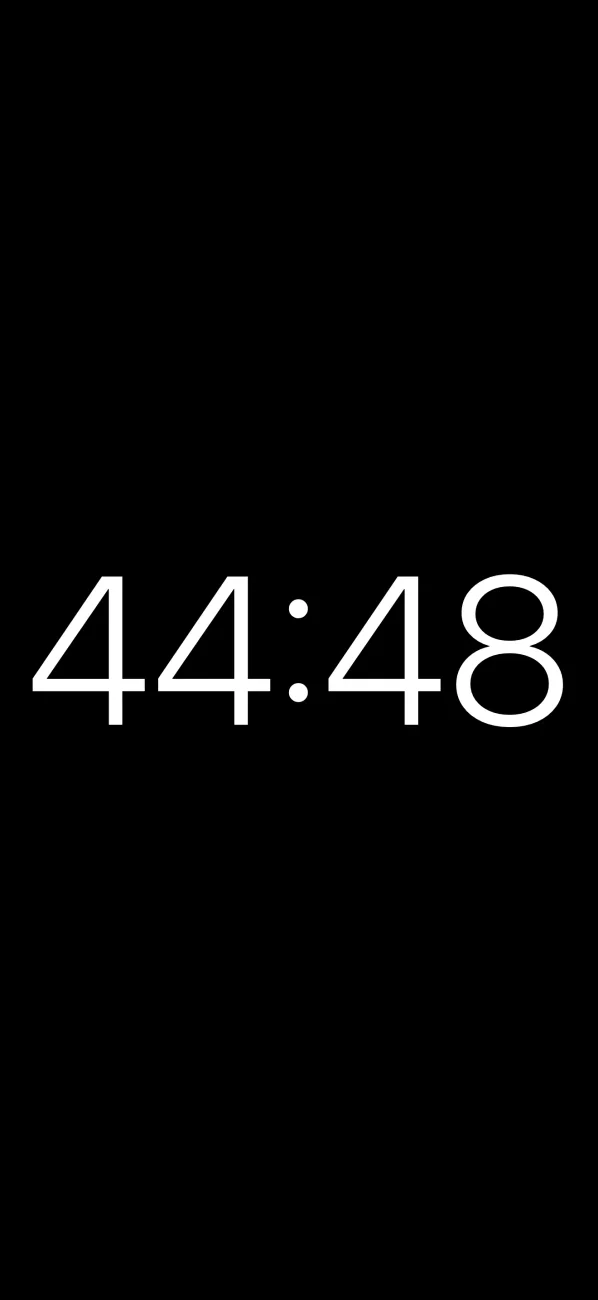
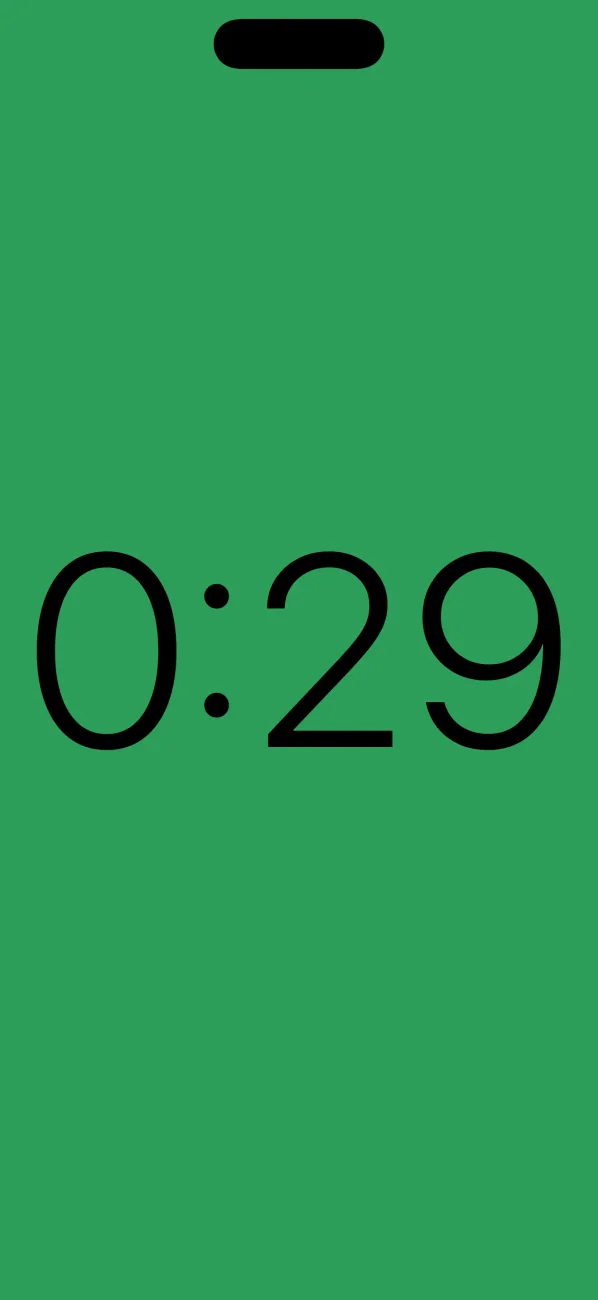
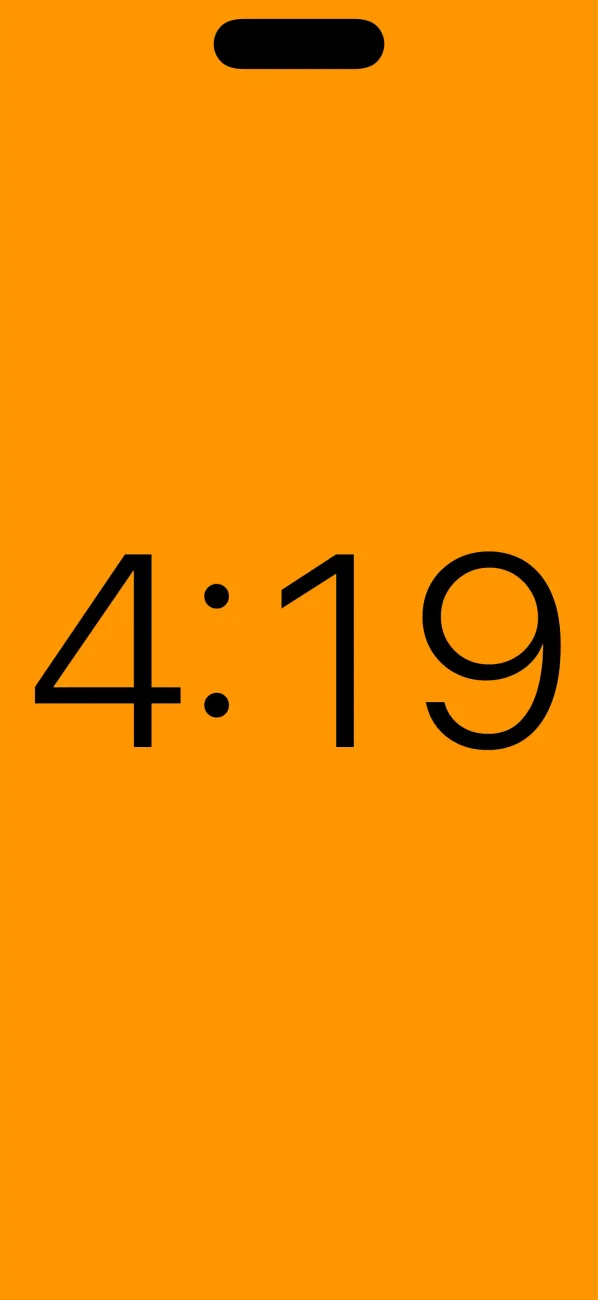
Rostrum shows a speaker how much time is left, as a clock large enough to read
from the back of the room — or from a phone propped on the podium.
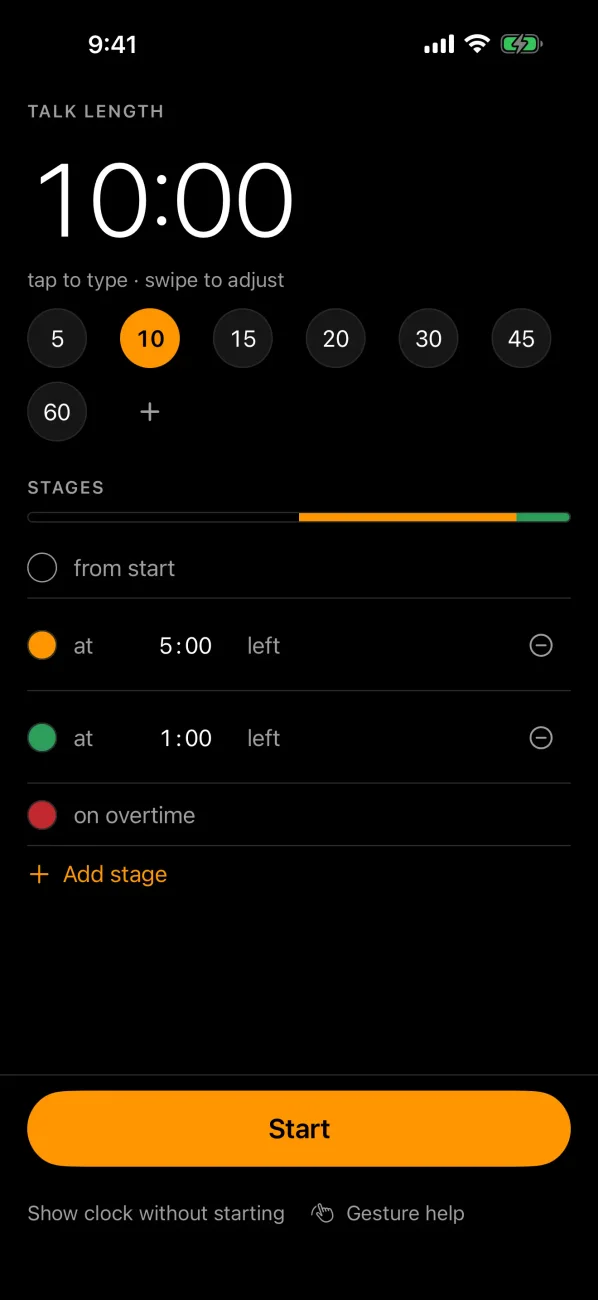
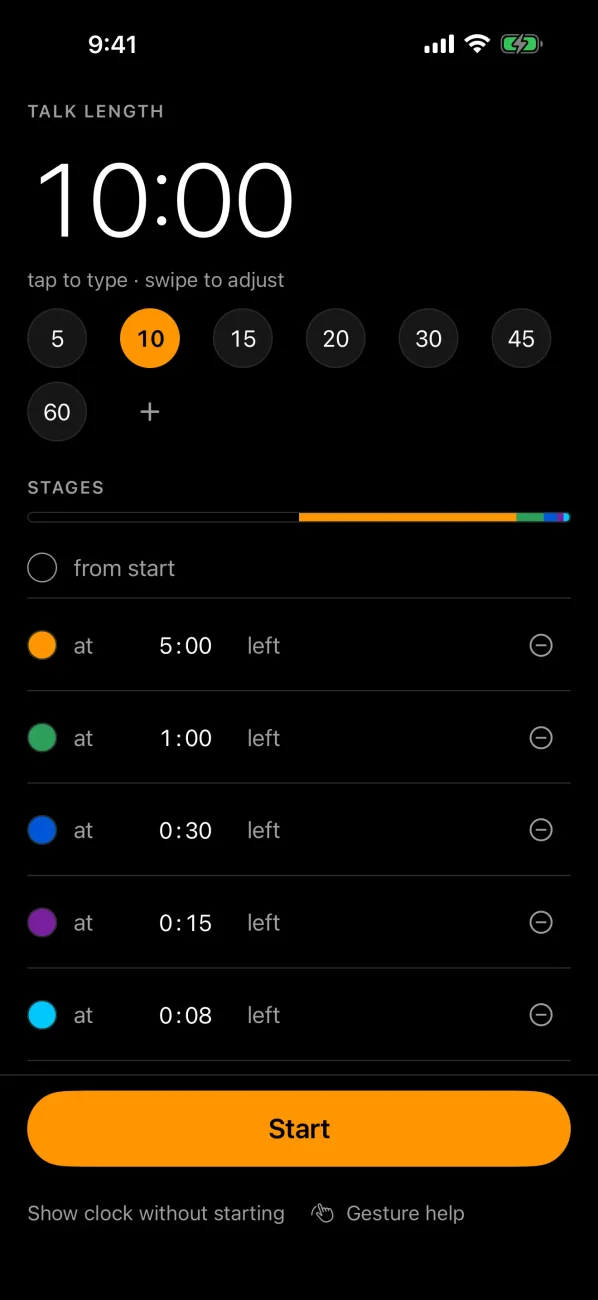
The background changes color at times you choose. Green while there's plenty
left, amber when it's time to move on, red when it isn't. You decide how many
stages there are and exactly when each one starts — most timers give you three
fixed colors and no say in the matter.
SILENT BY DESIGN
No chimes. No alerts. No notifications. Not "sounds turned off by default" —
Rostrum contains no code that can make a sound. Your audience never knows the
timer is there.
THE CLOCK IS THE CONTROL
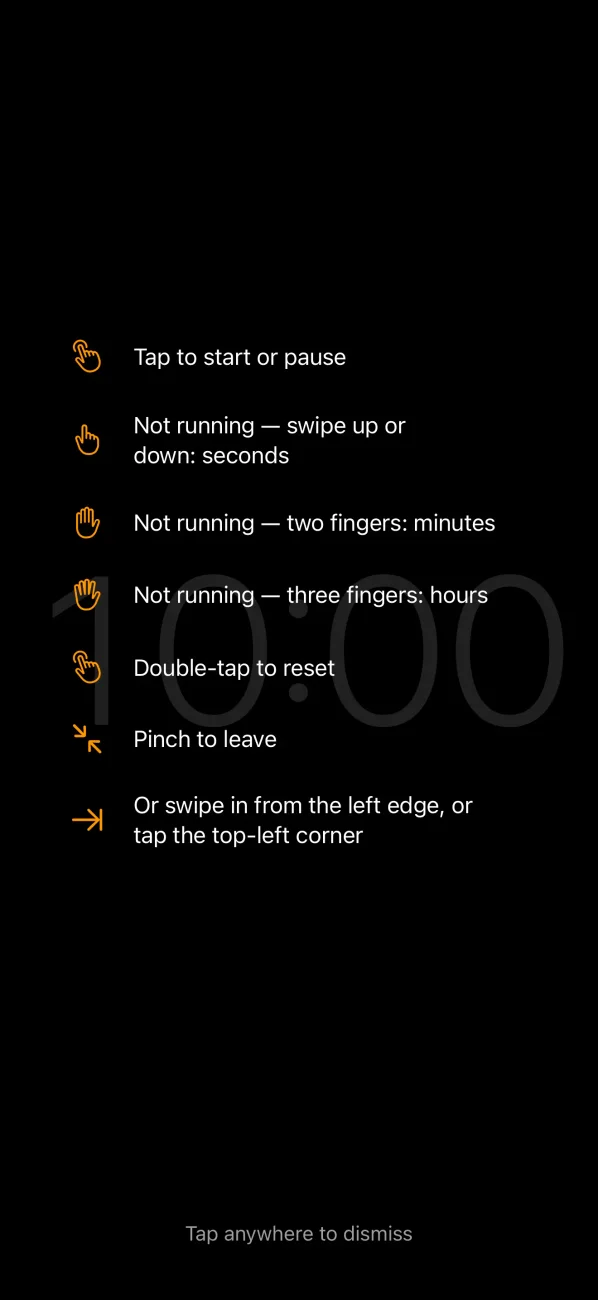
No buttons over your countdown. Tap to start or pause. Pause it and the clock
becomes the editor: swipe with one finger to adjust seconds, two fingers for
minutes, three for hours. A running clock refuses those swipes on purpose — a
hand steadying the phone should not be able to rewrite a talk in progress.
Pinch in to leave. A one-time overlay teaches the gestures, and a quiet line
along the bottom of the clock keeps the key ones in view whenever the clock is
stopped. Mid-talk, nothing but the time.
BUILT FOR WHOEVER IS RUNNING THE ROOM
Changing a talk length takes one tap. Set your common slot lengths once — 5,
15, 30, 45 minutes, whatever your event uses — and switch between speakers
instantly.
ON A BIG SCREEN WHEN YOU NEED IT
Connect a display with AirPlay or USB-C and the clock fills it while your
phone becomes the remote: start, pause, and adjust from your hand while the
speaker watches the screen.
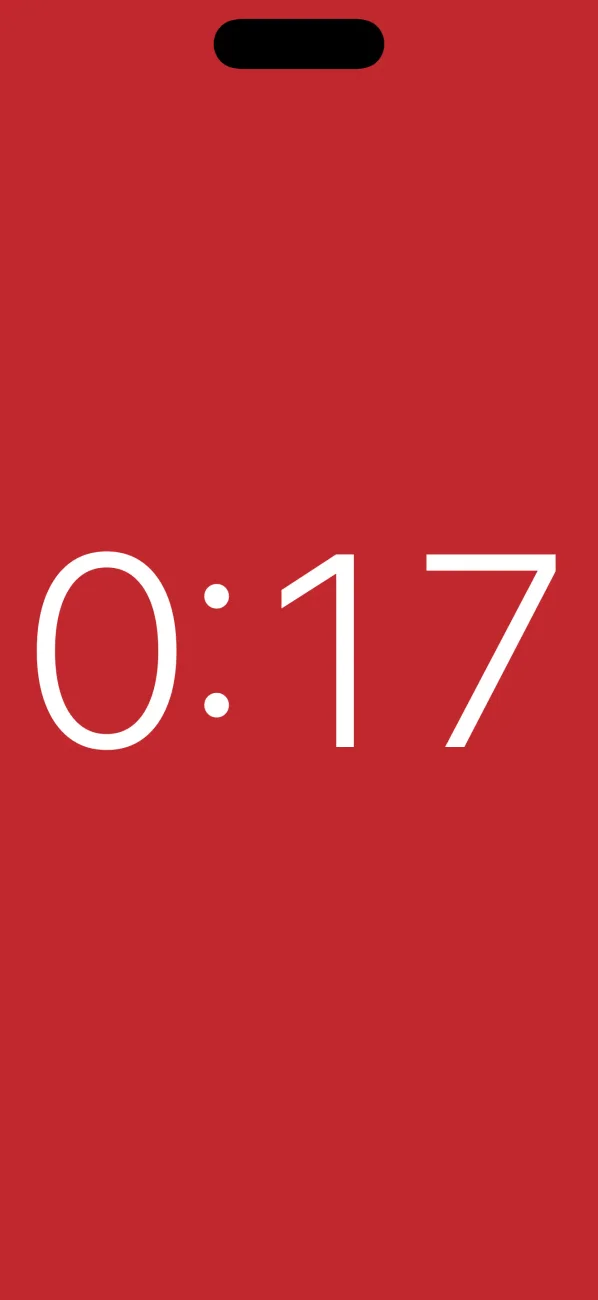
WHEN TIME RUNS OUT
The screen turns red and flashes briefly, then counts upward so a speaker can
see exactly how far over they are. Impossible to miss, impossible to mistake
for anything else.
DETAILS THAT MATTER ON STAGE
• The screen never dims while the clock is up
• A phone call or a lock screen never stops the countdown — the full time is
there when you come back
• Digits never jitter or shift as the numbers change
• Text color adapts automatically so it stays readable on any background
• Remembers your setup between launches
Also on the Mac App Store — one free app, both platforms.
Free, with no purchases, no accounts, and no data collection of any kind.
Rostrum has no network code — there is nowhere for your information to go.
Neue Funktionen
Version 1.4 · 27.10.2026
A more readable setup screen. Larger type that follows your Dynamic Type
setting, a proper iPad layout, and Start always within reach at the bottom
of the screen.
The clock now protects a talk in progress. While the timer is running, swipes
no longer change the time — a hand steadying your phone can't rewrite a
countdown mid-sentence. Pause, and the swipes work exactly as before: one
finger for seconds, two for minutes, three for hours.
Pinch in to leave the clock, from anywhere on the screen.
And a reminder where you need it, thanks to a user who wrote in: a quiet
line along the bottom of the clock names the key gestures — tap, double-tap,
pinch to leave — whenever the timer is stopped, and for a few seconds after
it starts. Mid-talk, the clock is bare.
Made for iPhone Duo. Prop it half-open on the lectern and the clock stands on
the upright half, with the stage bar and buttons to add a minute, take one
away, or pause on the half lying flat. Close it and the talk carries on. While
the phone is open the outer screen stays dark, so only you see the time.
These improvements came from your feedback. Keep it coming — the support
link below reaches a person.
App-Datenschutz
Was Scott GREER im App Store zum Umgang dieser App mit Daten angibt.
-
Keine Daten erfasst
Der Entwickler erfasst keine Daten von dieser App.
Die Datenschutzpraktiken können variieren, zum Beispiel je nach den von Ihnen verwendeten Funktionen oder Ihrem Alter.
Informationen
- Anbieter
- Scott GREER
- Kategorie
- Produktivität
- Version
- 1.4
- Aktualisiert
- 27.10.2026
- Veröffentlicht
- 11.08.2026
- Größe
- 809,0 KB
- Erfordert
- iOS 18.0 oder neuer
- Altersfreigabe
- 4+
- Preis
- Kostenlos
- Sprachen
- Englisch
- Copyright
- © 2026 scogre Studios
Das könnte Ihnen auch gefallen
-
 SpeakerTimer: Stage ClockProduktivität
-
 Speech Timer PRO Speaker ClockProduktivität
-
 Presentempo: VortragstimerPräsentation & Redezeit-Timer
-
 Soapbox: Speaker TimerProduktivität
-
 Presenters CueWatchProduktivität
-
 Talklight: Speaker TimerProduktivität
-
 TokiQue: Kitchen & Talk TimerProduktivität
-
 Open Micer TimerProduktivität
-
 DebateCue: Debate TimerProduktivität
-
 Brim - Shopping CalculatorProduktivität