
SpeakerTimer: Stage Clock
Stage countdown for speakers
Entwickelt für iPhone, iPad
In-App-Käufe
- Altersfreigabe4+
- KategorieProduktivität
- EntwicklerWei-Che Ding
- SprachenEnglisch+ 1 weitere
- Größe29,4 MB
SpeakerTimer: Stage Clock ist bei App Store derzeit möglicherweise nicht verfügbar
Bei unserer letzten Prüfung war der Store-Eintrag nicht erreichbar. Der Link führt weiterhin zur offiziellen App Store-Seite.
Screenshots


Info
Der Entwickler hat diesen Text nicht in Ihrer Sprache bereitgestellt.
At a conference, someone always stands at the edge of the stage holding time cards — and the card only goes up twice per talk. SpeakerTimer leaves an iPad on stage showing the time the whole way through, and puts the controls on the iPhone in your seat. Nobody walks on, nobody ends up in the shot.
SET IT, START IT, FORGET IT
• Pick the talk length and press Start. The iPad switches to a full-screen countdown that can't be closed by accident.
• The clock changes color at 5, 3, and 1 minute left. Thresholds and colors are customizable.
• When time is up, the clock keeps running as overtime (+MM:SS), so the crew knows exactly how far over the talk is.
• Count down or count up.
RUN IT FROM YOUR SEAT
• Open SpeakerTimer on iPhone and it finds the iPad on the same Wi-Fi — no accounts, no pairing codes.
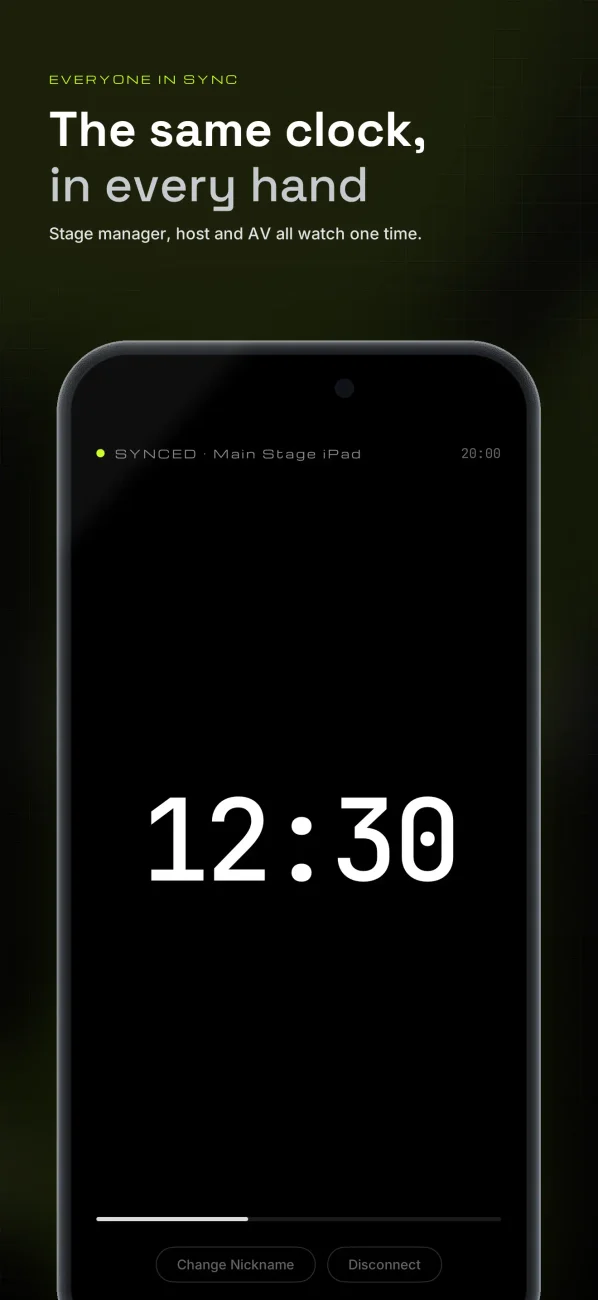
• Everyone on the crew mirrors the same clock, so the host, the AV desk and the stage manager read the same number.
• Make one iPhone the controller (Pro) to start, pause, reset and adjust the time without walking on stage.
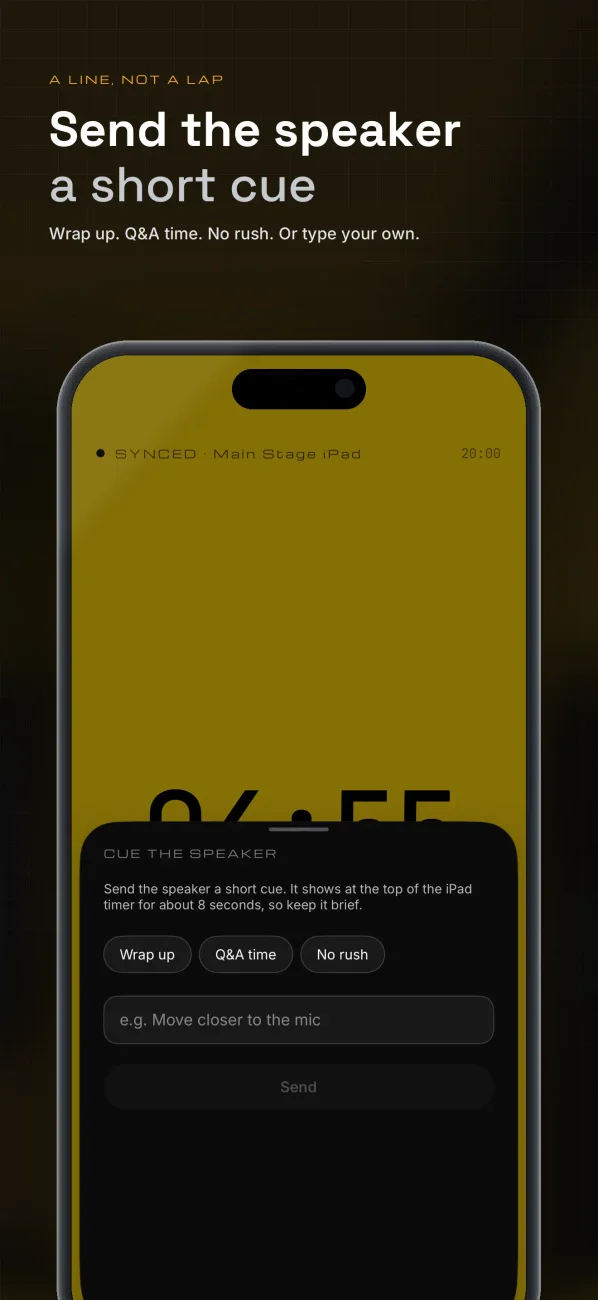
• Send a short message to the stage screen (Pro) — "Wrap up", "Q&A time", "No rush" — instead of walking up to whisper it.
SPEAKERTIMER PRO — ONE-TIME PURCHASE
• Talks of any length (free: up to 20 minutes)
• Up to 8 iPhones in sync (free: 1)
• iPhone remote: start, pause, reset, and set the time from your phone, and send short messages to the stage screen
GOOD TO KNOW
• The iPad is the timer. The iPhone app needs SpeakerTimer running on an iPad nearby.
• Both devices must be on the same Wi-Fi network. If the venue Wi-Fi blocks device-to-device connections, connect the iPad to the iPhone's Personal Hotspot.
• No accounts, no ads, no tracking.
App-Datenschutz
Was Wei-Che Ding im App Store zum Umgang dieser App mit Daten angibt.
-
Nicht mit Ihnen verknüpfte Daten
Können erfasst werden, sind aber nicht mit Ihrer Identität verknüpft.
- Käufe
Die Datenschutzpraktiken können variieren, zum Beispiel je nach den von Ihnen verwendeten Funktionen oder Ihrem Alter.
Informationen
- Anbieter
- Wei-Che Ding
- Kategorie
- Produktivität
- Version
- 1.0.0
- Aktualisiert
- 29.09.2026
- Veröffentlicht
- 29.09.2026
- Größe
- 29,4 MB
- Erfordert
- iOS 26.0 oder neuer
- Altersfreigabe
- 4+
- In-App-Käufe
- Ja
- Sprachen
- Englisch, Tradit. Chinesisch
- Copyright
- © 2026 DinDin Dev Inc.
Das könnte Ihnen auch gefallen
-
 TokiQue: Kitchen & Talk TimerProduktivität
-
 Soapbox: Speaker TimerProduktivität
-
 Speech Timer PRO Speaker ClockProduktivität
-
 Talklight: Speaker TimerProduktivität
-
 講師手記Produktivität
-
 Pomodoro by ClawRockProduktivität
-
 Rostrum - Speaker TimerProduktivität
-
 Segue: Stage TimerProduktivität
-
 Open Micer TimerProduktivität
-
 Fristen Countdown TrackerAufgaben-Planer & Fokus-Timer