Scan Me Document
Scan to PDF & Image Fast
Entwickelt für iPhone, iPad, iPod touch
Kostenlos
- Altersfreigabe4+
- KategorieProduktivität
- EntwicklerQuan Le
- SprachenEnglisch+ 2 weitere
- Größe46,6 MB
Verlinkt auf die offizielle App Store-Seite
Download.org hostet keine Datei von Scan Me Document. Die Schaltfläche öffnet die App-Seite bei App Store, wo Quan Le die App veröffentlicht. Eintrag zuletzt geprüft am 25.11.2026.
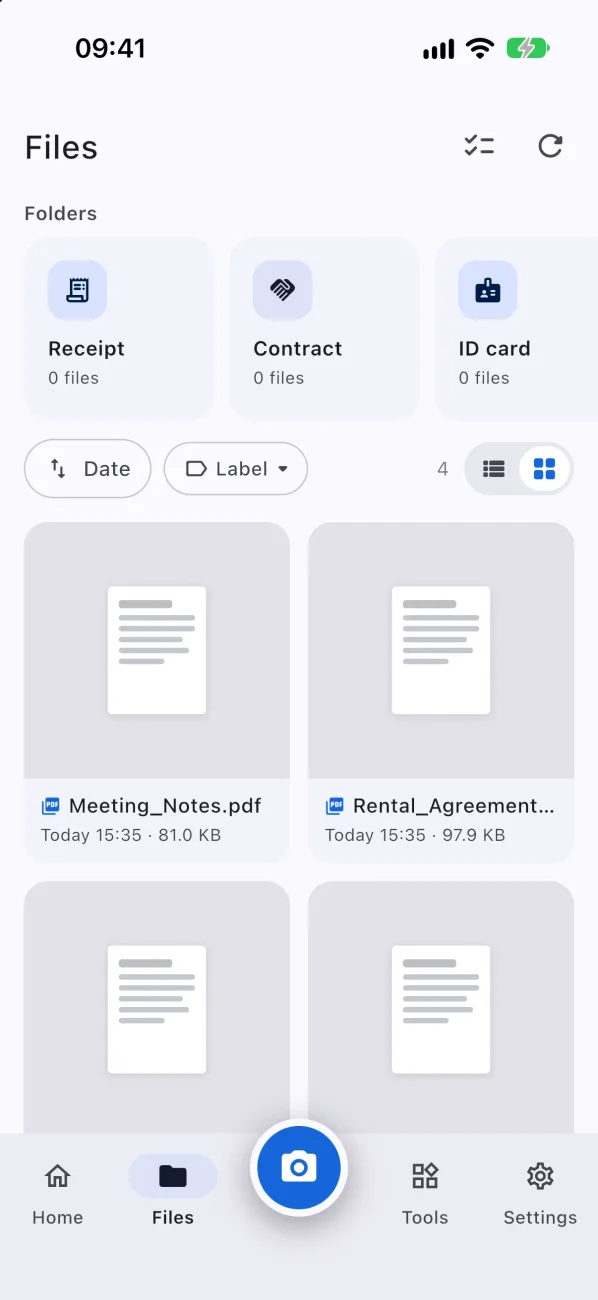
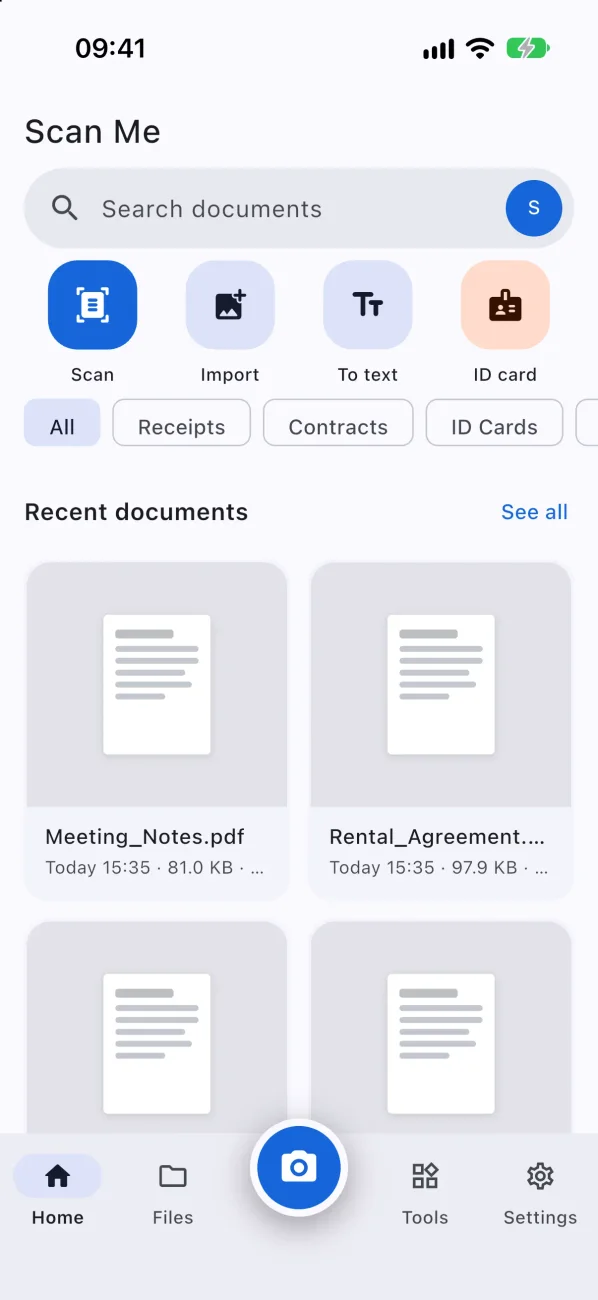
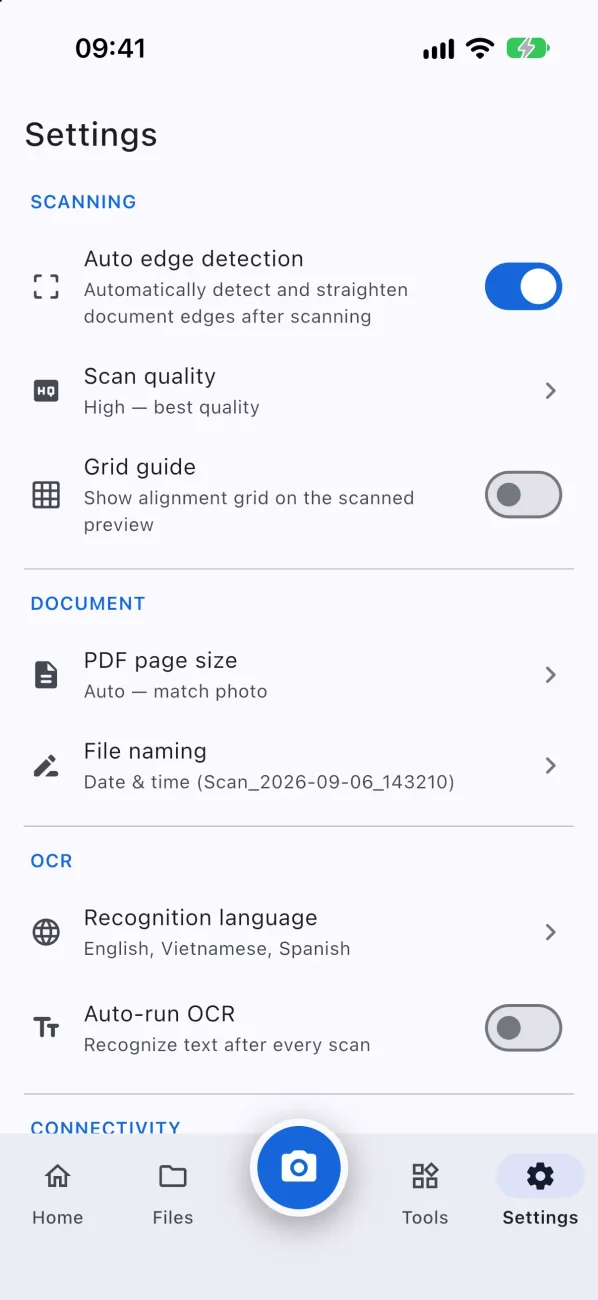
Screenshots
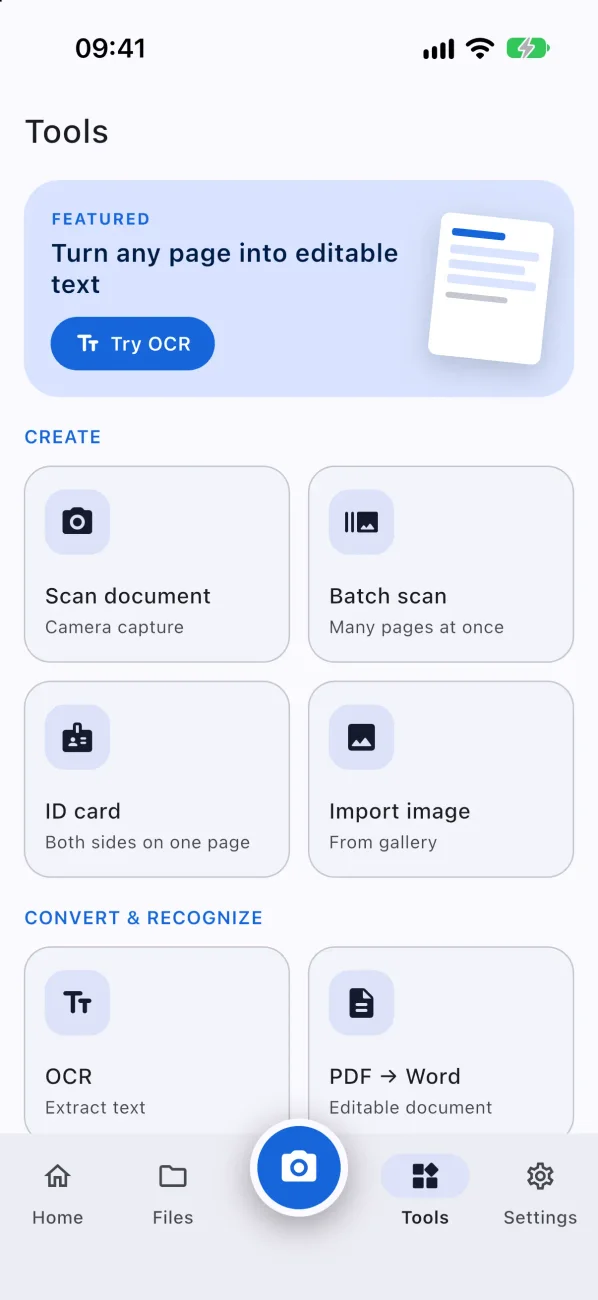
Info
Der Entwickler hat diesen Text nicht in Ihrer Sprache bereitgestellt.
Scan Me is a fast and smart document scanner that helps you scan documents, receipts, notes, and photos using your phone camera.
Turn your device into a powerful portable scanner and convert documents into high-quality PDF or image files instantly.
KEY FEATURES
• Smart Document Scanner
Automatically detect document edges and scan with high accuracy.
• High Quality PDF Scanner
Convert scanned documents into clear PDF files with optimized quality.
• Scan to Image
Save scanned documents as high-resolution images.
• Fast Processing
Process documents quickly with AI-powered technology.
• Multi-Format Export
Export documents as PDF or image files easily.
• Easy to Use
Clean and modern interface designed for fast scanning.
USE CASES
• Scan receipts and invoices
• Digitize paper documents
• Scan notes and study materials
• Save contracts and forms
• Share documents quickly
Scan Me makes document scanning simple, fast, and reliable.
Neue Funktionen
Version 1.0.3 · 25.11.2026
- New refreshed UI for Home, Files, Tools and Settings
- Optimized layout for large and foldable screens
- Improve OCR text recognition accuracy
- Improve document scanning accuracy
- Enhance image processing quality
- Optimize performance and speed
- Fix minor bugs and improve stability
App-Datenschutz
Was Quan Le im App Store zum Umgang dieser App mit Daten angibt.
-
Daten, die zum Tracking Ihrer Person verwendet werden
Können verwendet werden, um Sie über Apps und Websites anderer Unternehmen hinweg zu verfolgen.
- Kennungen
- Nutzungsdaten
- Diagnose
-
Mit Ihnen verknüpfte Daten
Können erfasst und mit Ihrer Identität verknüpft werden.
- Kennungen
- Nutzungsdaten
- Diagnose
Die Datenschutzpraktiken können variieren, zum Beispiel je nach den von Ihnen verwendeten Funktionen oder Ihrem Alter.
Informationen
- Anbieter
- Quan Le
- Kategorie
- Produktivität
- Version
- 1.0.3
- Aktualisiert
- 25.11.2026
- Veröffentlicht
- 19.03.2026
- Größe
- 46,6 MB
- Erfordert
- iOS 15.0 oder neuer
- Altersfreigabe
- 4+
- Preis
- Kostenlos
- Sprachen
- Englisch, Spanisch, Vietnamesisch
- Copyright
- © 2026 Smile Code
Das könnte Ihnen auch gefallen
-
 Scan DeskDokumentenscanner & PDF-App
-
 Folio: Tracker-NotizbücherMedizin, Rechnungen, Bücher
-
 AI Video Generator - DramalizeProduktivität
-
 PDF Pocket: Scanner & EditorScannen, OCR & Unterschrift
-
 ToPDF: PDF maker Sign DocumentConvert lmage & Signature
-
 HSK TeamProduktivität
-
 Haru – Kalender & AufgabenTermine, To-dos & Wetter
-
 Minutes ai Notebook WaveTranskription Generator Diktat
-
 Arbeitsplan - Listen ErstellenTagesplaner Kostenlos,Aufgaben
-
 Dokumentenscanner: ScanivaPDF-Scanner ohne Abo, ein Kauf