SeClock: Seconds Clock Widget
Lock Screen & Live Activity
Entwickelt für iPhone
Kostenlos · In-App-Käufe
- Altersfreigabe4+
- KategorieDienstprogramme
- EntwicklerKiichi Ito
- SprachenEnglisch+ 1 weitere
- Größe3,4 MB
Verlinkt auf die offizielle App Store-Seite
Download.org hostet keine Datei von SeClock: Seconds Clock Widget. Die Schaltfläche öffnet die App-Seite bei App Store, wo Kiichi Ito die App veröffentlicht. Eintrag zuletzt geprüft am 21.11.2026.
Screenshots

Info
Der Entwickler hat diesen Text nicht in Ihrer Sprache bereitgestellt.
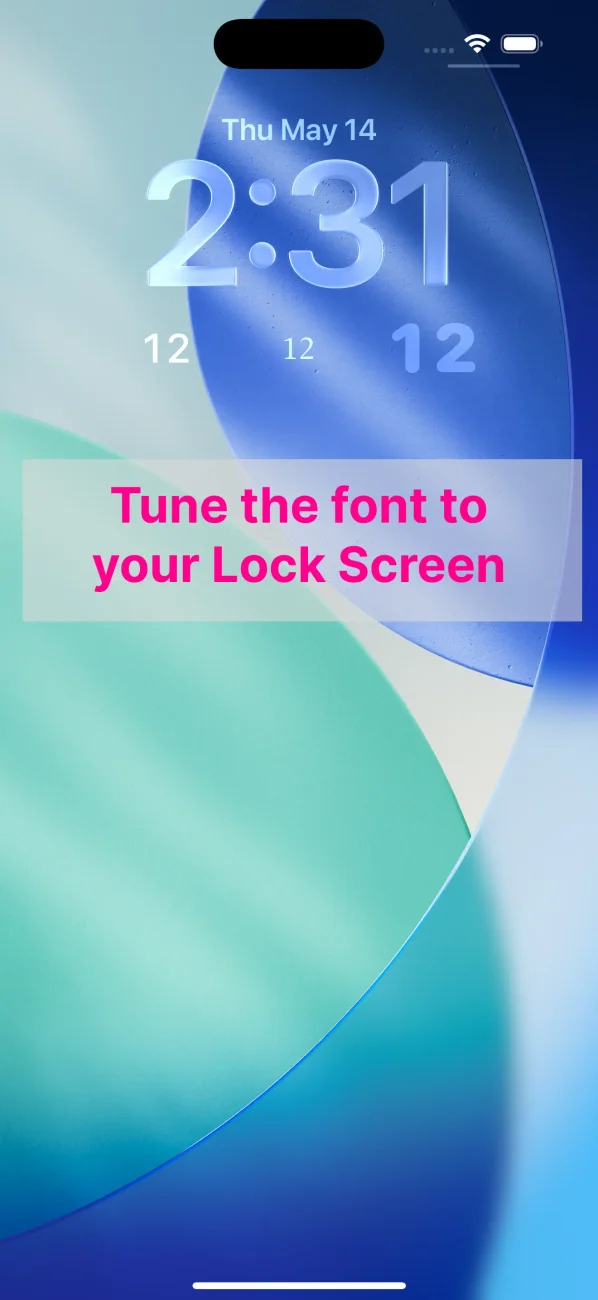
SeClock shows just the seconds on your Lock Screen or Home Screen — the part the system clock leaves out.
Long-press the Lock Screen or Home Screen to add the widget. An in-app purchase lets you tune the font, weight, size, and opacity so the seconds blend into your setup.
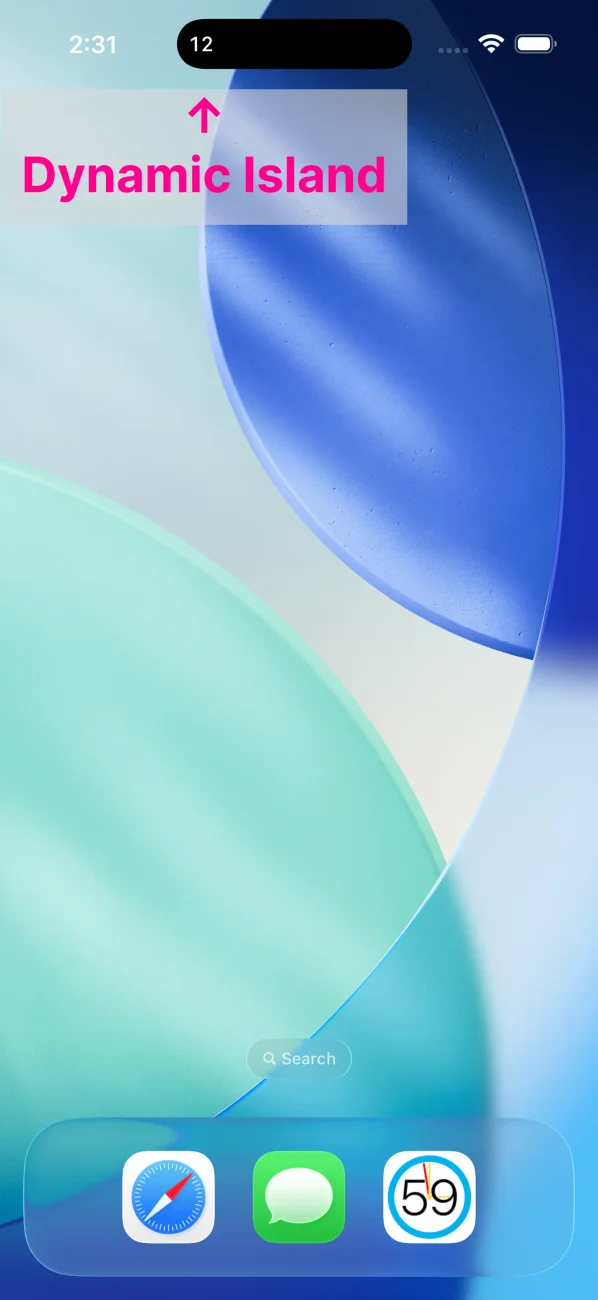
Prefer the Dynamic Island? Tap the button in the app to start a Live Activity that keeps seconds ticking there for up to about 8 hours.
You can also use the app itself as a fullscreen HH:MM:SS clock.
*Widgets and Live Activities may be off by up to about 1 second.
Neue Funktionen
Version 1.2.2 · 18.05.2026
- Restored the rectangular Lock Screen widget.
- Added the ability to send feedback.
App-Datenschutz
Was Kiichi Ito im App Store zum Umgang dieser App mit Daten angibt.
-
Keine Daten erfasst
Der Entwickler erfasst keine Daten von dieser App.
Die Datenschutzpraktiken können variieren, zum Beispiel je nach den von Ihnen verwendeten Funktionen oder Ihrem Alter.
Informationen
- Anbieter
- Kiichi Ito
- Kategorie
- Dienstprogramme
- Version
- 1.2.2
- Aktualisiert
- 18.05.2026
- Veröffentlicht
- 23.02.2023
- Größe
- 3,4 MB
- Erfordert
- iOS 17.0 oder neuer
- Altersfreigabe
- 4+
- Preis
- Kostenlos
- In-App-Käufe
- Ja
- Sprachen
- Englisch, Japanisch
- Copyright
- © Kiichi Itoh
Das könnte Ihnen auch gefallen
-
 Smart Digital & Analog ClockDienstprogramme
-
 Exact SecondsDienstprogramme
-
 Uhr Widget: Ultra HD TimeFlip Clock & Countdown Widget
-
 Digital Clock UltraDienstprogramme
-
 Digital Clock - NeoDienstprogramme
-
 Mugen ClockGroße Uhr, endlose Stile
-
 Minimum ClockEinfache Digitaluhr
-
 Schwebende Uhr mit SekundenSperrbildschirm & Bild-in-Bild
-
 Screen Clock DigitalDienstprogramme
-
 SFClockDienstprogramme