SecureFile – File Encryption
Encrypt & Protect Any File
Entwickelt für iPhone, iPad, iPod touch
Kostenlos · In-App-Käufe
- Altersfreigabe4+
- KategorieProduktivität
- EntwicklerCode Stars
- SprachenEnglisch
- Größe31,7 MB
Verlinkt auf die offizielle App Store-Seite
Download.org hostet keine Datei von SecureFile – File Encryption. Die Schaltfläche öffnet die App-Seite bei App Store, wo Code Stars die App veröffentlicht. Eintrag zuletzt geprüft am 12.11.2026.
Screenshots


Info
Der Entwickler hat diesen Text nicht in Ihrer Sprache bereitgestellt.
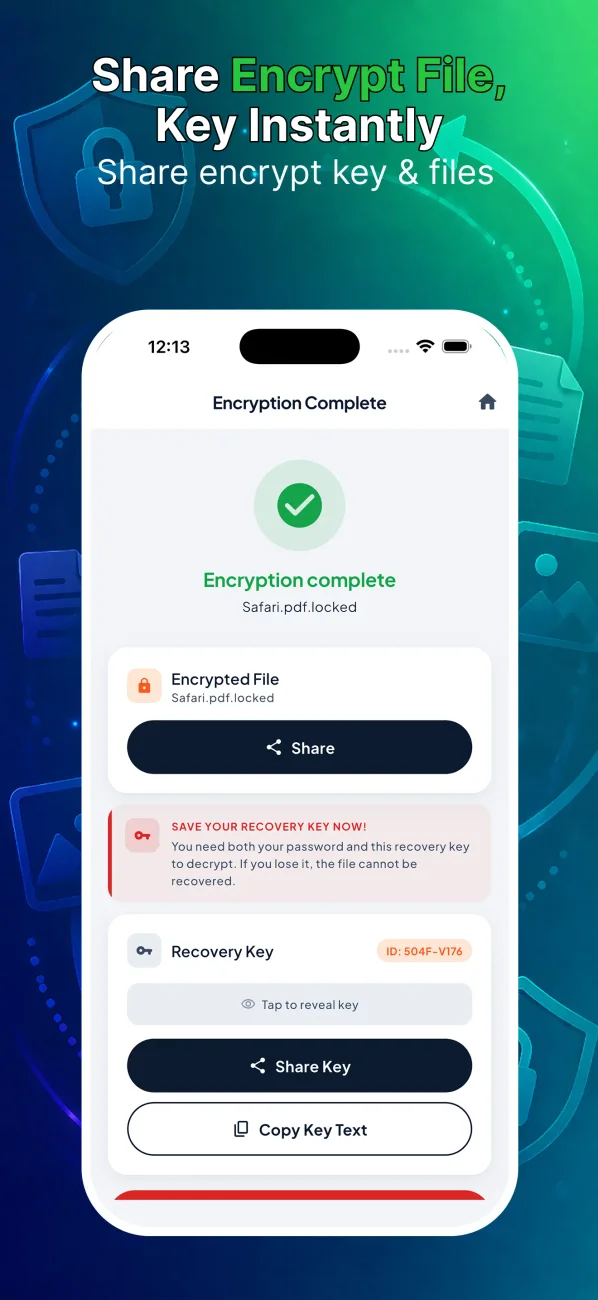
SecureFile lets you encrypt and decrypt any file directly on your device. Photos, documents, PDFs, videos — if it's a file, SecureFile can lock it behind a password so only you can open it.
HOW IT WORKS
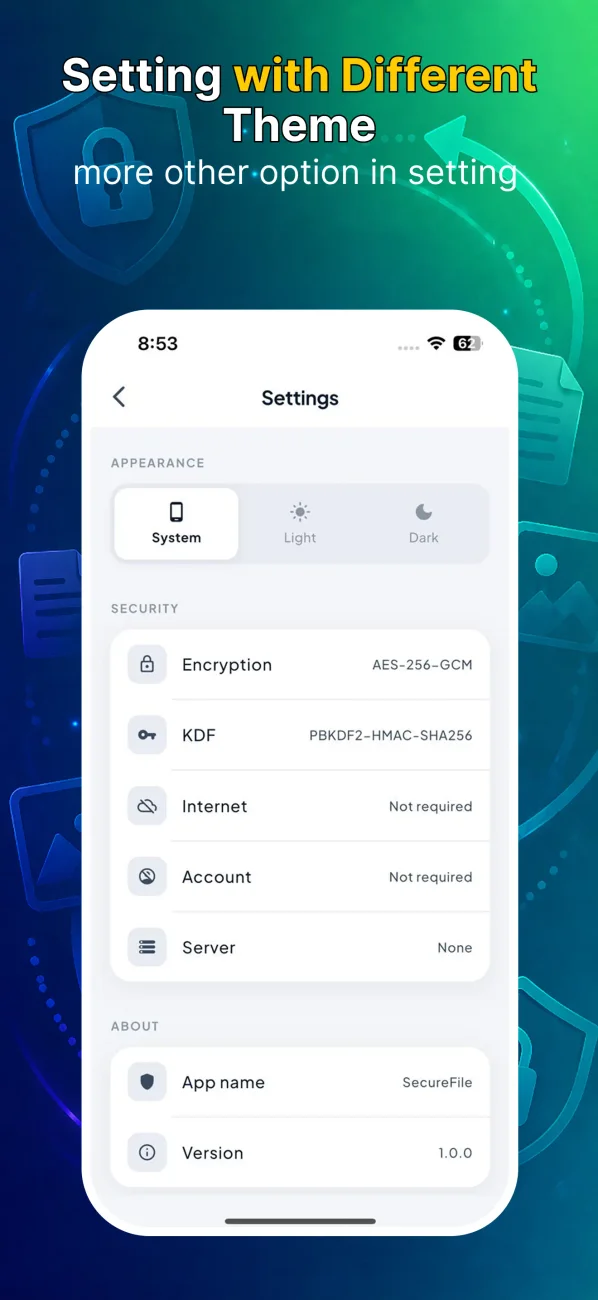
SecureFile uses AES-256-GCM authenticated encryption with PBKDF2-HMAC-SHA256 key derivation. That means your password is never stored — instead it's used to derive a strong encryption key. If someone gets your encrypted file without the password, they get nothing readable.
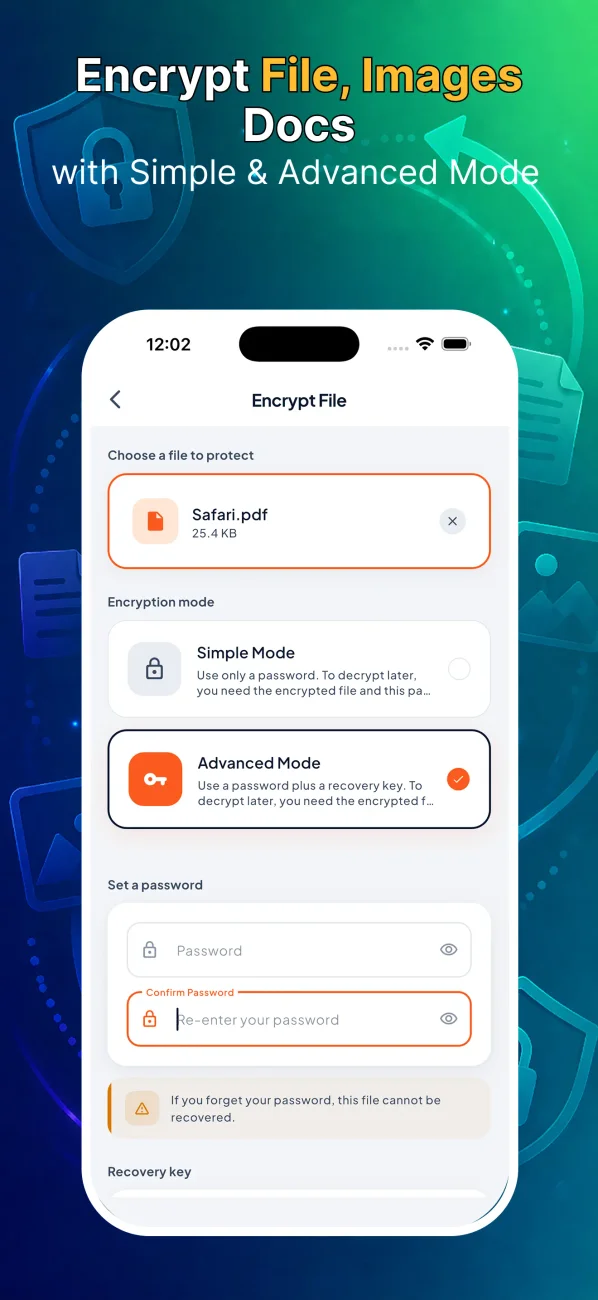
TWO ENCRYPTION MODES
Simple Mode
Protect a file with just a password. Pick a file, set a password, tap Encrypt. To decrypt later: the encrypted file plus the same password is all you need.
Advanced Mode
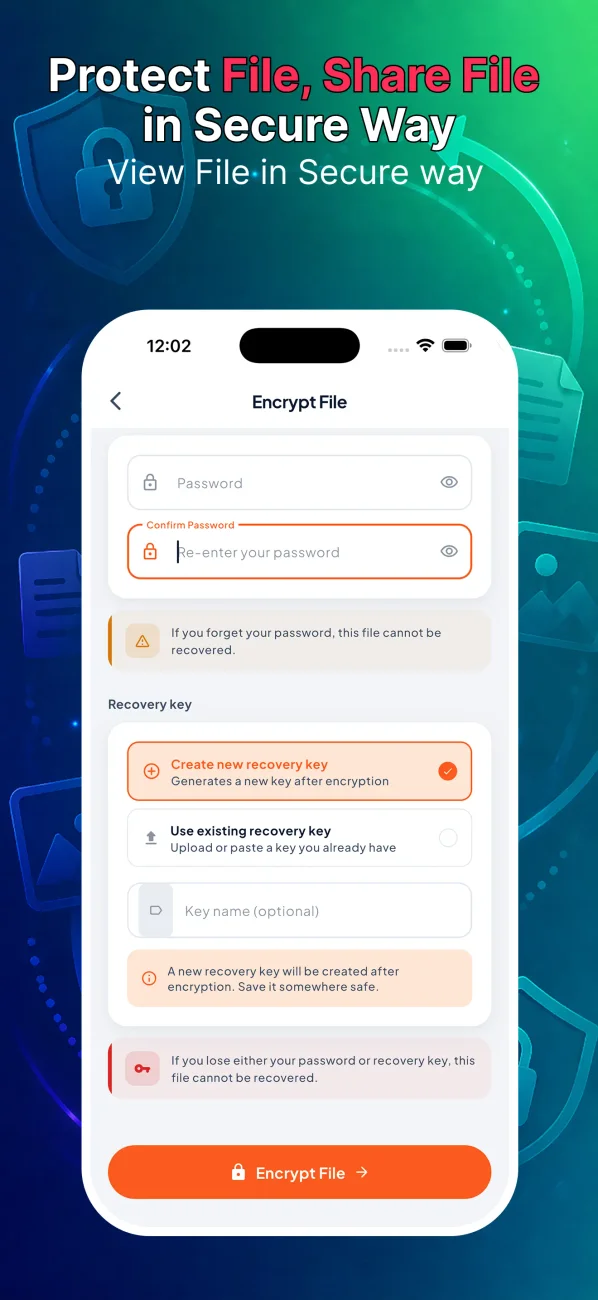
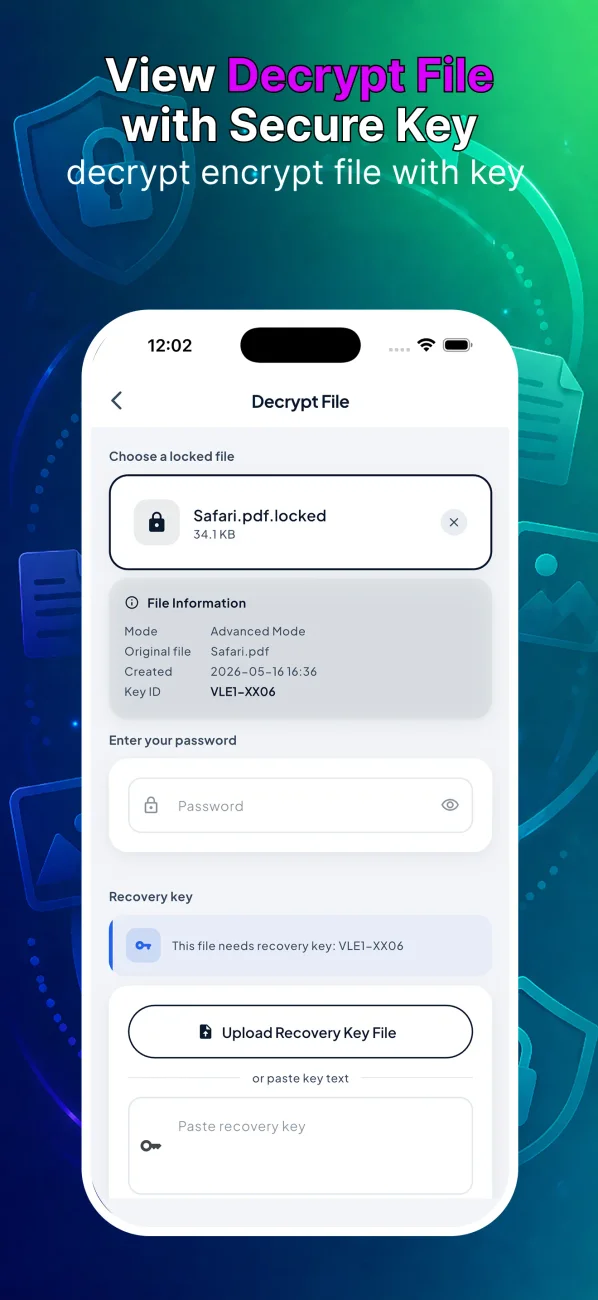
Add a second layer with a recovery key. Decryption requires the encrypted file, your password, AND the recovery key file. Even if someone learns your password, they still can't open the file without the key.
COMPLETELY PRIVATE
• No internet connection required — ever
• No account or sign-up needed
• No data sent to any server
• Everything happens on your device, offline
HISTORY
Every encryption and decryption is logged locally in the History tab so you always know which files you've protected and when.
HONEST SECURITY
We don't hide what we use. AES-256-GCM is the same cipher used by banks, governments, and security professionals worldwide. PBKDF2 with 300,000 iterations makes brute-forcing your password computationally impractical. You can verify every detail in the Settings screen.
IMPORTANT NOTE
SecureFile uses standard encryption as defined under U.S. export regulations (EAR). It qualifies for the encryption exemption (ENC) and does not require an Encryption Registration Number (ERN) — it implements only publicly available, standard cryptographic algorithms and is not designed for confidentiality of communications.
If you lose your password (and your recovery key in Advanced Mode), your files cannot be recovered. There is no "forgot password." Store your credentials safely.
Terms of Use: https://www.apple.com/legal/internet-services/itunes/dev/stdeula/
Privacy Policy: http://codstars.com/policy.html
App-Datenschutz
Was Code Stars im App Store zum Umgang dieser App mit Daten angibt.
-
Keine Daten erfasst
Der Entwickler erfasst keine Daten von dieser App.
Die Datenschutzpraktiken können variieren, zum Beispiel je nach den von Ihnen verwendeten Funktionen oder Ihrem Alter.
Informationen
- Anbieter
- CODE STARS (SMC-PRIVATE) LIMITED
- Kategorie
- Produktivität
- Version
- 1.0.0
- Aktualisiert
- 19.05.2026
- Veröffentlicht
- 19.05.2026
- Größe
- 31,7 MB
- Erfordert
- iOS 13.0 oder neuer
- Altersfreigabe
- 4+
- Preis
- Kostenlos
- In-App-Käufe
- Ja
- Sprachen
- Englisch
- Copyright
- Copyright © 2026 CodStars, Ltd.
Das könnte Ihnen auch gefallen
-
 UVaultProduktivität
-
 Mobile CyberProduktivität
-
 The EncryptionProduktivität
-
 Lodestar - Goal & Life TrackerProduktivität
-
 EncLock Password ManagerProduktivität
-
 AxCrypt EncryptionProduktivität
-
 PDF Scanner: KI OCRPDF, Word & Excel scannen
-
 OneVault Password ManagerProduktivität
-
 Focus Friend: ADHD PlannerProduktivität
-
 Scanly: PDF ScannerSignieren, exportieren, teilen