Sharedrop - File Transfer
Photos & files to any device
Entwickelt für iPhone, iPad, iPod touch
Kostenlos · In-App-Käufe
- Altersfreigabe4+
- KategorieWirtschaft
- EntwicklerNextPixel apps
- SprachenEnglisch+ 28 weitere
- Größe21,1 MB
Verlinkt auf die offizielle App Store-Seite
Download.org hostet keine Datei von Sharedrop - File Transfer. Die Schaltfläche öffnet die App-Seite bei App Store, wo NextPixel apps die App veröffentlicht. Eintrag zuletzt geprüft am 21.11.2026.
Screenshots
Info
Der Entwickler hat diesen Text nicht in Ihrer Sprache bereitgestellt.
Send photos, videos and files to any nearby device
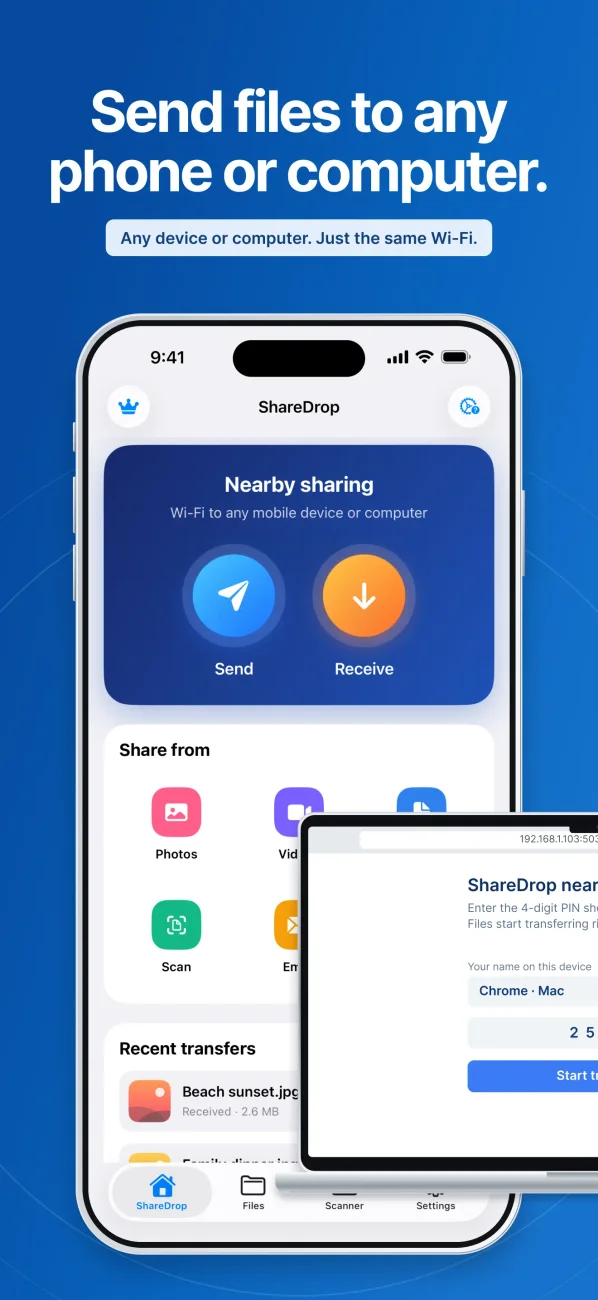
ShareDrop moves files between your iPhone or iPad and any phone, tablet or computer on the same Wi-Fi. No cables, no cloud uploads, and nothing to install on the other device. It just needs a web browser.
HOW IT WORKS
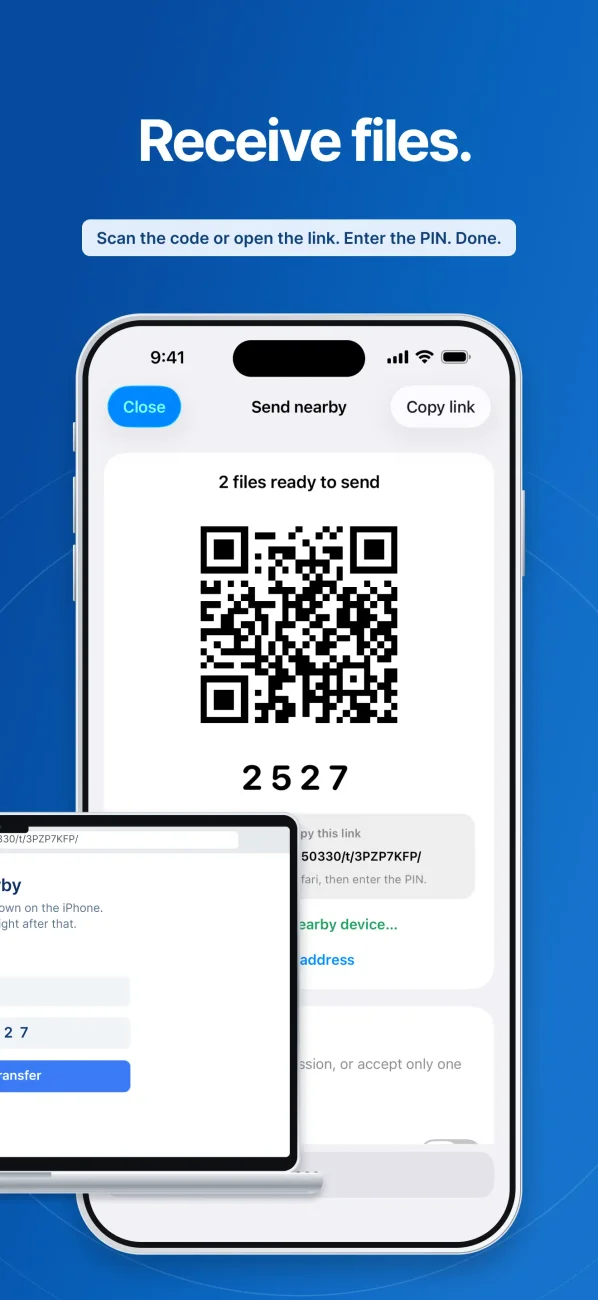
1. Choose photos, videos or files in ShareDrop.
2. On the other device, scan the QR code or open the link.
3. Enter the 4-digit PIN, and the files arrive.
Receiving works the same way: open the link on the other device and upload files straight to your iPhone.
FEATURES
• Send nearby: share photos, videos and files over your Wi-Fi or Personal Hotspot.
• Receive without an app: the other device just uses its web browser.
• Private by design: each session has its own link and PIN. Files go directly between devices and are never uploaded to our servers.
• AirDrop and share sheet: send to Apple devices with AirDrop, or to Messages, Mail and other apps.
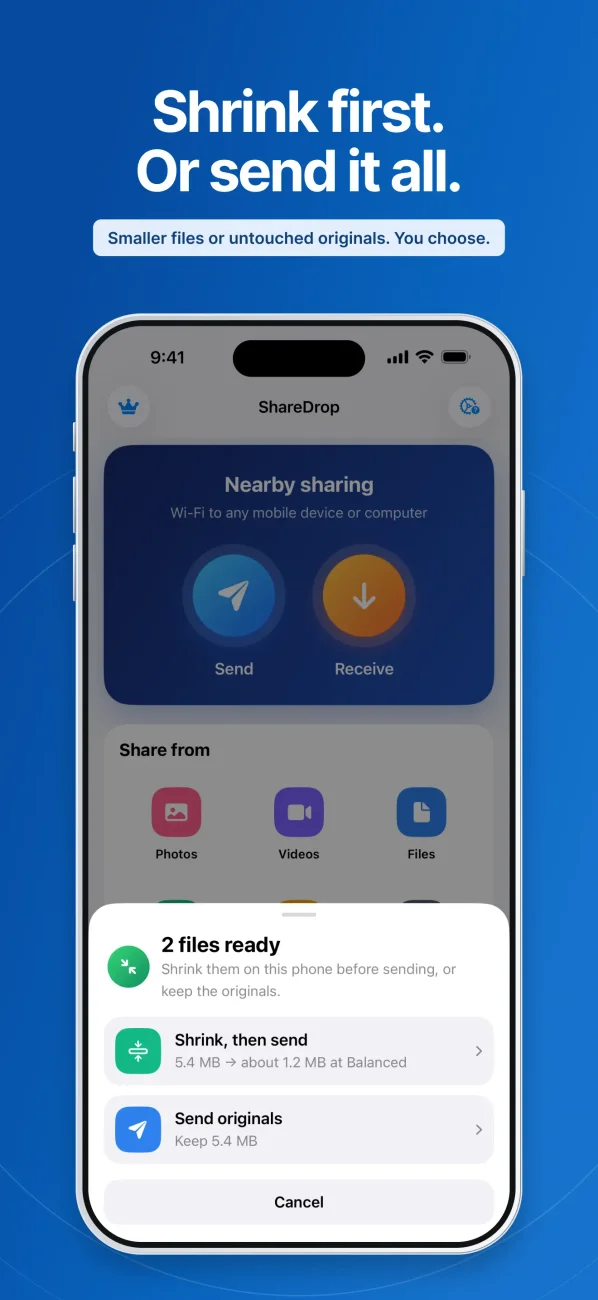
• Compress photos and videos: make files smaller before sending, or keep the originals. Location data is removed by default.
• Scan documents: turn paper into a PDF with the camera. On supported devices, Apple Intelligence suggests a clear name and a short summary.
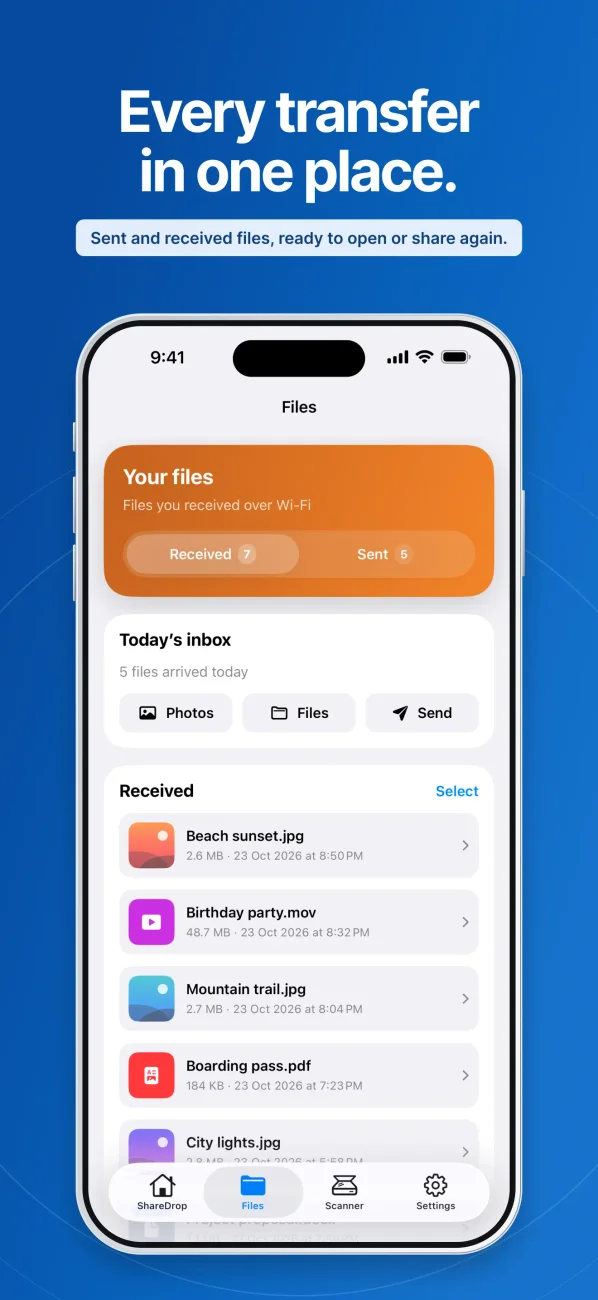
• Files and history: sent and received files in one place, ready to open, save or share again.
• Send folders: share a whole folder as a single ZIP.
• Share from other apps: send files from any app's share sheet.
FREE vs PREMIUM
• Free: send photos, receive files, scan documents, keep your history, and compress once a day.
• Premium: send videos and any file type, send folders, and compress without limits.
SUBSCRIPTION INFORMATION
• ShareDrop Premium is available as a weekly or monthly auto-renewing subscription, or as a one-time Lifetime purchase.
• Some plans include a free trial. If you don't cancel at least 24 hours before the trial ends, the subscription starts and you're charged.
• Payment is charged to your Apple ID when you confirm the purchase.
• Subscriptions renew automatically at the same price unless cancelled at least 24 hours before the end of the current period. Your account is charged for renewal within 24 hours before the period ends.
• You can manage or cancel your subscription anytime in Settings > your name > Subscriptions.
• Prices are shown in the app and may vary by country.
Privacy Policy: https://sites.google.com/view/sharedropapp/projects
Terms of Use: https://sites.google.com/view/sharedropapp/terms
Apple EULA: https://www.apple.com/legal/internet-services/itunes/dev/stdeula/
Neue Funktionen
Version 1.37 · 25.10.2026
• New: Nearby sharing with a QR code. Scan the code on another phone or computer, enter the PIN, and files transfer over Wi-Fi. No app needed on the other device.
• New AirDrop option when sending files.
• Safer sessions: PIN entry locks after repeated wrong attempts.
• Faster folder sending that uses less memory.
• More privacy: location is removed from compressed videos, and analytics are gone.
• Restore purchases right from Settings.
• Bug fixes and support for the latest iOS.
App-Datenschutz
Was NextPixel apps im App Store zum Umgang dieser App mit Daten angibt.
-
Nicht mit Ihnen verknüpfte Daten
Können erfasst werden, sind aber nicht mit Ihrer Identität verknüpft.
- Käufe
- Kennungen
Die Datenschutzpraktiken können variieren, zum Beispiel je nach den von Ihnen verwendeten Funktionen oder Ihrem Alter.
Informationen
- Anbieter
- NEXTPIXEL APPS LLP
- Kategorie
- Wirtschaft
- Version
- 1.37
- Aktualisiert
- 25.10.2026
- Veröffentlicht
- 26.01.2022
- Größe
- 21,1 MB
- Erfordert
- iOS 15.0 oder neuer
- Altersfreigabe
- 4+
- Preis
- Kostenlos
- In-App-Käufe
- Ja
- Sprachen
- Englisch, Arabisch, Katalanisch, Kroatisch, Tschechisch, Dänisch, Niederländisch, Finnisch, Französisch, Deutsch, Griechisch, Hebräisch + 17 weitere
- Copyright
- © NEXTPIXEL APPS LLP
Das könnte Ihnen auch gefallen
-
 File Transfer - SnapdropProduktivität
-
 Data Transfer - SnapdropProduktivität
-
 PairDropProduktivität
-
 AirDroid - File Transfer&ShareProduktivität
-
 Datei teilen: Daten übertragenDateien übertragen und teilen
-
 AirDisk: DateiübertragungFotos & Dokumente drahtlos
-
 Quick Share: Share fasterDateien übertragen und teilen
-
 File Manager - Exchange filesProduktivität
-
 USB Disk SE, Datei ManagerFoto, Musik Offline Hören, PDF
-
 Documents Pro - Files EditorSupports Dropbox, Google Drive