
ShieldSphere Safety
AI-Powered OSHA Compliance
Entwickelt für iPhone, iPad, iPod touch
- Altersfreigabe4+
- KategorieWirtschaft
- EntwicklerMatthew Thompson
- SprachenEnglisch
- Größe60,7 MB
ShieldSphere Safety ist bei App Store derzeit möglicherweise nicht verfügbar
Bei unserer letzten Prüfung war der Store-Eintrag nicht erreichbar. Der Link führt weiterhin zur offiziellen App Store-Seite.
Screenshots



Info
Der Entwickler hat diesen Text nicht in Ihrer Sprache bereitgestellt.
OSHA compliance is complicated. ShieldSphere makes it fast.
Whether you're a safety manager juggling audits, a small business owner figuring out compliance on your own, or an EHS consultant managing multiple client sites - ShieldSphere puts AI-powered OSHA expertise in your pocket.
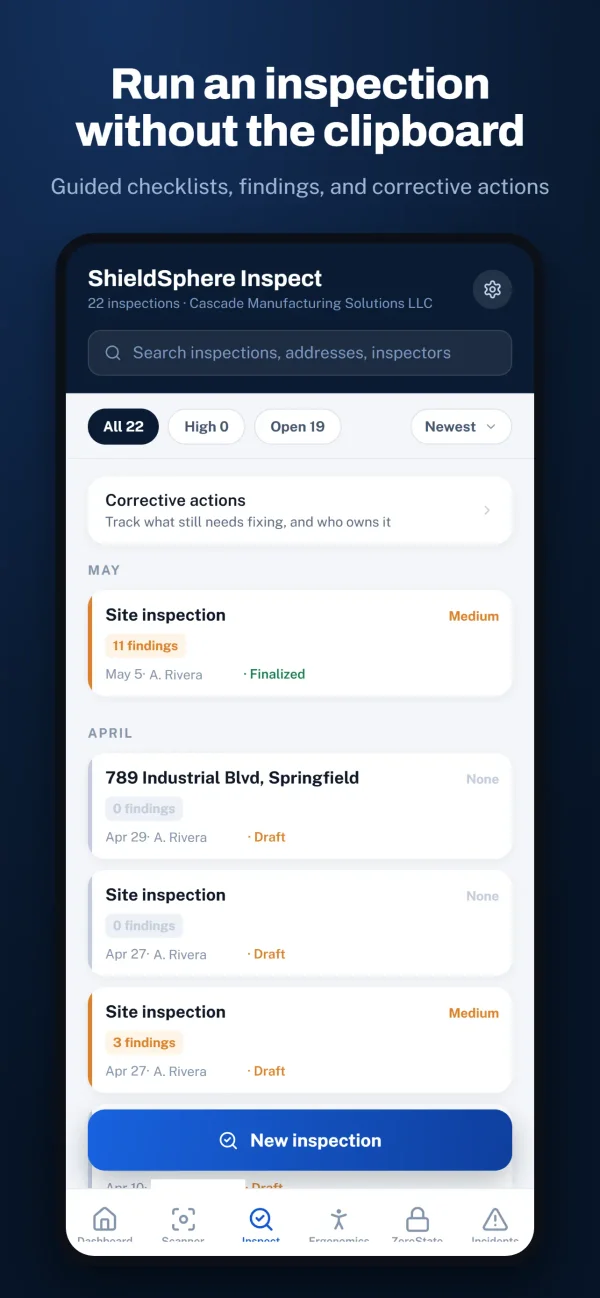
Run Smarter Inspections: Conduct field inspections from your phone, flag hazards in real time, and generate professional reports automatically. No more manual write-ups after a long day on the floor.
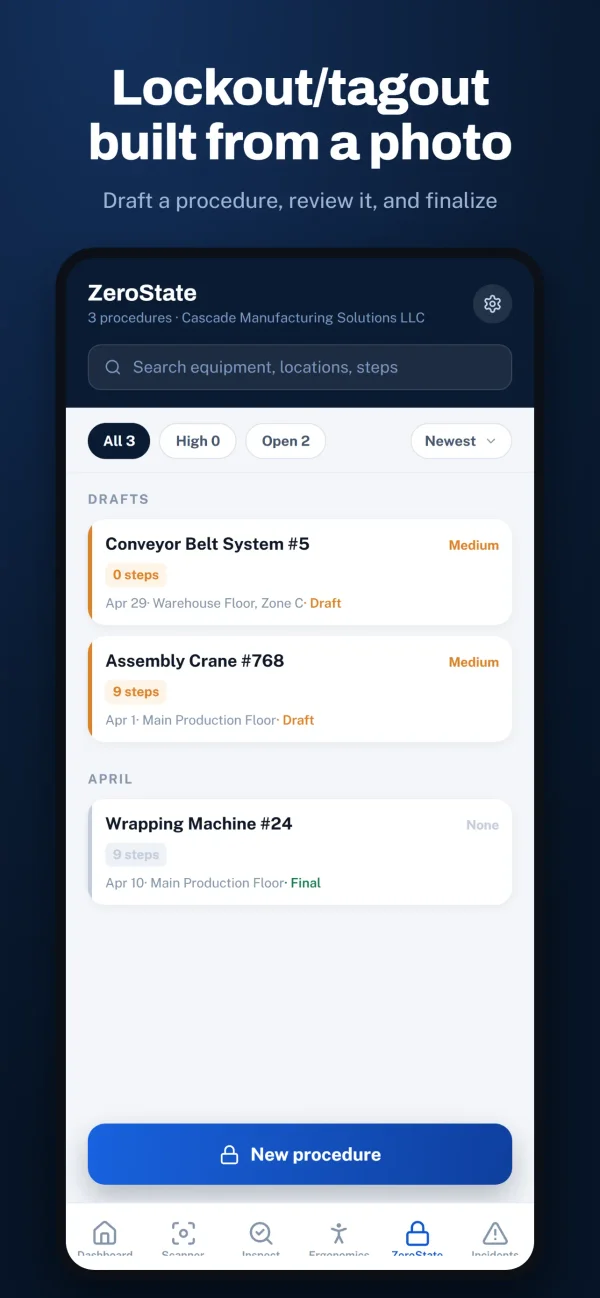
Build LOTO Procedures in Minutes: Create complete, regulation-ready Lockout/Tagout procedures with photo documentation and AI-assisted generation. What used to take hours now takes minutes.
AI That Knows OSHA: ShieldSphere's AI is trained on federal OSHA standards across General Industry, Construction, Maritime, and Agriculture, plus multiple state plan states. Get accurate, jurisdiction-aware guidance without digging through the CFR.
Built for the Field: ShieldSphere is designed for how safety work actually happens, on the floor, at the job site, and under time pressure. Fast, mobile-first, and built by a safety professional with 19+ years of OSHA experience.
Start free. Scale as you grow.
Neue Funktionen
Version 2.3.0 - Major Update and Forklift · 03.11.2026
Run training, forklift evaluations, and more from your phone. This is our biggest update yet.
NEW
• Training: start sessions and toolbox talks on the spot. People sign in with a signature on your phone or scan a QR code with their own.
• Forklift evaluations: score, sign, and complete operator evaluations. Add forklifts and manage evaluators in the app.
• Safety data sheets: view your chemical inventory, add chemicals, and scan labels in a walkthrough.
• Job hazard analyses: review JHAs and record a crew's in-person acknowledgment.
• Permits: raise, edit, and manage permits to work.
• Account deletion: request it from Settings.
HAZARD SCANNER
• Record or choose a video to scan, even while offline.
• Scan several angles at once and add equipment labels.
• See numbered hazard boxes, citations, and guidance in the results.
• Canadian sites can choose the jurisdiction for a scan.
ERGONOMICS
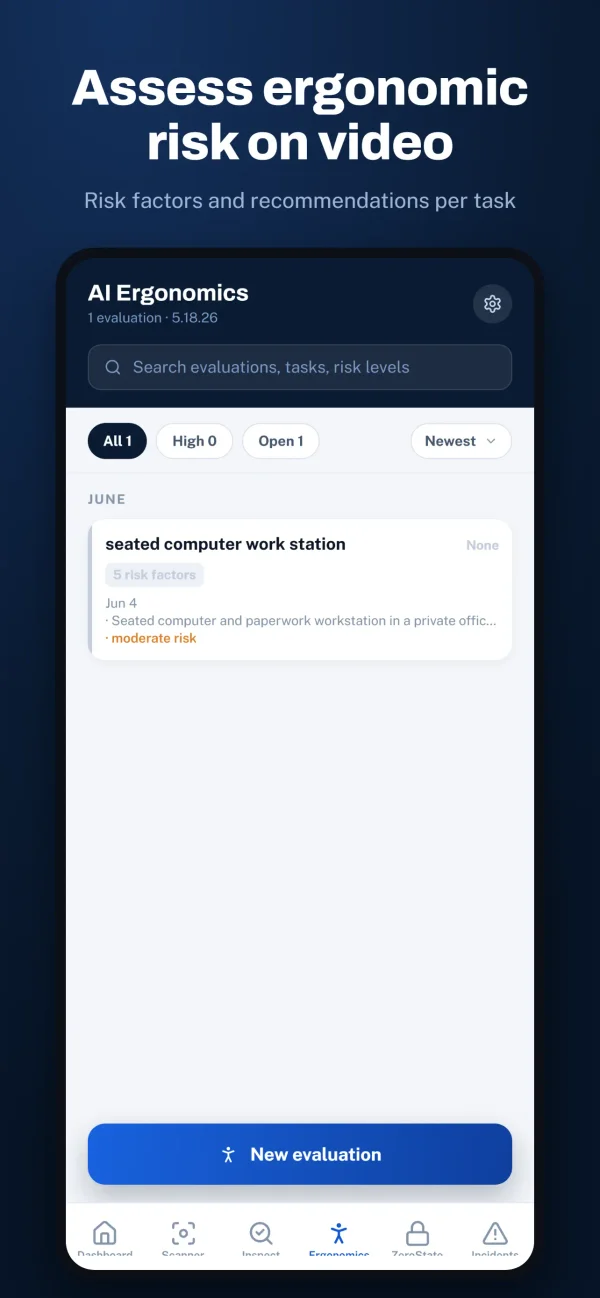
• Record video with body tracking, posture scores, and skeleton replay.
• See coaching tips in English and Spanish.
• Move evaluations between sites, delete them, and share PDFs.
INCIDENTS
• Edit the full OSHA 301 record and capture body parts and injury type.
• File near misses, and view incidents by year and site.
• Create corrective actions from an incident and view root cause analyses.
INSPECTIONS AND CORRECTIVE ACTIONS
• See findings grouped by photo, and edit, resolve, or delete a finding.
• Change a corrective action's status, assignee, and evidence.
• After a checklist, step through failed items to create corrective actions.
ZEROSTATE
• Edit saved procedures and their generated steps.
• Log periodic inspections and export procedures.
DASHBOARD
• See key numbers for your active site.
• View trends for incidents, ZeroState, and corrective actions.
FIXES
• Fixed corrective actions failing to load or save.
• Fixed checklist text, number, and date questions that kept a run from completing.
• An inspection with no findings can now be completed, and Complete waits until answers finish syncing.
• Fixed video hazard scans showing no hazards, and scans listed as "Untitled."
• Hazard scan and ergonomics lists now show only the active site.
• Video ergonomic evaluations no longer appear as photo sets, and clips now play.
• Fixed incident dates showing a day off, and corrected day counts.
• Employee names are now hidden on privacy-case incidents.
• Saving portal settings no longer clears other module settings.
• Fixed photo uploads in Inspect, Ergonomics, and ZeroState, including photos taken offline.
• Fixed ZeroState draft saving and effective dates.
• Fixed offline scans that failed to queue.
• Clearer messages when your monthly scans are used up or a module needs your admin.
• SDS label reads and Save all now resume if interrupted.
• Clearer progress while a video is being analyzed.
App-Datenschutz
Was Matthew Thompson im App Store zum Umgang dieser App mit Daten angibt.
-
Keine Daten erfasst
Der Entwickler erfasst keine Daten von dieser App.
Die Datenschutzpraktiken können variieren, zum Beispiel je nach den von Ihnen verwendeten Funktionen oder Ihrem Alter.
Informationen
- Anbieter
- Matthew Thompson
- Kategorie
- Wirtschaft
- Version
- 2.3.0 - Major Update and Forklift
- Aktualisiert
- 03.11.2026
- Veröffentlicht
- 14.04.2026
- Größe
- 60,7 MB
- Erfordert
- iOS 15.1 oder neuer
- Altersfreigabe
- 4+
- Sprachen
- Englisch
- Copyright
- © 2026 ShieldSphere Safety LLC
Das könnte Ihnen auch gefallen
-
 Struck-By JHAProduktivität
-
 ShopXpertWirtschaft
-
 FP Safety Solutions SMARTWirtschaft
-
 LOTO-ProProduktivität
-
 FTQ360 Safety InspectionWirtschaft
-
 VSI - Vehicle Safety & InspectWirtschaft
-
 Safety Form: Inspection AppWirtschaft
-
 Machine SafetyProWirtschaft
-
 Essential - Fire InspectionWirtschaft
-
 Ethium E-LINK ConnectWirtschaft