
ShutterCue: Camera Settings
Exposure & ISO for mirrorless
Entwickelt für iPhone, iPad, iPod touch
Kostenlos
- Altersfreigabe4+
- KategorieFoto und Video
- EntwicklerDigital Jackalope, LLC
- SprachenEnglisch
- Größe22,1 MB
Verlinkt auf die offizielle App Store-Seite
Download.org hostet keine Datei von ShutterCue: Camera Settings. Die Schaltfläche öffnet die App-Seite bei App Store, wo Digital Jackalope, LLC die App veröffentlicht. Eintrag zuletzt geprüft am 12.11.2026.
Screenshots
Info
Der Entwickler hat diesen Text nicht in Ihrer Sprache bereitgestellt.
Lightning-fast camera settings reference.
Modern mirrorless cameras have hundreds of menu items. ShutterCue gives you a confident starting
point instead: pick your camera and lens, choose what you're shooting and the light you're in, and
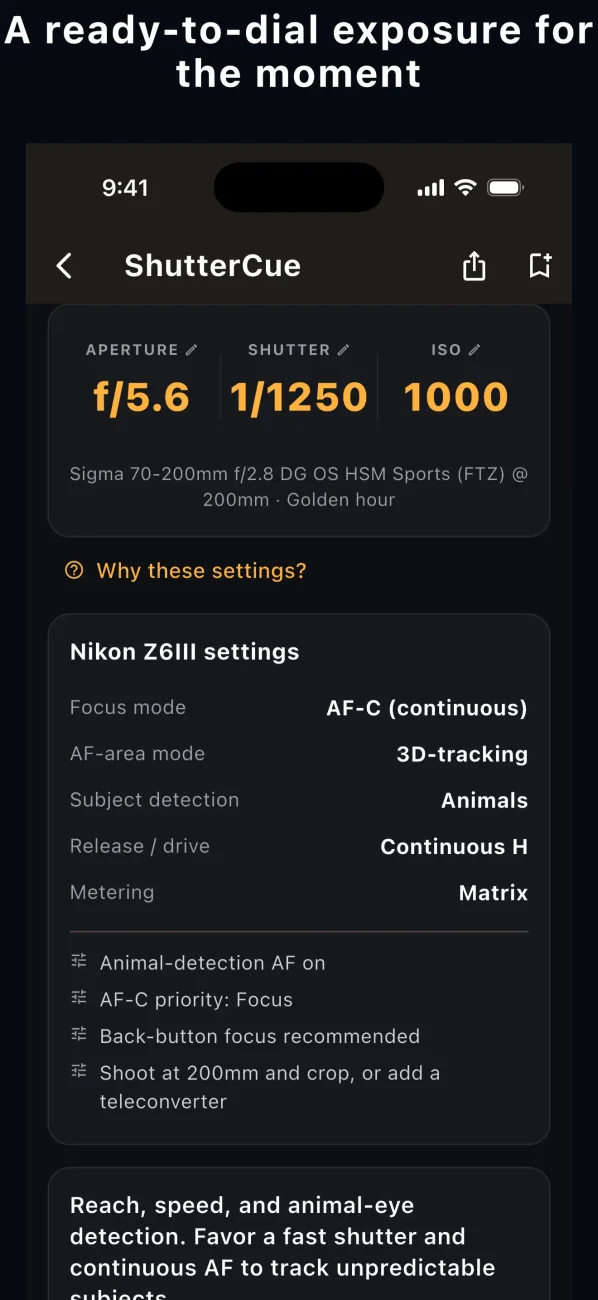
get a ready-to-dial ISO, aperture, and shutter speed — plus the exact menu settings for the moment,
in your camera's own words, and plain-language advice on why.
No account. No internet required. Just fast, trustworthy answers in the field.
WHAT YOU GET
• A ready-to-dial exposure: ISO, aperture, and shutter, solved for your gear, scenario, and light.
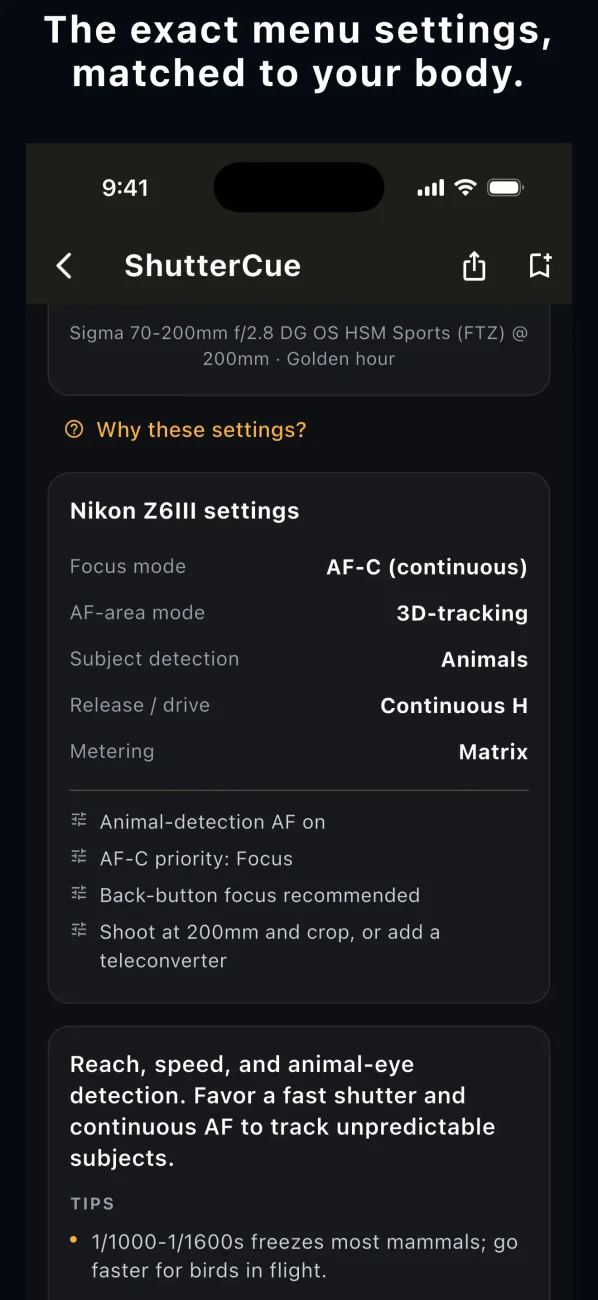
• The right menu settings: AF-area mode, subject detection, drive/release mode, and metering —
named the way your Nikon or Sony menus name them, and reconciled to what YOUR body supports.
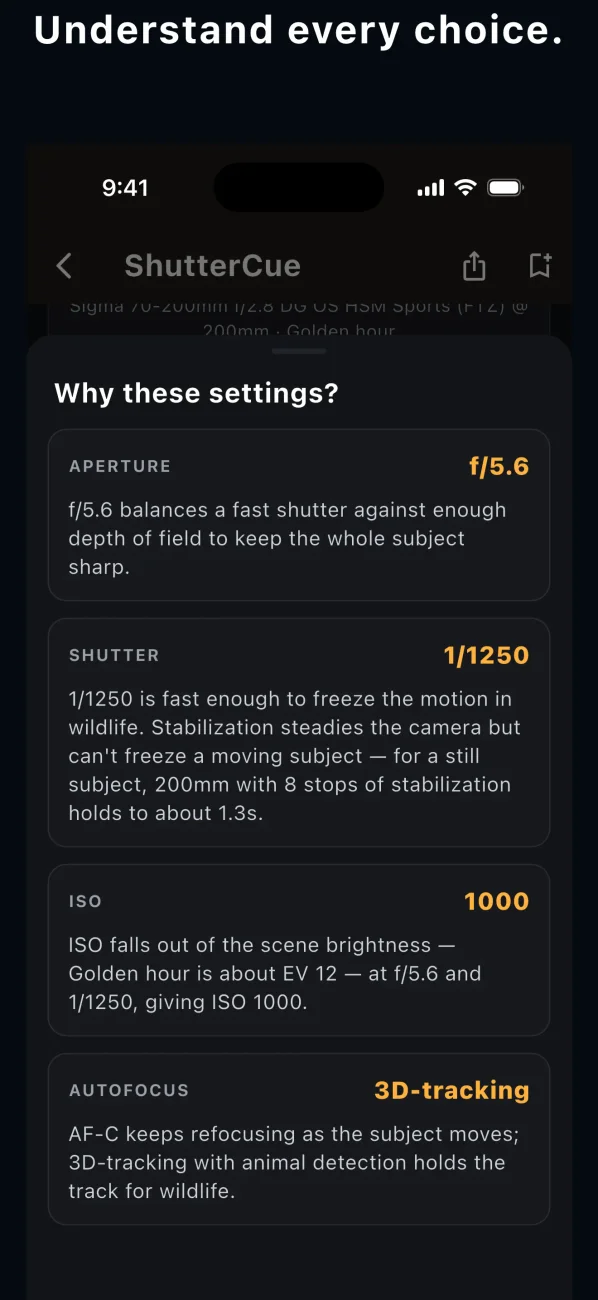
• Plain-language advice: why these settings, and what to watch for (it'll tell you when ISO is pinned
or the light is fading).
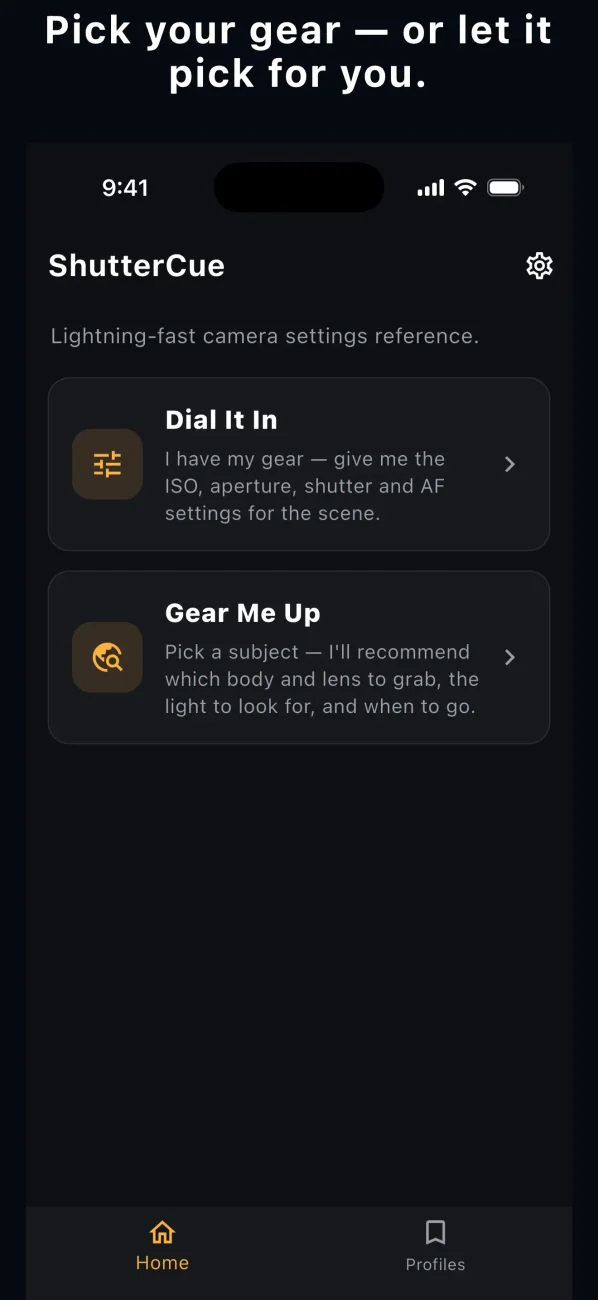
• Two ways in: "Dial It In" (you pick the gear) or "Gear Me Up" (tell it the subject, it suggests the
body, lens, light, and time of day from your kit).
• Ask: a photography assistant you can type or talk to, grounded in your exact gear — ask it a
question and it computes a real recommendation with the same engine as the Guide, it never guesses.
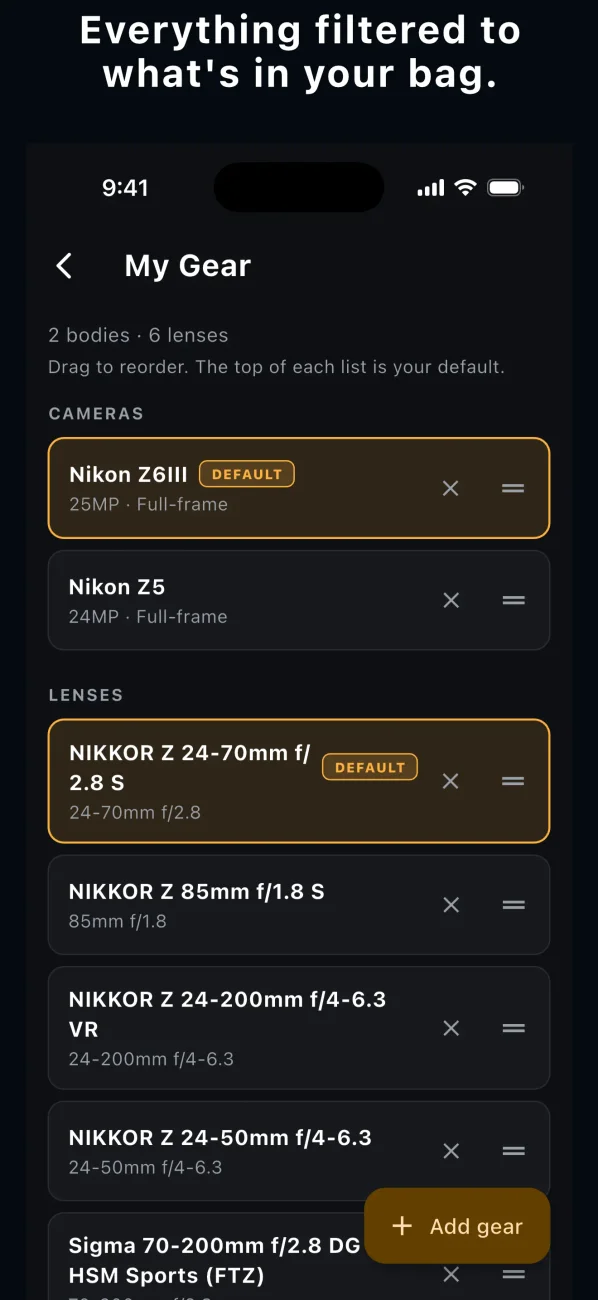
• My Gear: add the cameras and lenses you own and everything filters to what's in your bag.
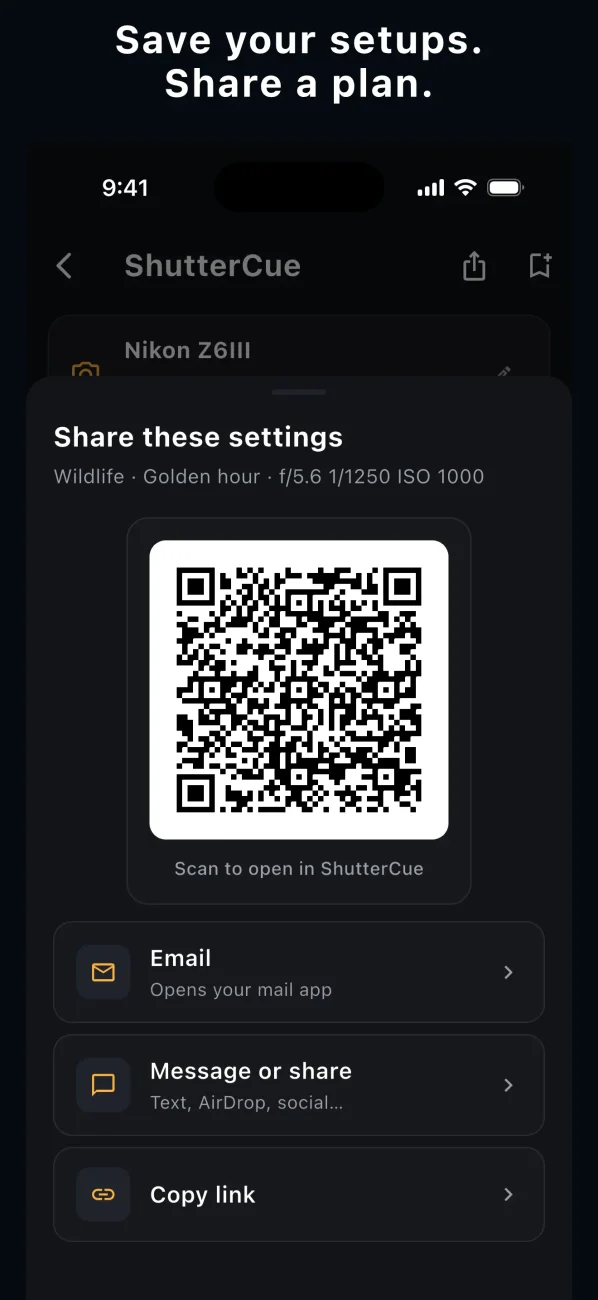
• Profiles: save your favorite setups for one-tap recall.
• Tap any value to fine-tune it, and tap "Why these settings?" to learn the reasoning.
• Share a recommendation as text — perfect for notes, a shoot plan, or helping a friend.
20 SCENARIOS
Portrait, street, events & low light, parades & festivals, concerts, weddings, kids & pets,
landscape, wildlife, macro, waterfalls, birds in flight, aviation, sports, panning & motorsports,
astrophotography, fireworks, the moon, night cityscape, and aurora — each with its own exposure
approach (freeze the action, hold a tripod, or chase the 500-rule for stars) baked in.
BUILT FOR NIKON Z AND SONY ALPHA
ShutterCue covers 20 Nikon Z and Sony E bodies — from the Z5 and Z8 to the a7 III, a7 IV, a7C II,
a6400, a6700 and ZV-E10 II — and 71 lenses: NIKKOR Z and FTZ-adapted F-mount glass, Sony FE and E,
plus Sigma, Tamron, and Viltrox. It understands variable-aperture zooms, the crop factor on APS-C
bodies, in-body and lens stabilization, and how AF features differ across bodies and generations.
HOW IT WORKS
ShutterCue blends curated, photographer-authored knowledge with real exposure math (the APEX
exposure triangle, the reciprocal hand-shake rule, and the 500-rule for stars). Same gear + scenario
+ light always gives the same answer.
These are expert starting points, not a replacement for your light meter. Check your histogram —
ShutterCue gets you in the ballpark fast so you can spend your attention on the photograph.
Offline-first. Private by design — your gear and profiles stay on your device.
Neue Funktionen
Version 1.7.1 · 09.11.2026
Asked us to add a camera or lens? ShutterCue now lets you know when your request changes. When it's added, in review or not planned, you'll see a note the next time you open the app, and a badge on Settings until you've had a look.
Also new:
• Clearing finished requests is tidier. Tap the small X in the corner of a card, or use "Clear finished" at the top to clear them all. Undo still works
App-Datenschutz
Was Digital Jackalope, LLC im App Store zum Umgang dieser App mit Daten angibt.
-
Nicht mit Ihnen verknüpfte Daten
Können erfasst werden, sind aber nicht mit Ihrer Identität verknüpft.
- Benutzerinhalte
- Kennungen
- Nutzungsdaten
Die Datenschutzpraktiken können variieren, zum Beispiel je nach den von Ihnen verwendeten Funktionen oder Ihrem Alter.
Informationen
- Anbieter
- Digital Jackalope, LLC
- Kategorie
- Foto und Video
- Version
- 1.7.1
- Aktualisiert
- 09.11.2026
- Veröffentlicht
- 30.06.2026
- Größe
- 22,1 MB
- Erfordert
- iOS 15.0 oder neuer
- Altersfreigabe
- 4+
- Preis
- Kostenlos
- Sprachen
- Englisch
- Copyright
- © Digital Jackalope, LLC
Das könnte Ihnen auch gefallen
-
 ShotRecipes: Camera SettingsFoto und Video
-
 VideoFrameCut-Batch VideoMakerFoto und Video
-
 ShootCueFoto und Video
-
 Drone ND: ND-Filter & WetterFly-Check, Timer & Presets
-
 ShotLogicFoto und Video
-
 f/ossFoto und Video
-
 Long Exposure BuddyFoto und Video
-
 LumiereCamFoto und Video
-
 Golden Hour - Photo AssistantFoto und Video
-
 Depth of Field Calculator: DoFFoto und Video