
ShutterCue: Camera Settings
Exposure & ISO for mirrorless
Diseñada para iPhone, iPad, iPod touch
Gratis
- Clasificación por edad4+
- CategoríaFoto y vídeo
- DesarrolladorDigital Jackalope, LLC
- IdiomasInglés
- Tamaño22,1 MB
Enlaza a la página oficial de App Store
Download.org no aloja ningún archivo de ShutterCue: Camera Settings. El botón abre la página de la aplicación en App Store, donde la publica Digital Jackalope, LLC. Ficha comprobada por última vez el 12/11/2026.
Capturas de pantalla
Acerca de
El desarrollador no ha proporcionado este texto en tu idioma.
Lightning-fast camera settings reference.
Modern mirrorless cameras have hundreds of menu items. ShutterCue gives you a confident starting
point instead: pick your camera and lens, choose what you're shooting and the light you're in, and
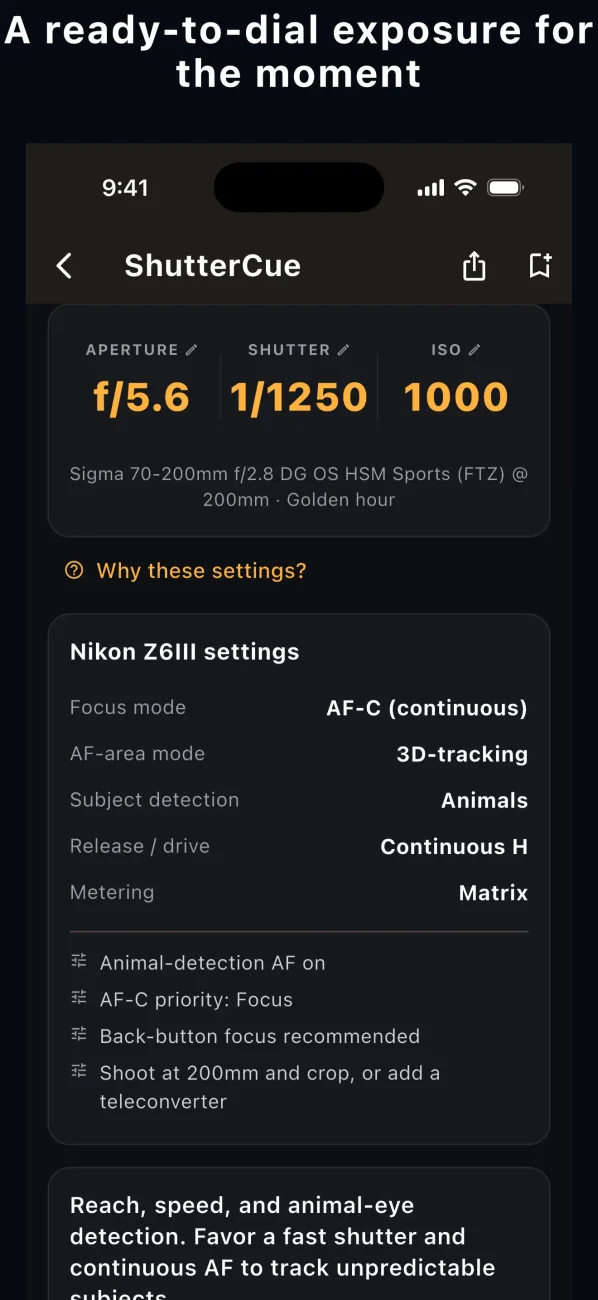
get a ready-to-dial ISO, aperture, and shutter speed — plus the exact menu settings for the moment,
in your camera's own words, and plain-language advice on why.
No account. No internet required. Just fast, trustworthy answers in the field.
WHAT YOU GET
• A ready-to-dial exposure: ISO, aperture, and shutter, solved for your gear, scenario, and light.
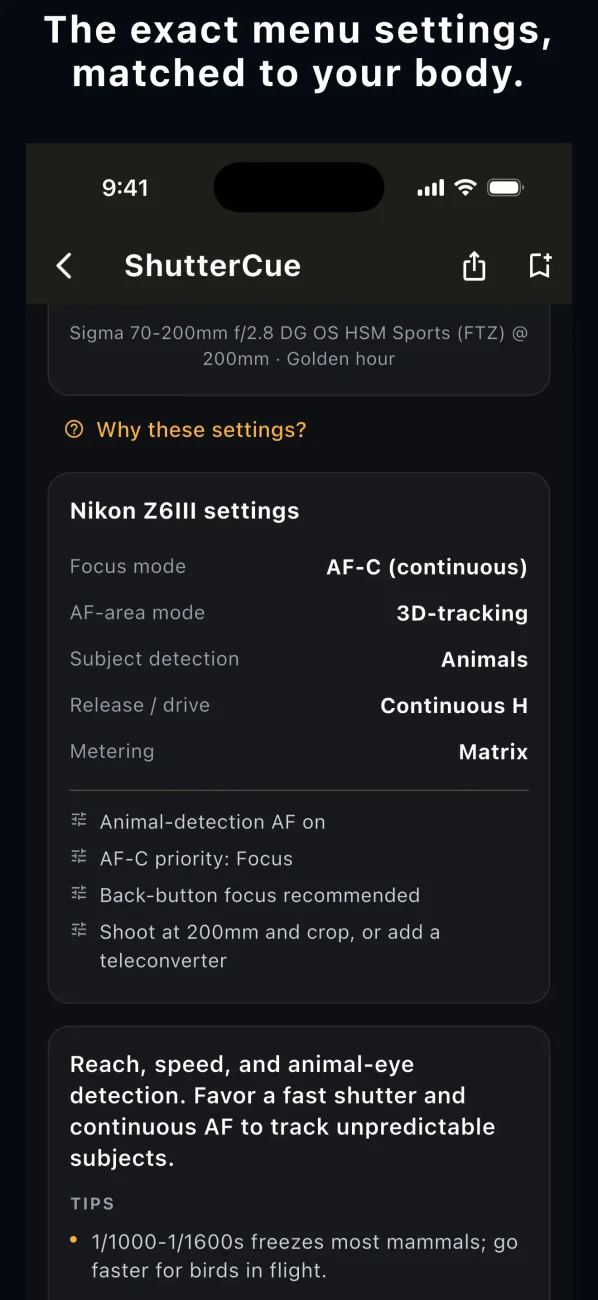
• The right menu settings: AF-area mode, subject detection, drive/release mode, and metering —
named the way your Nikon or Sony menus name them, and reconciled to what YOUR body supports.
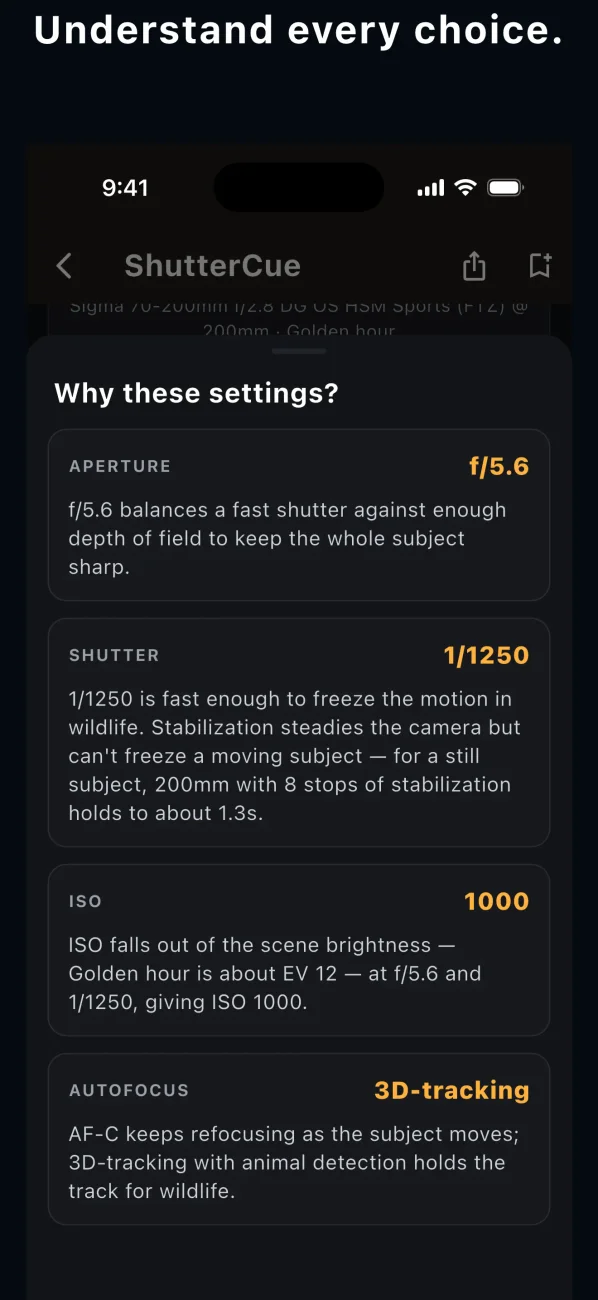
• Plain-language advice: why these settings, and what to watch for (it'll tell you when ISO is pinned
or the light is fading).
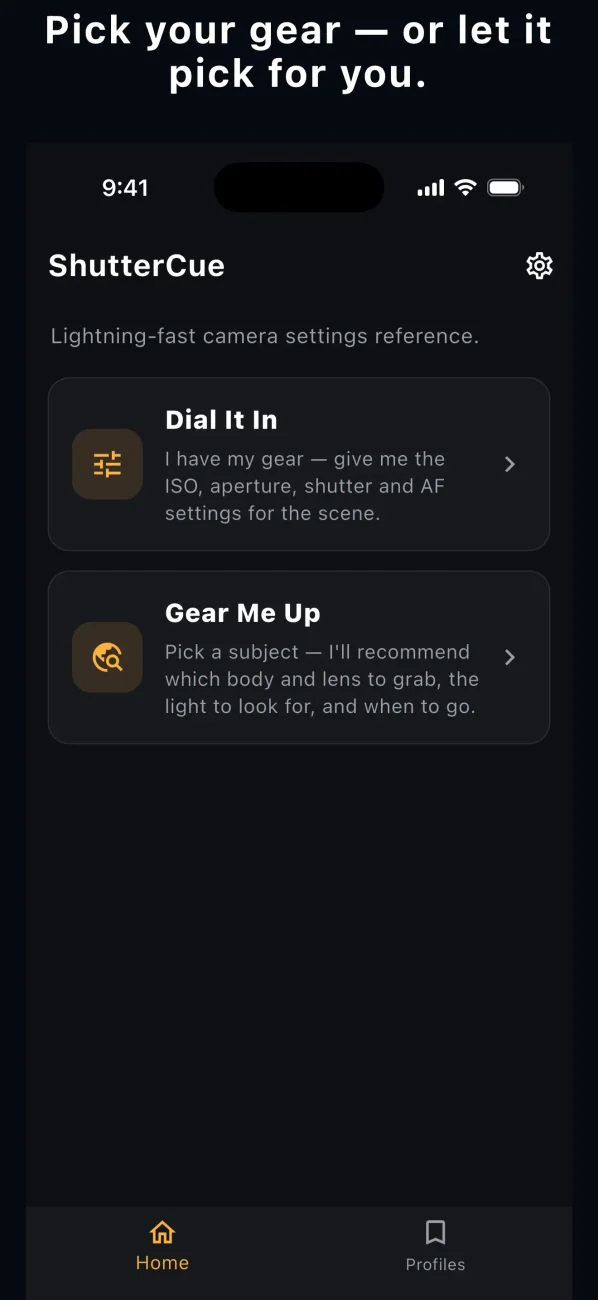
• Two ways in: "Dial It In" (you pick the gear) or "Gear Me Up" (tell it the subject, it suggests the
body, lens, light, and time of day from your kit).
• Ask: a photography assistant you can type or talk to, grounded in your exact gear — ask it a
question and it computes a real recommendation with the same engine as the Guide, it never guesses.
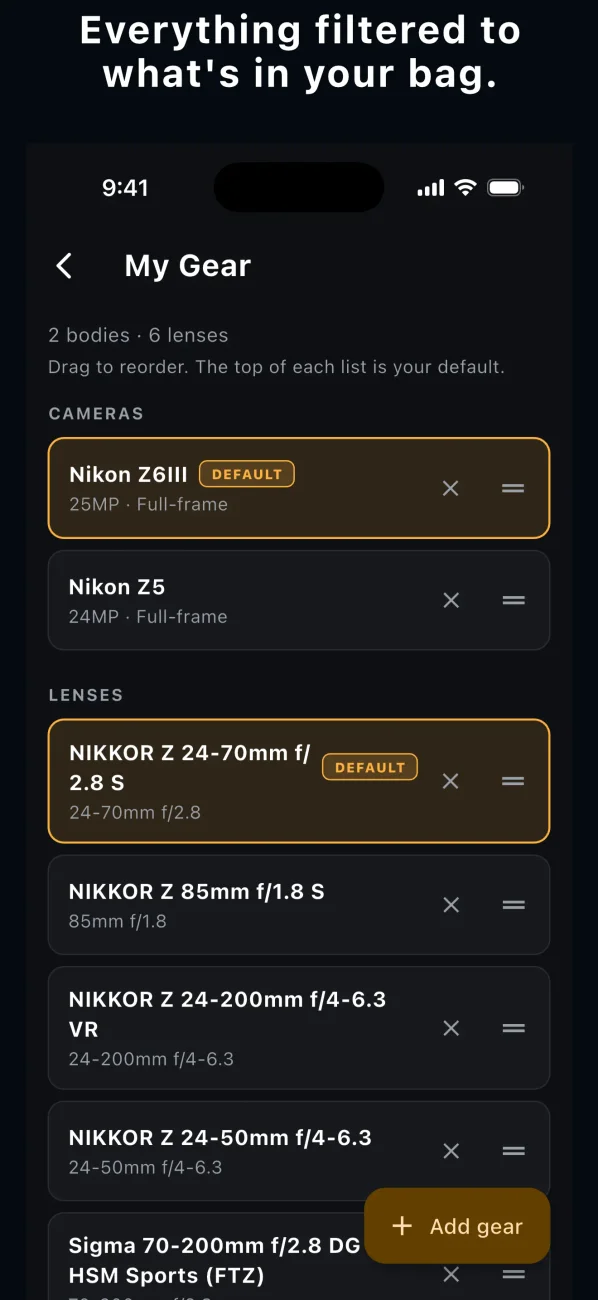
• My Gear: add the cameras and lenses you own and everything filters to what's in your bag.
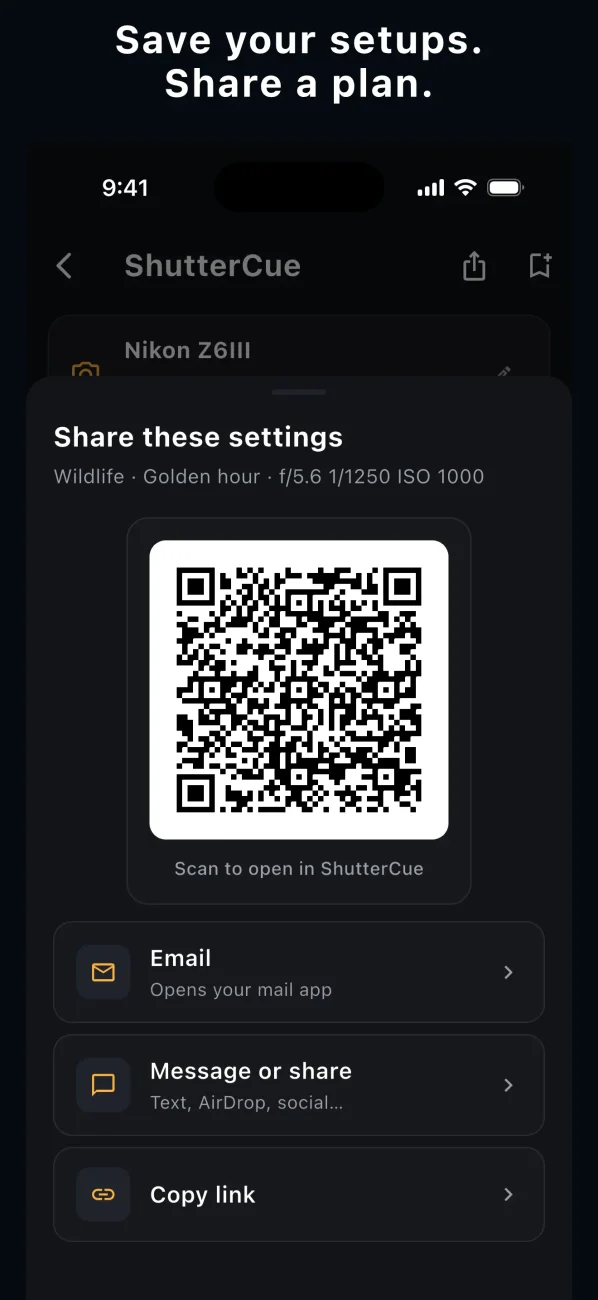
• Profiles: save your favorite setups for one-tap recall.
• Tap any value to fine-tune it, and tap "Why these settings?" to learn the reasoning.
• Share a recommendation as text — perfect for notes, a shoot plan, or helping a friend.
20 SCENARIOS
Portrait, street, events & low light, parades & festivals, concerts, weddings, kids & pets,
landscape, wildlife, macro, waterfalls, birds in flight, aviation, sports, panning & motorsports,
astrophotography, fireworks, the moon, night cityscape, and aurora — each with its own exposure
approach (freeze the action, hold a tripod, or chase the 500-rule for stars) baked in.
BUILT FOR NIKON Z AND SONY ALPHA
ShutterCue covers 20 Nikon Z and Sony E bodies — from the Z5 and Z8 to the a7 III, a7 IV, a7C II,
a6400, a6700 and ZV-E10 II — and 71 lenses: NIKKOR Z and FTZ-adapted F-mount glass, Sony FE and E,
plus Sigma, Tamron, and Viltrox. It understands variable-aperture zooms, the crop factor on APS-C
bodies, in-body and lens stabilization, and how AF features differ across bodies and generations.
HOW IT WORKS
ShutterCue blends curated, photographer-authored knowledge with real exposure math (the APEX
exposure triangle, the reciprocal hand-shake rule, and the 500-rule for stars). Same gear + scenario
+ light always gives the same answer.
These are expert starting points, not a replacement for your light meter. Check your histogram —
ShutterCue gets you in the ballpark fast so you can spend your attention on the photograph.
Offline-first. Private by design — your gear and profiles stay on your device.
Novedades
Versión 1.7.1 · 9/11/2026
Asked us to add a camera or lens? ShutterCue now lets you know when your request changes. When it's added, in review or not planned, you'll see a note the next time you open the app, and a badge on Settings until you've had a look.
Also new:
• Clearing finished requests is tidier. Tap the small X in the corner of a card, or use "Clear finished" at the top to clear them all. Undo still works
Privacidad de la aplicación
Lo que Digital Jackalope, LLC declara en App Store sobre cómo esta aplicación gestiona los datos.
-
Datos no vinculados a ti
Pueden recopilarse, pero no se vinculan a tu identidad.
- Contenido del usuario
- Identificadores
- Datos de uso
Las prácticas de privacidad pueden variar, por ejemplo, según las funciones que uses o tu edad.
Información
- Vendedor
- Digital Jackalope, LLC
- Categoría
- Foto y vídeo
- Versión
- 1.7.1
- Actualizado
- 9/11/2026
- Publicado
- 30/6/2026
- Tamaño
- 22,1 MB
- Requiere
- iOS 15.0 o posterior
- Clasificación por edad
- 4+
- Precio
- Gratis
- Idiomas
- Inglés
- Copyright
- © Digital Jackalope, LLC
Quizá también te guste
-
 ShotRecipes: Camera SettingsFoto y vídeo
-
 VideoFrameCut-Batch VideoMakerFoto y vídeo
-
 ShootCueFoto y vídeo
-
 Drone ND: Filtro ND y ClimaFly-check, timer y presets
-
 ShotLogicFoto y vídeo
-
 f/ossFoto y vídeo
-
 Long Exposure BuddyFoto y vídeo
-
 LumiereCamFoto y vídeo
-
 Golden Hour - Photo AssistantFoto y vídeo
-
 Depth of Field Calculator: DoFFoto y vídeo