SIDeck Studio
Custom Deck, Camera & OBS
Entwickelt für iPhone, iPad
Kostenlos · In-App-Käufe
- Altersfreigabe12+
- KategorieProduktivität
- EntwicklerOsama Hasan
- SprachenEnglisch+ 1 weitere
- Größe110,3 MB
Verlinkt auf die offizielle App Store-Seite
Download.org hostet keine Datei von SIDeck Studio. Die Schaltfläche öffnet die App-Seite bei App Store, wo Osama Hasan die App veröffentlicht. Eintrag zuletzt geprüft am 18.11.2026.
Screenshots
Info
Der Entwickler hat diesen Text nicht in Ihrer Sprache bereitgestellt.
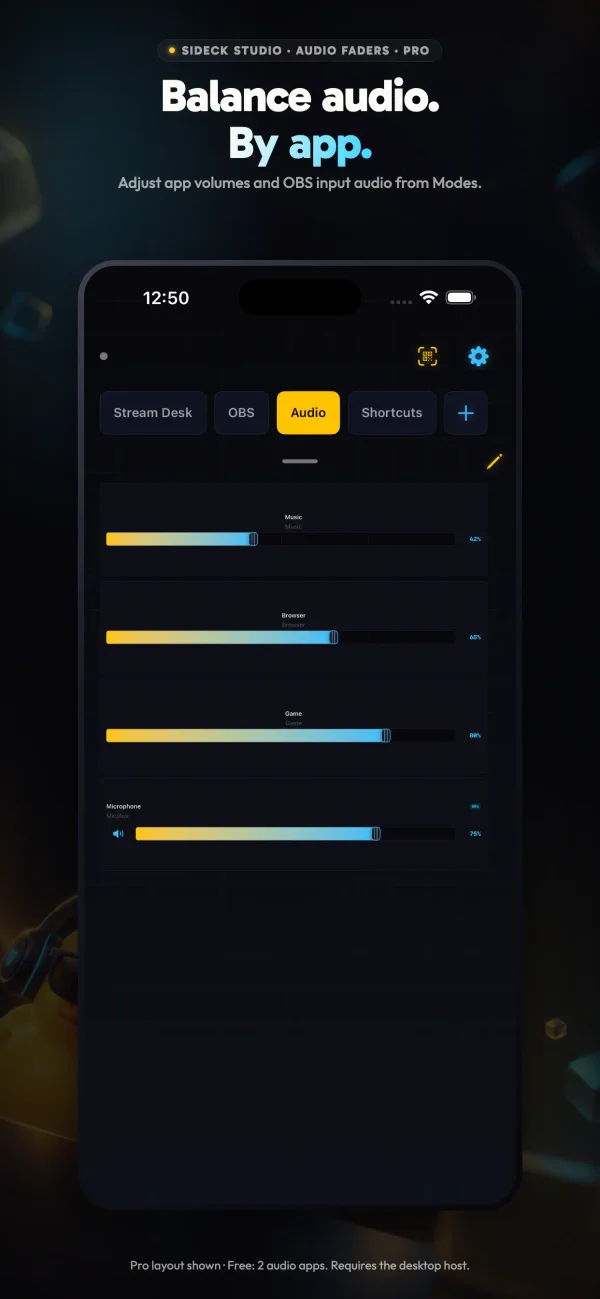
Turn your iPhone or iPad into a custom control deck for your Windows PC or Mac. Put app-volume faders, OBS controls and macros together in Custom Modes.
BUILD YOUR DECK
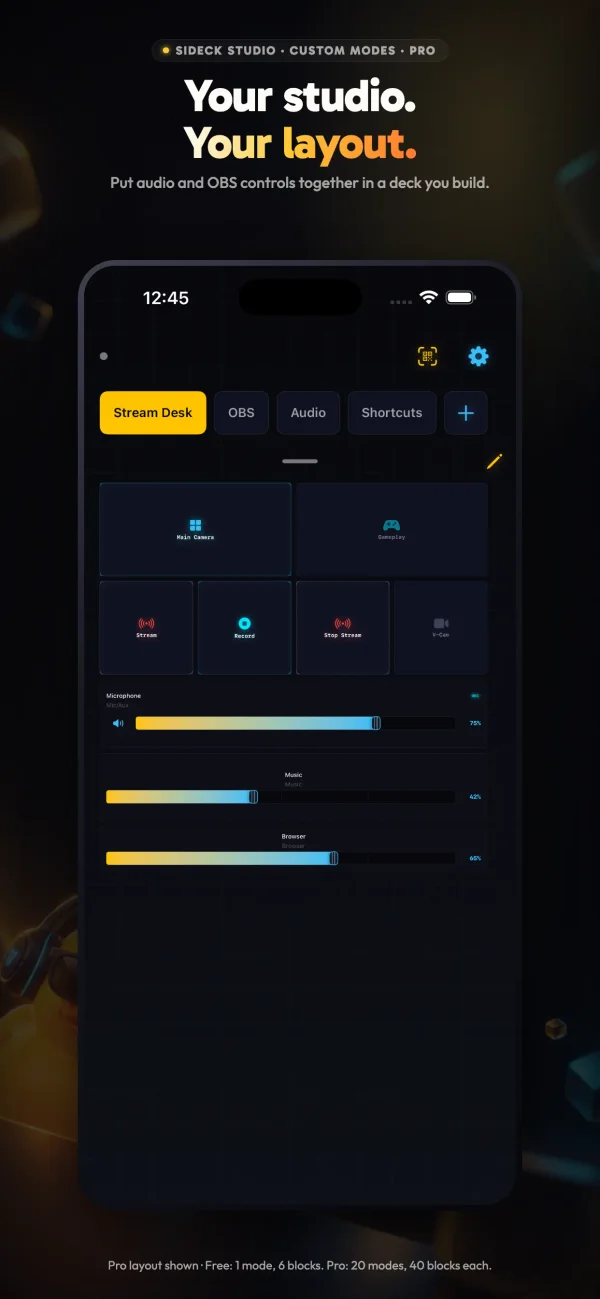
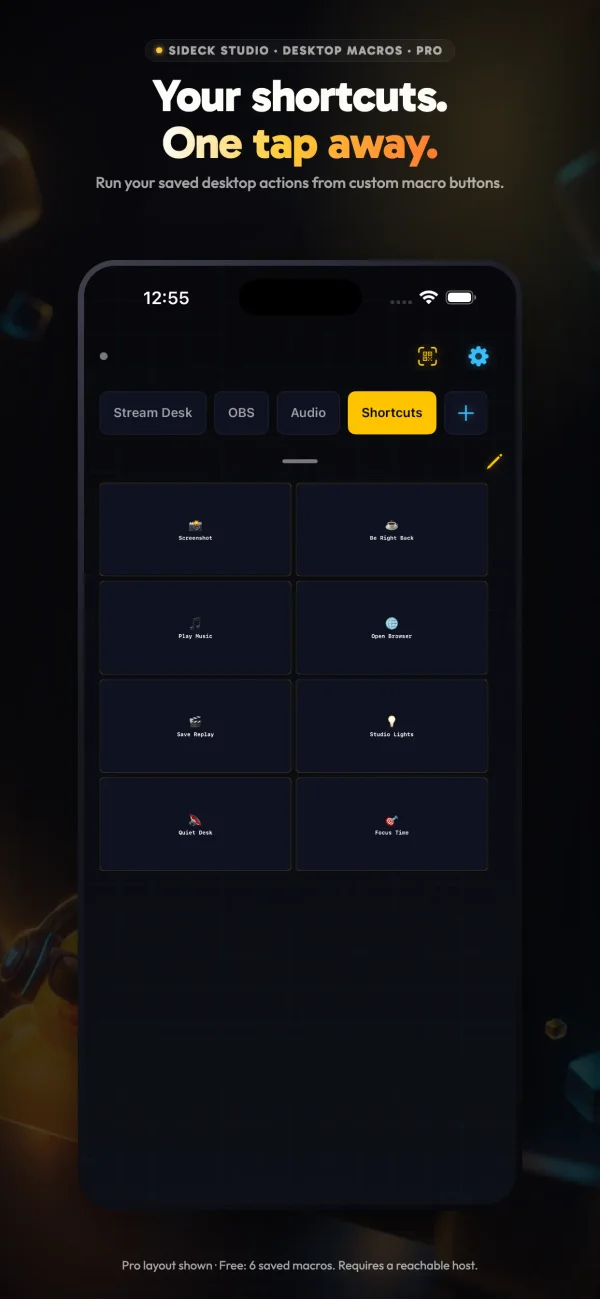
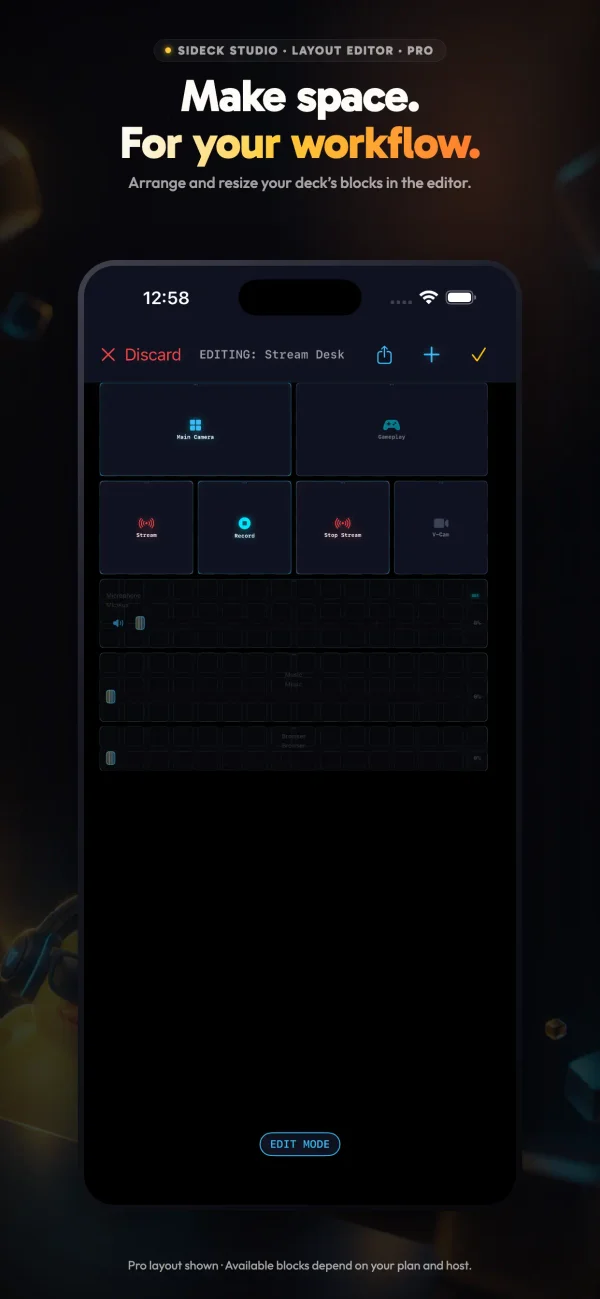
Arrange and resize blocks, use a template or start with your own layout. Free includes one mode with up to six blocks, two assigned audio apps and six saved macros. Pro supports up to 20 modes with 40 blocks per mode. Saved Pro macros are uncapped; each macro button still uses a block.
CAMERA & MIC FOR OBS
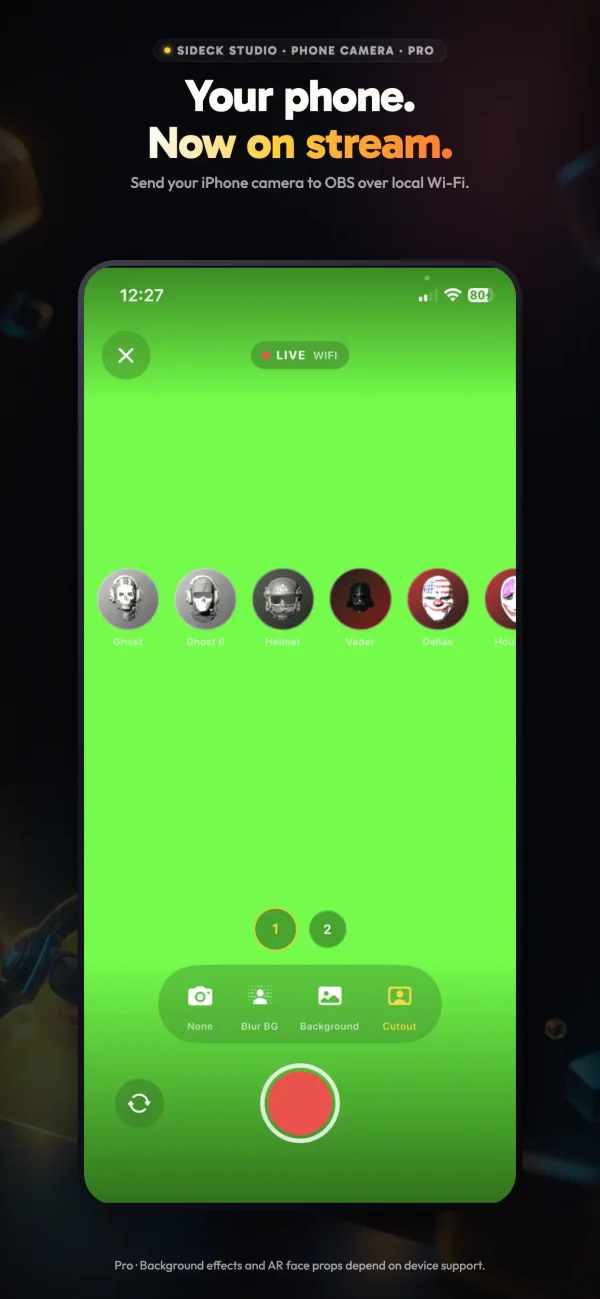
With Pro, send your iPhone camera and microphone to OBS over local Wi-Fi. Use supported lenses, zoom, background effects and face-tracked AR props. Effects and lenses depend on your device.
AUDIO AND OBS CONTROL
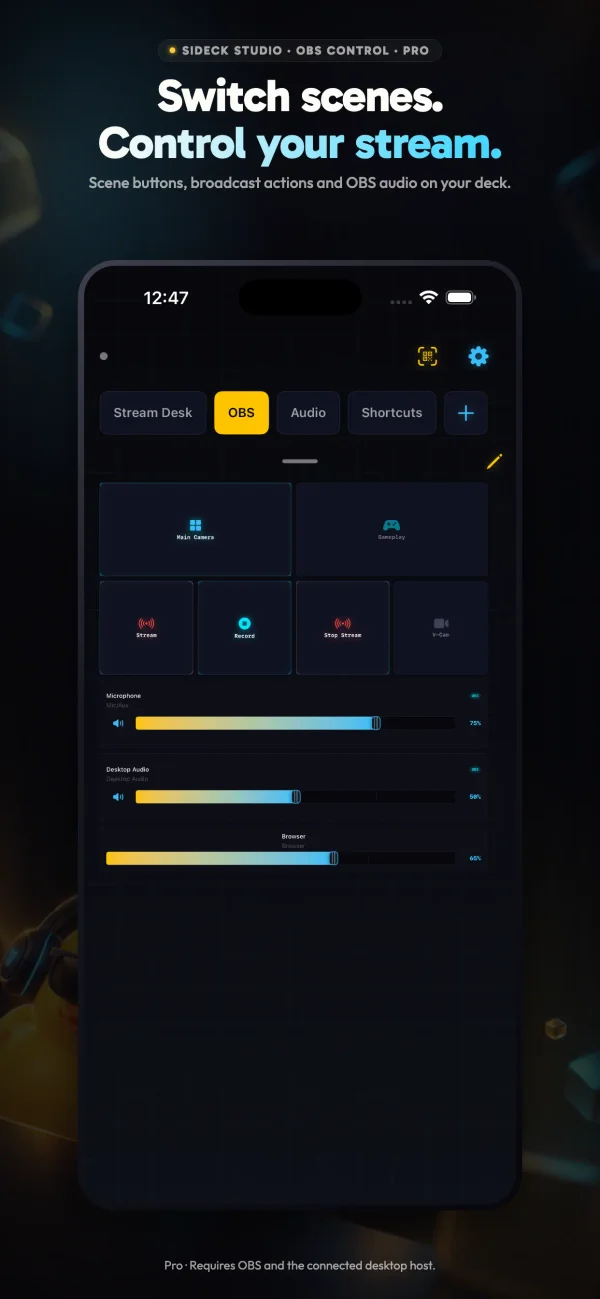
Balance app volume from your deck and add OBS input faders or mute controls. Pro adds dedicated broadcast action blocks, scene switching, live previews and hold-to-talk or hold-to-mute controls. Supported OBS hotkeys and the current-scene block are available on Free.
MACROS AND WIDGETS
Run saved desktop macros from your deck, Home Screen or Lock Screen widgets. Your paired desktop must be reachable. Pro internet macros use the relay; they do not replace local audio or OBS control.
STREAMER.BOT
With Pro, use supported actions, chat, variables and event blocks in Custom Modes. Requires Streamer.bot running on a Windows desktop and the relevant host connection.
SAVED COMPUTERS
Save up to five desktop profiles on Free, or unlimited profiles with Pro. Choose the computer you want to control; its desktop host must be reachable.
GET STARTED
1. Install the free SIDeck Studio desktop host from sideckstudio.com.
2. Sign in to SIDeck Studio and pair with your desktop using its QR code or supported manual connection.
3. Build a mode and assign your controls.
Requires the desktop companion running on a supported Windows PC or Mac. Local controls require an available local connection; OBS features require OBS Studio. English and Arabic are supported.
Pro is an optional auto-renewing App Store subscription. Pricing and trial eligibility appear before purchase. Manage or cancel renewals in Apple subscription settings.
Privacy: https://sideckstudio.com/privacy
Terms: https://sideckstudio.com/terms
Neue Funktionen
Version 1.1.13 · 05.10.2026
Custom Modes is now the active control interface. Build audio, OBS and macro controls together; Classic Tabs is no longer available.
Camera & Mic Desk: use your iPhone as a camera and microphone for OBS, with supported lenses, zoom, background effects and AR face props.
OBS controls: input-volume faders, live scene previews and hold-to-talk controls.
Macro widgets for Home Screen and Lock Screen, iPad mode templates and saved desktop profiles.
Arabic localization and connection improvements. Advanced camera, preview, scene-switching and hold controls require Pro.
App-Datenschutz
Was Osama Hasan im App Store zum Umgang dieser App mit Daten angibt.
-
Mit Ihnen verknüpfte Daten
Können erfasst und mit Ihrer Identität verknüpft werden.
- Kontaktinformationen
-
Nicht mit Ihnen verknüpfte Daten
Können erfasst werden, sind aber nicht mit Ihrer Identität verknüpft.
- Nutzungsdaten
- Diagnose
Die Datenschutzpraktiken können variieren, zum Beispiel je nach den von Ihnen verwendeten Funktionen oder Ihrem Alter.
Informationen
- Anbieter
- Osama Hasan
- Kategorie
- Produktivität
- Version
- 1.1.13
- Aktualisiert
- 05.10.2026
- Veröffentlicht
- 19.06.2026
- Größe
- 110,3 MB
- Erfordert
- iOS 17.6 oder neuer
- Altersfreigabe
- 12+
- Preis
- Kostenlos
- In-App-Käufe
- Ja
- Sprachen
- Englisch, Arabisch
- Copyright
- © 2026 SIDeck Studio
Das könnte Ihnen auch gefallen
-
 Lumina DeckProduktivität
-
 RazorLexProduktivität
-
 RCON-Konsole & Server-AdminSSH, FTP, Wake-on-LAN, Ports
-
 StoryPad: My Diary JournalProduktivität
-
 MetaGrid ProProduktivität
-
 FreeShow RemoteProduktivität
-
 Smallppt: KI PräsentationFolien, PDF & Zusammenfassung
-
 Deckboard: Macropad for PCProduktivität
-
 Compress PDF : Reduce PDF SizeProduktivität
-
 CueCard TeleprompterProduktivität