SIDeck Studio
Custom Deck, Camera & OBS
iPhone, iPad için tasarlandı
Ücretsiz · Uygulama içi satın alma
- Yaş sınırı12+
- KategoriÜretkenlik
- GeliştiriciOsama Hasan
- Dillerİngilizce+ 1 dil daha
- Boyut110,3 MB
Resmi App Store sayfasına bağlanır
Download.org, SIDeck Studio için hiçbir dosya barındırmaz. Düğme, uygulamanın App Store üzerindeki sayfasını açar; uygulamayı orada Osama Hasan yayınlar. Sayfanın son kontrolü: 18.11.2026.
Ekran görüntüleri
Hakkında
Geliştirici bu metni dilinizde sunmamış.
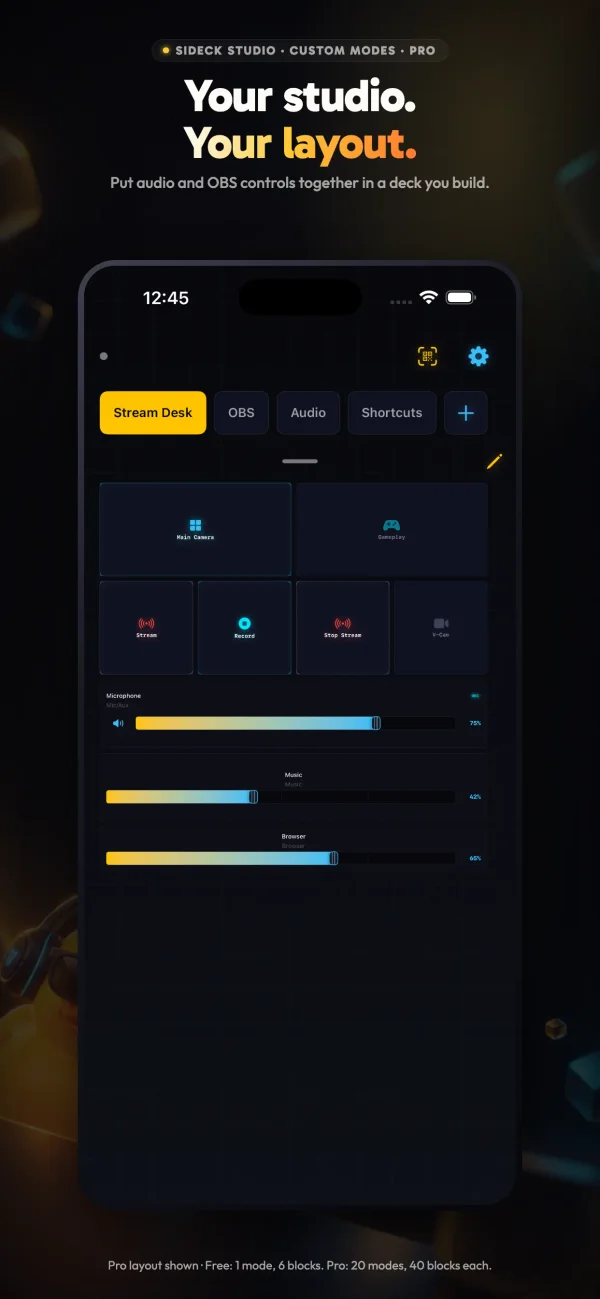
Turn your iPhone or iPad into a custom control deck for your Windows PC or Mac. Put app-volume faders, OBS controls and macros together in Custom Modes.
BUILD YOUR DECK
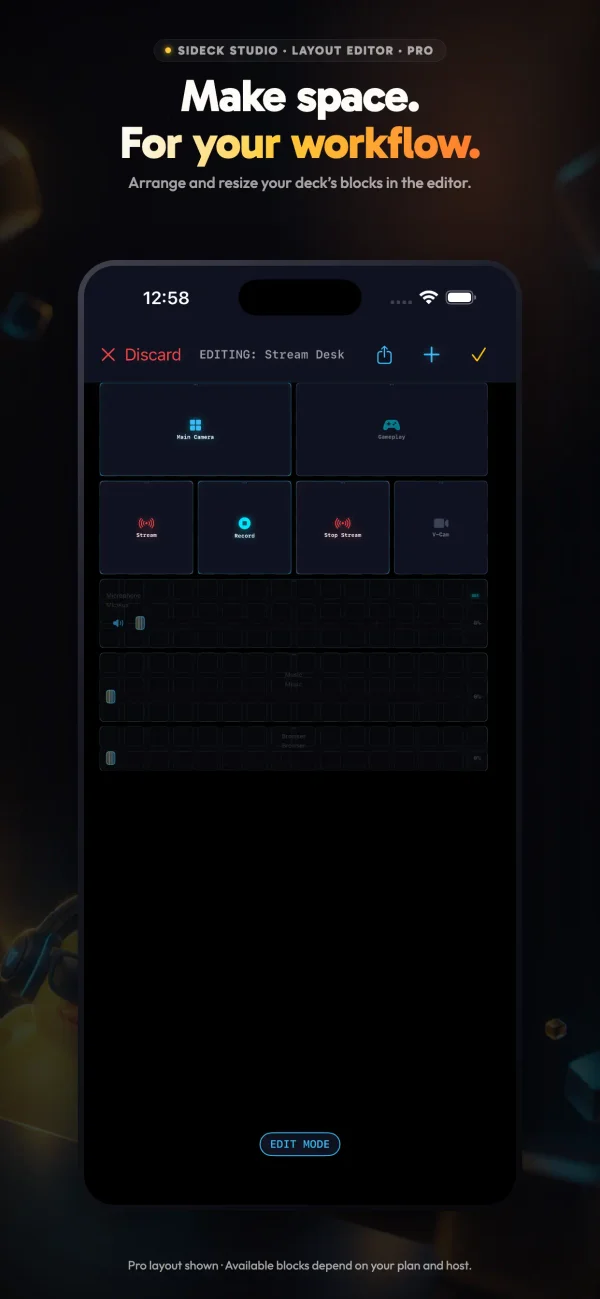
Arrange and resize blocks, use a template or start with your own layout. Free includes one mode with up to six blocks, two assigned audio apps and six saved macros. Pro supports up to 20 modes with 40 blocks per mode. Saved Pro macros are uncapped; each macro button still uses a block.
CAMERA & MIC FOR OBS
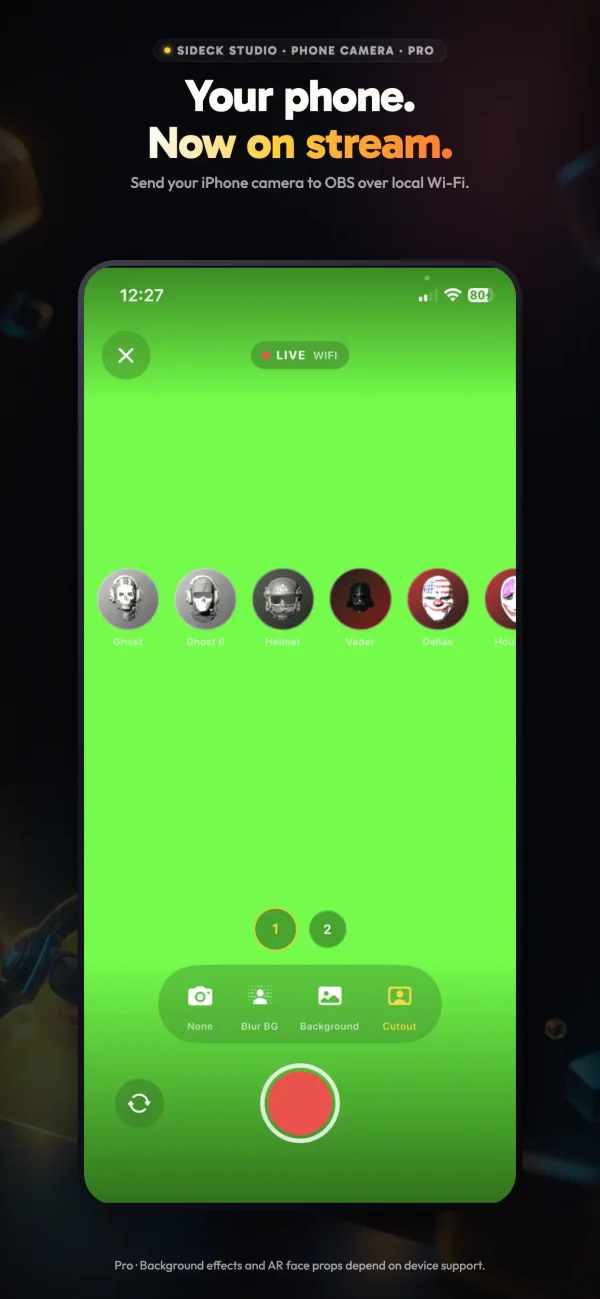
With Pro, send your iPhone camera and microphone to OBS over local Wi-Fi. Use supported lenses, zoom, background effects and face-tracked AR props. Effects and lenses depend on your device.
AUDIO AND OBS CONTROL
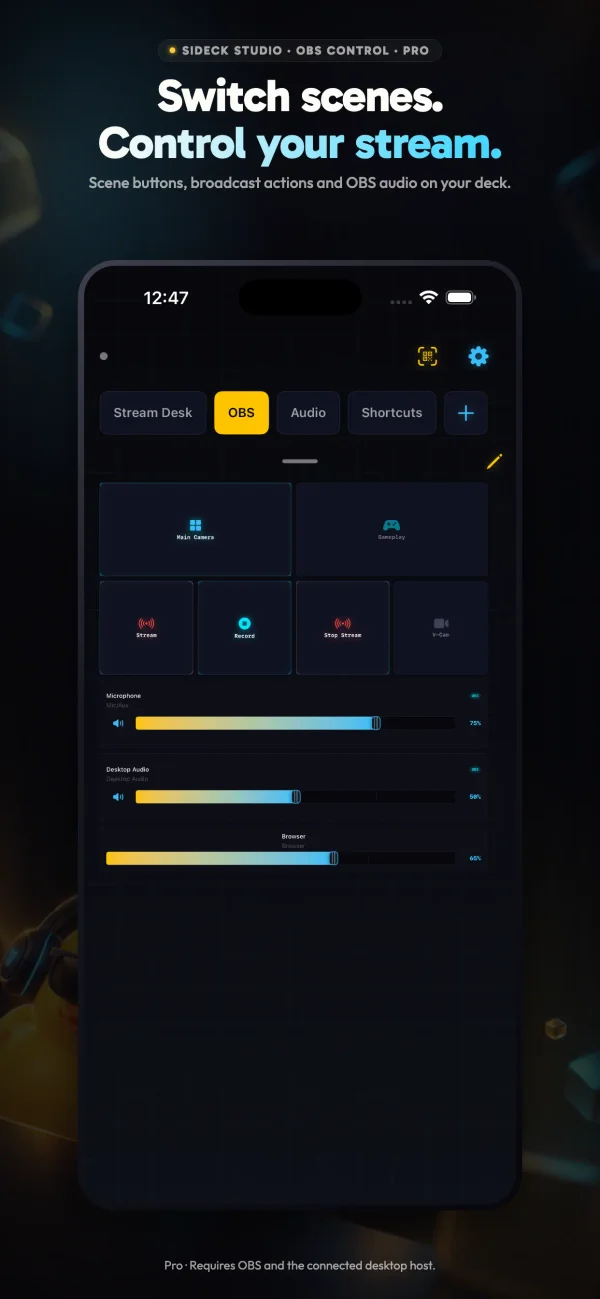
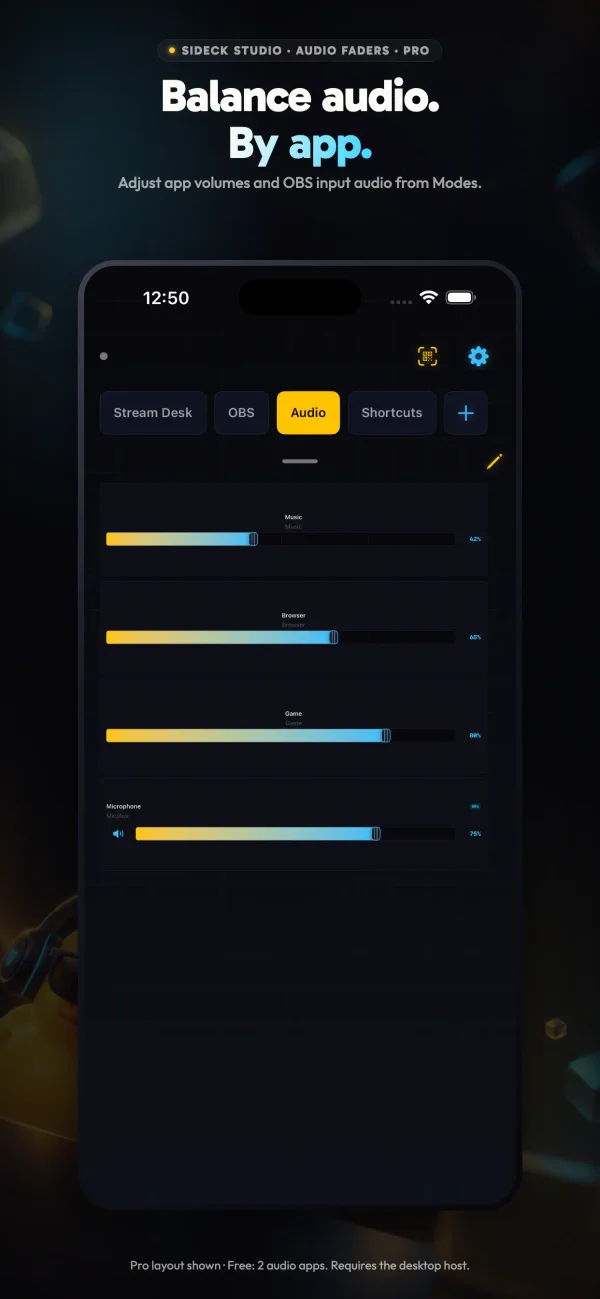
Balance app volume from your deck and add OBS input faders or mute controls. Pro adds dedicated broadcast action blocks, scene switching, live previews and hold-to-talk or hold-to-mute controls. Supported OBS hotkeys and the current-scene block are available on Free.
MACROS AND WIDGETS
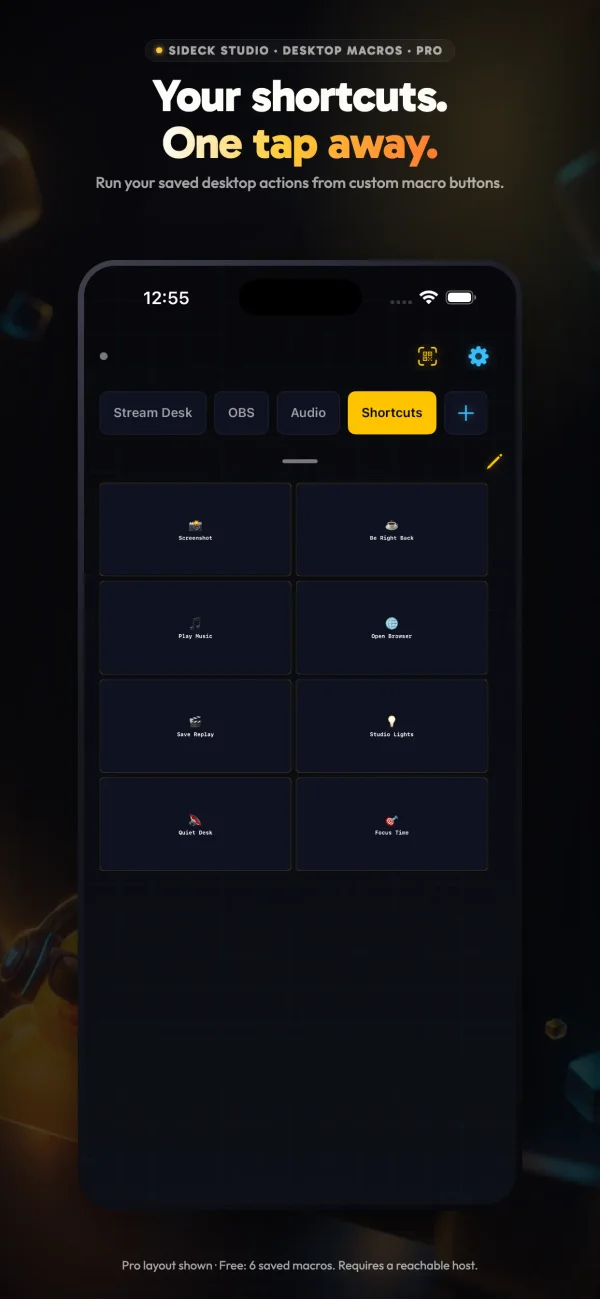
Run saved desktop macros from your deck, Home Screen or Lock Screen widgets. Your paired desktop must be reachable. Pro internet macros use the relay; they do not replace local audio or OBS control.
STREAMER.BOT
With Pro, use supported actions, chat, variables and event blocks in Custom Modes. Requires Streamer.bot running on a Windows desktop and the relevant host connection.
SAVED COMPUTERS
Save up to five desktop profiles on Free, or unlimited profiles with Pro. Choose the computer you want to control; its desktop host must be reachable.
GET STARTED
1. Install the free SIDeck Studio desktop host from sideckstudio.com.
2. Sign in to SIDeck Studio and pair with your desktop using its QR code or supported manual connection.
3. Build a mode and assign your controls.
Requires the desktop companion running on a supported Windows PC or Mac. Local controls require an available local connection; OBS features require OBS Studio. English and Arabic are supported.
Pro is an optional auto-renewing App Store subscription. Pricing and trial eligibility appear before purchase. Manage or cancel renewals in Apple subscription settings.
Privacy: https://sideckstudio.com/privacy
Terms: https://sideckstudio.com/terms
Yenilikler
Sürüm 1.1.13 · 05.10.2026
Custom Modes is now the active control interface. Build audio, OBS and macro controls together; Classic Tabs is no longer available.
Camera & Mic Desk: use your iPhone as a camera and microphone for OBS, with supported lenses, zoom, background effects and AR face props.
OBS controls: input-volume faders, live scene previews and hold-to-talk controls.
Macro widgets for Home Screen and Lock Screen, iPad mode templates and saved desktop profiles.
Arabic localization and connection improvements. Advanced camera, preview, scene-switching and hold controls require Pro.
Uygulama gizliliği
Bu uygulamanın verileri nasıl işlediği hakkında Osama Hasan tarafından App Store üzerinde yapılan beyan.
-
Sizinle ilişkilendirilen veriler
Toplanabilir ve kimliğinizle ilişkilendirilebilir.
- İletişim bilgileri
-
Sizinle ilişkilendirilmeyen veriler
Toplanabilir ancak kimliğinizle ilişkilendirilmez.
- Kullanım verileri
- Tanılama
Gizlilik uygulamaları, örneğin kullandığınız özelliklere veya yaşınıza göre değişiklik gösterebilir.
Bilgiler
- Satıcı
- Osama Hasan
- Kategori
- Üretkenlik
- Sürüm
- 1.1.13
- Güncellendi
- 05.10.2026
- Yayın tarihi
- 19.06.2026
- Boyut
- 110,3 MB
- Gereksinim
- iOS 17.6 veya sonrası
- Yaş sınırı
- 12+
- Fiyat
- Ücretsiz
- Uygulama içi satın alma
- Evet
- Diller
- İngilizce, Arapça
- Telif hakkı
- © 2026 SIDeck Studio
Bunları da beğenebilirsiniz
-
 Lumina DeckÜretkenlik
-
 RazorLexÜretkenlik
-
 RCON Konsol Sunucusu YöneticiSSH, FTP & Sunucu Yoneticisi
-
 StoryPad: My Diary JournalÜretkenlik
-
 MetaGrid ProÜretkenlik
-
 FreeShow RemoteÜretkenlik
-
 Smallppt: AI SlidesÜretkenlik
-
 Deckboard: Macropad for PCÜretkenlik
-
 Compress PDF : Reduce PDF SizeÜretkenlik
-
 CueCard TeleprompterÜretkenlik