
- Altersfreigabe4+
- KategorieDienstprogramme
- EntwicklerSidus Link Ltd.
- SprachenEnglisch+ 8 weitere
- Größe380,5 MB
Verlinkt auf die offizielle App Store-Seite
Download.org hostet keine Datei von Sidus Link. Die Schaltfläche öffnet die App-Seite bei App Store, wo Sidus Link Ltd. die App veröffentlicht. Eintrag zuletzt geprüft am 21.11.2026.
Screenshots

Info
Der Entwickler hat diesen Text nicht in Ihrer Sprache bereitgestellt.
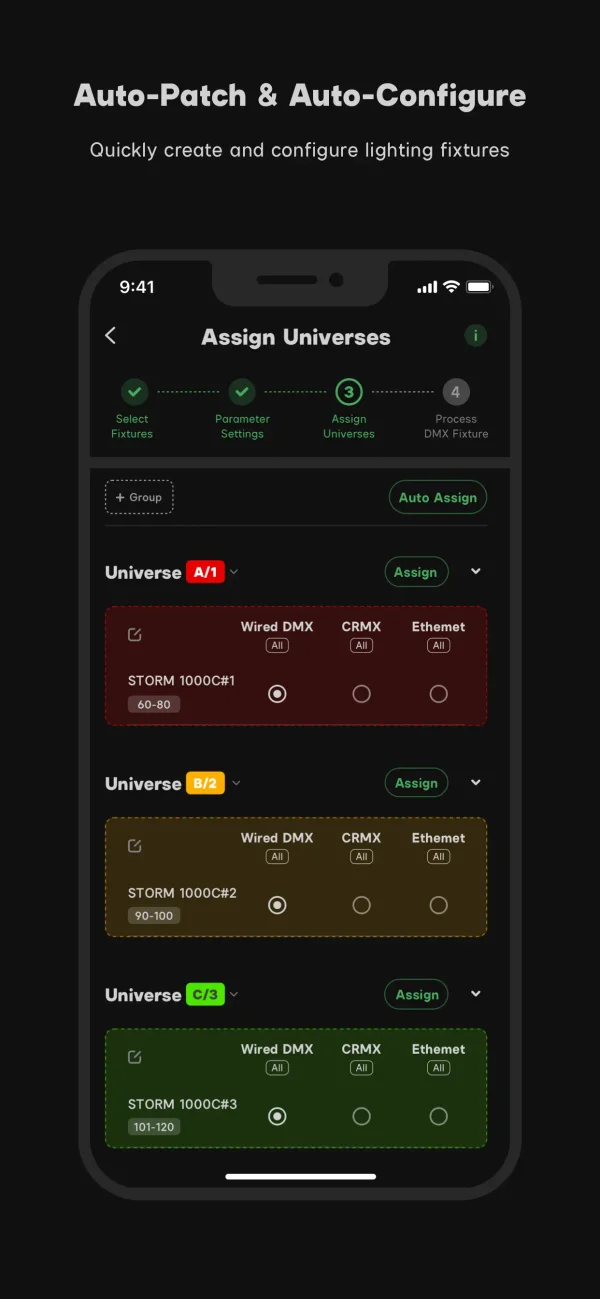
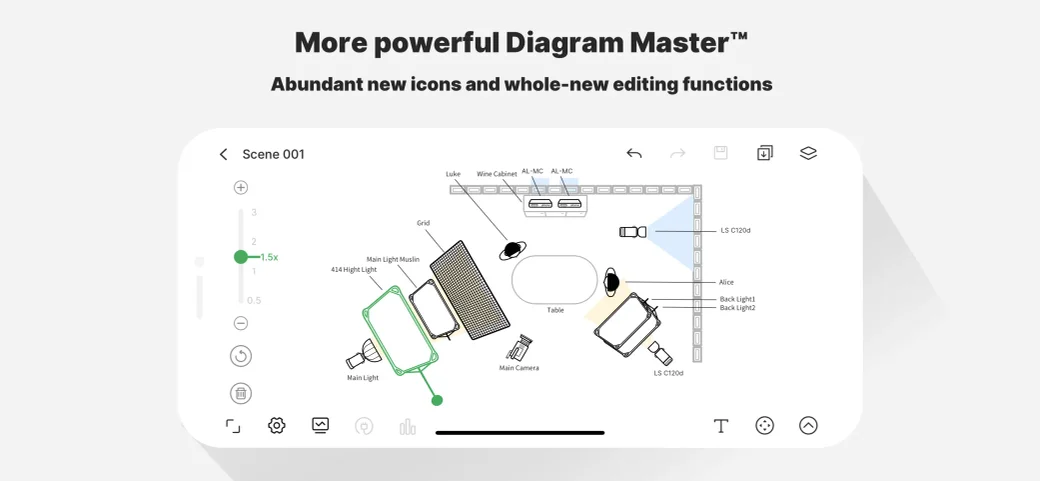
Sidus Link provides a brand-new solution for film lighting control. Based on proprietary Sidus Mesh technology, it enables direct connection and control of over 100 film lighting fixtures using mobile devices like smartphones.
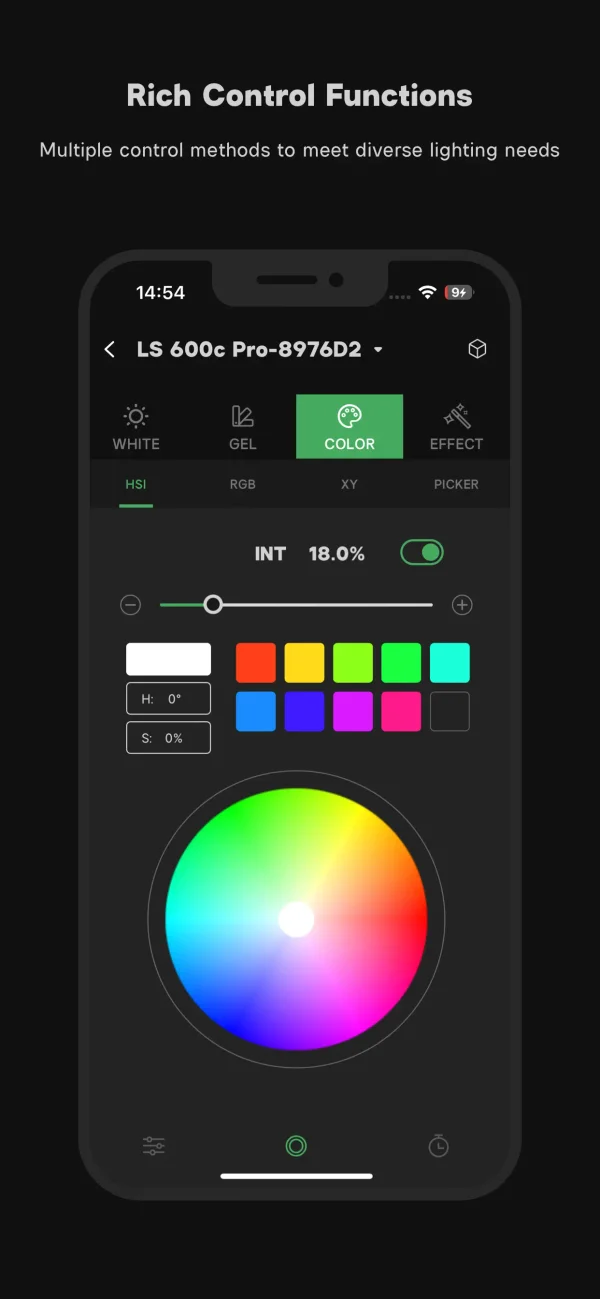
Sidus Link integrates the most widely used and professional control functions and modes in the lighting field, including White Light Mode, Gel Mode, Color Mode, Effect Mode, and unlimited preset functions. With built-in Sidus Cloud and Creative Collaboration Group features, it simplifies workflows to help gaffers, DPs, and filmmakers quickly complete scene and lighting setups.
Language Support:
English
Simplified Chinese
Traditional Chinese
Japanese
Portuguese
French
Russian
Vietnamese
German
1. Sidus Mesh Intelligent Lighting Network
1.Decentralized film lighting network – No additional network equipment (gateways or routers) required; connect and control lighting fixtures directly via smartphones or other smart devices.
2.Multi-layer encryption ensures a secure and reliable lighting network, preventing interference and misoperation.
3.Supports 100+ professional lighting fixtures.
4.Multiple control devices (smartphones or other smart devices) can simultaneously control the same lighting network.
2. Basic Functions
Supports four major control modes: White / Gel / Color / Effect.
2.1. White Light
1.CCT – Supports quick adjustment and touchpad-based control.
2.Source Type – Built-in common white light source library for fast selection.
3.Source Match – Quickly match any scene or cct
2.2. Gel Mode
1.Supports traditional CTO/CTB adjustments used in the film industry.
2.300+ Rosco® & Lee® lighting gels.Rosco® and Lee® trademarks and copyrights belong to their respective owners.
2.3. Color Mode
1.HSI & RGB modes for quick color adjustments.
2.XY Chromaticity Mode supports A Gamut (similar to BT.2020), DCI-P3, and BT.709 color spaces.
3.Color Picker – Instantly sample any visible color.
2.4. Effects
Supports fine-tuning and control of all built-in lighting effects in Aputure fixtures.
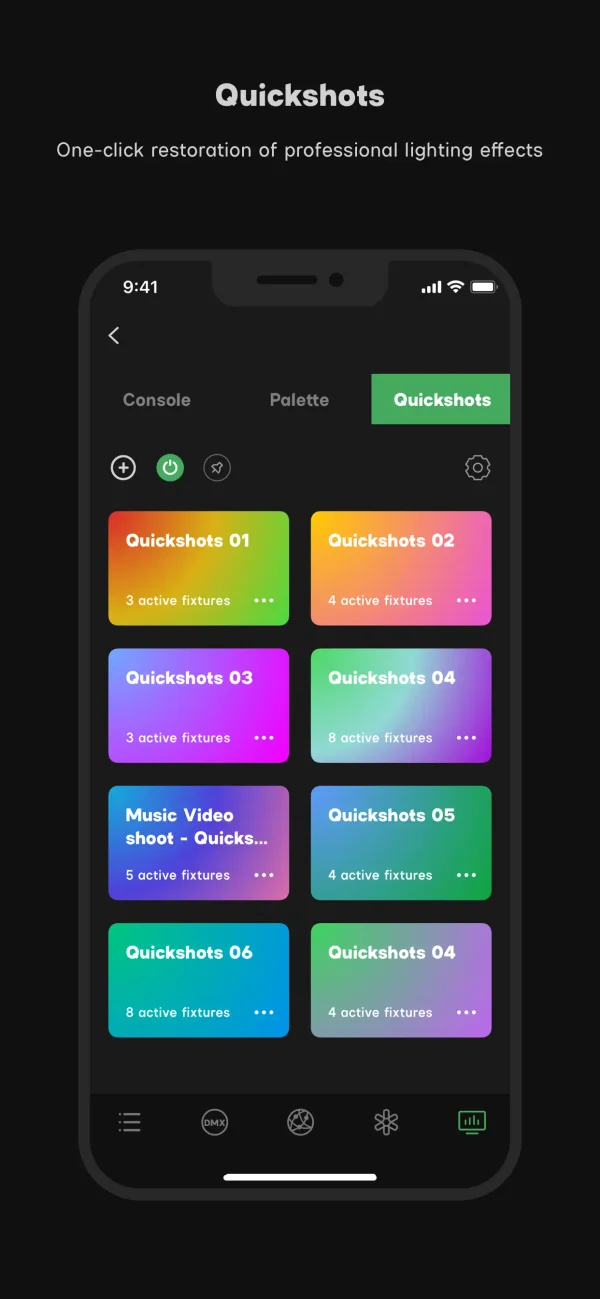
2.5. Presets & QuickShots
1.Unlimited local presets.
2.QuickShot Scene Snapshots – Save and recall lighting setups instantly.
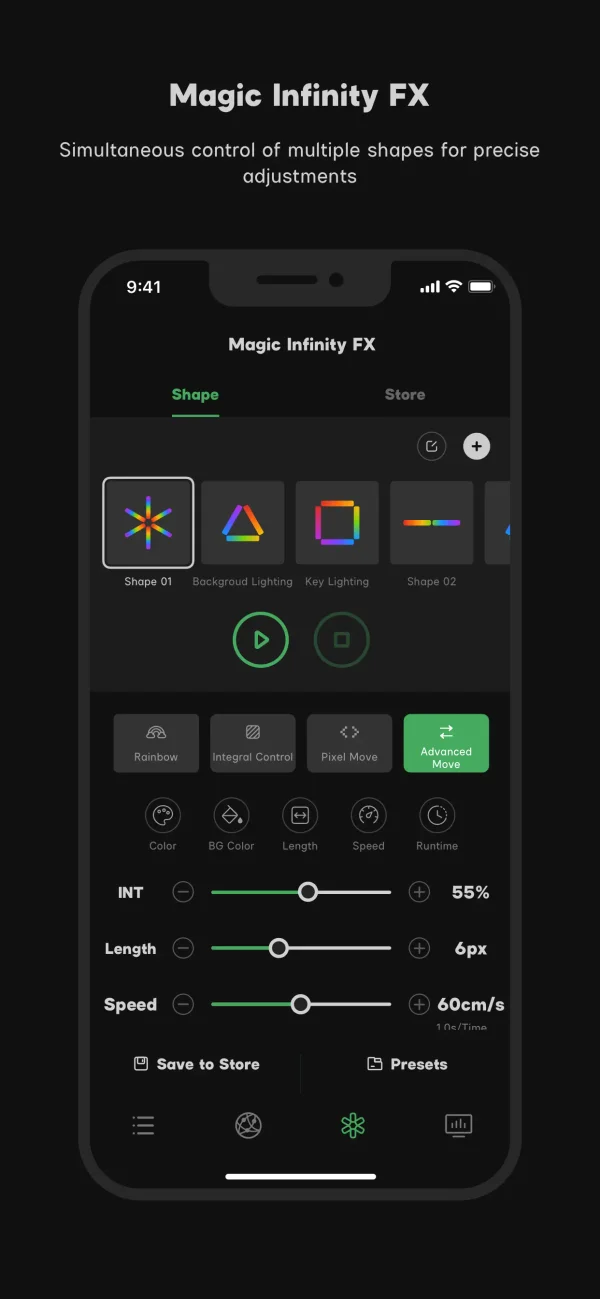
3. Advanced Effects
Sidus Link App supports:
PICKER FX
MANUAL
MUSIC FX
Magic Program Pro/Go
Magic Infinity FX
4. Compatibility
1.Sidus Link App supports connection and control of all new Aputure film lights, such as LS 300d II, MC, etc.
2.Legacy Aputure lights will require additional accessories for app connectivity and control.*
3.Supports OTA management – Network firmware and lighting updates for continuous optimization.
5. Sidus On-Set Lighting Workflow
On-set workflow management – Create scenes, add devices, and quickly complete lighting setups.
Console Workspace Mode – Quickly configure scenes and lighting.
Group Management – Fast grouping and control of multiple fixtures.
Power Management – Real-time monitoring of battery levels and remaining runtime.
Device-Controller Parameter Sync – Instantly retrieve detailed device status and settings.
QuickShot Scene Snapshots – Save and recall lighting setups.
CC Collaboration Group Workflow
Supports multi-user collaboration for controlling and adjusting lighting setups.
6. Sidus Cloud Services
Free cloud storage for presets, scenes, and effects (requires compatible hardware/software; existing devices will be supported via firmware updates).
CC Collaboration Group Workflow
Share lighting networks with group members.
Supports quick sharing via temporary verification codes.
7. UX Design
Dual UI modes – Precise parameter control & WYSIWYG (What You See Is What You Get).
Fixture Locator Button – Added to device lists and group management for quick identification.
Onboarding guides – Clear instructions on adding/resetting devices.
Neue Funktionen
Version 2.0.44 · 26.08.2026
Fixed some bugs.
App-Datenschutz
Was Sidus Link Ltd. im App Store zum Umgang dieser App mit Daten angibt.
-
Daten, die zum Tracking Ihrer Person verwendet werden
Können verwendet werden, um Sie über Apps und Websites anderer Unternehmen hinweg zu verfolgen.
- Kennungen
-
Mit Ihnen verknüpfte Daten
Können erfasst und mit Ihrer Identität verknüpft werden.
- Kontaktinformationen
- Kennungen
-
Nicht mit Ihnen verknüpfte Daten
Können erfasst werden, sind aber nicht mit Ihrer Identität verknüpft.
- Standort
- Nutzungsdaten
- Diagnose
Die Datenschutzpraktiken können variieren, zum Beispiel je nach den von Ihnen verwendeten Funktionen oder Ihrem Alter.
Informationen
- Anbieter
- Sidus Link Ltd.
- Kategorie
- Dienstprogramme
- Version
- 2.0.44
- Aktualisiert
- 26.08.2026
- Veröffentlicht
- 25.07.2019
- Größe
- 380,5 MB
- Erfordert
- iOS 15 oder neuer
- Altersfreigabe
- 4+
- Preis
- Kostenlos
- Sprachen
- Englisch, Französisch, Deutsch, Japanisch, Portugiesisch, Russisch, Vereinf. Chinesisch, Tradit. Chinesisch, Vietnamesisch
- Copyright
- © 2024 Sidus Link Ltd.
Das könnte Ihnen auch gefallen
-
 NANLINKDienstprogramme
-
 Godox LightSmart Lighting Control Tools
-
 GVM LEDDienstprogramme
-
 NEEWER StudioDienstprogramme
-
 Sound Devices WingmanDienstprogramme
-
 Photo Light & Exposure MeterDienstprogramme
-
 SmallGoGoDienstprogramme
-
 ZY VegaDienstprogramme
-
 edelkroneDienstprogramme
-
 ZY PlayDienstprogramme