- 対象年齢4+
- カテゴリユーティリティ
- 開発元Sidus Link Ltd.
- 言語英語ほか8言語
- サイズ380.5 MB
App Storeの公式ページにリンクしています
Download.orgはSidus Linkのファイルを一切ホストしていません。ボタンを押すと、Sidus Link Ltd.が公開しているApp Storeのアプリページが開きます。ページの最終確認:2026/11/21。
スクリーンショット

概要
開発元はこのテキストをお使いの言語で提供していません。
Sidus Link provides a brand-new solution for film lighting control. Based on proprietary Sidus Mesh technology, it enables direct connection and control of over 100 film lighting fixtures using mobile devices like smartphones.
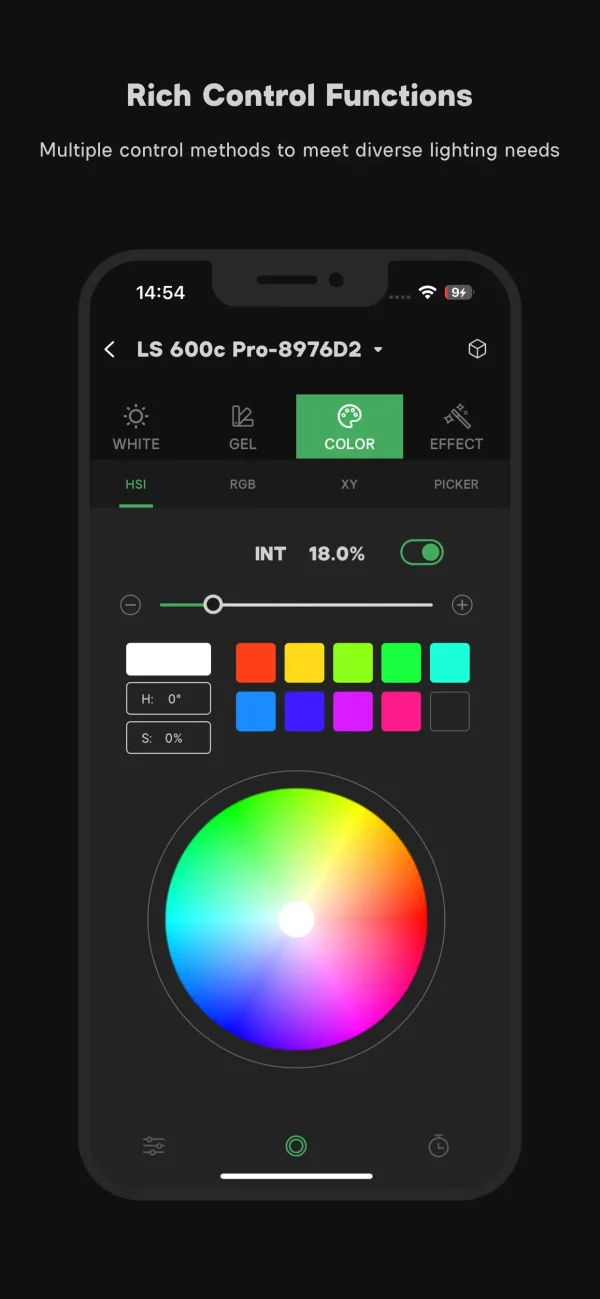
Sidus Link integrates the most widely used and professional control functions and modes in the lighting field, including White Light Mode, Gel Mode, Color Mode, Effect Mode, and unlimited preset functions. With built-in Sidus Cloud and Creative Collaboration Group features, it simplifies workflows to help gaffers, DPs, and filmmakers quickly complete scene and lighting setups.
Language Support:
English
Simplified Chinese
Traditional Chinese
Japanese
Portuguese
French
Russian
Vietnamese
German
1. Sidus Mesh Intelligent Lighting Network
1.Decentralized film lighting network – No additional network equipment (gateways or routers) required; connect and control lighting fixtures directly via smartphones or other smart devices.
2.Multi-layer encryption ensures a secure and reliable lighting network, preventing interference and misoperation.
3.Supports 100+ professional lighting fixtures.
4.Multiple control devices (smartphones or other smart devices) can simultaneously control the same lighting network.
2. Basic Functions
Supports four major control modes: White / Gel / Color / Effect.
2.1. White Light
1.CCT – Supports quick adjustment and touchpad-based control.
2.Source Type – Built-in common white light source library for fast selection.
3.Source Match – Quickly match any scene or cct
2.2. Gel Mode
1.Supports traditional CTO/CTB adjustments used in the film industry.
2.300+ Rosco® & Lee® lighting gels.Rosco® and Lee® trademarks and copyrights belong to their respective owners.
2.3. Color Mode
1.HSI & RGB modes for quick color adjustments.
2.XY Chromaticity Mode supports A Gamut (similar to BT.2020), DCI-P3, and BT.709 color spaces.
3.Color Picker – Instantly sample any visible color.
2.4. Effects
Supports fine-tuning and control of all built-in lighting effects in Aputure fixtures.
2.5. Presets & QuickShots
1.Unlimited local presets.
2.QuickShot Scene Snapshots – Save and recall lighting setups instantly.
3. Advanced Effects
Sidus Link App supports:
PICKER FX
MANUAL
MUSIC FX
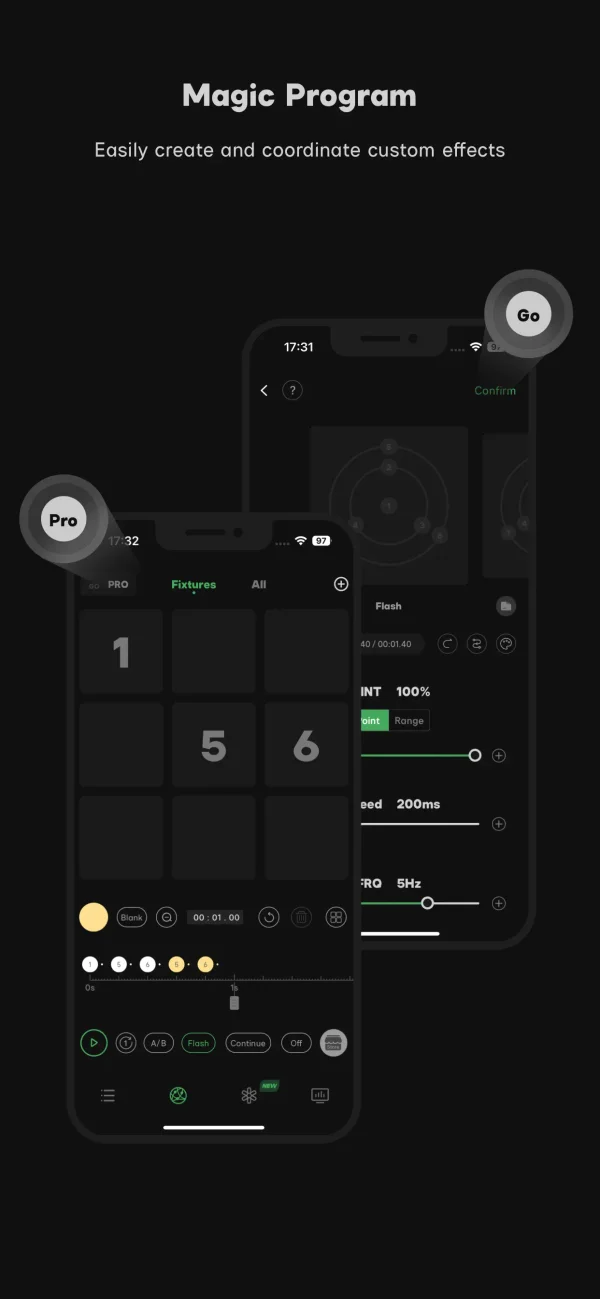
Magic Program Pro/Go
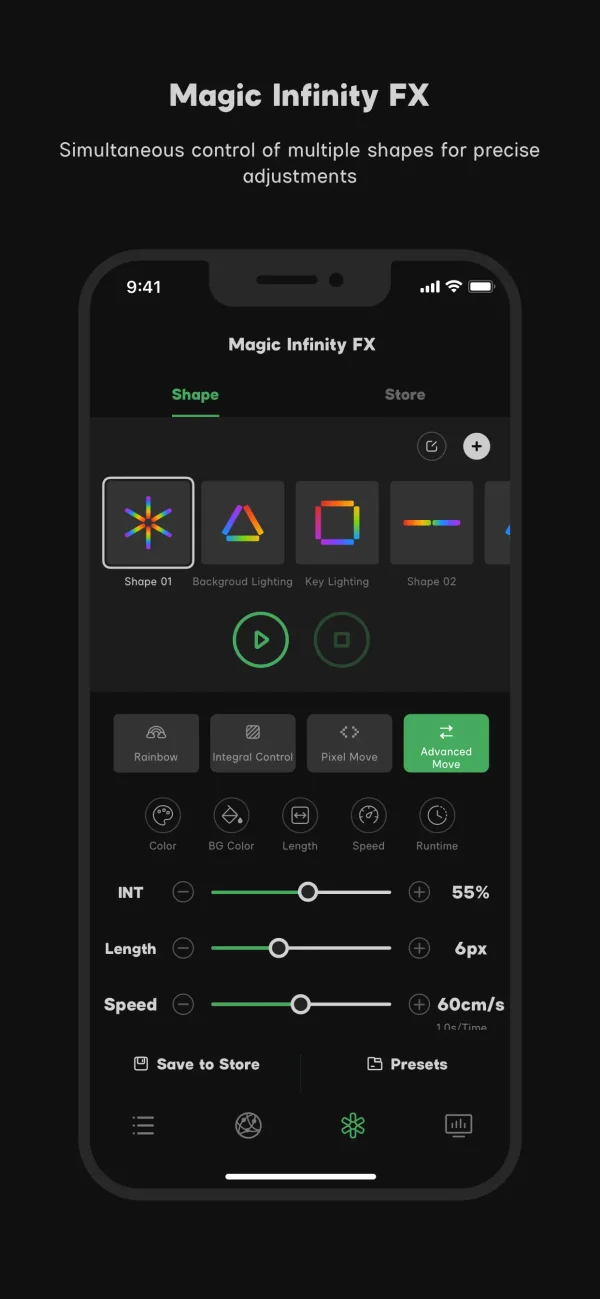
Magic Infinity FX
4. Compatibility
1.Sidus Link App supports connection and control of all new Aputure film lights, such as LS 300d II, MC, etc.
2.Legacy Aputure lights will require additional accessories for app connectivity and control.*
3.Supports OTA management – Network firmware and lighting updates for continuous optimization.
5. Sidus On-Set Lighting Workflow
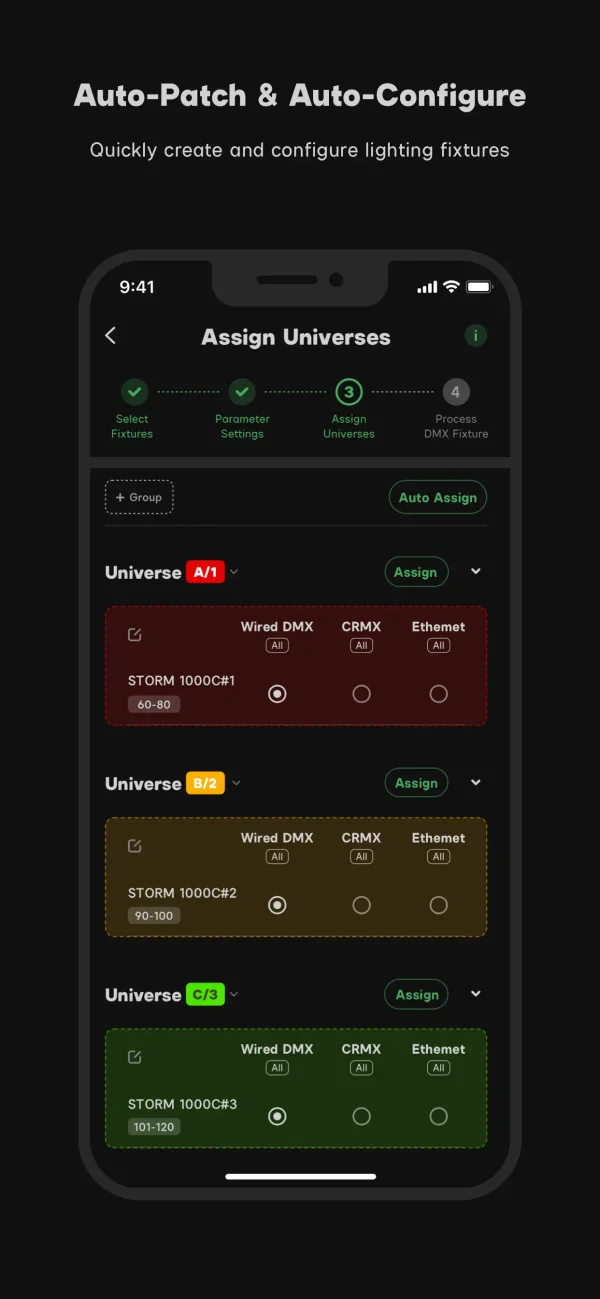
On-set workflow management – Create scenes, add devices, and quickly complete lighting setups.
Console Workspace Mode – Quickly configure scenes and lighting.
Group Management – Fast grouping and control of multiple fixtures.
Power Management – Real-time monitoring of battery levels and remaining runtime.
Device-Controller Parameter Sync – Instantly retrieve detailed device status and settings.
QuickShot Scene Snapshots – Save and recall lighting setups.
CC Collaboration Group Workflow
Supports multi-user collaboration for controlling and adjusting lighting setups.
6. Sidus Cloud Services
Free cloud storage for presets, scenes, and effects (requires compatible hardware/software; existing devices will be supported via firmware updates).
CC Collaboration Group Workflow
Share lighting networks with group members.
Supports quick sharing via temporary verification codes.
7. UX Design
Dual UI modes – Precise parameter control & WYSIWYG (What You See Is What You Get).
Fixture Locator Button – Added to device lists and group management for quick identification.
Onboarding guides – Clear instructions on adding/resetting devices.
新機能
バージョン 2.0.44 · 2026/8/26
Fixed some bugs.
アプリのプライバシー
このアプリのデータの取り扱いについて、Sidus Link Ltd.がApp Storeで申告している内容です。
-
ユーザーのトラッキングに使用されるデータ
他社のアプリやウェブサイトを横断してユーザーをトラッキングする目的で使用される場合があります。
- ID
-
ユーザーに関連付けられたデータ
収集され、ユーザーの識別情報に関連付けられる場合があります。
- 連絡先情報
- ID
-
ユーザーに関連付けられないデータ
収集される場合がありますが、ユーザーの識別情報には関連付けられません。
- 位置情報
- 使用状況データ
- 診断
プライバシーの取り扱いは、ご利用の機能やお客様の年齢などに応じて異なる場合があります。
情報
- 販売元
- Sidus Link Ltd.
- カテゴリ
- ユーティリティ
- バージョン
- 2.0.44
- 更新日
- 2026/8/26
- リリース
- 2019/7/25
- サイズ
- 380.5 MB
- 必要条件
- iOS 15以降
- 対象年齢
- 4+
- 価格
- 無料
- 言語
- 英語, フランス語, ドイツ語, 日本語, ポルトガル語, ロシア語, 簡体字中国語, 繁体字中国語, ベトナム語
- 著作権
- © 2024 Sidus Link Ltd.