Simple Pdf Utils
Merge,edit,compress - offline
Entwickelt für iPhone, iPad, iPod touch
Kostenlos
- Altersfreigabe4+
- KategorieProduktivität
- EntwicklerGuy Hefetz
- SprachenEnglisch
- Größe45,2 MB
Verlinkt auf die offizielle App Store-Seite
Download.org hostet keine Datei von Simple Pdf Utils. Die Schaltfläche öffnet die App-Seite bei App Store, wo Guy Hefetz die App veröffentlicht. Eintrag zuletzt geprüft am 08.11.2026.
Screenshots

Info
Der Entwickler hat diesen Text nicht in Ihrer Sprache bereitgestellt.
Your documents never leave your iPhone or iPad.
Simple Pdf Utils merges, edits, and compresses PDFs, photos, and Word files entirely on your device — no uploads, no account, no ads, and literally no networking code. It even works fully in Airplane Mode. It's free, with no subscriptions and no "premium" tier.
WHAT IT DOES
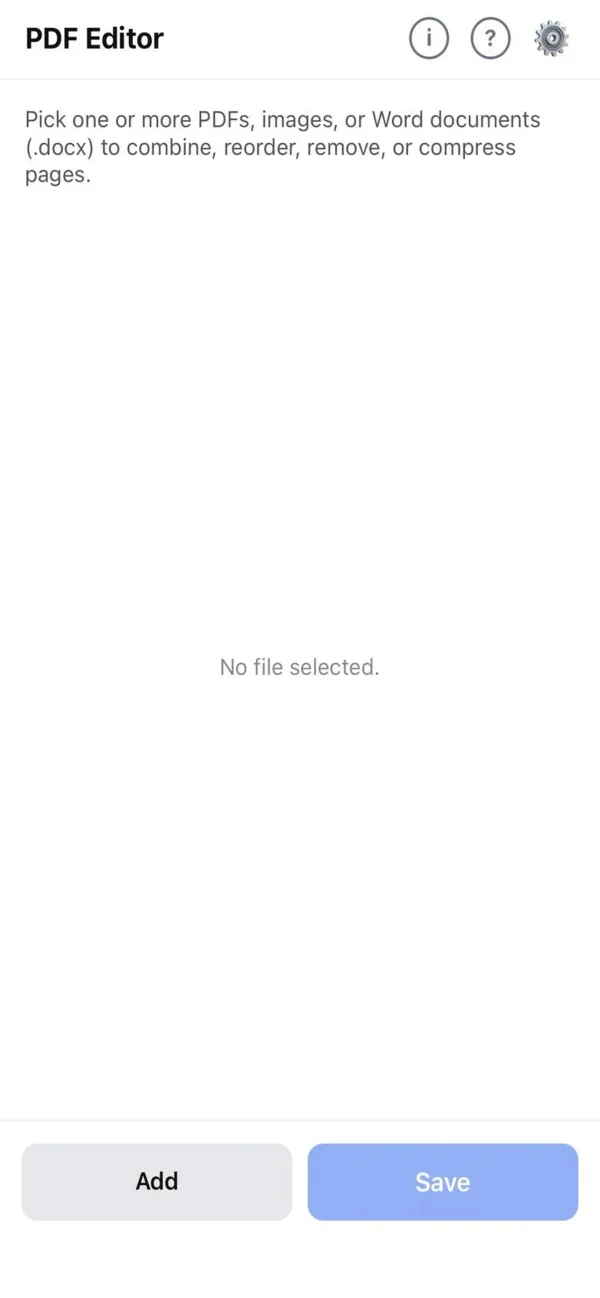
• Combine PDFs, photos, and Word documents (.docx) into one file
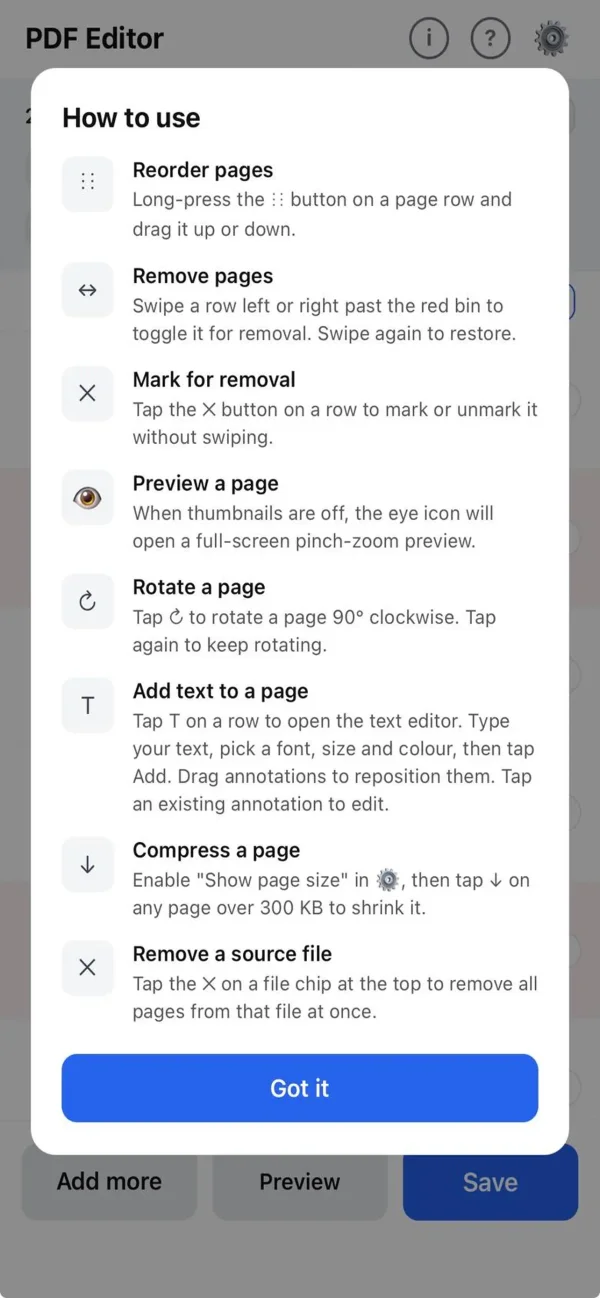
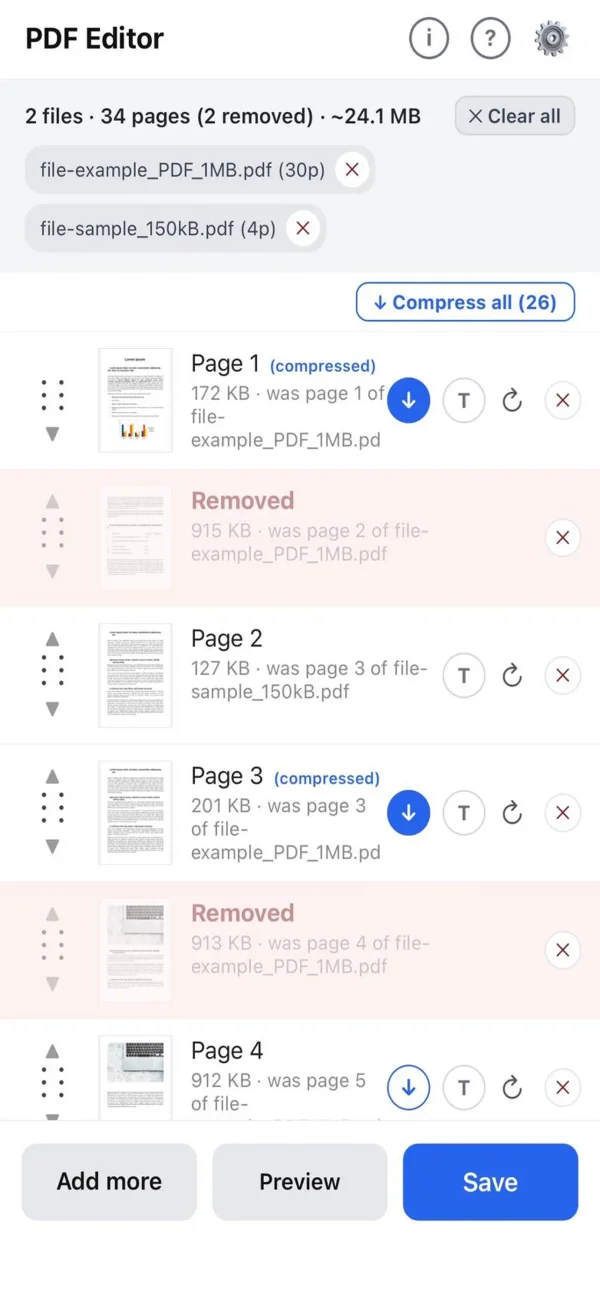
• Reorder pages by dragging, or swipe a row left/right to mark it for removal
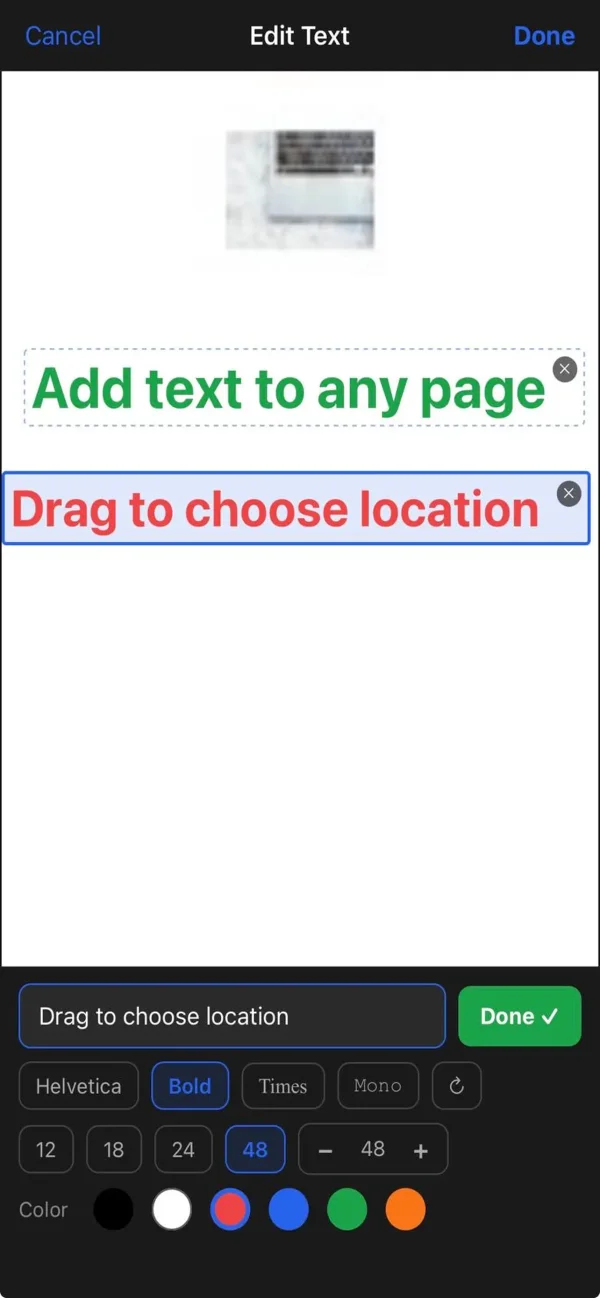
• Add text to any page — pick font, size, and color; drag to reposition
• Rotate any page 90° clockwise with one tap
• Preview any page full-screen with pinch to zoom — swipe up or down to move between pages, and rotate right from the preview
• See each page's byte cost to find what's bloating your file
• Compress oversized pages instantly — choose page-by-page
• Combine multiple photos onto a single page in a grid layout
• Save through the share sheet to wherever you want — Files, Mail, iCloud Drive, Messages, or anywhere else
PRIVATE BY DESIGN
Built for the documents you'd never want sitting on someone else's server — contracts, receipts, medical records, scans, and IDs. Most PDF tools online, and many on the App Store, upload your file to a server to do their work. Simple Pdf Utils never does:
• No accounts, no sign-up, nothing to log in to
• Does not collect, transmit, store, or share any data
• Contains no networking code at all
• A strict Content Security Policy blocks every outgoing connection from inside the app
• Asks for no special permissions — the system file picker and share sheet handle everything
You can verify all of this with Airplane Mode. The app works identically.
GOOD FOR
• Combining receipts before submitting an expense report
• Tidying up scans of paperwork
• Stripping irrelevant pages from contracts before sharing
• Merging photos from your camera roll into a single PDF
• Adding a handwritten note or signature line to a document
• Shrinking image-heavy PDFs that are too big to email
• Converting a Word draft to PDF when you only have the file
HOW IT WORKS
• The app uses the system document picker for input.
• Images you pick (including HEIC from your iPhone or iPad Photos) are converted to JPEG and wrapped as PDF pages, all on-device.
• Word documents are converted to HTML locally (via the open-source mammoth library) and rendered to PDF using the device's built-in print engine — no third-party cloud involved.
• When you add multiple photos at once, you can choose to lay them out as a grid on a single page rather than one page per photo.
• Text annotations are baked into the page at export time using pdf-lib, a fully on-device PDF library.
• When you save, the result goes to the standard share sheet. You decide where it ends up.
• Per-page compression rasterizes the chosen page to a JPEG sized to fit the budget — useful for image-heavy scans (compressed pages become image-only, so text is no longer selectable).
NOTE ON WORD DOCUMENTS
.docx conversion works best for straightforward documents (body text, simple tables, headings). Complex formatting — multi-column layouts, text boxes, charts, headers/footers — may look different or be omitted. The app shows a warning when a Word file is loaded.
NO CATCHES
Free. No upsells. No ads. No subscriptions. No "premium" tier. The app is what's on this page.
Have a question or a bug to report? See the support page linked below.
Neue Funktionen
Version 1.5.0 · 22.08.2026
• Preview: swipe up or down to move between pages
• Preview: rotate the current page right from the preview screen
• Tap anywhere on the empty screen to add files
• "From Files" now comes first in the Add menu
• Performance improvements
App-Datenschutz
Was Guy Hefetz im App Store zum Umgang dieser App mit Daten angibt.
-
Keine Daten erfasst
Der Entwickler erfasst keine Daten von dieser App.
Die Datenschutzpraktiken können variieren, zum Beispiel je nach den von Ihnen verwendeten Funktionen oder Ihrem Alter.
Informationen
- Anbieter
- Guy Hefetz
- Kategorie
- Produktivität
- Version
- 1.5.0
- Aktualisiert
- 22.08.2026
- Veröffentlicht
- 26.05.2026
- Größe
- 45,2 MB
- Erfordert
- iOS 15.1 oder neuer
- Altersfreigabe
- 4+
- Preis
- Kostenlos
- Sprachen
- Englisch
- Copyright
- © 2026 DeltaWebOS
Das könnte Ihnen auch gefallen
-
 PDF Fixer: Merge & CompressProduktivität
-
 LiteDoc: Offline PDF ConverterProduktivität
-
 PDF Simple – PDFs verkleinernPDFs zusammenfügen & ordnen
-
 Void CollectorProduktivität
-
 DocuMerge — JPG to PDFProduktivität
-
 OffPDF: PDF-Text bearbeitenOffline-Scanner & Konverter
-
 Cherry ReaderProduktivität
-
 Tehillim Daily: Locking PrayerProduktivität
-
 PageFlow: PDF Seiten ordnenTeilen, drehen und löschen
-
 BoldSign Document ScannerProduktivität