- 対象年齢4+
- カテゴリ仕事効率化
- 開発元Guy Hefetz
- 言語英語
- サイズ45.2 MB
App Storeの公式ページにリンクしています
Download.orgはSimple Pdf Utilsのファイルを一切ホストしていません。ボタンを押すと、Guy Hefetzが公開しているApp Storeのアプリページが開きます。ページの最終確認:2026/11/8。
スクリーンショット

概要
開発元はこのテキストをお使いの言語で提供していません。
Your documents never leave your iPhone or iPad.
Simple Pdf Utils merges, edits, and compresses PDFs, photos, and Word files entirely on your device — no uploads, no account, no ads, and literally no networking code. It even works fully in Airplane Mode. It's free, with no subscriptions and no "premium" tier.
WHAT IT DOES
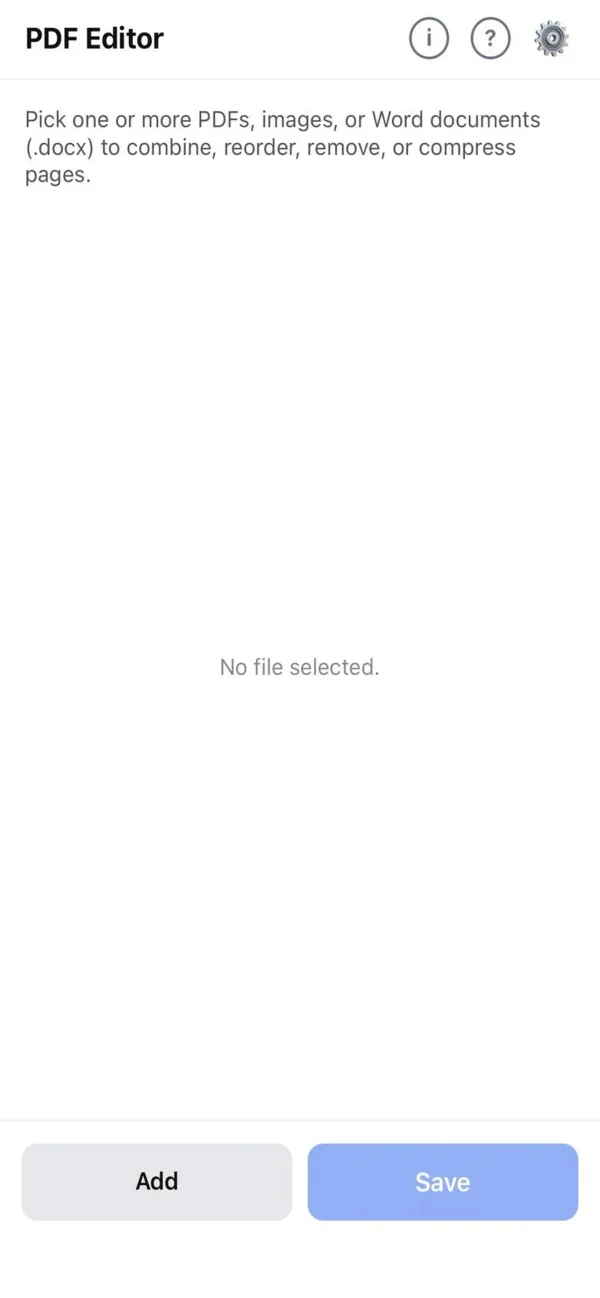
• Combine PDFs, photos, and Word documents (.docx) into one file
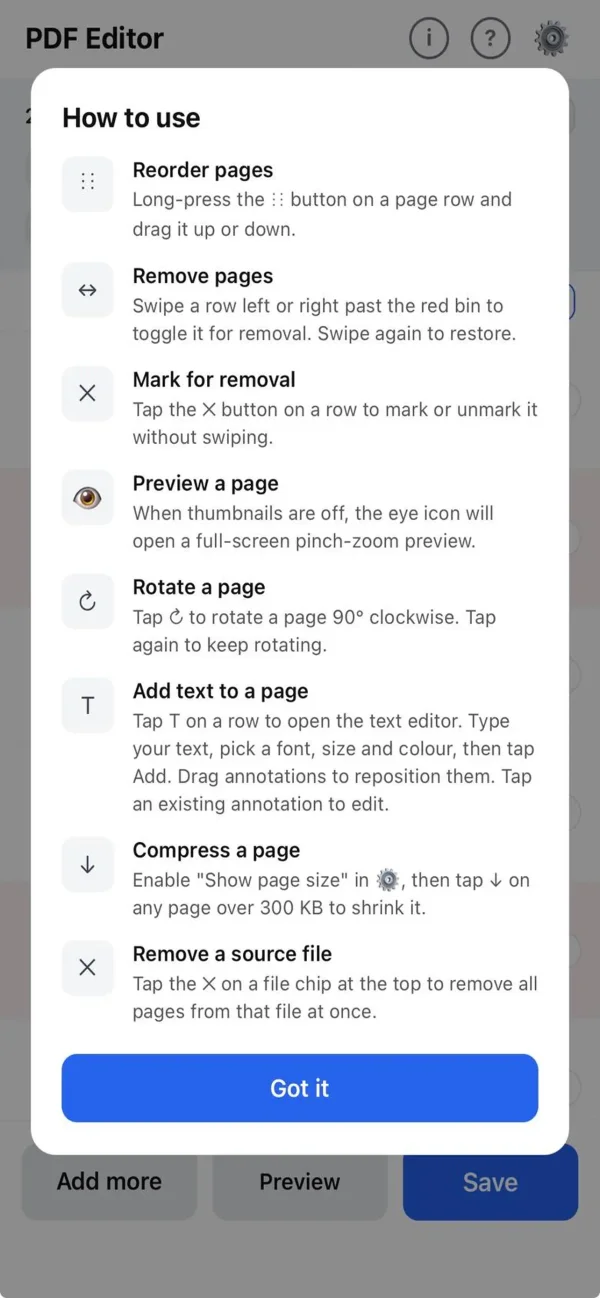
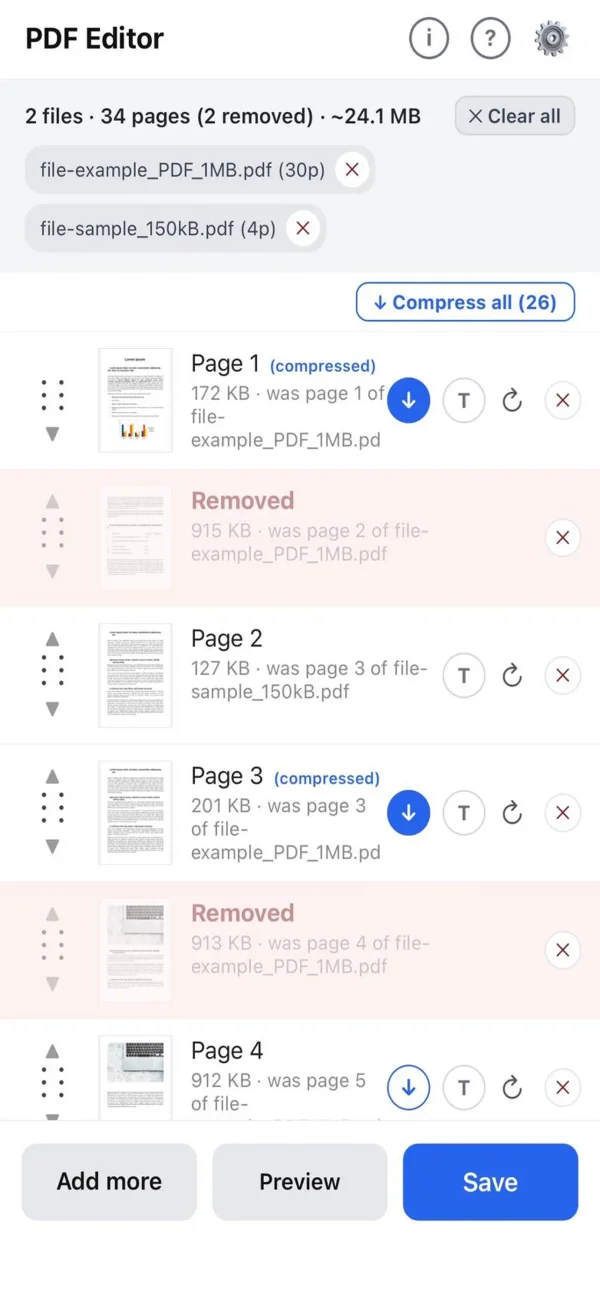
• Reorder pages by dragging, or swipe a row left/right to mark it for removal
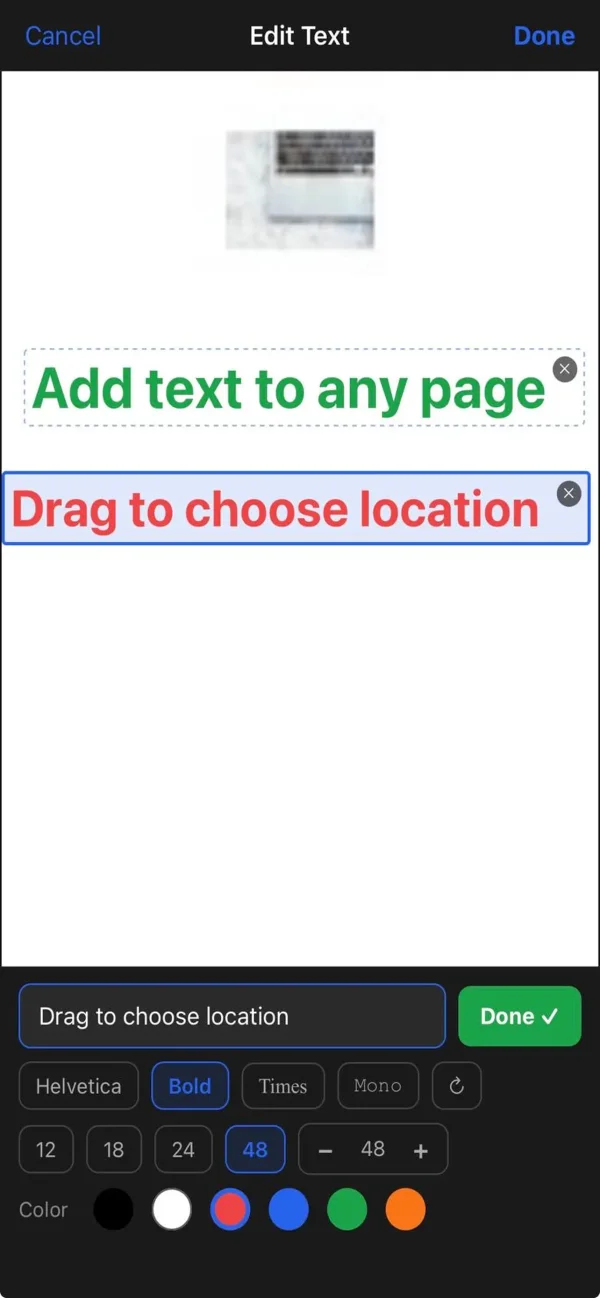
• Add text to any page — pick font, size, and color; drag to reposition
• Rotate any page 90° clockwise with one tap
• Preview any page full-screen with pinch to zoom — swipe up or down to move between pages, and rotate right from the preview
• See each page's byte cost to find what's bloating your file
• Compress oversized pages instantly — choose page-by-page
• Combine multiple photos onto a single page in a grid layout
• Save through the share sheet to wherever you want — Files, Mail, iCloud Drive, Messages, or anywhere else
PRIVATE BY DESIGN
Built for the documents you'd never want sitting on someone else's server — contracts, receipts, medical records, scans, and IDs. Most PDF tools online, and many on the App Store, upload your file to a server to do their work. Simple Pdf Utils never does:
• No accounts, no sign-up, nothing to log in to
• Does not collect, transmit, store, or share any data
• Contains no networking code at all
• A strict Content Security Policy blocks every outgoing connection from inside the app
• Asks for no special permissions — the system file picker and share sheet handle everything
You can verify all of this with Airplane Mode. The app works identically.
GOOD FOR
• Combining receipts before submitting an expense report
• Tidying up scans of paperwork
• Stripping irrelevant pages from contracts before sharing
• Merging photos from your camera roll into a single PDF
• Adding a handwritten note or signature line to a document
• Shrinking image-heavy PDFs that are too big to email
• Converting a Word draft to PDF when you only have the file
HOW IT WORKS
• The app uses the system document picker for input.
• Images you pick (including HEIC from your iPhone or iPad Photos) are converted to JPEG and wrapped as PDF pages, all on-device.
• Word documents are converted to HTML locally (via the open-source mammoth library) and rendered to PDF using the device's built-in print engine — no third-party cloud involved.
• When you add multiple photos at once, you can choose to lay them out as a grid on a single page rather than one page per photo.
• Text annotations are baked into the page at export time using pdf-lib, a fully on-device PDF library.
• When you save, the result goes to the standard share sheet. You decide where it ends up.
• Per-page compression rasterizes the chosen page to a JPEG sized to fit the budget — useful for image-heavy scans (compressed pages become image-only, so text is no longer selectable).
NOTE ON WORD DOCUMENTS
.docx conversion works best for straightforward documents (body text, simple tables, headings). Complex formatting — multi-column layouts, text boxes, charts, headers/footers — may look different or be omitted. The app shows a warning when a Word file is loaded.
NO CATCHES
Free. No upsells. No ads. No subscriptions. No "premium" tier. The app is what's on this page.
Have a question or a bug to report? See the support page linked below.
新機能
バージョン 1.5.0 · 2026/8/22
• Preview: swipe up or down to move between pages
• Preview: rotate the current page right from the preview screen
• Tap anywhere on the empty screen to add files
• "From Files" now comes first in the Add menu
• Performance improvements
アプリのプライバシー
このアプリのデータの取り扱いについて、Guy HefetzがApp Storeで申告している内容です。
-
データの収集なし
開発元はこのアプリからデータを収集しません。
プライバシーの取り扱いは、ご利用の機能やお客様の年齢などに応じて異なる場合があります。
情報
- 販売元
- Guy Hefetz
- カテゴリ
- 仕事効率化
- バージョン
- 1.5.0
- 更新日
- 2026/8/22
- リリース
- 2026/5/26
- サイズ
- 45.2 MB
- 必要条件
- iOS 15.1以降
- 対象年齢
- 4+
- 価格
- 無料
- 言語
- 英語
- 著作権
- © 2026 DeltaWebOS
こちらもおすすめ
-
 PDF Fixer: Merge & Compress仕事効率化
-
 LiteDoc: Offline PDF Converter仕事効率化
-
 PDF Simple – Compress & Merge仕事効率化
-
 Void Collector仕事効率化
-
 DocuMerge — JPG to PDF仕事効率化
-
 OffPDF: PDFの文字を編集書類スキャナー・ワード変換・署名・OCRをオフラインで
-
 Cherry Reader仕事効率化
-
 Tehillim Daily: Locking Prayer仕事効率化
-
 PageFlow:PDFページ整理結合・分割・並べ替え・回転
-
 BoldSign Document Scanner仕事効率化