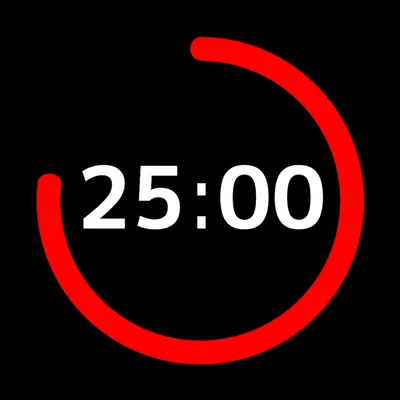
Simple Pomodoro Timer + Watch
Watch sync & study log
Entwickelt für iPhone
Kostenlos · In-App-Käufe
- Altersfreigabe4+
- KategorieProduktivität
- EntwicklerTakahiro Ito
- SprachenEnglisch+ 7 weitere
- Größe9,7 MB
Verlinkt auf die offizielle App Store-Seite
Download.org hostet keine Datei von Simple Pomodoro Timer + Watch. Die Schaltfläche öffnet die App-Seite bei App Store, wo Takahiro Ito die App veröffentlicht. Eintrag zuletzt geprüft am 24.11.2026.
Screenshots



Info
Der Entwickler hat diesen Text nicht in Ihrer Sprache bereitgestellt.
A simple Pomodoro timer that helps you focus: 25 minutes of work, 5 minutes of break, repeat.
■ Truly works with Apple Watch
- iPhone and Apple Watch stay in sync in real time — control the timer from either device
- Works standalone on Apple Watch, no iPhone needed
- Feel a haptic alarm on your wrist exactly when the phase ends, even with the screen off
- Complications show the remaining time right on your watch face
■ Reliable in the background
- Notifications fire at the exact end time — even when the app is closed or the screen is locked
- Live Activity on the Lock Screen and Dynamic Island shows the countdown at a glance
- Start and pause from Home Screen / Lock Screen widgets (StandBy supported)
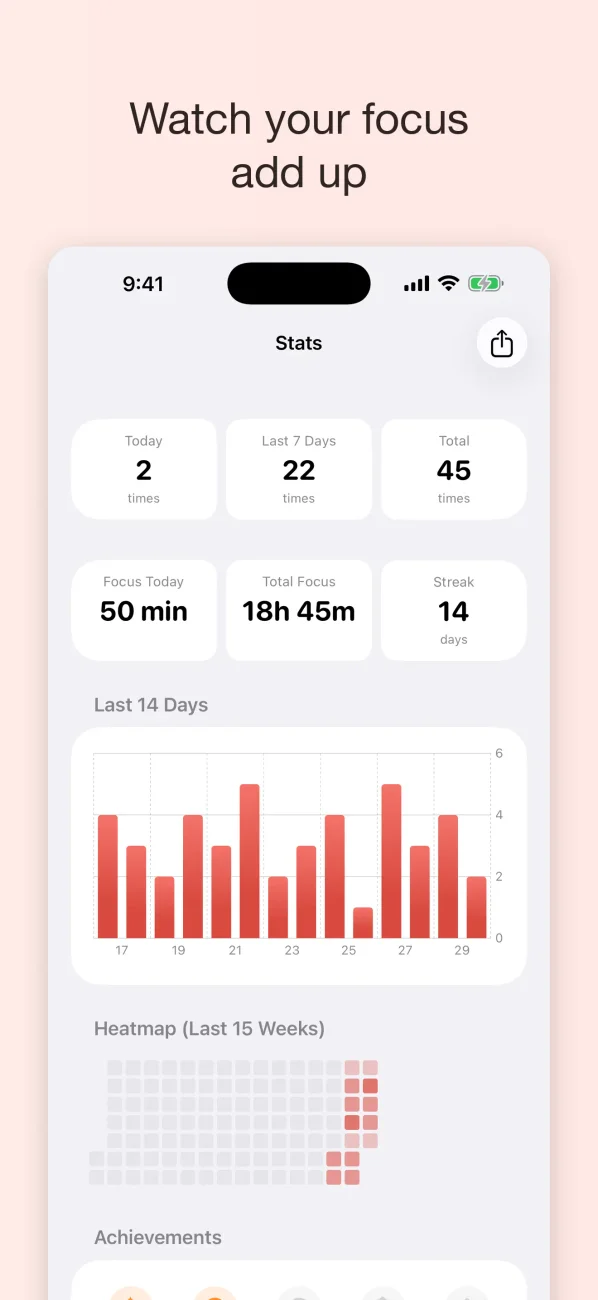
■ Track your focus
- Completed pomodoros are logged automatically, with an optional task label (tag)
- See today / weekly / all-time counts, total focus time, and your streak
- Per-tag breakdown shows where your time actually went
- Set a daily goal and watch the progress dots fill up
■ Make it yours
- Customize work and break lengths (down to seconds)
- Long break every 4 pomodoros — the classic Pomodoro cycle
- Choose alert sounds, haptic strength, and ambient sounds
■ No strings attached
- No account, no sign-up. Open the app and start
- Just a small banner ad at the bottom — it never interrupts your focus (one-time purchase to remove)
Neue Funktionen
Version 2.2 · 21.10.2026
• Fixed an issue where pausing on Apple Watch could leave the timer running on iPhone, adding pomodoros you never did to your stats
• New option to choose whether the next period starts automatically. Turn off "Auto-start next phase" in Settings to stop at the end of each work or break period and wait until you tap Start
App-Datenschutz
Was Takahiro Ito im App Store zum Umgang dieser App mit Daten angibt.
-
Nicht mit Ihnen verknüpfte Daten
Können erfasst werden, sind aber nicht mit Ihrer Identität verknüpft.
- Standort
- Kennungen
- Nutzungsdaten
- Diagnose
Die Datenschutzpraktiken können variieren, zum Beispiel je nach den von Ihnen verwendeten Funktionen oder Ihrem Alter.
Informationen
- Anbieter
- Takahiro Ito
- Kategorie
- Produktivität
- Version
- 2.2
- Aktualisiert
- 21.10.2026
- Veröffentlicht
- 14.07.2026
- Größe
- 9,7 MB
- Erfordert
- iOS 17.0 oder neuer
- Altersfreigabe
- 4+
- Preis
- Kostenlos
- In-App-Käufe
- Ja
- Sprachen
- Englisch, Arabisch, Japanisch, Koreanisch, Portugiesisch, Vereinf. Chinesisch, Spanisch, Tradit. Chinesisch
- Copyright
- © Takahiro Ito
Das könnte Ihnen auch gefallen
-
 Pomo: Pomodoro Fokus TimerTiefe Arbeit, Lernen & Ruhe
-
 PomodoroTimerWatch: FocusProduktivität
-
 Focus & Break TimerProduktivität
-
 Pomodoro ポモドーロ タイマー/勉強・作業・集中Produktivität
-
 ポモドーロタイマー~最もシンプルなアプリ~Produktivität
-
 POMO | 勉強・仕事に集中するためのポモドーロタイマーProduktivität
-
 Pomo Simple TimerProduktivität
-
 FocusSpace Pomodoro FokusTimerProduktiv Lernen & Arbeiten
-
 Einfacher Pomodoro Timer DoroWerbefrei, einfacher Timer
-
 WatchPomo - Focus TimerProduktivität