
Slipstream File Transfer
Fastest. Simplest. Smartest.
Entwickelt für iPhone, iPad, Mac
Kostenlos
- Altersfreigabe4+
- KategorieDienstprogramme
- EntwicklerSeo Joon Jeon
- SprachenEnglisch+ 3 weitere
- Größe8,6 MB
Verlinkt auf die offizielle App Store-Seite
Download.org hostet keine Datei von Slipstream File Transfer. Die Schaltfläche öffnet die App-Seite bei App Store, wo Seo Joon Jeon die App veröffentlicht. Eintrag zuletzt geprüft am 23.11.2026.
Screenshots

Info
Der Entwickler hat diesen Text nicht in Ihrer Sprache bereitgestellt.
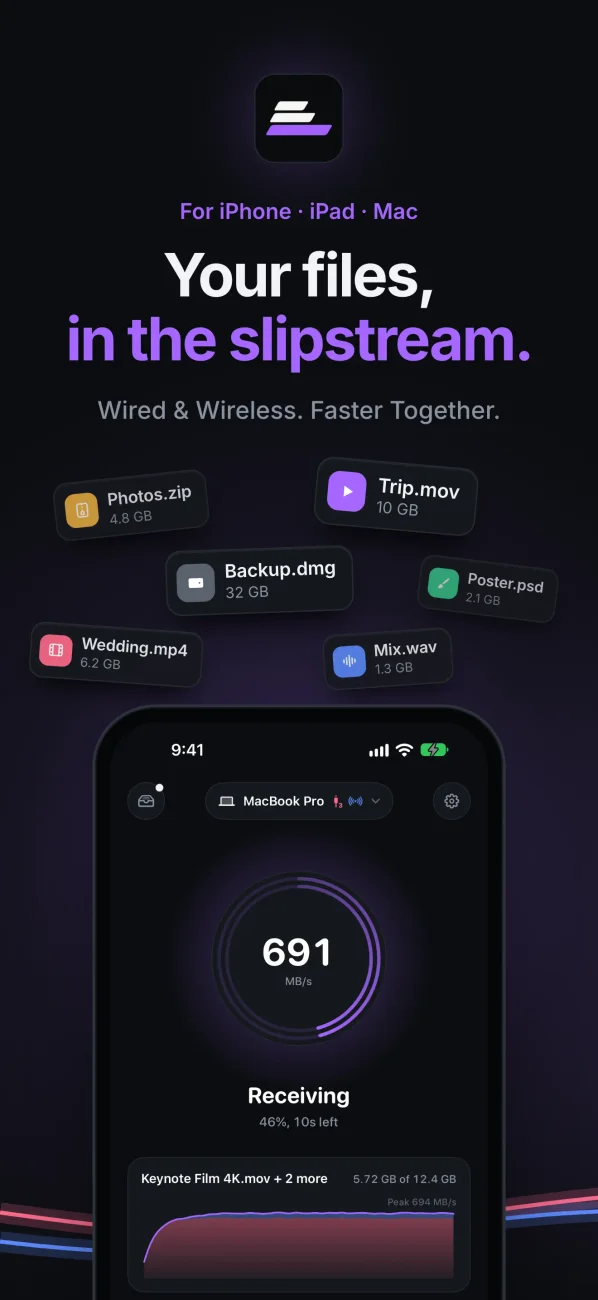
Slipstream is technically the fastest way to move big files between iPhone, iPad and Mac.
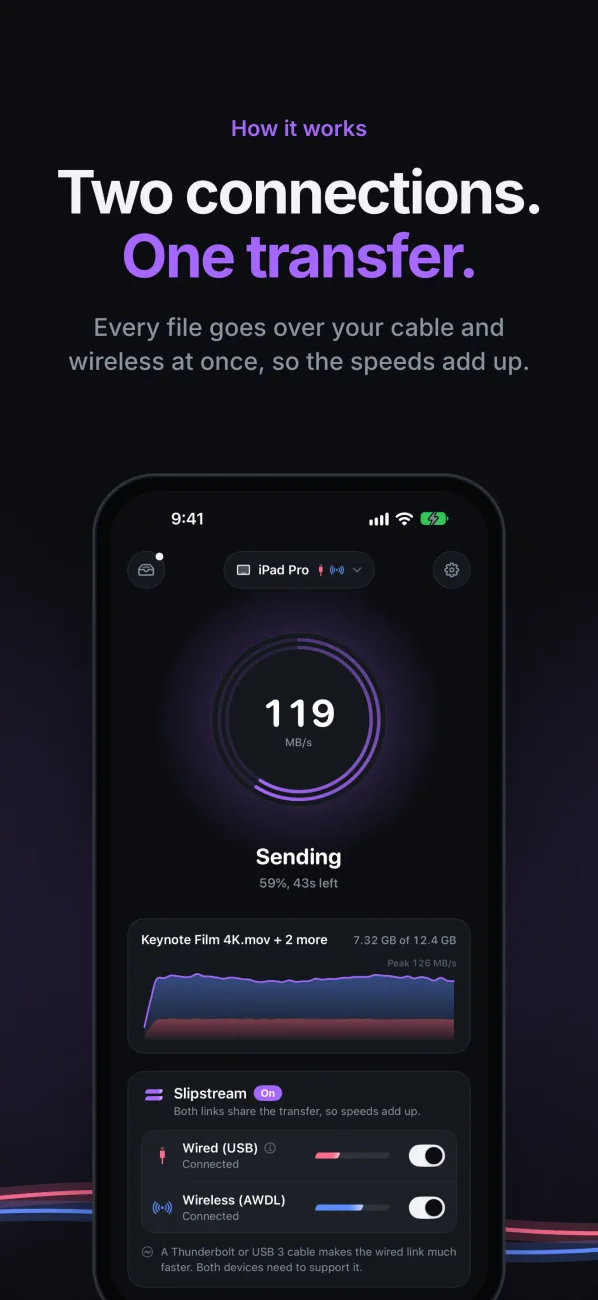
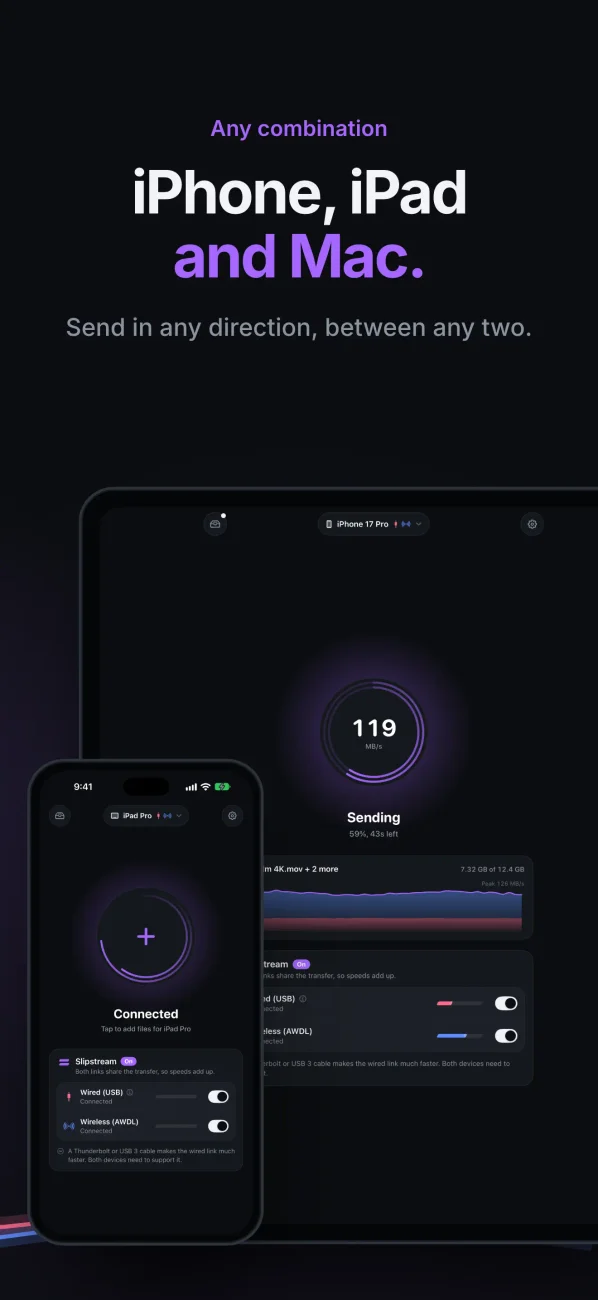
Every other way uses one connection. Slipstream uses a cable and a direct wireless link at the same time, so the two speeds add up.
WHY IT'S FAST
• Two connections, one transfer. A USB cable and a direct wireless link carry the same file together.
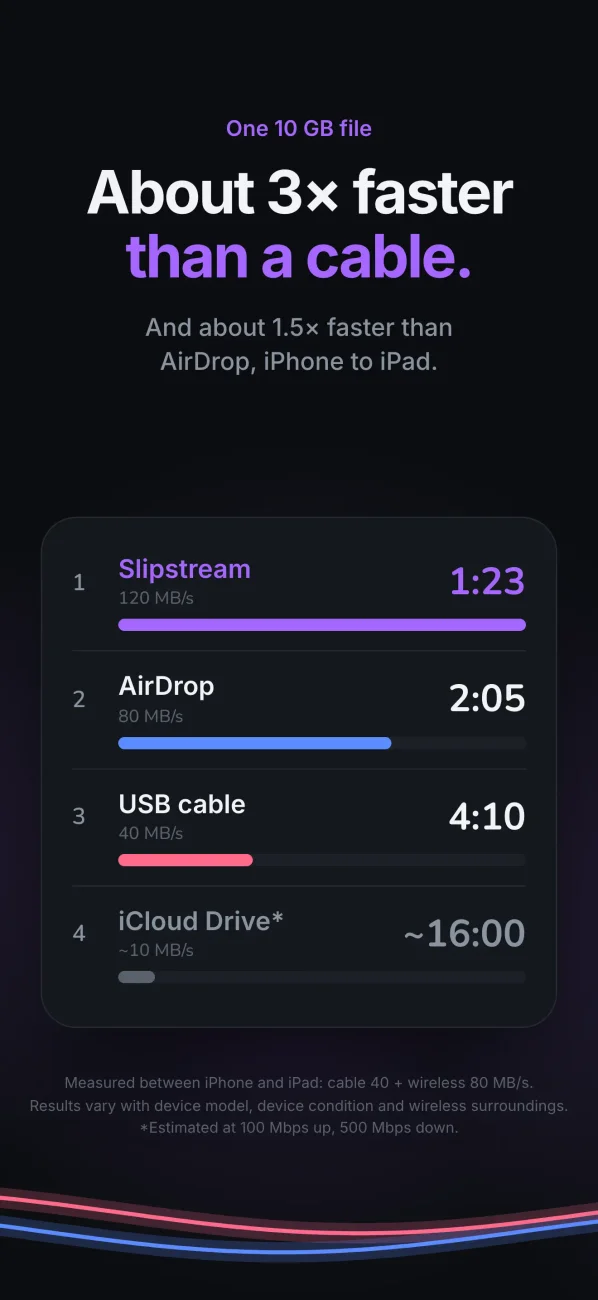
• In our tests, a 10 GB file went from iPhone to iPad in 1:23, at about 120 MB/s: 40 MB/s over the cable plus 80 MB/s over wireless. That's about 1.5× faster than wireless alone (AirDrop took 2:05) and about 3× faster than a USB cable alone (4:10).
• These are our own measurements. Your speeds will vary with the device model, the condition of the devices, the cable and the wireless surroundings. A USB3 cable or Thunderbolt cable will be much faster.
• Unplug anytime. If one connection drops, the other one finishes the job.
EASY TO USE
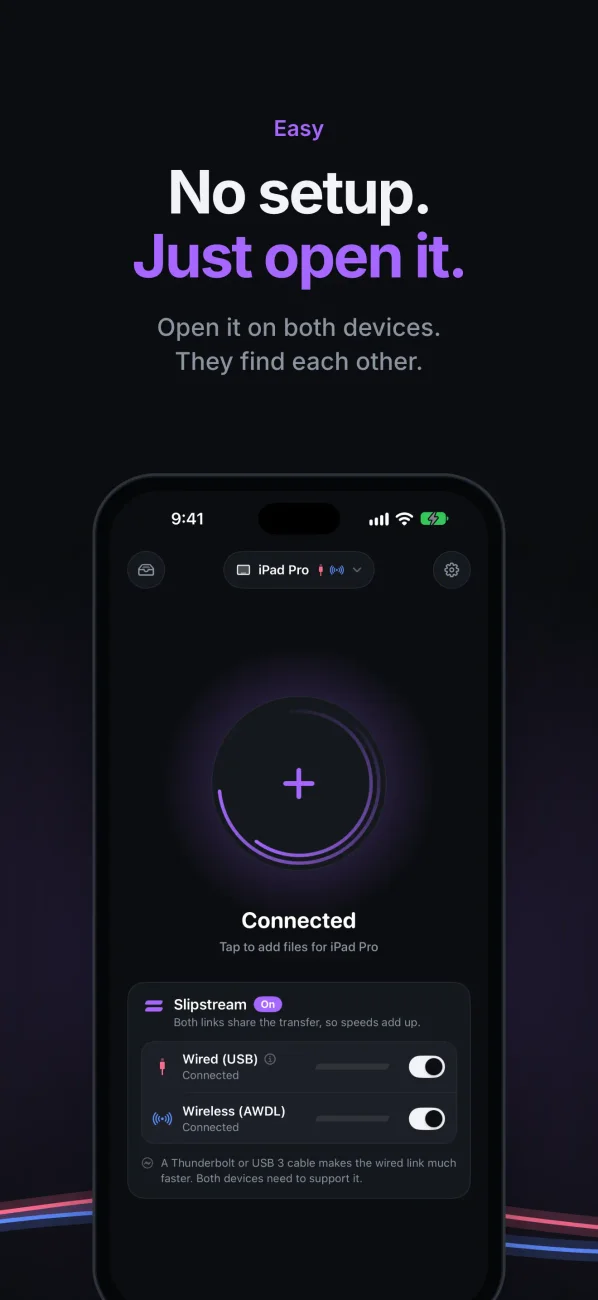
• Open Slipstream on both devices. They find each other automatically.
• Plug in a cable for extra speed, or send over wireless alone.
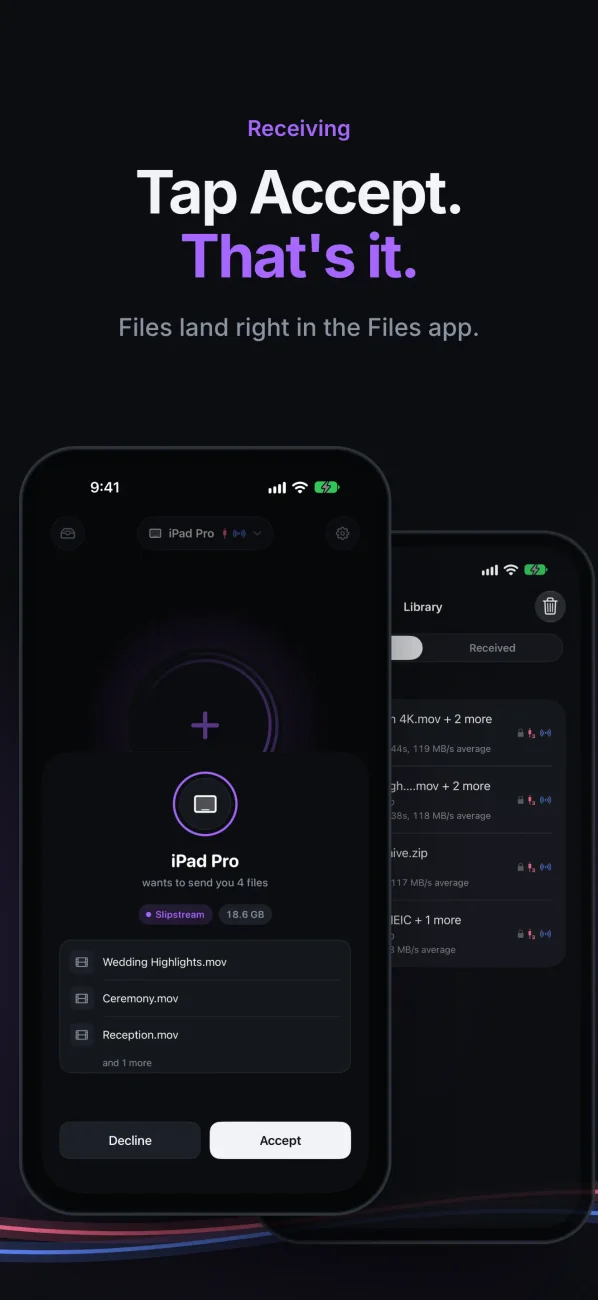
• Tap the circle, pick your files and accept on the other side. On a Mac, just drag files onto the circle.
• On iPhone and iPad, received files go to the Slipstream folder in the Files app.
SAFE, START TO FINISH
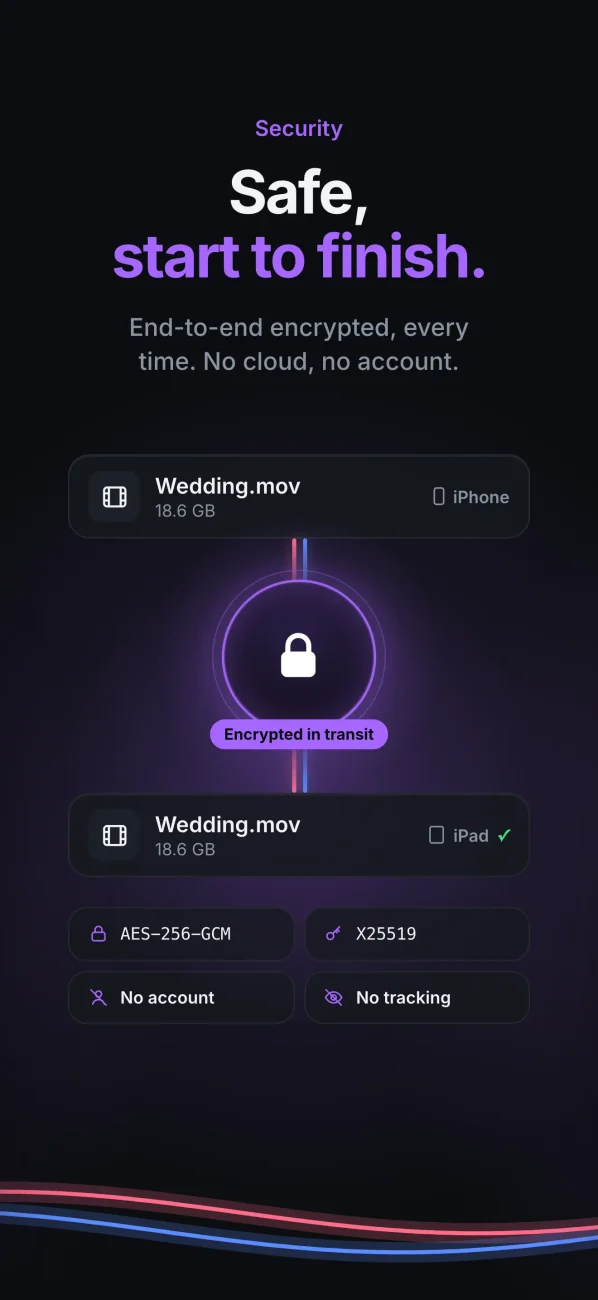
• Files go straight from one device to the other, never through a server or the cloud.
• Every transfer is end-to-end encrypted with a fresh key.
• No account, no sign-in, no tracking.
Works between iPhone, iPad and Mac, in any direction.
Neue Funktionen
Version 1.4 · 22.11.2026
- A cleaner, refreshed design with performance improvements.
- Added support for iPhone Duo.
- Send from the share sheet: share photos, videos, files and links to Slipstream from any app.
App-Datenschutz
Was Seo Joon Jeon im App Store zum Umgang dieser App mit Daten angibt.
-
Keine Daten erfasst
Der Entwickler erfasst keine Daten von dieser App.
Die Datenschutzpraktiken können variieren, zum Beispiel je nach den von Ihnen verwendeten Funktionen oder Ihrem Alter.
Informationen
- Anbieter
- Seo Joon Jeon
- Kategorie
- Dienstprogramme
- Version
- 1.4
- Aktualisiert
- 22.11.2026
- Veröffentlicht
- 13.10.2026
- Größe
- 8,6 MB
- Erfordert
- iOS 17.0 oder neuer
- Altersfreigabe
- 4+
- Preis
- Kostenlos
- Sprachen
- Englisch, Japanisch, Koreanisch, Vereinf. Chinesisch
- Copyright
- © 2026 Singularity. All Rights Reserved.
Das könnte Ihnen auch gefallen
-
 Weltzeituhr: Zeitzonen WidgetZeitzonen Umrechner & Karte
-
 Ferret OSINTDienstprogramme
-
 Supercopy for SafariDienstprogramme
-
 ePSX-enhanced gamepad connectDienstprogramme
-
 BLISS™ Automation 1.0 by ALTADienstprogramme
-
 Gambit - Gaming AccessFast Connections for Gaming
-
 DroneScout proDrohnen in Ihrer Nähe sehen
-
 Chameleon Ultra GUIDienstprogramme
-
 Nellis Auction FreightDienstprogramme
-
 World Time Clock MasterDienstprogramme