
Slipstream File Transfer
Fastest. Simplest. Smartest.
Dirancang untuk iPhone, iPad, Mac
Gratis
- Batasan usia4+
- KategoriKegunaan
- PengembangSeo Joon Jeon
- BahasaInggris+ 3 lainnya
- Ukuran8,6 MB
Tertaut ke halaman resmi App Store
Download.org tidak menyimpan file Slipstream File Transfer apa pun. Tombol ini membuka halaman aplikasi di App Store, tempat Seo Joon Jeon menerbitkannya. Halaman terakhir diperiksa pada 23/11/2026.
Tangkapan layar

Tentang
Pengembang belum menyediakan teks ini dalam bahasa Anda.
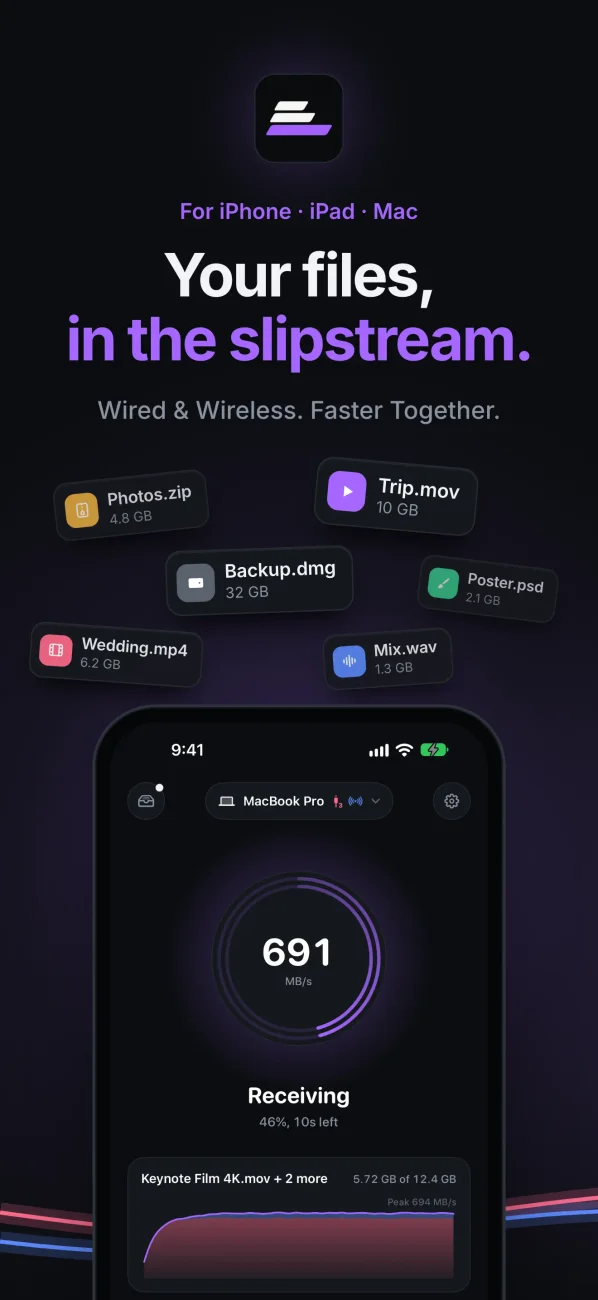
Slipstream is technically the fastest way to move big files between iPhone, iPad and Mac.
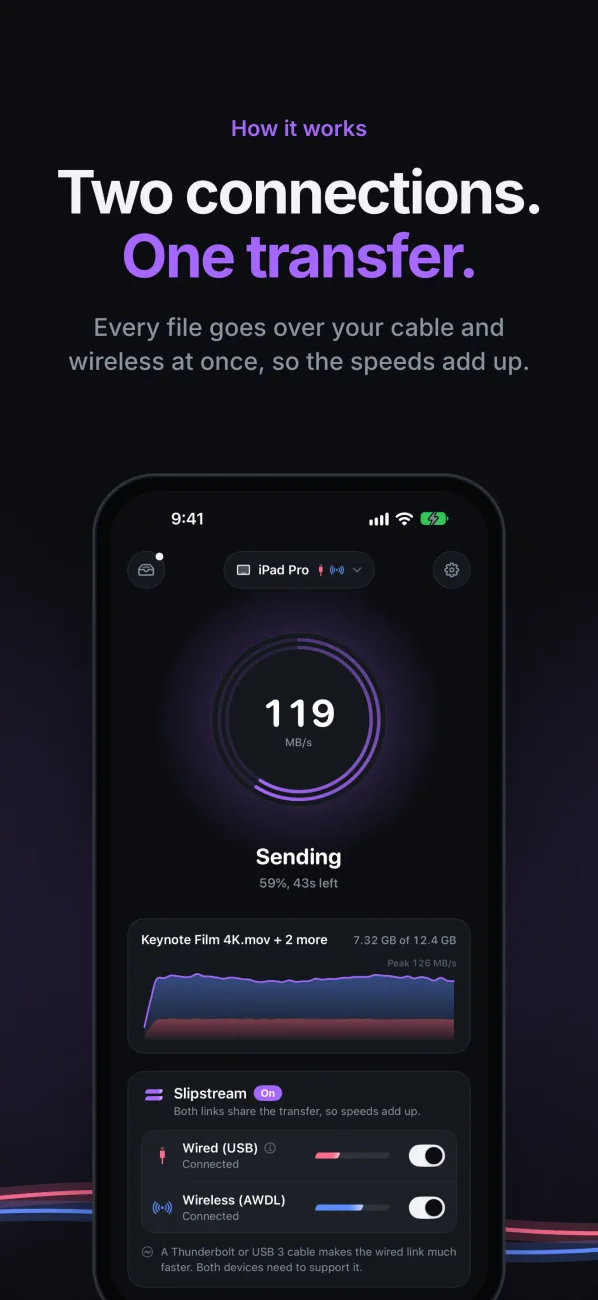
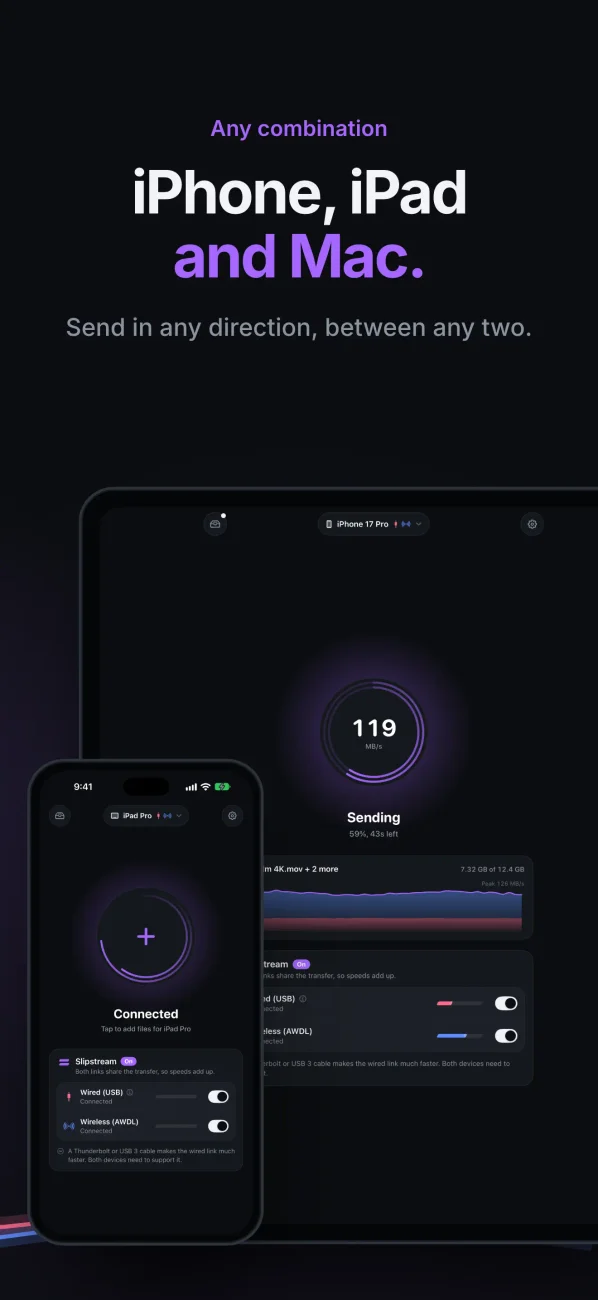
Every other way uses one connection. Slipstream uses a cable and a direct wireless link at the same time, so the two speeds add up.
WHY IT'S FAST
• Two connections, one transfer. A USB cable and a direct wireless link carry the same file together.
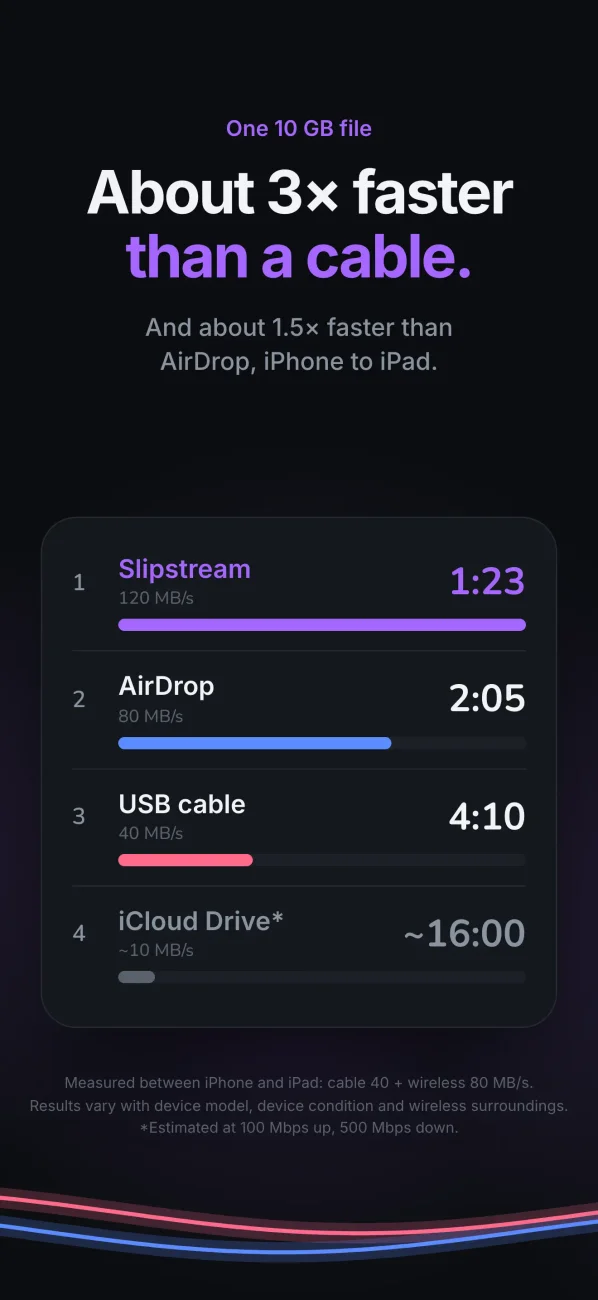
• In our tests, a 10 GB file went from iPhone to iPad in 1:23, at about 120 MB/s: 40 MB/s over the cable plus 80 MB/s over wireless. That's about 1.5× faster than wireless alone (AirDrop took 2:05) and about 3× faster than a USB cable alone (4:10).
• These are our own measurements. Your speeds will vary with the device model, the condition of the devices, the cable and the wireless surroundings. A USB3 cable or Thunderbolt cable will be much faster.
• Unplug anytime. If one connection drops, the other one finishes the job.
EASY TO USE
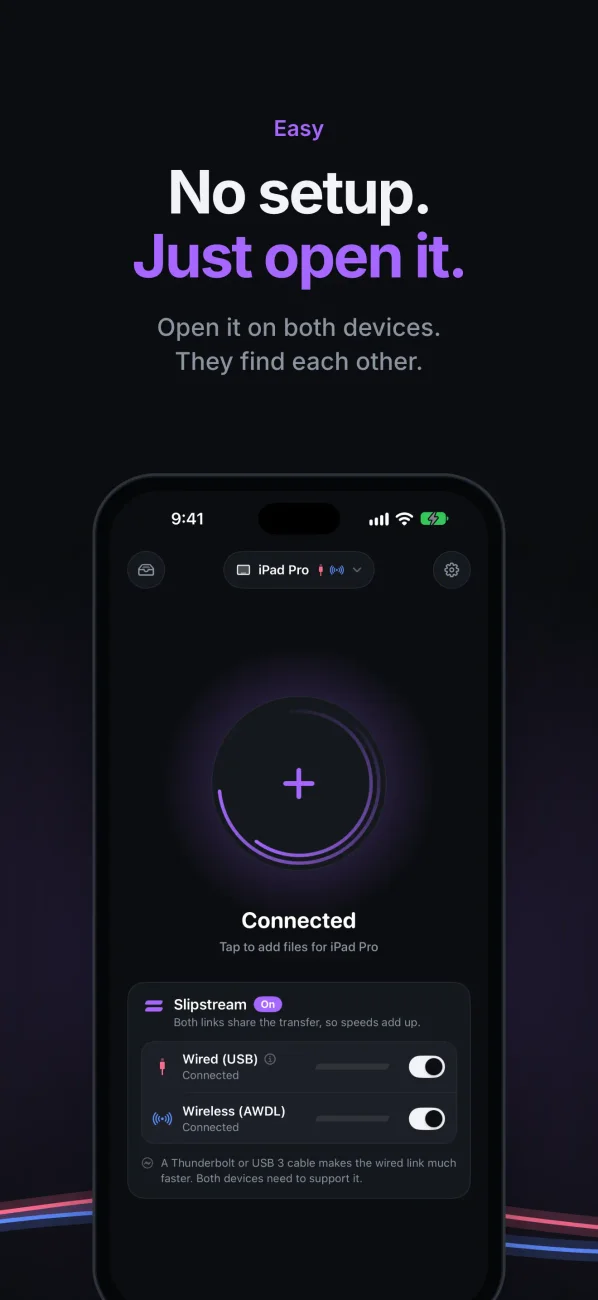
• Open Slipstream on both devices. They find each other automatically.
• Plug in a cable for extra speed, or send over wireless alone.
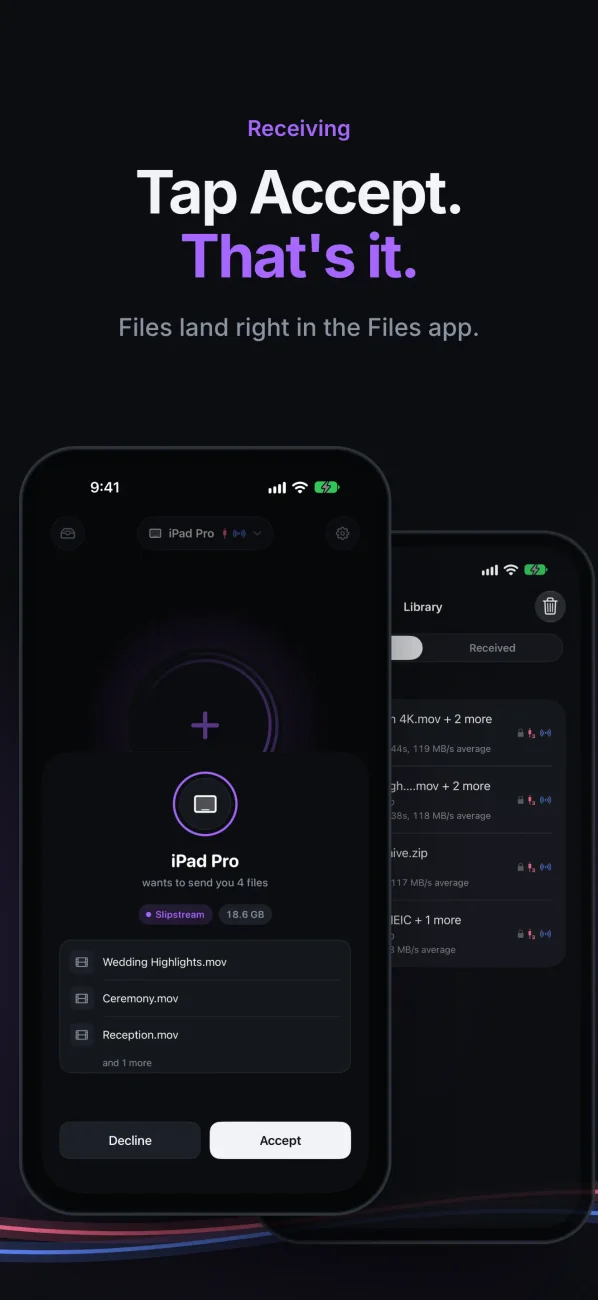
• Tap the circle, pick your files and accept on the other side. On a Mac, just drag files onto the circle.
• On iPhone and iPad, received files go to the Slipstream folder in the Files app.
SAFE, START TO FINISH
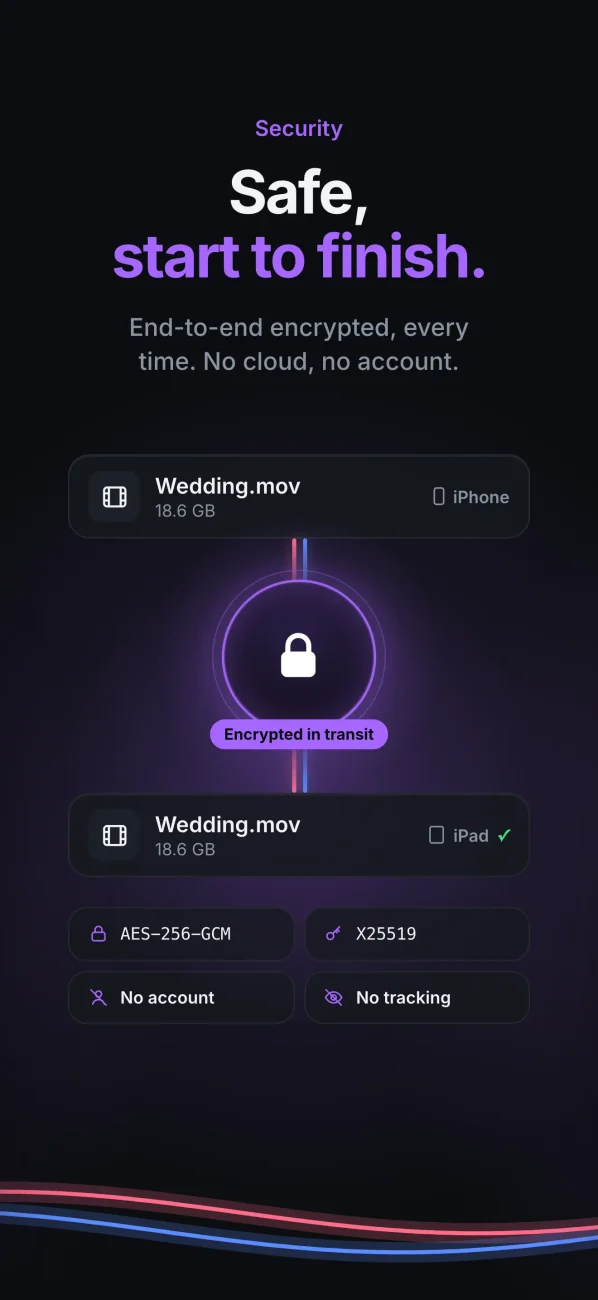
• Files go straight from one device to the other, never through a server or the cloud.
• Every transfer is end-to-end encrypted with a fresh key.
• No account, no sign-in, no tracking.
Works between iPhone, iPad and Mac, in any direction.
Yang baru
Versi 1.4 · 22/11/2026
- A cleaner, refreshed design with performance improvements.
- Added support for iPhone Duo.
- Send from the share sheet: share photos, videos, files and links to Slipstream from any app.
Privasi aplikasi
Yang dinyatakan Seo Joon Jeon di App Store tentang cara aplikasi ini menangani data.
-
Data tidak dikumpulkan
Pengembang tidak mengumpulkan data apa pun dari aplikasi ini.
Praktik privasi dapat bervariasi, misalnya berdasarkan fitur yang Anda gunakan atau usia Anda.
Informasi
- Penjual
- Seo Joon Jeon
- Kategori
- Kegunaan
- Versi
- 1.4
- Diperbarui
- 22/11/2026
- Dirilis
- 13/10/2026
- Ukuran
- 8,6 MB
- Memerlukan
- iOS 17.0 atau yang lebih baru
- Batasan usia
- 4+
- Harga
- Gratis
- Bahasa
- Inggris, Jepang, Korea, Tionghoa Sederhana
- Hak cipta
- © 2026 Singularity. All Rights Reserved.
Mungkin Anda juga suka
-
 Jam Dunia: Zona Waktu WidgetKonversi Zona Waktu & Peta
-
 Ferret OSINTKegunaan
-
 Supercopy for SafariKegunaan
-
 ePSX-enhanced gamepad connectKegunaan
-
 BLISS™ Automation 1.0 by ALTAKegunaan
-
 Gambit - Gaming AccessFast Connections for Gaming
-
 DroneScout proKegunaan
-
 Chameleon Ultra GUIKegunaan
-
 Nellis Auction FreightKegunaan
-
 World Time Clock MasterKegunaan