
Snug: Video Compressor
Reduce size for email & upload
Entwickelt für iPhone, iPad
In-App-Käufe
- Altersfreigabe4+
- KategorieFoto und Video
- EntwicklerJAEHEUN GIM
- SprachenEnglisch+ 4 weitere
- Größe6,4 MB
Snug: Video Compressor ist bei App Store derzeit möglicherweise nicht verfügbar
Bei unserer letzten Prüfung war der Store-Eintrag nicht erreichbar. Der Link führt weiterhin zur offiziellen App Store-Seite.
Screenshots

Info
Der Entwickler hat diesen Text nicht in Ihrer Sprache bereitgestellt.
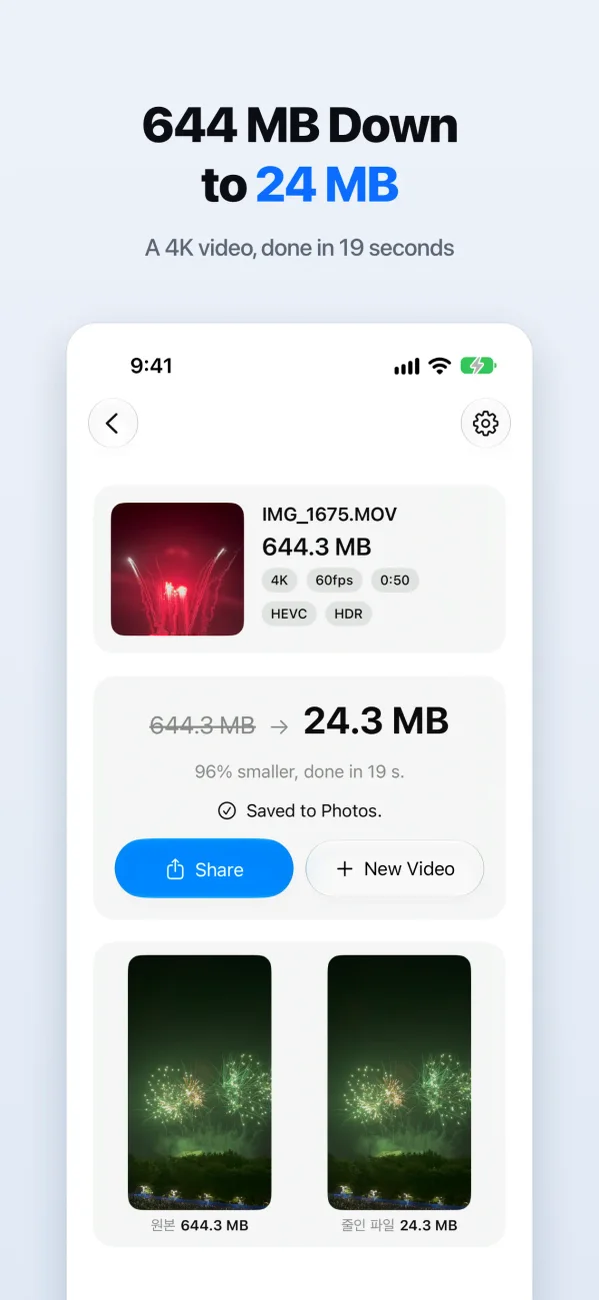
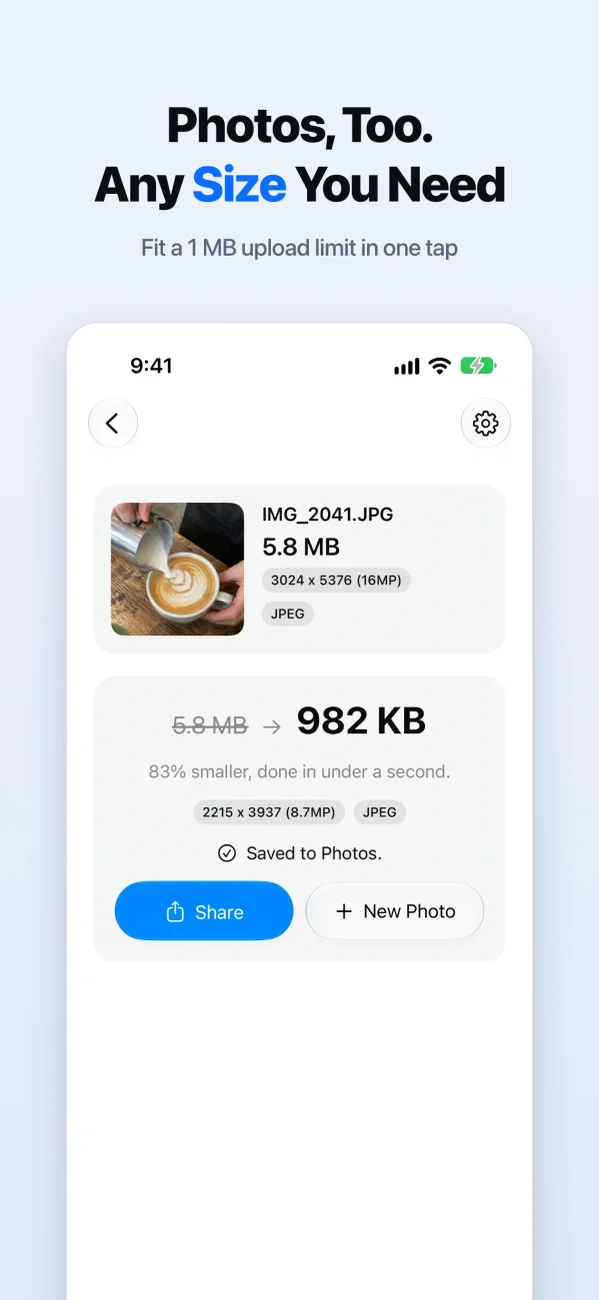
Video too big to attach to an email or submit through an upload form? Snug shrinks it to fit. Every messenger, email service, and upload form has its own size limit, so you choose the size you need first, and Snug makes your video fit under it. Photos work the same way: pick a size and Snug shrinks your photo to fit.
Choose your size
Set a size with the slider, or save the sizes you use most and pick one in a tap. Before you start, Snug shows the expected quality and file size, and lets you know if quality is likely to drop noticeably.
Fits under your limit
If a result comes out a little too big, Snug adjusts and tries again on its own. 1 MB counts as 1,000,000 bytes, so your video stays within the limits apps use.
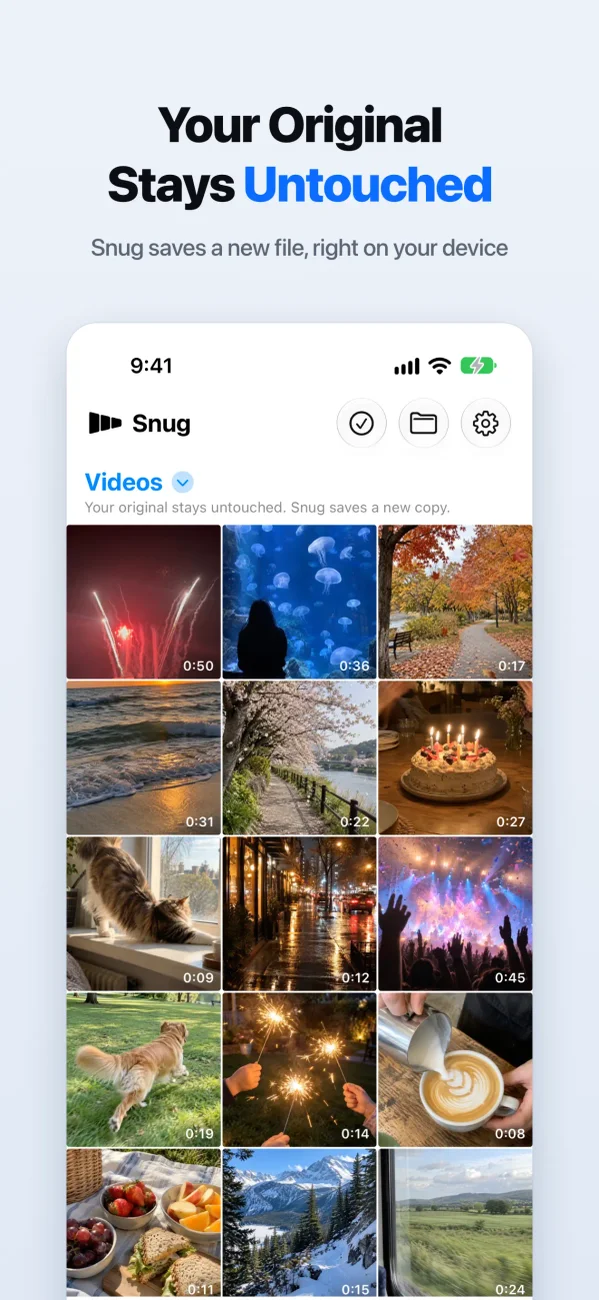
Your original stays untouched
Shrunk videos are saved to Photos as new items, or to a folder you choose. Your original is never overwritten, and the capture date carries over so the new video sits right next to it.
Fast and private
Snug uses your device’s hardware HEVC encoder, and your videos never leave your device. On iOS 26 or later, shrinking keeps going even if you switch apps.
Right from the share sheet
Share a video from Photos, choose Snug, and shrink it right there without opening the app.
Careful with HDR and sound
HDR videos stay HDR with HEVC, and audio is re-encoded only when needed. H.264 is there for older devices.
Try it free once. If you like it, a one-time purchase unlocks Snug for life. It’s not a subscription.
No account, no ads, no tracking.
Neue Funktionen
Version 1.1.3 · 16.11.2026
Videos recorded with Spatial Audio now use their regular stereo track when shrinking, for more reliable results.
If a video can't be shrunk, the problem report now includes the error code so the cause can be found faster.
App-Datenschutz
Was JAEHEUN GIM im App Store zum Umgang dieser App mit Daten angibt.
-
Keine Daten erfasst
Der Entwickler erfasst keine Daten von dieser App.
Die Datenschutzpraktiken können variieren, zum Beispiel je nach den von Ihnen verwendeten Funktionen oder Ihrem Alter.
Informationen
- Anbieter
- JAEHEUN GIM
- Kategorie
- Foto und Video
- Version
- 1.1.3
- Aktualisiert
- 16.11.2026
- Veröffentlicht
- 02.10.2026
- Größe
- 6,4 MB
- Erfordert
- iOS 17.0 oder neuer
- Altersfreigabe
- 4+
- In-App-Käufe
- Ja
- Sprachen
- Englisch, Japanisch, Koreanisch, Portugiesisch, Spanisch
- Copyright
- © 2026 JAEHEUN GIM
Das könnte Ihnen auch gefallen
-
 Photosynthesis: SuperkameraKamera-Upgrade ganz ohne KI
-
 Foto DocumentosPass- & Ausweisfotos zu Hause
-
 Raw To HEICKamera-RAW in kompaktes HEIC
-
 Threedi: Echter 3D-Text3D-Typografie für deine Fotos
-
 Moza - Mosaik, UnschärfeVerpixeln, Zensieren, Marker
-
 DELTA CameraFoto und Video
-
 Dual Cam Recorder Pro One TakeFoto und Video
-
 Kompressor - Bild komprimierenRAW-Bildkonverter
-
 TinType - Ferrotypie-KameraKollodium-Porträts seit 1851
-
 Solar Arc: Goldene StundeSonnenaufgang, Mond & Widget