
Stacky: Clipboard & Snippets
Clipboard history & snippets
Entwickelt für iPhone
Kostenlos · In-App-Käufe
- Altersfreigabe4+
- KategorieProduktivität
- EntwicklerHiroki Nomura
- SprachenEnglisch+ 1 weitere
- Größe59,4 MB
Verlinkt auf die offizielle App Store-Seite
Download.org hostet keine Datei von Stacky: Clipboard & Snippets. Die Schaltfläche öffnet die App-Seite bei App Store, wo Hiroki Nomura die App veröffentlicht. Eintrag zuletzt geprüft am 18.11.2026.
Screenshots
Info
Der Entwickler hat diesen Text nicht in Ihrer Sprache bereitgestellt.
“I need that thing I just copied.”
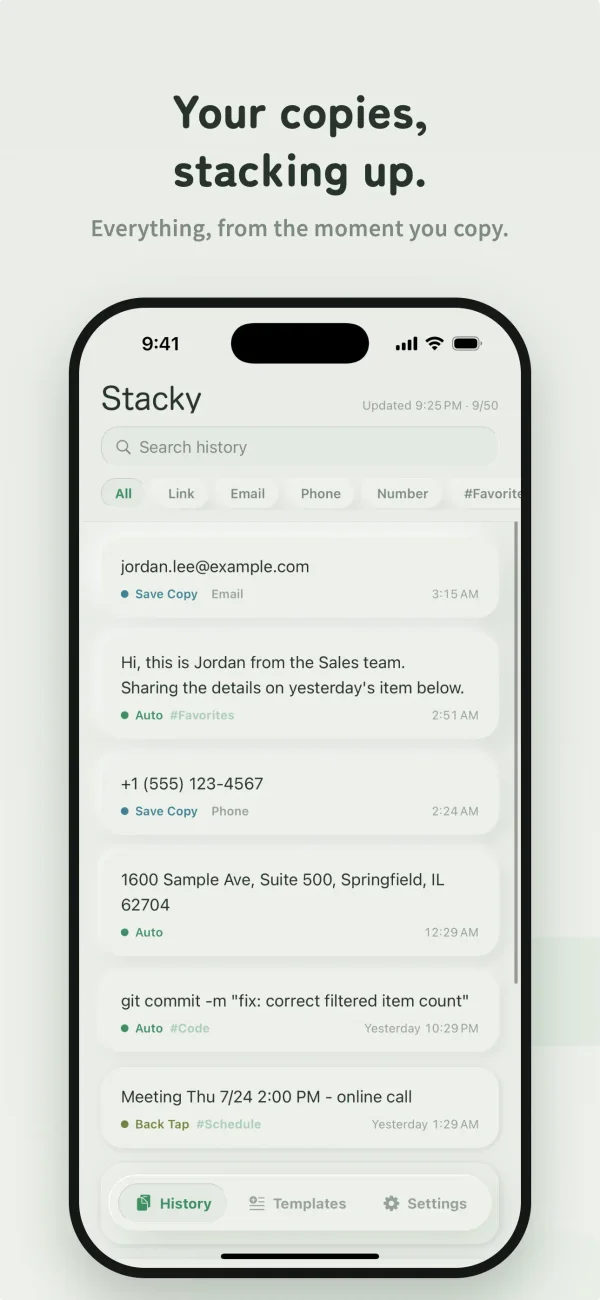
Stacky is a clipboard history and snippet app where copied text quietly stacks up the moment you open it. Everything stays on your device — never sent to our servers. No ads.
◆ Capture
• Auto-capture: Copy in another app, open Stacky, and it stacks into your history.
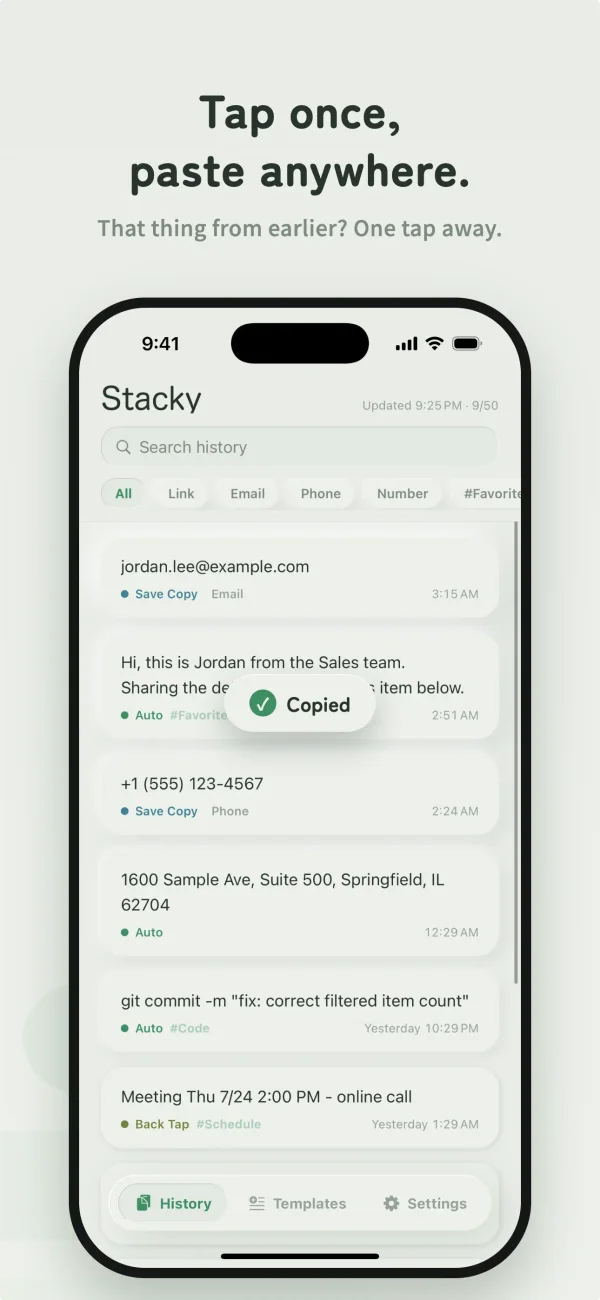
• Save Copy: Select text, pick “Save Copy” from the Share menu, and saving and copying happen in one step.
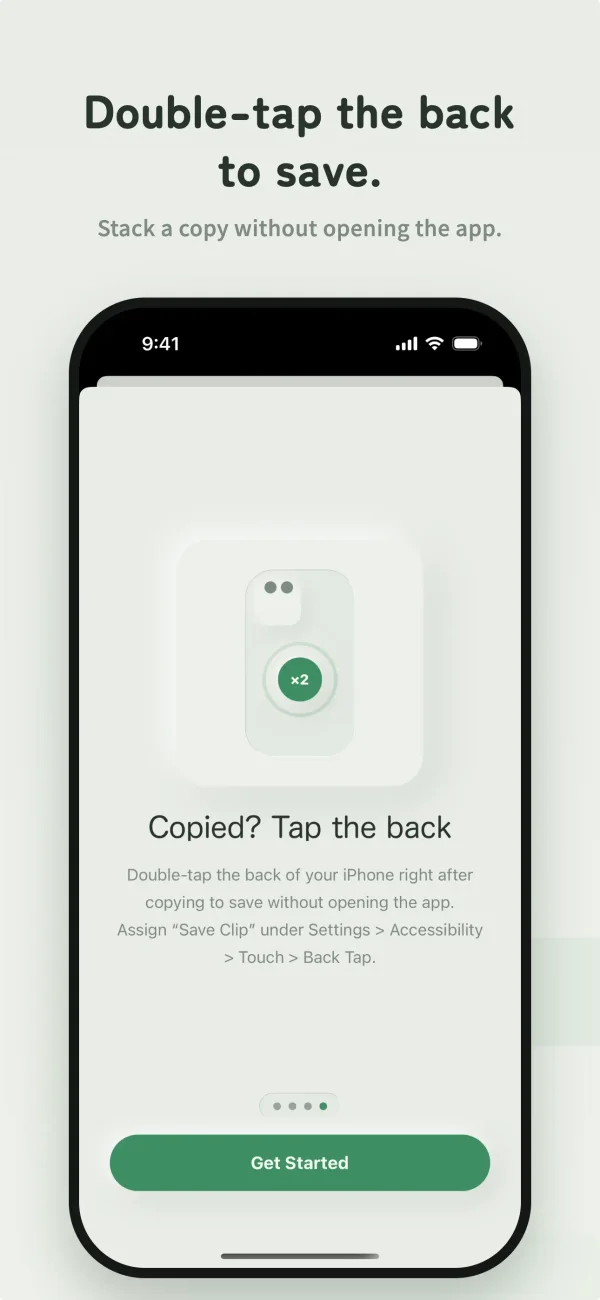
• Back Tap: Assign “Save Clip” under Settings > Accessibility > Touch > Back Tap, then double-tap the back of your iPhone to save without opening the app.
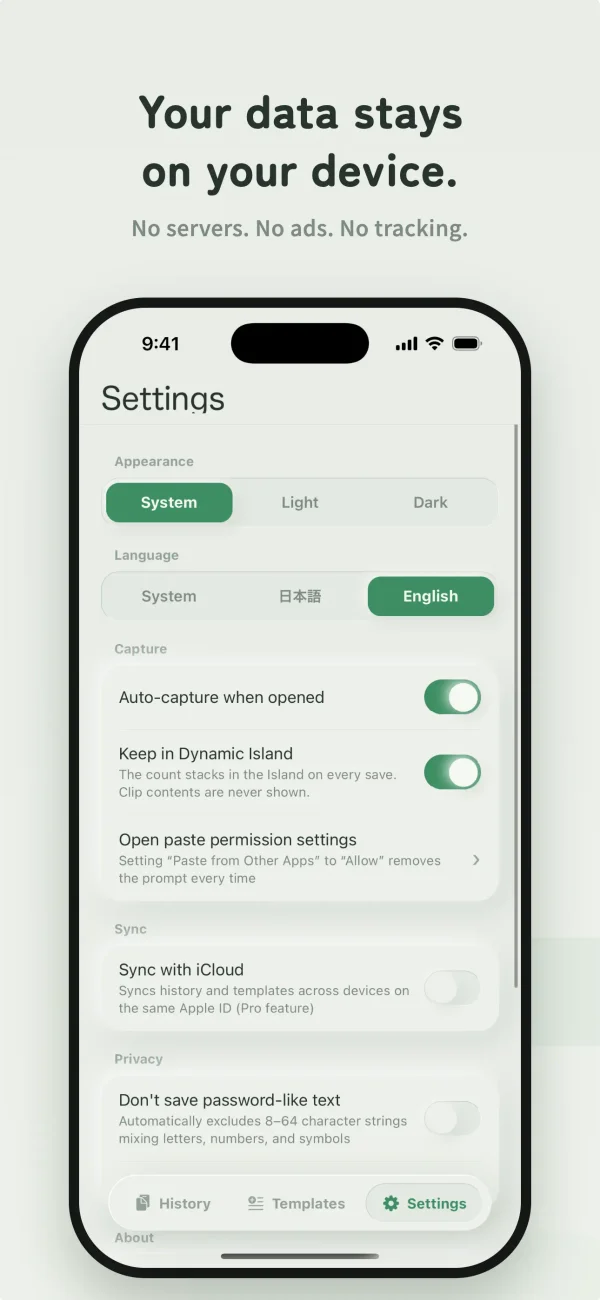
• Dynamic Island capture meter: Every save stacks the count in the Dynamic Island. Clip contents are never shown — not on the Lock Screen, not in the Island. You see that it was captured, nothing more (optional).
◆ Find & organize
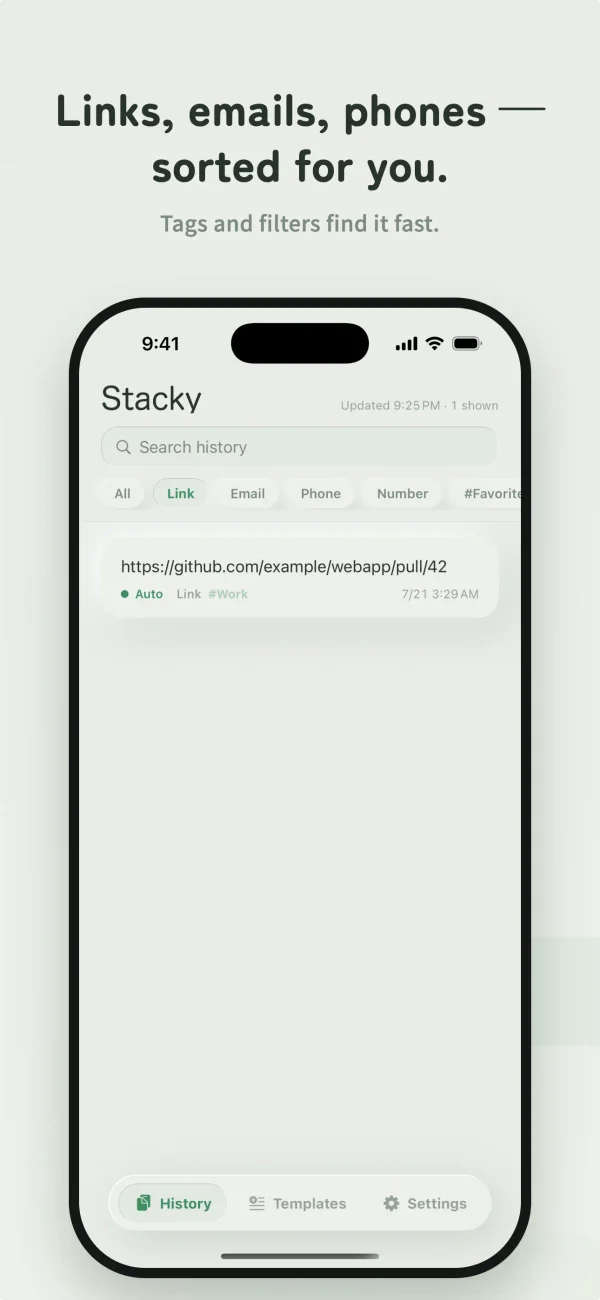
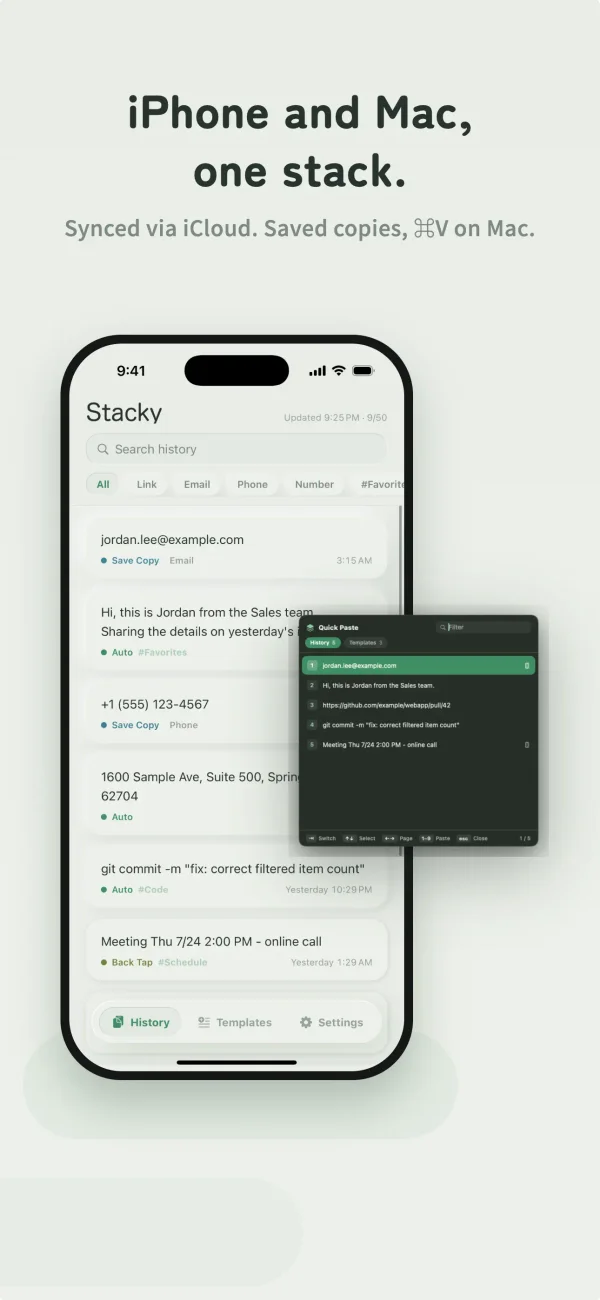
• Automatic types: Links, emails, phone numbers, and numbers are tagged automatically — detected without reading the actual contents.
• Manual tags: Add your own tags and filter by chip.
• Full-text search (Pro): Pull any clip from your whole stack in an instant by keyword.
◆ Templates
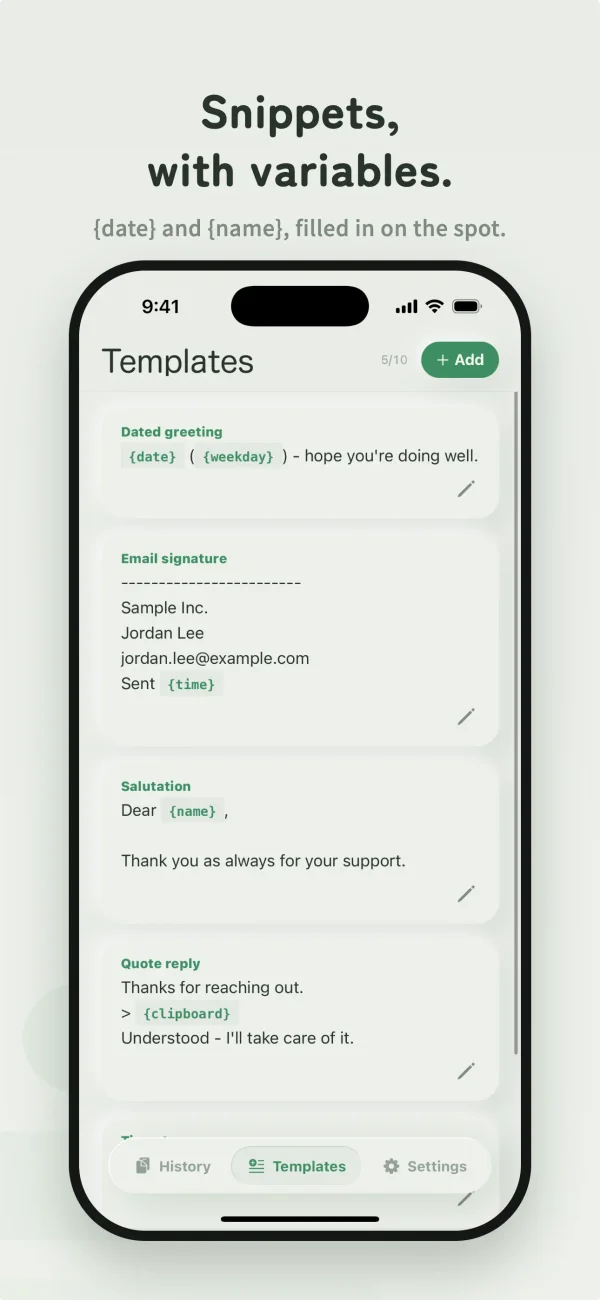
• Save go-to greetings and email boilerplate, then copy with a single tap.
• Auto variables like {date} and {time} (free).
• Custom variables like {name} that you fill in when copying (Pro).
◆ Connect (Pro)
• iCloud sync: History and templates stay in sync across iPhone and Mac on the same Apple ID. No account, no login.
• Mac companion: Text you “Save Copy” on iPhone lands right on your Mac’s clipboard.
◆ Privacy
• Clip contents are stored only on this device and in your own iCloud — never sent to our servers.
• No ad SDKs, ever. The clipboard holds sensitive things, so we kept the design quiet and clean.
• Optionally skip saving password-like text.
◆ Free
• 50 clips of history
• 10 templates
• All capture methods (auto-capture, Save Copy, Back Tap, Dynamic Island)
◆ Stacky Pro
• Unlimited history + full-text search
• Unlimited templates + custom variables
• iCloud sync + Mac companion
Pricing: ¥500/month · ¥3,000/year (¥250/mo) · ¥6,000 one-time
Monthly and annual plans are auto-renewing subscriptions. The one-time purchase unlocks Pro permanently with a single payment. Restore anytime via “Restore Purchase.”
Start free, and enjoy watching your copies stack up.
Terms of Use: https://stacky.tools/en/terms
Privacy Policy: https://stacky.tools/en/privacy
Neue Funktionen
Version 1.3.0 · 04.11.2026
Save to Stacky from the top row of the Share menu.
◆ "Stacky" in the top row
Select text or an image and open the Share menu. Stacky now appears with its app icon in the top row, and one tap saves and copies.
The "Save Copy" action in the bottom row still works as before. If you've pinned it to your favorites, there's nothing to set up again.
* Don't see it? Scroll the top row to the end, tap "More", and turn on Stacky.
Thanks for using Stacky.
App-Datenschutz
Was Hiroki Nomura im App Store zum Umgang dieser App mit Daten angibt.
-
Nicht mit Ihnen verknüpfte Daten
Können erfasst werden, sind aber nicht mit Ihrer Identität verknüpft.
- Käufe
- Kennungen
Die Datenschutzpraktiken können variieren, zum Beispiel je nach den von Ihnen verwendeten Funktionen oder Ihrem Alter.
Informationen
- Anbieter
- Chainify Technologies
- Kategorie
- Produktivität
- Version
- 1.3.0
- Aktualisiert
- 04.11.2026
- Veröffentlicht
- 26.07.2026
- Größe
- 59,4 MB
- Erfordert
- iOS 16.4 oder neuer
- Altersfreigabe
- 4+
- Preis
- Kostenlos
- In-App-Käufe
- Ja
- Sprachen
- Englisch, Japanisch
- Copyright
- © 2020 Chainify Technologies
Das könnte Ihnen auch gefallen
-
 Article TTSProduktivität
-
 Sotto - Private Local AIProduktivität
-
 SnipTray – Universal ClipboardText-Verlauf in der Menüleiste
-
 ClipGuru - Clipboard ManagerProduktivität
-
 Queue: Copy & PasteProduktivität
-
 Clypy: Clipboard ManagerProduktivität
-
 Method - KI-Prompts verwaltenNie wieder Prompts neu bauen
-
 Clipboard Manager: ClipSyncProduktivität
-
 ClipKeyProduktivität
-
 clipboood - Auto ClipboardProduktivität