
Stacky: Clipboard & Snippets
Clipboard history & snippets
Dirancang untuk iPhone
Gratis · Pembelian dalam aplikasi
- Batasan usia4+
- KategoriProduktivitas
- PengembangHiroki Nomura
- BahasaInggris+ 1 lainnya
- Ukuran59,4 MB
Tertaut ke halaman resmi App Store
Download.org tidak menyimpan file Stacky: Clipboard & Snippets apa pun. Tombol ini membuka halaman aplikasi di App Store, tempat Hiroki Nomura menerbitkannya. Halaman terakhir diperiksa pada 18/11/2026.
Tangkapan layar
Tentang
Pengembang belum menyediakan teks ini dalam bahasa Anda.
“I need that thing I just copied.”
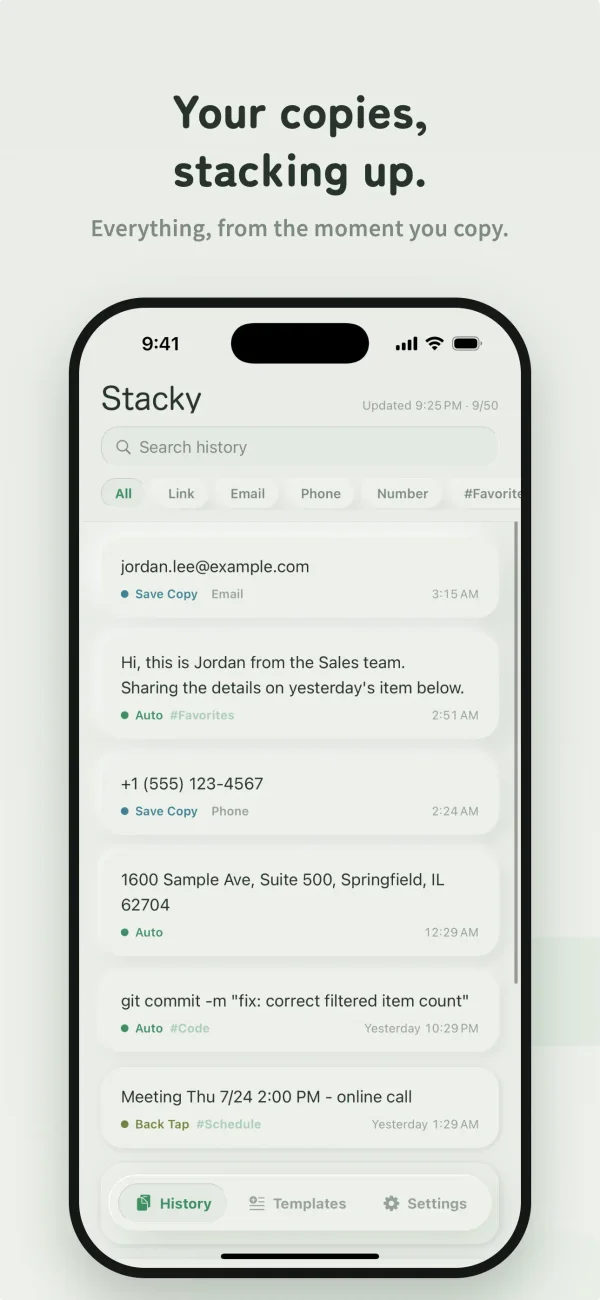
Stacky is a clipboard history and snippet app where copied text quietly stacks up the moment you open it. Everything stays on your device — never sent to our servers. No ads.
◆ Capture
• Auto-capture: Copy in another app, open Stacky, and it stacks into your history.
• Save Copy: Select text, pick “Save Copy” from the Share menu, and saving and copying happen in one step.
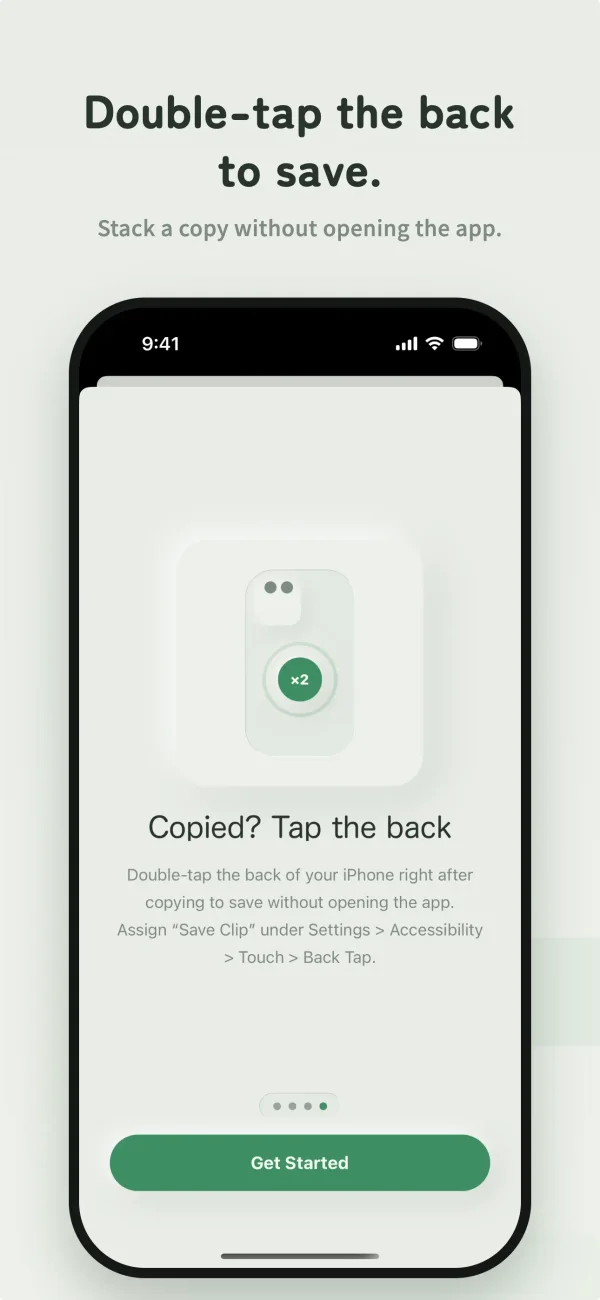
• Back Tap: Assign “Save Clip” under Settings > Accessibility > Touch > Back Tap, then double-tap the back of your iPhone to save without opening the app.
• Dynamic Island capture meter: Every save stacks the count in the Dynamic Island. Clip contents are never shown — not on the Lock Screen, not in the Island. You see that it was captured, nothing more (optional).
◆ Find & organize
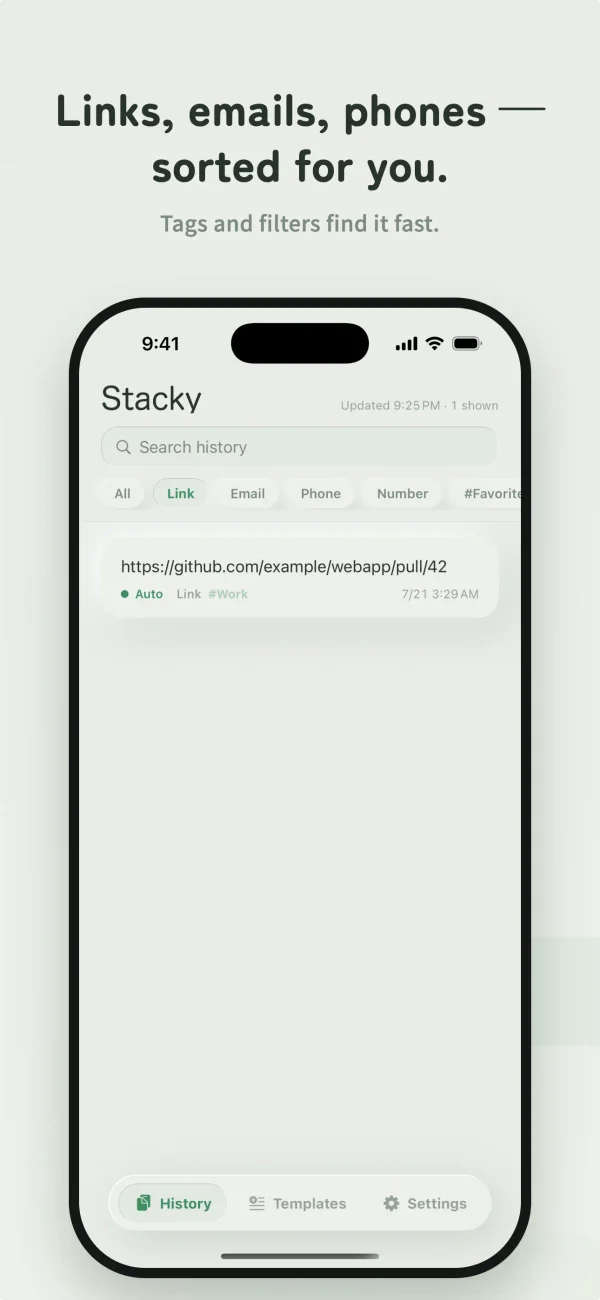
• Automatic types: Links, emails, phone numbers, and numbers are tagged automatically — detected without reading the actual contents.
• Manual tags: Add your own tags and filter by chip.
• Full-text search (Pro): Pull any clip from your whole stack in an instant by keyword.
◆ Templates
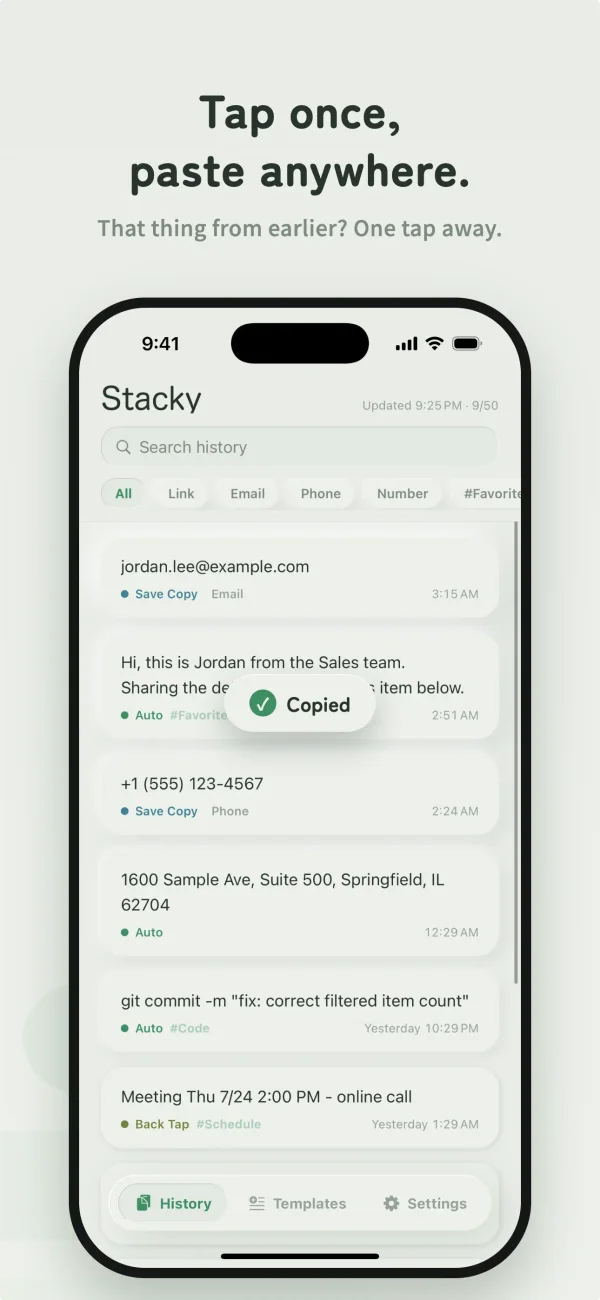
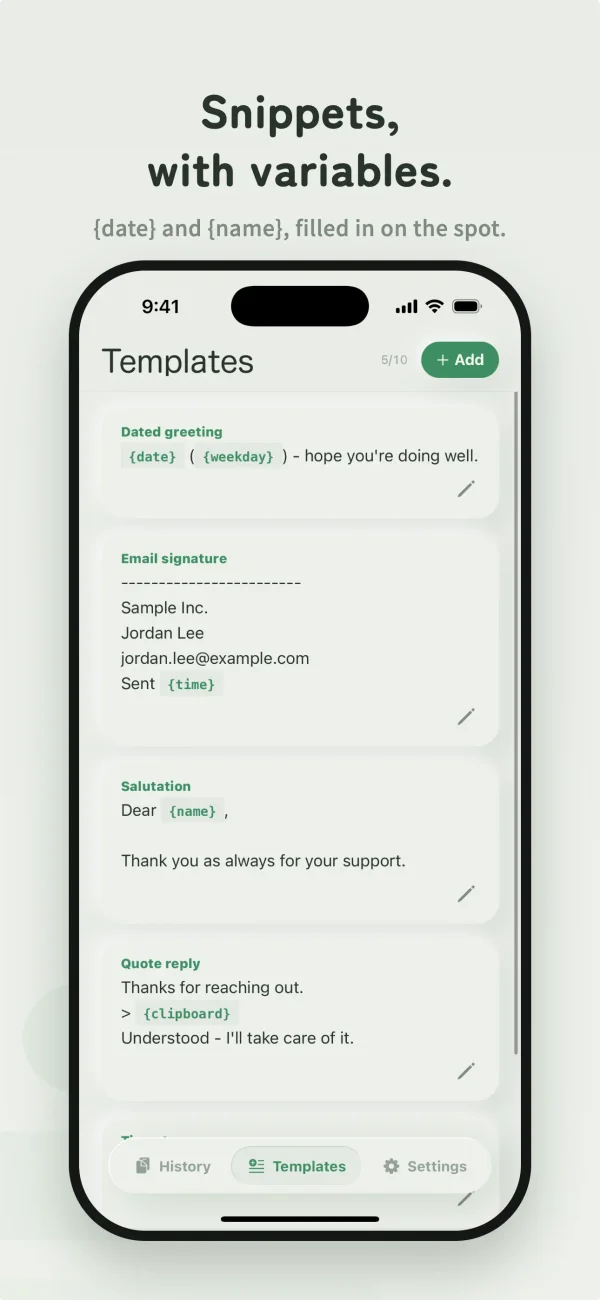
• Save go-to greetings and email boilerplate, then copy with a single tap.
• Auto variables like {date} and {time} (free).
• Custom variables like {name} that you fill in when copying (Pro).
◆ Connect (Pro)
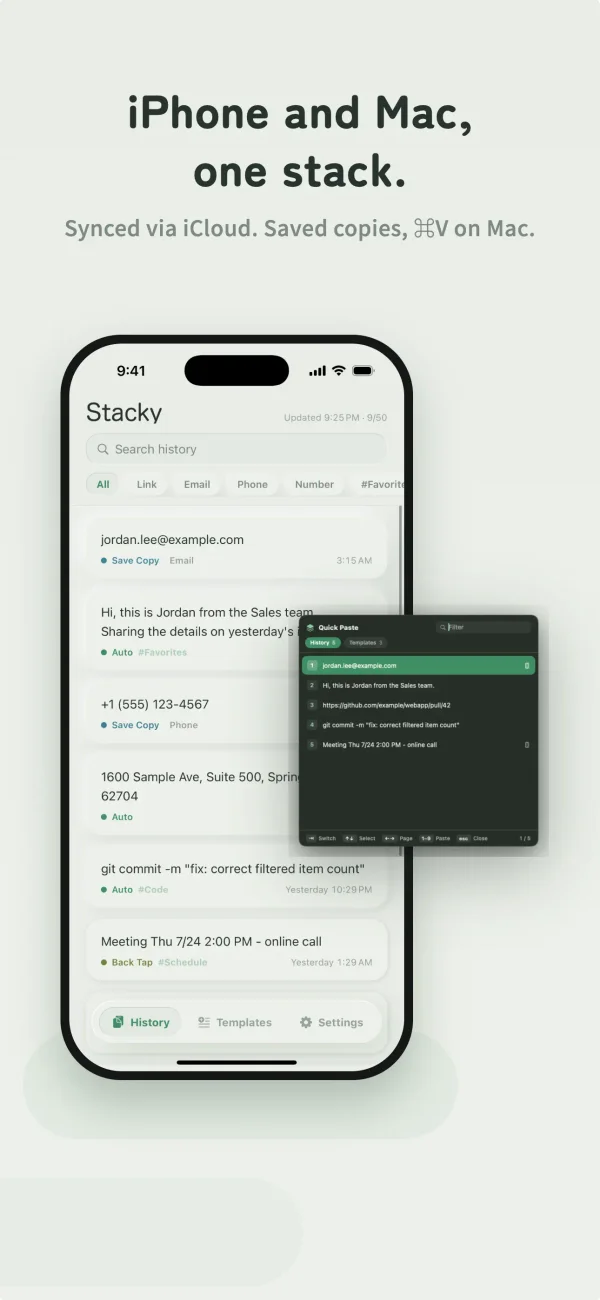
• iCloud sync: History and templates stay in sync across iPhone and Mac on the same Apple ID. No account, no login.
• Mac companion: Text you “Save Copy” on iPhone lands right on your Mac’s clipboard.
◆ Privacy
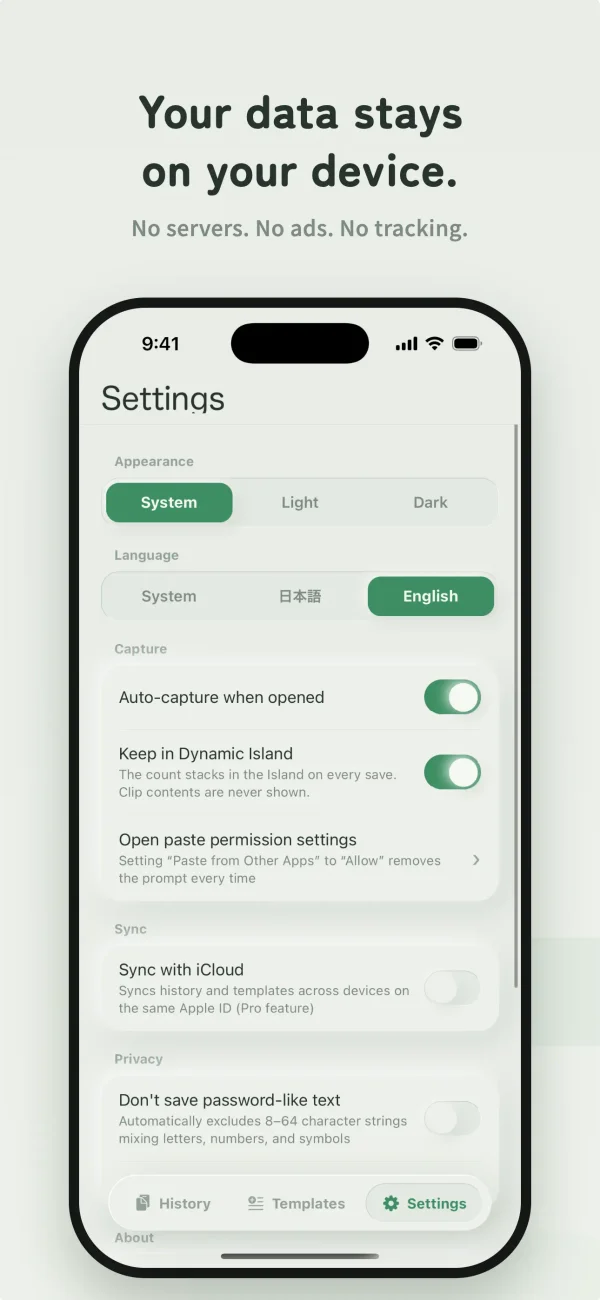
• Clip contents are stored only on this device and in your own iCloud — never sent to our servers.
• No ad SDKs, ever. The clipboard holds sensitive things, so we kept the design quiet and clean.
• Optionally skip saving password-like text.
◆ Free
• 50 clips of history
• 10 templates
• All capture methods (auto-capture, Save Copy, Back Tap, Dynamic Island)
◆ Stacky Pro
• Unlimited history + full-text search
• Unlimited templates + custom variables
• iCloud sync + Mac companion
Pricing: ¥500/month · ¥3,000/year (¥250/mo) · ¥6,000 one-time
Monthly and annual plans are auto-renewing subscriptions. The one-time purchase unlocks Pro permanently with a single payment. Restore anytime via “Restore Purchase.”
Start free, and enjoy watching your copies stack up.
Terms of Use: https://stacky.tools/en/terms
Privacy Policy: https://stacky.tools/en/privacy
Yang baru
Versi 1.3.0 · 4/11/2026
Save to Stacky from the top row of the Share menu.
◆ "Stacky" in the top row
Select text or an image and open the Share menu. Stacky now appears with its app icon in the top row, and one tap saves and copies.
The "Save Copy" action in the bottom row still works as before. If you've pinned it to your favorites, there's nothing to set up again.
* Don't see it? Scroll the top row to the end, tap "More", and turn on Stacky.
Thanks for using Stacky.
Privasi aplikasi
Yang dinyatakan Hiroki Nomura di App Store tentang cara aplikasi ini menangani data.
-
Data yang tidak ditautkan dengan Anda
Dapat dikumpulkan, tetapi tidak ditautkan dengan identitas Anda.
- Pembelian
- Pengenal
Praktik privasi dapat bervariasi, misalnya berdasarkan fitur yang Anda gunakan atau usia Anda.
Informasi
- Penjual
- Chainify Technologies
- Kategori
- Produktivitas
- Versi
- 1.3.0
- Diperbarui
- 4/11/2026
- Dirilis
- 26/7/2026
- Ukuran
- 59,4 MB
- Memerlukan
- iOS 16.4 atau yang lebih baru
- Batasan usia
- 4+
- Harga
- Gratis
- Pembelian dalam aplikasi
- Ya
- Bahasa
- Inggris, Jepang
- Hak cipta
- © 2020 Chainify Technologies
Mungkin Anda juga suka
-
 Article TTSProduktivitas
-
 Sotto - Private Local AIProduktivitas
-
 SnipTray: Universal ClipboardProduktivitas
-
 ClipGuru - Clipboard ManagerProduktivitas
-
 Queue: Copy & PasteProduktivitas
-
 Clypy: Clipboard ManagerProduktivitas
-
 Method - AI Prompt ManagerProduktivitas
-
 Clipboard Manager: ClipSyncProduktivitas
-
 ClipKeyProduktivitas
-
 clipboood - Auto ClipboardProduktivitas