Study Mood: AI Study Planner
Learning Plan & Daily Lessons
Entwickelt für iPhone, iPad, Mac
Kostenlos · In-App-Käufe
- Altersfreigabe9+
- KategorieBildung
- EntwicklerPavel Nesterets
- SprachenEnglisch
- Größe22,9 MB
Verlinkt auf die offizielle App Store-Seite
Download.org hostet keine Datei von Study Mood: AI Study Planner. Die Schaltfläche öffnet die App-Seite bei App Store, wo Pavel Nesterets die App veröffentlicht. Eintrag zuletzt geprüft am 13.11.2026.
Screenshots


Info
Der Entwickler hat diesen Text nicht in Ihrer Sprache bereitgestellt.
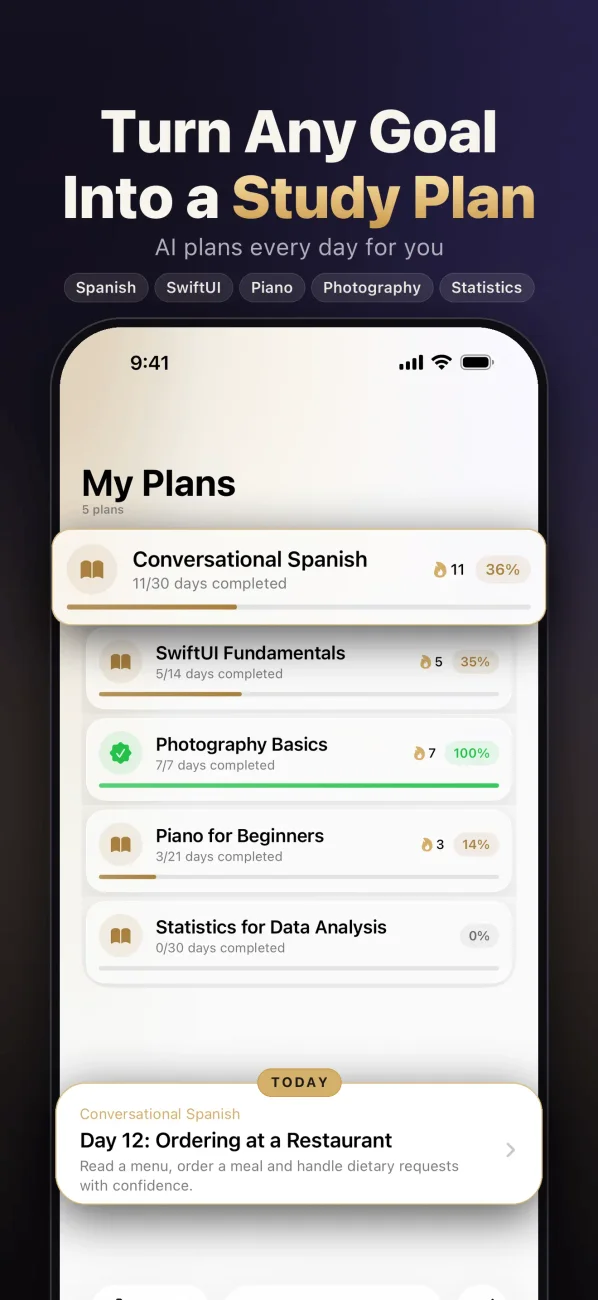
Tell Study Mood what you want to learn. Get a day-by-day study plan with a lesson for every day.
Spanish for your trip, SwiftUI for your first app, piano, photography, statistics for work - any goal becomes a clear plan you can actually follow, 15 minutes or 2 hours a day.
A PLAN THAT FITS YOU
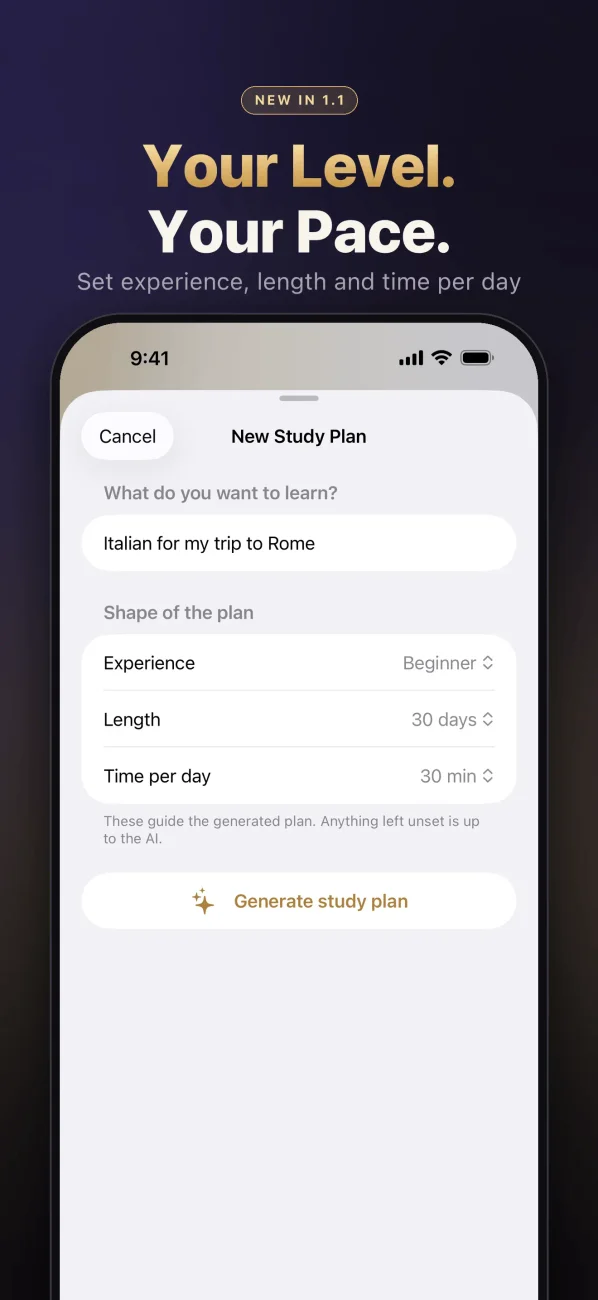
• Describe your goal in your own words.
• Choose your level: beginner, intermediate, or advanced.
• Pick a length from 7 to 90 days, or let the AI decide.
• Set how much time you have each day.
• Edit, reorder, add, or regenerate any day.
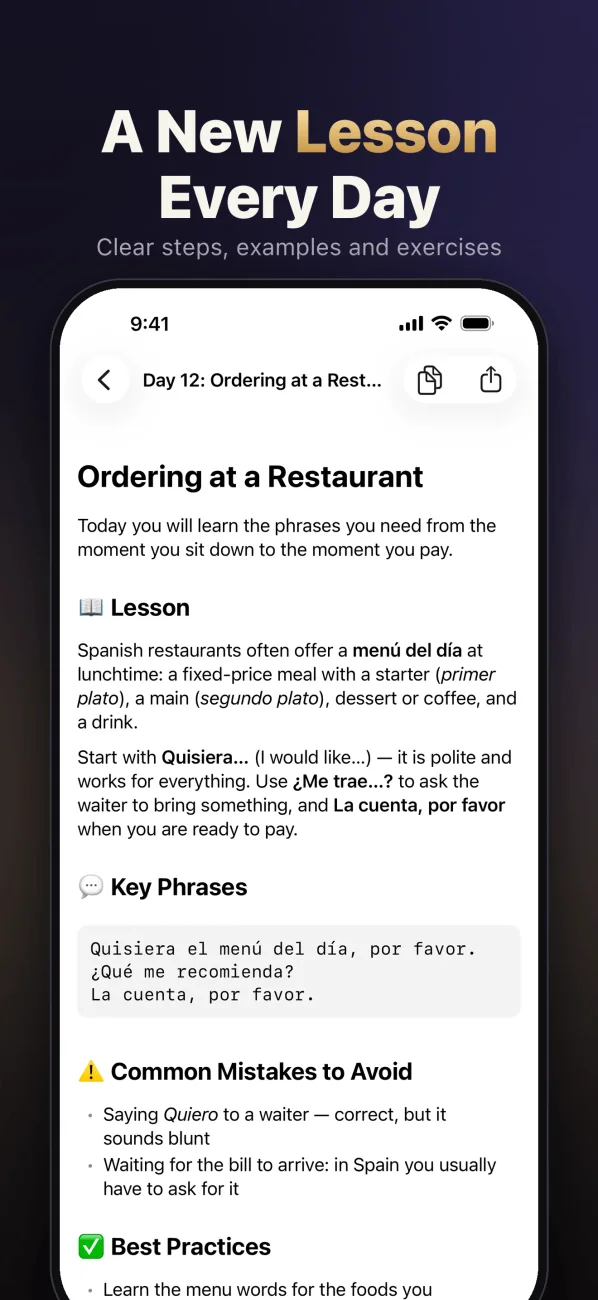
A LESSON FOR EVERY DAY
• Open any day for a full lesson: overview, explanation, examples, common mistakes, best practices, and practice exercises.
• Get suggested articles, courses, videos, and docs for the day's topic.
• Save your own links and write notes next to each lesson.
STAY ON TRACK
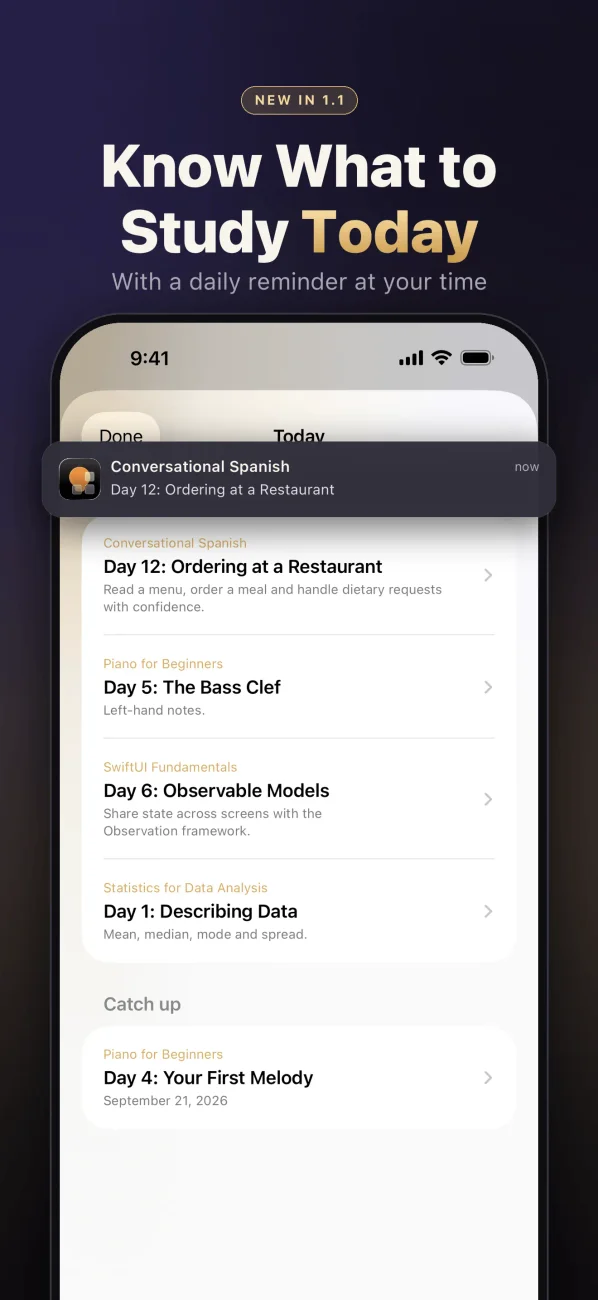
• Today shows what to study now across all your plans, and what to catch up on.
• Daily reminders at the time you choose.
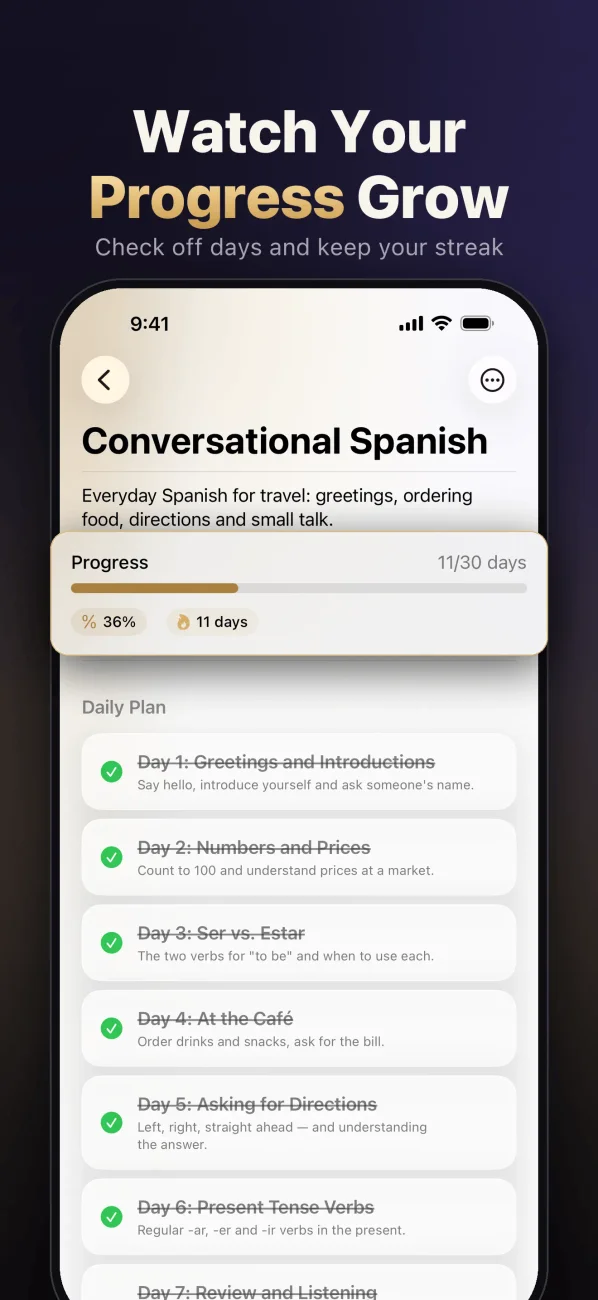
• Mark days complete and watch your progress and streak grow.
PRIVATE BY DEFAULT
Study Mood uses Apple Intelligence, so plans and lessons are generated on your device. Your plans, notes, and resources are stored on your device. No account, no sign-up, no ads.
Prefer OpenAI models? Add your own OpenAI API key in Settings. The key is kept in your device's Keychain, and only the study topic and the day's title and description are sent to OpenAI under your own account - never your notes.
ON IPHONE, IPAD AND MAC
A native SwiftUI app with a three-column layout on iPad and Mac.
FREE AND PRO
Try it free: create plans and generate your first lessons and resource searches at no cost. Study Mood Pro unlocks unlimited lessons and resource suggestions, available as a monthly or yearly subscription. Payment is charged to your Apple Account; subscriptions renew automatically unless cancelled at least 24 hours before the end of the period. Manage or cancel in your App Store account settings.
AI-generated content can contain mistakes. Double-check important facts with trusted sources.
Apple Intelligence requires a compatible device with Apple Intelligence turned on. Without it, you can use your own OpenAI API key.
Questions or feedback? support@nestor.studio
Terms of Use: https://www.nestor.studio/study-mood/terms-of-use
Privacy Policy: https://www.nestor.studio/study-mood/privacy-policy
Neue Funktionen
Version 1.1.0 · 23.09.2026
Study Mood 1.1 makes every plan fit you — and makes it easier to keep going.
• Shape your plan: pick your experience level, how long the plan should run (7 to 90 days, or let the AI decide), and how much time you have each day.
• Today: one screen with what to study today across all your plans, plus the days you still need to catch up on.
• Daily reminders: choose a time and Study Mood reminds you about that day's lesson. Reminders are scheduled on your device.
• Edit anything: rename a plan, change its start date, edit, add, reorder, or regenerate individual days.
• Appearance: choose Light, Dark, or match your system.
• Clear free limits: you always see how many free lessons and resource searches are left.
• Easier OpenAI setup: paste your key, pick a model, done.
Fixes
• Generated lessons are always saved, and a failed generation no longer uses up a free lesson.
• Deleting a plan removes its notes, resources, and progress too.
• Clearer error messages from the AI providers.
• Plan creation now works on Apple Vision Pro.
Questions or ideas? support@nestor.studio
App-Datenschutz
Was Pavel Nesterets im App Store zum Umgang dieser App mit Daten angibt.
-
Nicht mit Ihnen verknüpfte Daten
Können erfasst werden, sind aber nicht mit Ihrer Identität verknüpft.
- Käufe
Die Datenschutzpraktiken können variieren, zum Beispiel je nach den von Ihnen verwendeten Funktionen oder Ihrem Alter.
Informationen
- Anbieter
- Pavel Nesterets
- Kategorie
- Bildung
- Version
- 1.1.0
- Aktualisiert
- 23.09.2026
- Veröffentlicht
- 05.01.2026
- Größe
- 22,9 MB
- Erfordert
- iOS 26.0 oder neuer
- Altersfreigabe
- 9+
- Preis
- Kostenlos
- In-App-Käufe
- Ja
- Sprachen
- Englisch
- Copyright
- © 2025 Nesterets Pavel