Study Mood: AI Study Planner
Learning Plan & Daily Lessons
Designed for iPhone, iPad, Mac
In-app purchases
- Age rating9+
- CategoryEducation
- DeveloperPavel Nesterets
- LanguagesEnglish
- Size22.9 MB
Links to the official App Store page
Download.org hosts no file of Study Mood: AI Study Planner. The button opens its official App Store page, published by Pavel Nesterets. Listing last checked on Nov 13, 2026.
Screenshots


About
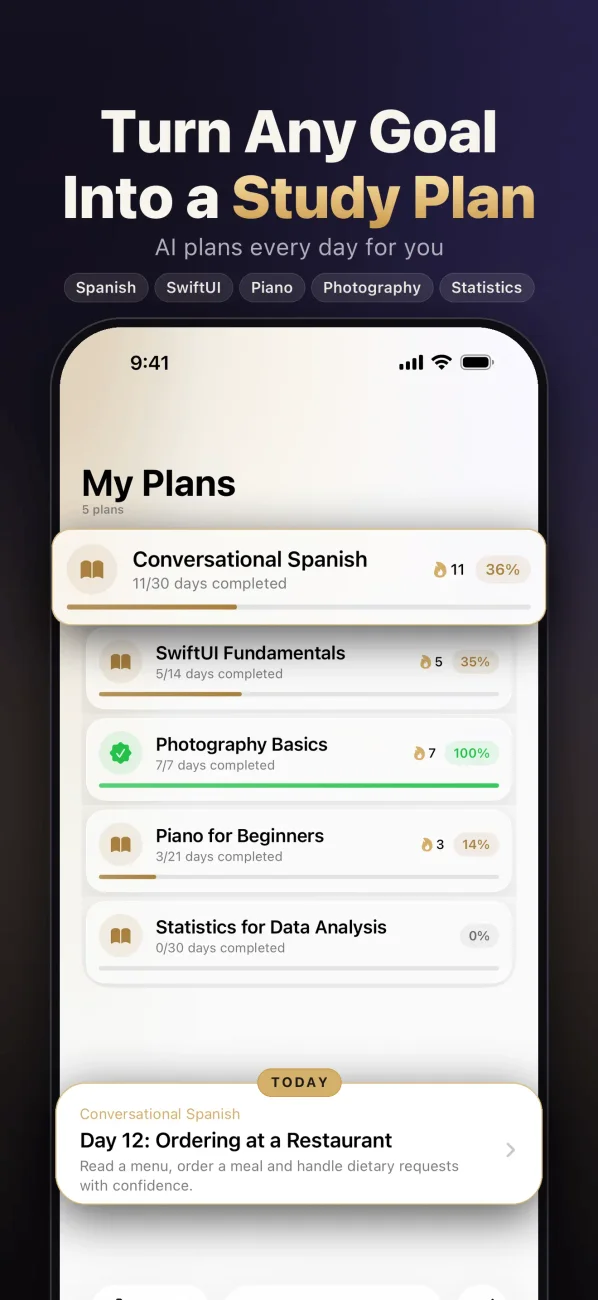
Tell Study Mood what you want to learn. Get a day-by-day study plan with a lesson for every day.
Spanish for your trip, SwiftUI for your first app, piano, photography, statistics for work - any goal becomes a clear plan you can actually follow, 15 minutes or 2 hours a day.
A PLAN THAT FITS YOU
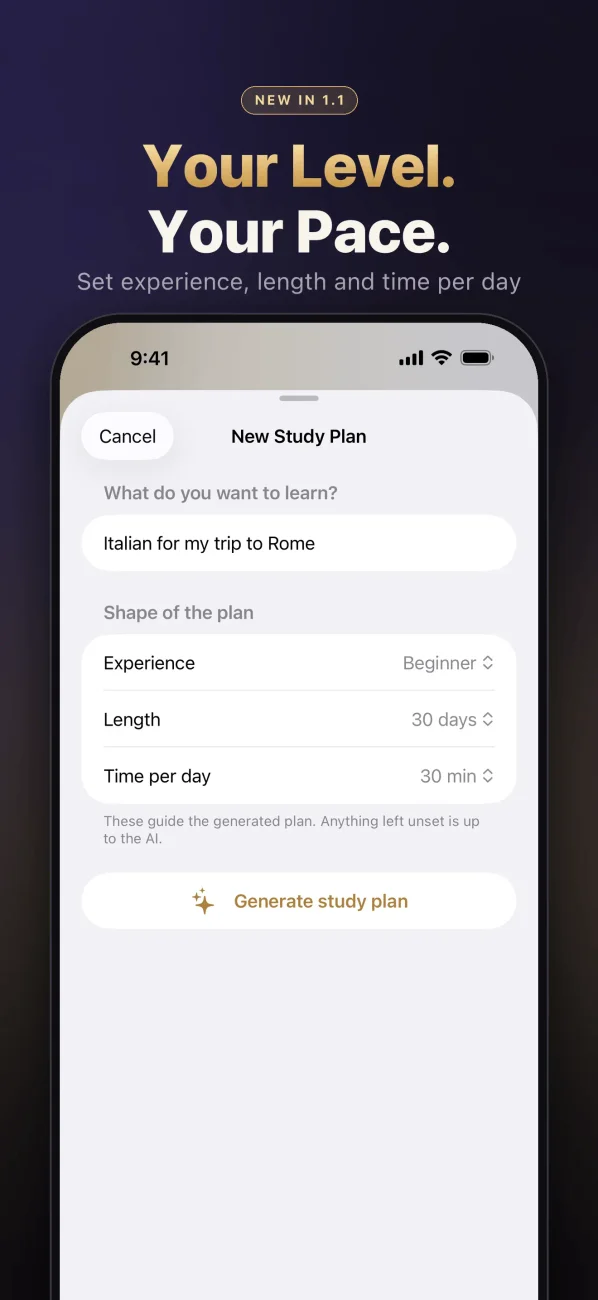
• Describe your goal in your own words.
• Choose your level: beginner, intermediate, or advanced.
• Pick a length from 7 to 90 days, or let the AI decide.
• Set how much time you have each day.
• Edit, reorder, add, or regenerate any day.
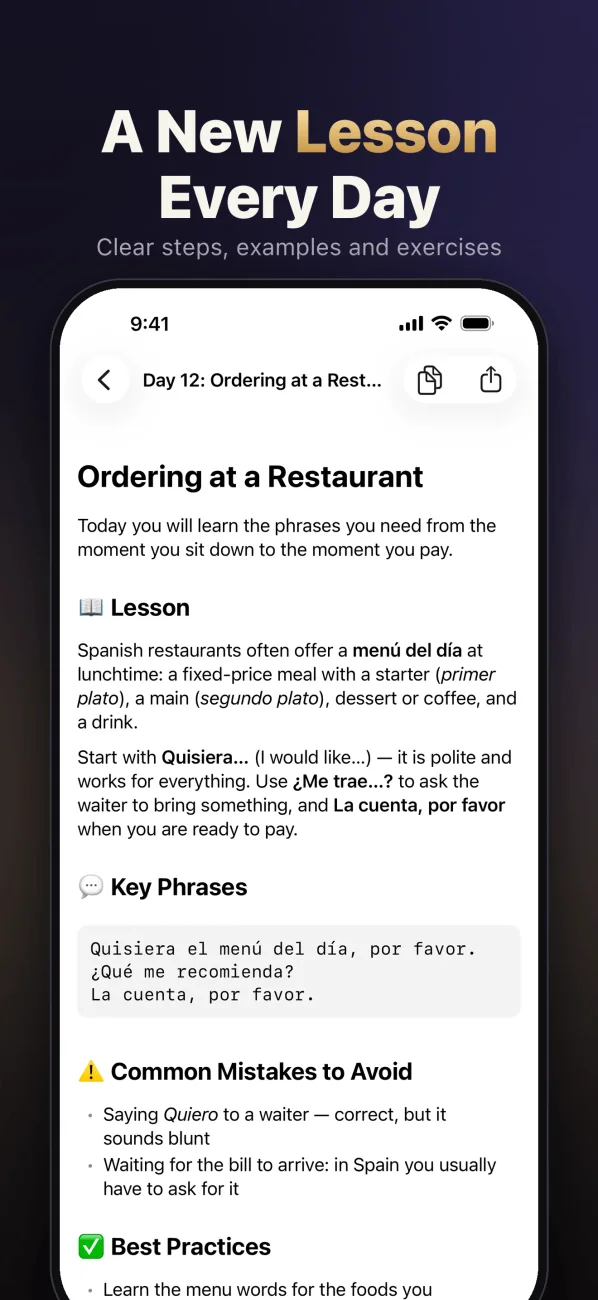
A LESSON FOR EVERY DAY
• Open any day for a full lesson: overview, explanation, examples, common mistakes, best practices, and practice exercises.
• Get suggested articles, courses, videos, and docs for the day's topic.
• Save your own links and write notes next to each lesson.
STAY ON TRACK
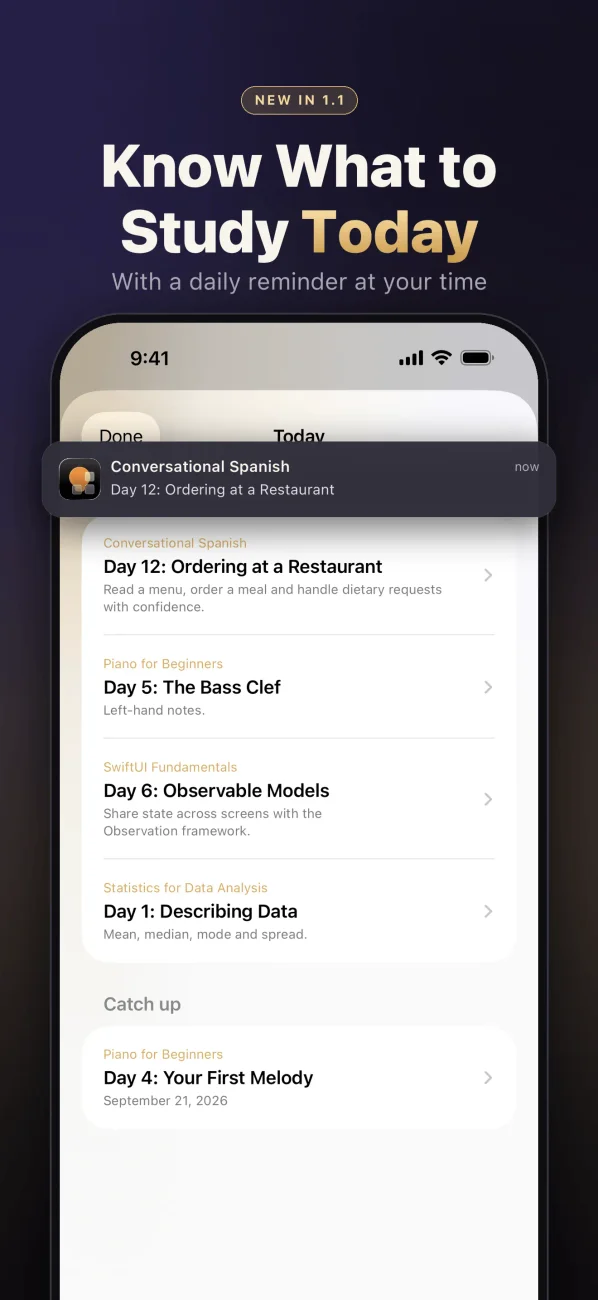
• Today shows what to study now across all your plans, and what to catch up on.
• Daily reminders at the time you choose.
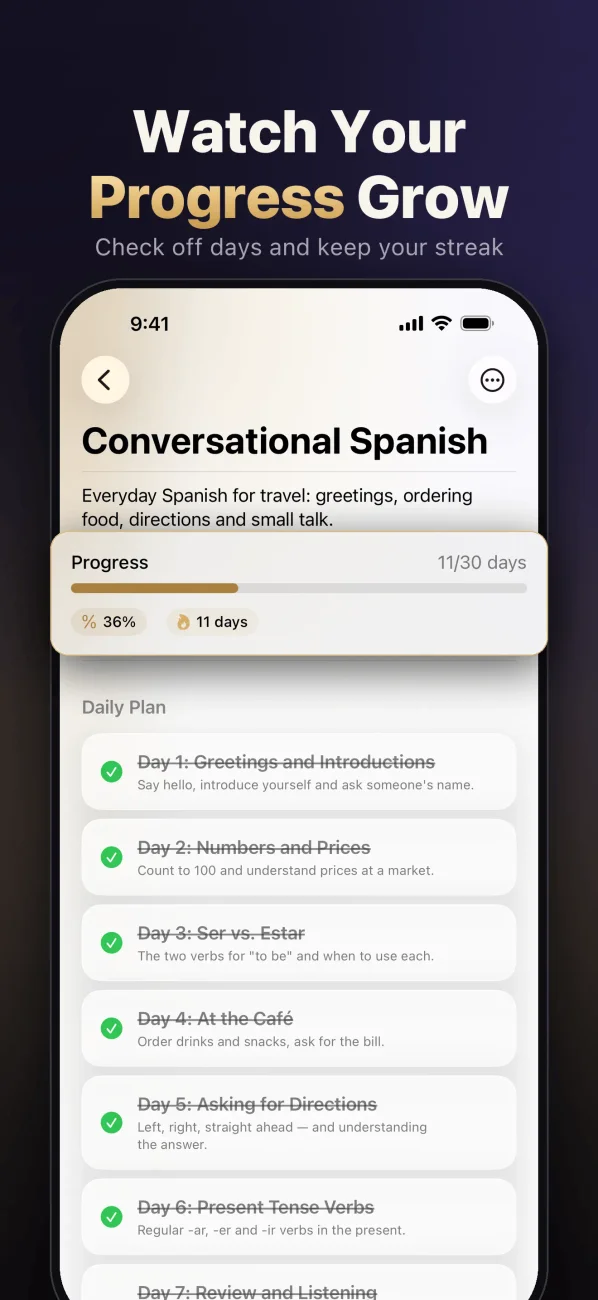
• Mark days complete and watch your progress and streak grow.
PRIVATE BY DEFAULT
Study Mood uses Apple Intelligence, so plans and lessons are generated on your device. Your plans, notes, and resources are stored on your device. No account, no sign-up, no ads.
Prefer OpenAI models? Add your own OpenAI API key in Settings. The key is kept in your device's Keychain, and only the study topic and the day's title and description are sent to OpenAI under your own account - never your notes.
ON IPHONE, IPAD AND MAC
A native SwiftUI app with a three-column layout on iPad and Mac.
FREE AND PRO
Try it free: create plans and generate your first lessons and resource searches at no cost. Study Mood Pro unlocks unlimited lessons and resource suggestions, available as a monthly or yearly subscription. Payment is charged to your Apple Account; subscriptions renew automatically unless cancelled at least 24 hours before the end of the period. Manage or cancel in your App Store account settings.
AI-generated content can contain mistakes. Double-check important facts with trusted sources.
Apple Intelligence requires a compatible device with Apple Intelligence turned on. Without it, you can use your own OpenAI API key.
Questions or feedback? support@nestor.studio
Terms of Use: https://www.nestor.studio/study-mood/terms-of-use
Privacy Policy: https://www.nestor.studio/study-mood/privacy-policy
What’s new
Version 1.1.0 · Sep 23, 2026
Study Mood 1.1 makes every plan fit you — and makes it easier to keep going.
• Shape your plan: pick your experience level, how long the plan should run (7 to 90 days, or let the AI decide), and how much time you have each day.
• Today: one screen with what to study today across all your plans, plus the days you still need to catch up on.
• Daily reminders: choose a time and Study Mood reminds you about that day's lesson. Reminders are scheduled on your device.
• Edit anything: rename a plan, change its start date, edit, add, reorder, or regenerate individual days.
• Appearance: choose Light, Dark, or match your system.
• Clear free limits: you always see how many free lessons and resource searches are left.
• Easier OpenAI setup: paste your key, pick a model, done.
Fixes
• Generated lessons are always saved, and a failed generation no longer uses up a free lesson.
• Deleting a plan removes its notes, resources, and progress too.
• Clearer error messages from the AI providers.
• Plan creation now works on Apple Vision Pro.
Questions or ideas? support@nestor.studio
App privacy
What Pavel Nesterets declares on the App Store about how this app handles data.
-
Data not linked to you
May be collected but is not linked to your identity.
- Purchases
Privacy practices may vary, for example with the features you use or your age.
Information
- Seller
- Pavel Nesterets
- Category
- Education
- Version
- 1.1.0
- Updated
- Sep 23, 2026
- Released
- Jan 5, 2026
- Size
- 22.9 MB
- Requires
- iOS 26.0 or later
- Age rating
- 9+
- In-app purchases
- Yes
- Languages
- English
- Copyright
- © 2025 Nesterets Pavel
You might also like
-
 Teacher Ai ToolkitAI tools for faster planning
-
 CoursFox : PDF to CoursesAI Convert PDF to courses
-
 Learn30AI Learning Coach
-
 Penmark: Grade with PencilEducation
-
 HomeworkHubEducation
-
 Study Planner – CourseListTake notes, track progress
-
 PinHSK - Pinyin & HSK VocabLearn Chinese pronunciation
-
 Focused: Study PlannerFocus Timer & Exam Tracker
-
 Lectures.AIAI-Powered Study Companion
-
 StudyTime PlannerStudy Schedule & Exam Planner