Super Scanner: PDF Scanner
Document Scan, Sign & Edit
Entwickelt für iPhone, iPad, iPod touch
Kostenlos · In-App-Käufe
- Altersfreigabe12+
- KategorieDienstprogramme
- EntwicklerSuper Tools Technology Co., Limited
- SprachenEnglisch+ 15 weitere
- Größe142,6 MB
Verlinkt auf die offizielle App Store-Seite
Download.org hostet keine Datei von Super Scanner: PDF Scanner. Die Schaltfläche öffnet die App-Seite bei App Store, wo Super Tools Technology Co., Limited die App veröffentlicht. Eintrag zuletzt geprüft am 24.11.2026.
Screenshots


Info
Der Entwickler hat diesen Text nicht in Ihrer Sprache bereitgestellt.
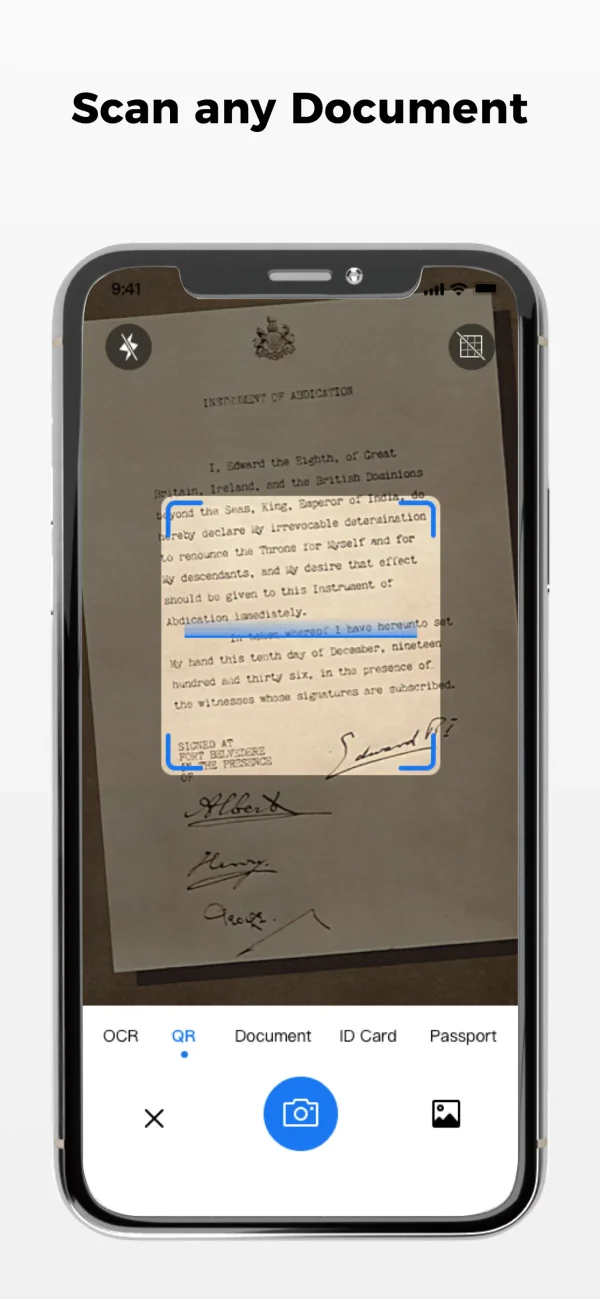
Super Scanner is a handy scanning app that turns your iPhone or iPad into a powerful portable scanner. Easily scan, save and share any document in PDF or JPEG format. Read pdf free.
Our scanner app will become an indispensable tool in everyday life. Scan anything you need, including receipts, documents, post-it notes, fax paper, and books, and store those scans in PDF or JPEG format in multi-page files.
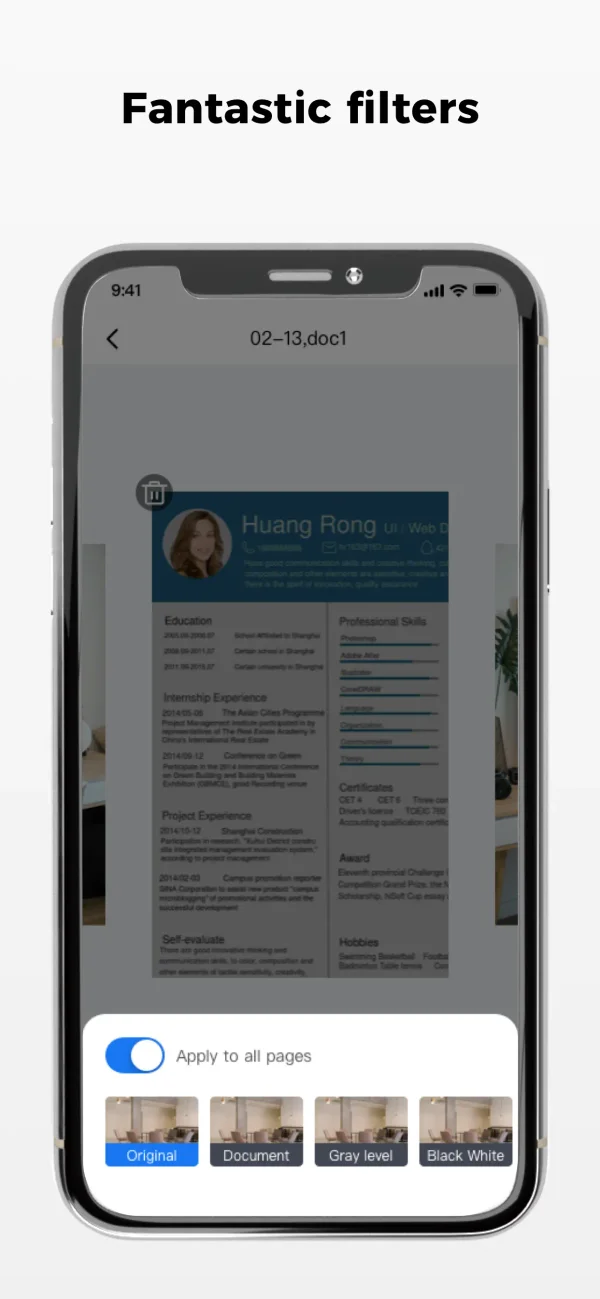
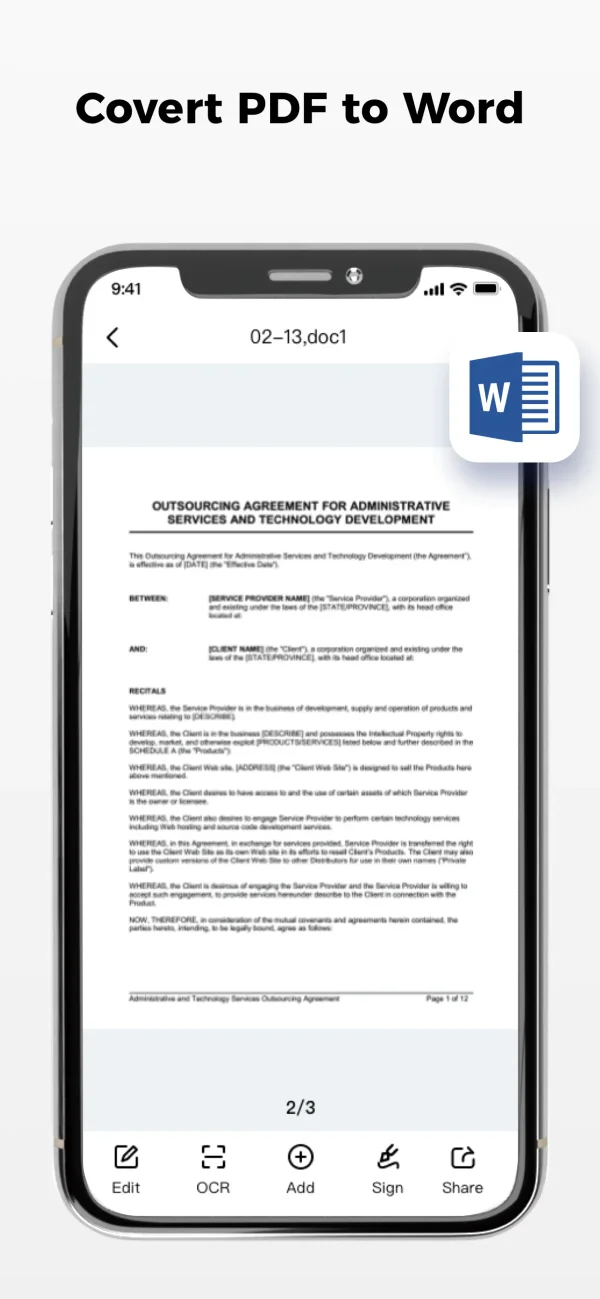
Save even more time with new features like OCR to recognize scanned text and electronic signatures, and add signatures to your documents in just a few steps.
Take this portable document scanner with you everywhere; for your everyday business needs. It does not require an internet connection and all scans are stored locally on your device. If you need to protect your important scans, you can set a password to control the entire app, or you can lock specific folders or documents.
Say goodbye to bulky desktop scanners and get a super fast PDF scanning app today!
Main Functions of Super Scanner:
Document Scan:
Scan paper documents to PDF
ID Scan:
Great ID Scanenr, Simply take a photo to scan your ID card.
Passport Scan:
Take a photo easy and you will get a passpotr PDF file.
Text Extraction
Simply take a photo of an image or document to extract the text.
Document handler:
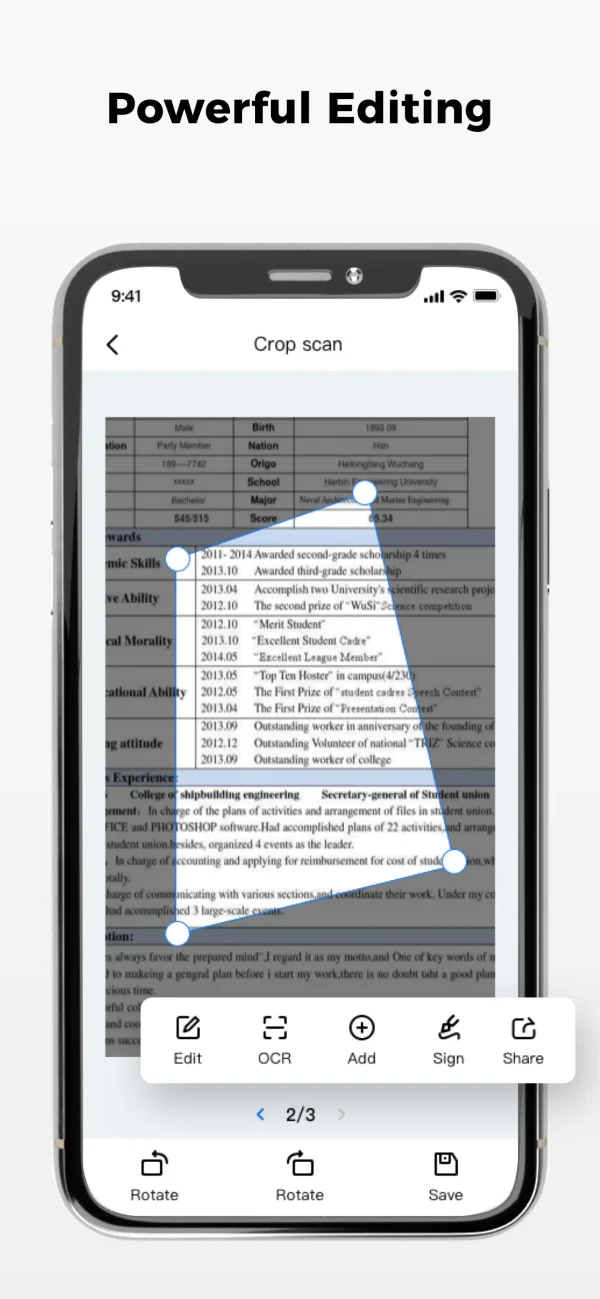
Electronically sign any document by adding your signature to the scan output within the app
Cut, copy and paste pages in App
Lightning-fast PDF Viewer
Open and read PDF documents instantly with smooth scrolling and zooming.
File manager:
Full-featured file manager with drag-and-drop folders and document editing
Manually sign your scanned documents or add signatures from photos
Mark up documents, blur or blur the clarity of text you don't need to see
Add text on forms or fill out documents with custom templates
Protect your documents by locking folders and scanning outputs with passwords
Sort documents by name, date or size
- Choose from table and group view modes
Document sharing tools:
Share scan output via email
- Save scan output to camera roll
All scanned documents are stored locally on your device and cannot be accessed by us or any third party. You can easily share documents using the export option.
Unlimited Benefit Membership Subscription
- You can subscribe to get unlimited access to all features in the app
Subscriptions are paid weekly, monthly, quarterly or annually at rates determined by the subscription plan.
After confirmation of purchase, the required amount will be charged to your iTunes account
Subscription automatically renews unless auto-renew is turned off at least 24-hours before the end of the current period
Accounts will be charged for renewal within 24 hours prior to the end of the current period. Fees vary by plan selected
Subscriptions may be controlled by the user and auto-renewal may be turned off by going to the user's Account Settings after purchase
- Any unused portion of the free trial period will be forfeited when the user purchases a subscription plan
In App Purchase:
You can be a premium user and get more features through auto-renewable subscription:
Price of subscription:
1 Month Plan- $7.99
1 Year Plan- $24.99
Terms of Service: https://sites.google.com/view/ssuperscanner/supper-scanner/terms-of-service
Privacy Policy: https://sites.google.com/view/ssuperscanner/supper-scanner/privacy-policy
Contact us:
If you have any questions or suggestions, feel free to send them to: support@mobilesupertools.com
Neue Funktionen
Version 1.3.19 · 05.09.2026
Fix known bugs
App-Datenschutz
Was Super Tools Technology Co., Limited im App Store zum Umgang dieser App mit Daten angibt.
-
Daten, die zum Tracking Ihrer Person verwendet werden
Können verwendet werden, um Sie über Apps und Websites anderer Unternehmen hinweg zu verfolgen.
- Kennungen
-
Mit Ihnen verknüpfte Daten
Können erfasst und mit Ihrer Identität verknüpft werden.
- Kennungen
-
Nicht mit Ihnen verknüpfte Daten
Können erfasst werden, sind aber nicht mit Ihrer Identität verknüpft.
- Benutzerinhalte
- Nutzungsdaten
- Diagnose
Die Datenschutzpraktiken können variieren, zum Beispiel je nach den von Ihnen verwendeten Funktionen oder Ihrem Alter.
Informationen
- Anbieter
- Super Tools Technology Co., Limited
- Kategorie
- Dienstprogramme
- Version
- 1.3.19
- Aktualisiert
- 05.09.2026
- Veröffentlicht
- 21.01.2022
- Größe
- 142,6 MB
- Erfordert
- iOS 15.0 oder neuer
- Altersfreigabe
- 12+
- Preis
- Kostenlos
- In-App-Käufe
- Ja
- Sprachen
- Englisch, Arabisch, Französisch, Deutsch, Griechisch, Hindi, Italienisch, Japanisch, Koreanisch, Polnisch, Portugiesisch, Russisch + 4 weitere
- Copyright
- © Super Tools Technology Co., Limited
Das könnte Ihnen auch gefallen
-
 Mobile Scanner PDF AppDienstprogramme
-
 Top Scanner-Smart PDF ScannerDienstprogramme
-
 Einfacher PDF-EditorPDF einfach bearbeiten!
-
 PDF-Dokumentenscanner und OCRScanner mit auto Zuschneiden
-
 ORYX VPNDienstprogramme
-
 PDF Bearbeiten & LesenPDF Reader, Scanner & Signatur
-
 Foto Übersetzer & Kamera ScanBild übersetzen & Text scannen
-
 PDF Reader - Editor und ReaderEditor Konverter OCR
-
 Jump VPN - wind v2box wireDienstprogramme
-
 JomeVPN: Schneller & SichererCybersicherheit leichtgemacht