Super Scanner: PDF Scanner
Document Scan, Sign & Edit
iPhone, iPad, iPod touch向けに設計
無料 · アプリ内課金
- 対象年齢12+
- カテゴリユーティリティ
- 開発元Super Tools Technology Co., Limited
- 言語英語ほか15言語
- サイズ142.6 MB
App Storeの公式ページにリンクしています
Download.orgはSuper Scanner: PDF Scannerのファイルを一切ホストしていません。ボタンを押すと、Super Tools Technology Co., Limitedが公開しているApp Storeのアプリページが開きます。ページの最終確認:2026/11/24。
スクリーンショット


概要
開発元はこのテキストをお使いの言語で提供していません。
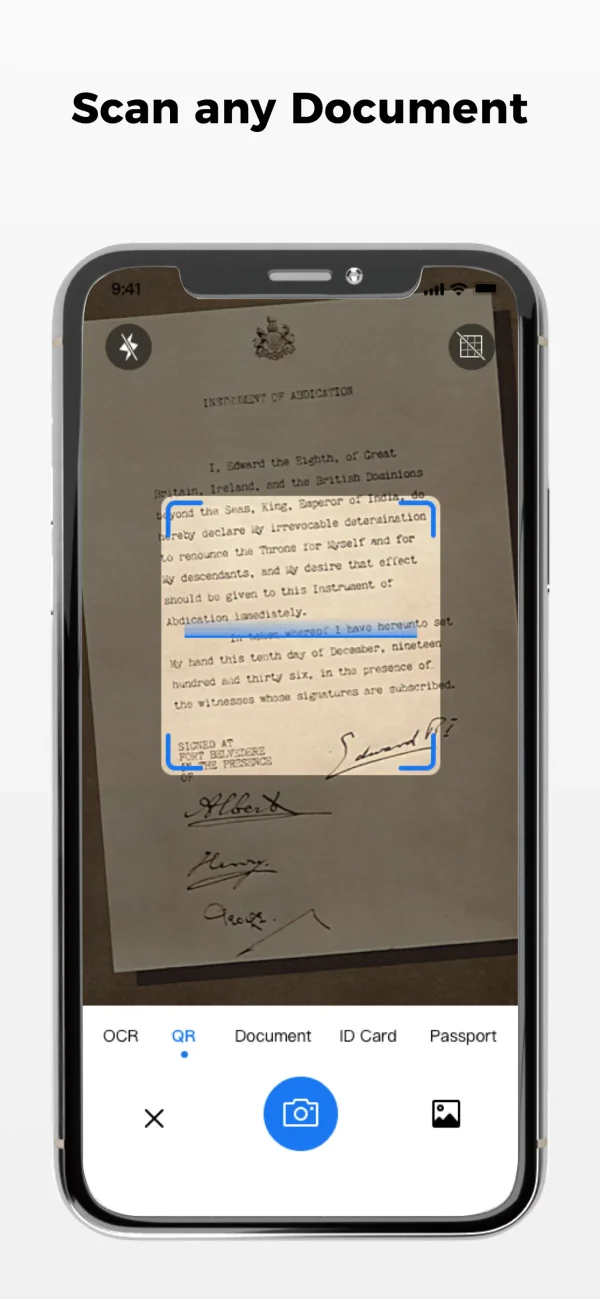
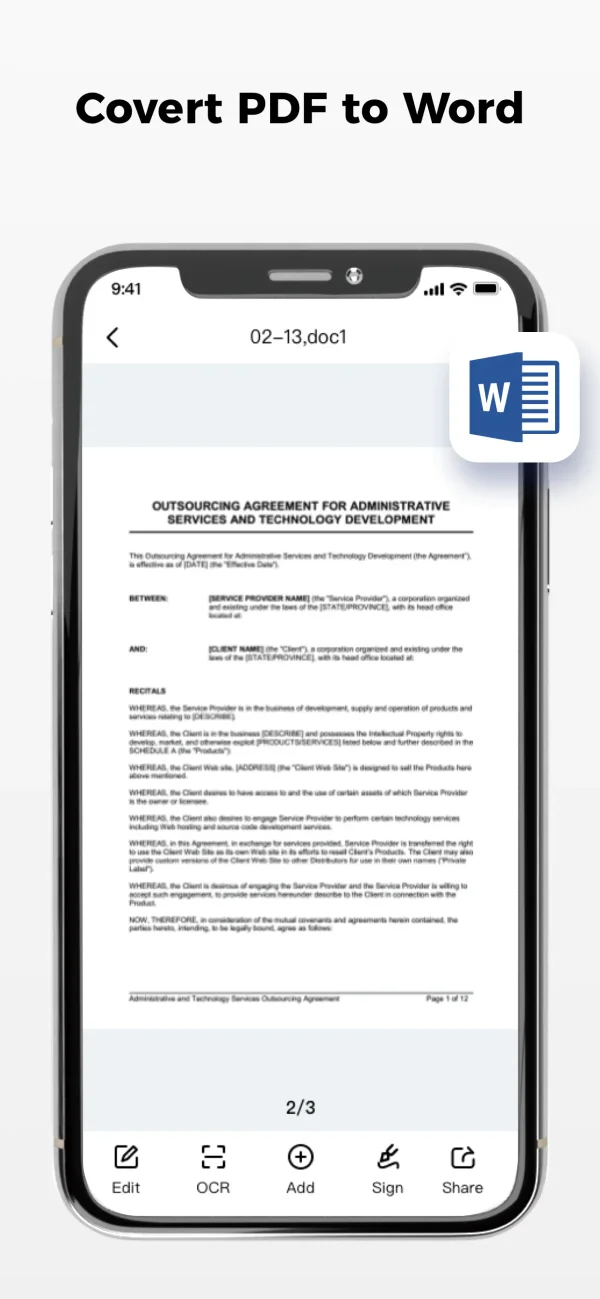
Super Scanner is a handy scanning app that turns your iPhone or iPad into a powerful portable scanner. Easily scan, save and share any document in PDF or JPEG format. Read pdf free.
Our scanner app will become an indispensable tool in everyday life. Scan anything you need, including receipts, documents, post-it notes, fax paper, and books, and store those scans in PDF or JPEG format in multi-page files.
Save even more time with new features like OCR to recognize scanned text and electronic signatures, and add signatures to your documents in just a few steps.
Take this portable document scanner with you everywhere; for your everyday business needs. It does not require an internet connection and all scans are stored locally on your device. If you need to protect your important scans, you can set a password to control the entire app, or you can lock specific folders or documents.
Say goodbye to bulky desktop scanners and get a super fast PDF scanning app today!
Main Functions of Super Scanner:
Document Scan:
Scan paper documents to PDF
ID Scan:
Great ID Scanenr, Simply take a photo to scan your ID card.
Passport Scan:
Take a photo easy and you will get a passpotr PDF file.
Text Extraction
Simply take a photo of an image or document to extract the text.
Document handler:
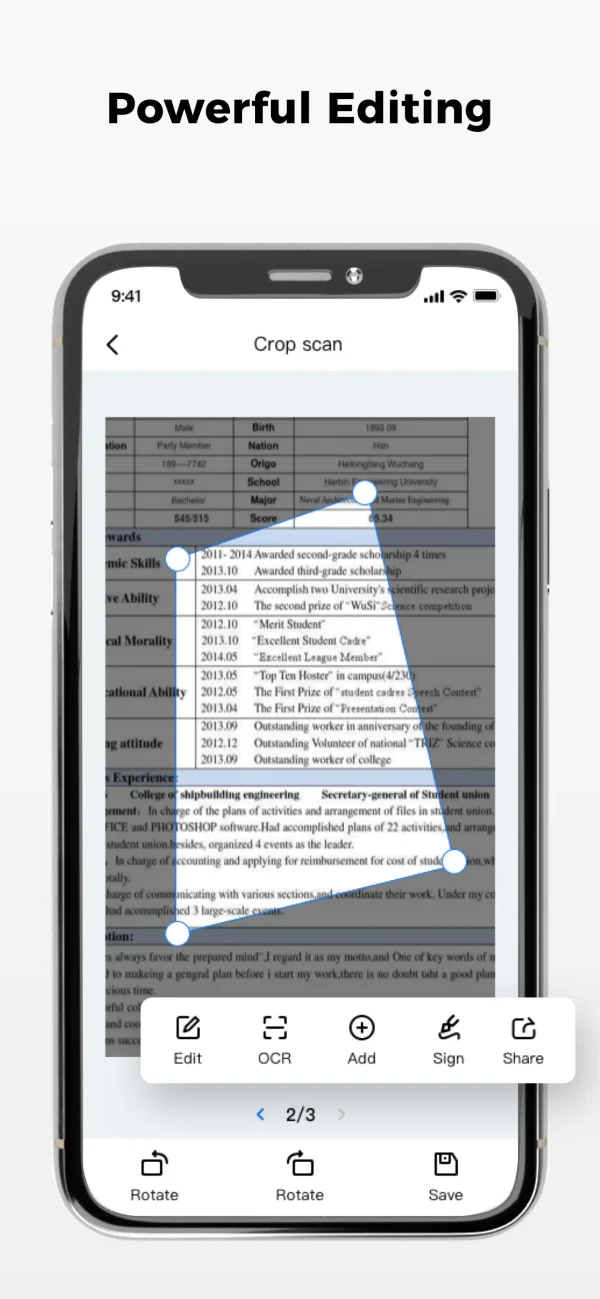
Electronically sign any document by adding your signature to the scan output within the app
Cut, copy and paste pages in App
Lightning-fast PDF Viewer
Open and read PDF documents instantly with smooth scrolling and zooming.
File manager:
Full-featured file manager with drag-and-drop folders and document editing
Manually sign your scanned documents or add signatures from photos
Mark up documents, blur or blur the clarity of text you don't need to see
Add text on forms or fill out documents with custom templates
Protect your documents by locking folders and scanning outputs with passwords
Sort documents by name, date or size
- Choose from table and group view modes
Document sharing tools:
Share scan output via email
- Save scan output to camera roll
All scanned documents are stored locally on your device and cannot be accessed by us or any third party. You can easily share documents using the export option.
Unlimited Benefit Membership Subscription
- You can subscribe to get unlimited access to all features in the app
Subscriptions are paid weekly, monthly, quarterly or annually at rates determined by the subscription plan.
After confirmation of purchase, the required amount will be charged to your iTunes account
Subscription automatically renews unless auto-renew is turned off at least 24-hours before the end of the current period
Accounts will be charged for renewal within 24 hours prior to the end of the current period. Fees vary by plan selected
Subscriptions may be controlled by the user and auto-renewal may be turned off by going to the user's Account Settings after purchase
- Any unused portion of the free trial period will be forfeited when the user purchases a subscription plan
In App Purchase:
You can be a premium user and get more features through auto-renewable subscription:
Price of subscription:
1 Month Plan- $7.99
1 Year Plan- $24.99
Terms of Service: https://sites.google.com/view/ssuperscanner/supper-scanner/terms-of-service
Privacy Policy: https://sites.google.com/view/ssuperscanner/supper-scanner/privacy-policy
Contact us:
If you have any questions or suggestions, feel free to send them to: support@mobilesupertools.com
新機能
バージョン 1.3.19 · 2026/9/5
Fix known bugs
アプリのプライバシー
このアプリのデータの取り扱いについて、Super Tools Technology Co., LimitedがApp Storeで申告している内容です。
-
ユーザーのトラッキングに使用されるデータ
他社のアプリやウェブサイトを横断してユーザーをトラッキングする目的で使用される場合があります。
- ID
-
ユーザーに関連付けられたデータ
収集され、ユーザーの識別情報に関連付けられる場合があります。
- ID
-
ユーザーに関連付けられないデータ
収集される場合がありますが、ユーザーの識別情報には関連付けられません。
- ユーザーコンテンツ
- 使用状況データ
- 診断
プライバシーの取り扱いは、ご利用の機能やお客様の年齢などに応じて異なる場合があります。
情報
- 販売元
- Super Tools Technology Co., Limited
- カテゴリ
- ユーティリティ
- バージョン
- 1.3.19
- 更新日
- 2026/9/5
- リリース
- 2022/1/21
- サイズ
- 142.6 MB
- 必要条件
- iOS 15.0以降
- 対象年齢
- 12+
- 価格
- 無料
- アプリ内課金
- あり
- 言語
- 英語, アラビア語, フランス語, ドイツ語, ギリシャ語, ヒンディー語, イタリア語, 日本語, 韓国語, ポーランド語, ポルトガル語, ロシア語 ほか4言語
- 著作権
- © Super Tools Technology Co., Limited
こちらもおすすめ
-
 Mobile Scanner PDF Appユーティリティ
-
 Top Scanner-Smart PDF Scannerユーティリティ
-
 簡単PDF編集PDFを簡単に編集できる!
-
 PDFスキャンアプリ- OCRテキストスキャンドキュメントのスキャン、PDF リーダー
-
 ORYX VPNユーティリティ
-
 pdfエディタPDFリーダー・スキャン・署名
-
 写真翻訳 - 翻訳カメラ&スキャン画像・文字を撮るだけで翻訳
-
 PDF Reader - PDFの編集・閲覧・作成・署名エディター コンバーター OCR(光学文字認識)
-
 Jump VPN - wind v2box wireユーティリティ
-
 JomeVPN: Quick & Safe Proxy暗号化VPNで安全にネット利用!匿名性とプライバシーを確保