SuperCapper
Animated Captions Editor
Entwickelt für iPhone, iPad, iPod touch
Kostenlos · In-App-Käufe
- Altersfreigabe4+
- KategorieFoto und Video
- EntwicklerQ-Games Ltd.
- SprachenEnglisch
- Größe61,3 MB
Verlinkt auf die offizielle App Store-Seite
Download.org hostet keine Datei von SuperCapper. Die Schaltfläche öffnet die App-Seite bei App Store, wo Q-Games Ltd. die App veröffentlicht. Eintrag zuletzt geprüft am 18.11.2026.
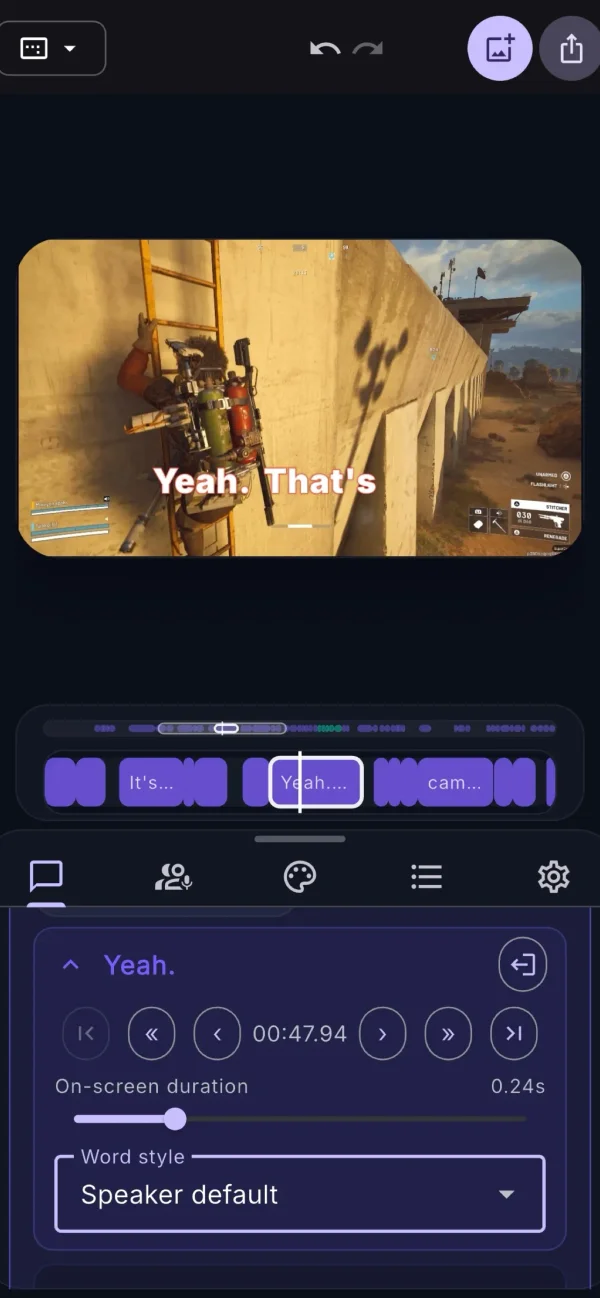
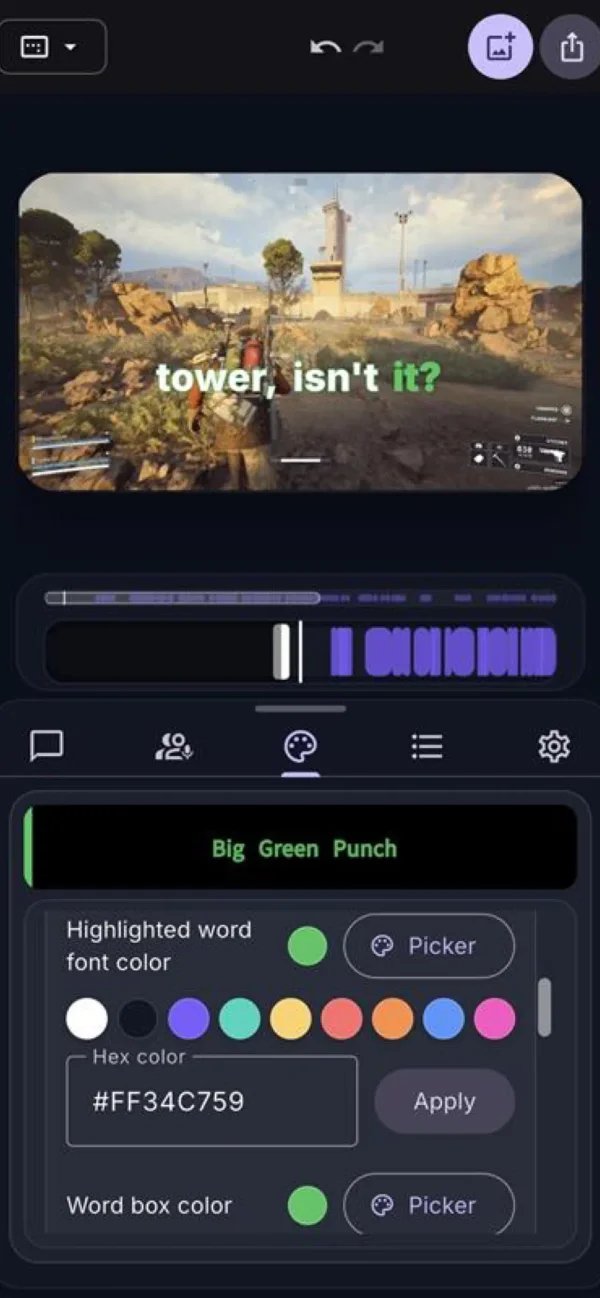
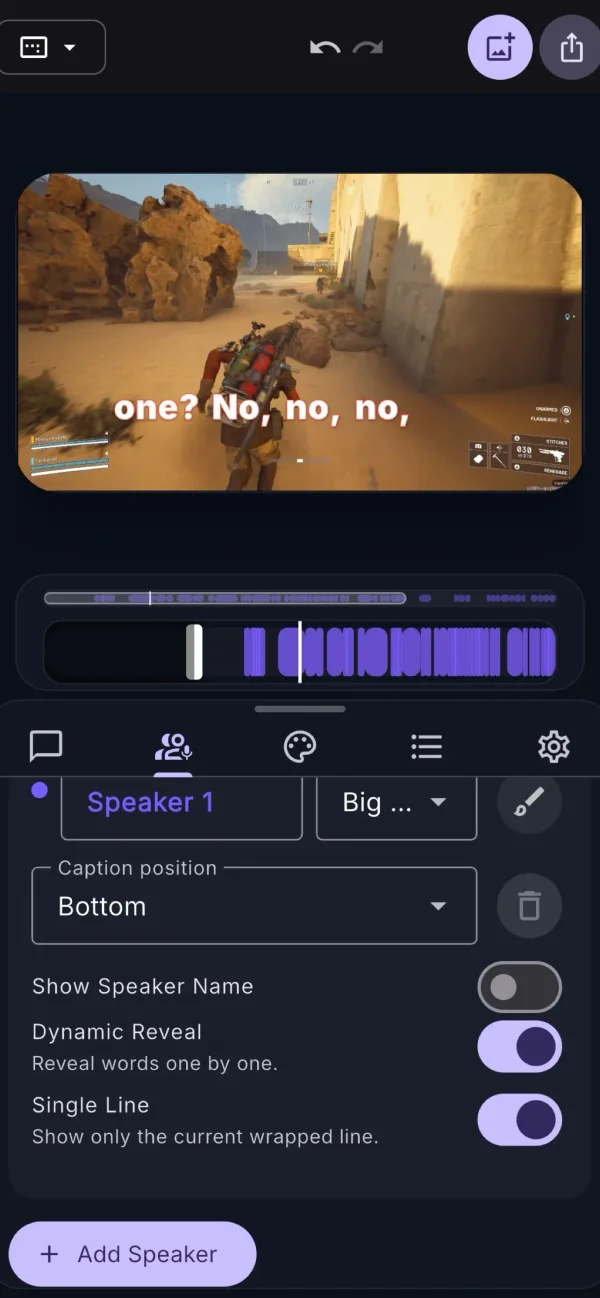
Screenshots
Info
Der Entwickler hat diesen Text nicht in Ihrer Sprache bereitgestellt.
Import any video into SuperCapper and it will transcribe the audio into delightful animated captions. (*)
■ Fast High Quality Transcription - gives you a choice of transcription providers to choose from, including the free iOS Whisper.
■ Fully Customizable Styles - get your captions looking just how you like them.
■ Fun Animations - try "wobble", "fly in", "Punch", "Jumble", random tilts and more
■ Full granular styling - you can assign a speaker with a style, or automatically choose certain words to have their own style, or go into the caption and change the style on an individual word.
■ Fully featured thumbnail editor, output multiple thumbnail formats in one go, with ease!
■ Can be used with no video import to create fun memes completely for free!
■ Multiple Languages - a vast range of languages such as Japanese, Bengali, Indonesian etc, depending on which provider you choose.
■ Multiple Speakers - choose speakers' styles freely, you can also easily re-assign words that were mistakenly assigned.
■ Easy Editing - quickly fix timing or transcription mistakes with intuitive controls.
■ Manual Mode - paint your own captions into the timeline freely.
■ Adaptive UI - use the app in portrait or landscape with ease on iPhone or iPad.
■ Automatic Censoring of Bad Words
■ Optimized Import and Export for speedy work.
■ Auto-translated sub-track for dual language support.
Thumbnail Editor features:
■ Arrange text and images how you like
■ Multiple thumbnail and banner formats supported
■ Edit all formats simultaneously
■ Diverse style presets, fully editable, save your own
■ PNG export option with rounded corners and alpha transparency
■ Export all thumbnail types in one go
■ Can be used without a video, bring in your own photos and meme them.
■ Very intuitive and easy to use
I developed this app because I couldn't find a good alternative with the features I wanted. Please support the app by unlocking the full export with a one-time purchase.
This app is under active development with new features and effects added every week or two.
(*) Automatic transcription is powered by an iOS's free and local Whisper framework or external providers such as AssemblyAI that allow you to create an account for free credits.
(*) Automatic translation is powered by iOS's Translate service on phones that support it. Otherwise you can use an APIkey for OpenAI or DeepL to perform the translation through a third party.
Please consult the privacy policy of any third party before you use them.
Neue Funktionen
Version 1.1.4 · 04.10.2026
1.1.4
UI brush up and fixes.
Added the ability to split or remove a word split from a caption. (scissor icon toggles)
Added more precise vertical positioning controls (Speaker tab->Layout).
App-Datenschutz
Was Q-Games Ltd. im App Store zum Umgang dieser App mit Daten angibt.
-
Nicht mit Ihnen verknüpfte Daten
Können erfasst werden, sind aber nicht mit Ihrer Identität verknüpft.
- Benutzerinhalte
Die Datenschutzpraktiken können variieren, zum Beispiel je nach den von Ihnen verwendeten Funktionen oder Ihrem Alter.
Informationen
- Anbieter
- Q-Games Ltd
- Kategorie
- Foto und Video
- Version
- 1.1.4
- Aktualisiert
- 04.10.2026
- Veröffentlicht
- 13.05.2026
- Größe
- 61,3 MB
- Erfordert
- iOS 13.0 oder neuer
- Altersfreigabe
- 4+
- Preis
- Kostenlos
- In-App-Käufe
- Ja
- Sprachen
- Englisch
- Copyright
- © Q-Games Ltd
Das könnte Ihnen auch gefallen
-
 Dual Shot: Portrait+LandscapeRecord Both Formats at Once
-
 FastCap : Caption for VideoFoto und Video
-
 CineScout ProFoto und Video
-
 AutoCPTFoto und Video
-
 PROAPPLIC Captions AI DEAuto-Untertitel für Videos
-
 Transcribe Video to Text: TIVOFoto und Video
-
 Grain+Rauschen & Noise Filter
-
 Bildschirmaufnahme: ClipCastVideo für Mobilgeräte
-
 Multi Cam Video Recorder 2ViewFoto und Video
-
 Easy CaptionsFoto und Video