SuperCapper
Animated Captions Editor
Designed for iPhone, iPad, iPod touch
Free · In-app purchases
- Age rating4+
- CategoryPhoto & Video
- DeveloperQ-Games Ltd.
- LanguagesEnglish
- Size61.3 MB
Links to the official App Store page
Download.org hosts no file of SuperCapper. The button opens its official App Store page, published by Q-Games Ltd. Listing last checked on Nov 18, 2026.
Screenshots
About
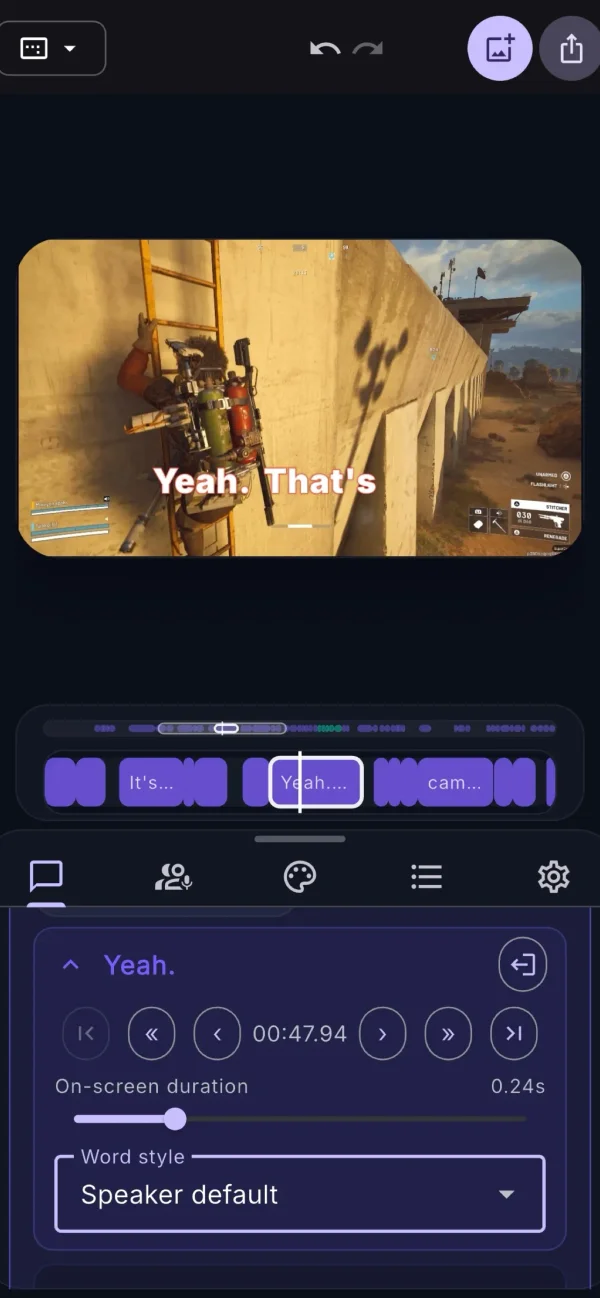
Import any video into SuperCapper and it will transcribe the audio into delightful animated captions. (*)
■ Fast High Quality Transcription - gives you a choice of transcription providers to choose from, including the free iOS Whisper.
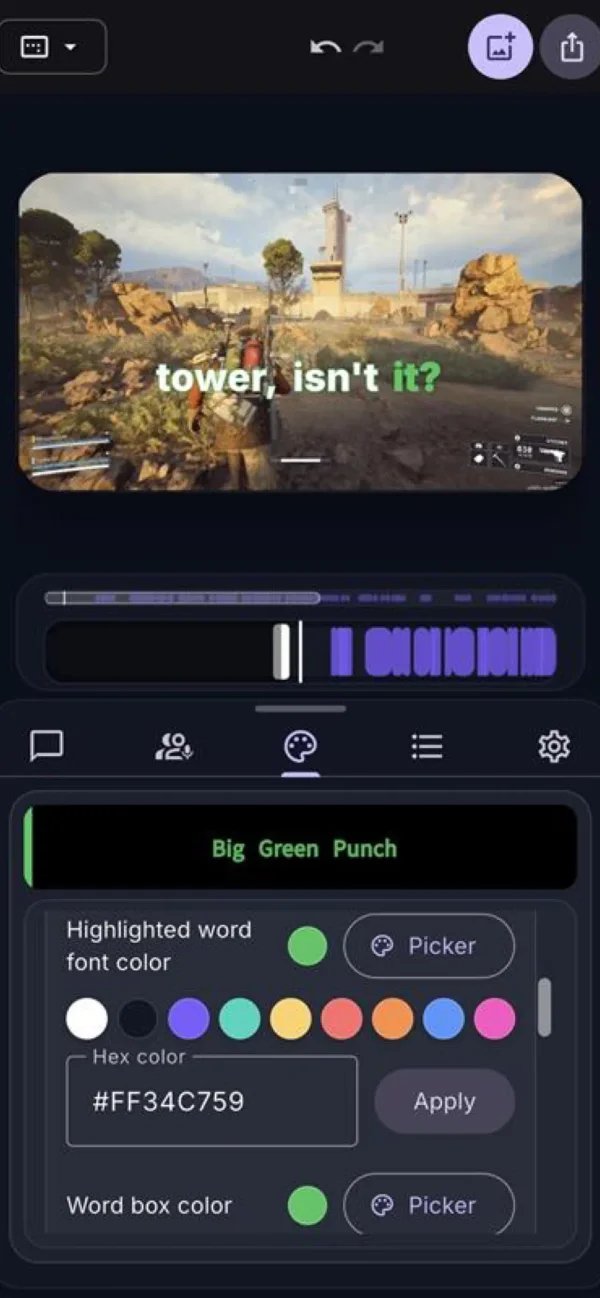
■ Fully Customizable Styles - get your captions looking just how you like them.
■ Fun Animations - try "wobble", "fly in", "Punch", "Jumble", random tilts and more
■ Full granular styling - you can assign a speaker with a style, or automatically choose certain words to have their own style, or go into the caption and change the style on an individual word.
■ Fully featured thumbnail editor, output multiple thumbnail formats in one go, with ease!
■ Can be used with no video import to create fun memes completely for free!
■ Multiple Languages - a vast range of languages such as Japanese, Bengali, Indonesian etc, depending on which provider you choose.
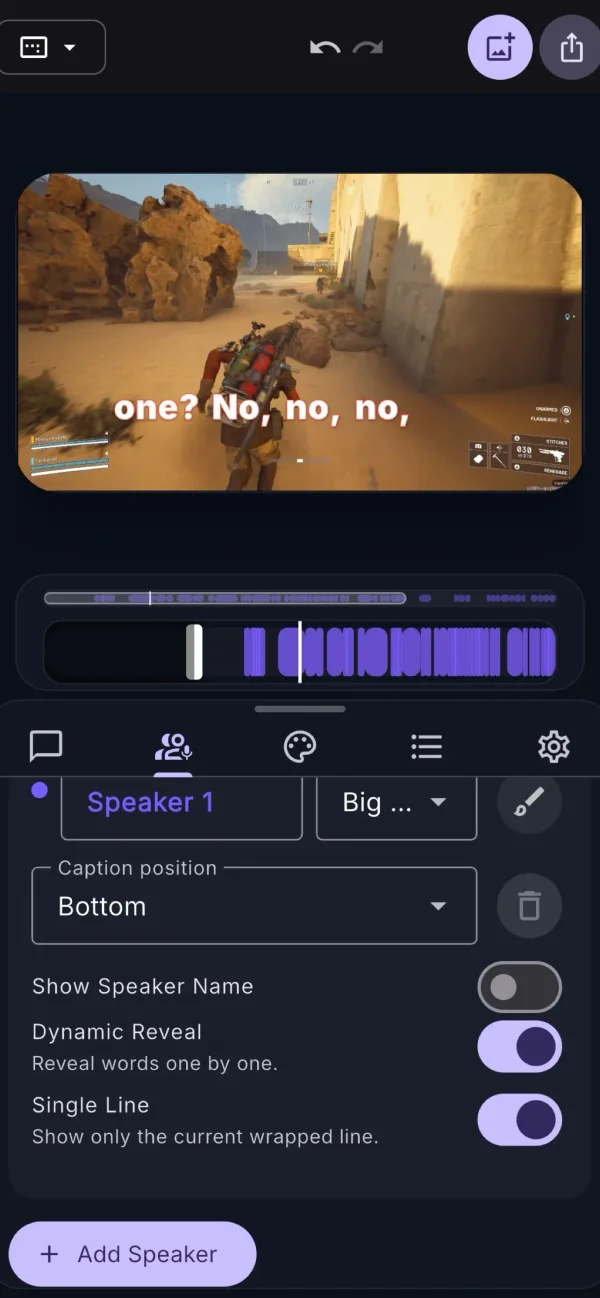
■ Multiple Speakers - choose speakers' styles freely, you can also easily re-assign words that were mistakenly assigned.
■ Easy Editing - quickly fix timing or transcription mistakes with intuitive controls.
■ Manual Mode - paint your own captions into the timeline freely.
■ Adaptive UI - use the app in portrait or landscape with ease on iPhone or iPad.
■ Automatic Censoring of Bad Words
■ Optimized Import and Export for speedy work.
■ Auto-translated sub-track for dual language support.
Thumbnail Editor features:
■ Arrange text and images how you like
■ Multiple thumbnail and banner formats supported
■ Edit all formats simultaneously
■ Diverse style presets, fully editable, save your own
■ PNG export option with rounded corners and alpha transparency
■ Export all thumbnail types in one go
■ Can be used without a video, bring in your own photos and meme them.
■ Very intuitive and easy to use
I developed this app because I couldn't find a good alternative with the features I wanted. Please support the app by unlocking the full export with a one-time purchase.
This app is under active development with new features and effects added every week or two.
(*) Automatic transcription is powered by an iOS's free and local Whisper framework or external providers such as AssemblyAI that allow you to create an account for free credits.
(*) Automatic translation is powered by iOS's Translate service on phones that support it. Otherwise you can use an APIkey for OpenAI or DeepL to perform the translation through a third party.
Please consult the privacy policy of any third party before you use them.
What’s new
Version 1.1.4 · Oct 4, 2026
1.1.4
UI brush up and fixes.
Added the ability to split or remove a word split from a caption. (scissor icon toggles)
Added more precise vertical positioning controls (Speaker tab->Layout).
App privacy
What Q-Games Ltd. declares on the App Store about how this app handles data.
-
Data not linked to you
May be collected but is not linked to your identity.
- User content
Privacy practices may vary, for example with the features you use or your age.
Information
- Seller
- Q-Games Ltd
- Category
- Photo & Video
- Version
- 1.1.4
- Updated
- Oct 4, 2026
- Released
- May 13, 2026
- Size
- 61.3 MB
- Requires
- iOS 13.0 or later
- Age rating
- 4+
- Price
- Free
- In-app purchases
- Yes
- Languages
- English
- Copyright
- © Q-Games Ltd
You might also like
-
 DualCamera recorder : Dual Camlandscape & Portrait In one Go
-
 FastCap : Caption for VideoBoost Engagement with AI
-
 CineScout ProAI Scout & Location Manager
-
 AutoCPTCaption your videos w/ AI
-
 Video Retouch: Object EraserRemove Logos, Text & Objects
-
 Transcribe Video to Text: TIVOVideo Transcriber
-
 Grain+Film Grain & Noise Filter
-
 Screen Recorder: ClipCastCapture Video for Mobile
-
 Multi Cam Video Recorder 2ViewPortrait & Landscape at Once
-
 Easy CaptionsAutomatic captions for videos