Task Hub: To-Do Planner
Plan today. Do what's next.
Entwickelt für iPhone, Mac
In-App-Käufe
- Altersfreigabe4+
- KategorieProduktivität
- Entwicklerkyohei Hanaki
- SprachenEnglisch
- Größe21,5 MB
Task Hub: To-Do Planner ist bei App Store derzeit möglicherweise nicht verfügbar
Bei unserer letzten Prüfung war der Store-Eintrag nicht erreichbar. Der Link führt weiterhin zur offiziellen App Store-Seite.
Screenshots

Info
Der Entwickler hat diesen Text nicht in Ihrer Sprache bereitgestellt.
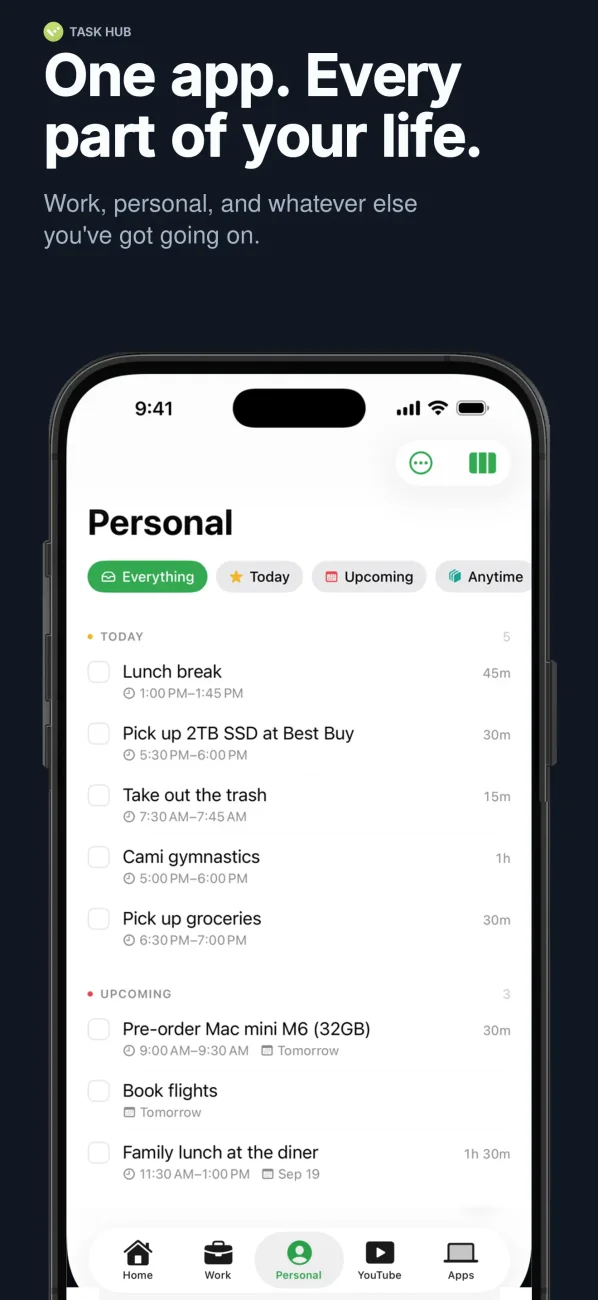
Task Hub helps you decide what to do now, what comes next, and when it will actually happen. It is a to-do planner built around a simple question: what should I be doing right now?
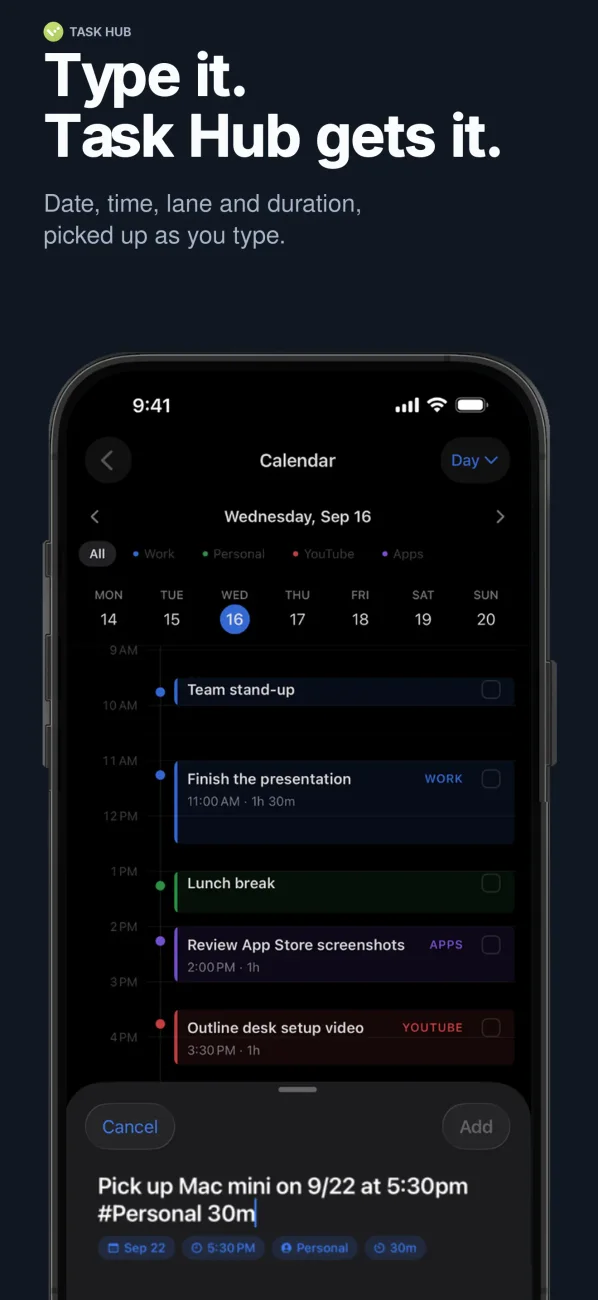
Add a Task the Way You’d Say It
Type “Finish the deck tomorrow at 6pm #Work 2h” and Task Hub can fill in the title, day, time, Lane, and duration for you. Add naturally, then adjust anything you want before saving. Parsing happens on your iPhone, not on a server.
Today, Upcoming, Anytime, Someday
Plan tasks across Today, Upcoming, Anytime, and Someday so what needs attention stays clear. Keep scheduled work in sight, leave flexible tasks ready when you need them, and move ideas out of the way until later.
Your Lanes, Your Structure
Keep Work, Personal, and whatever else matters in separate Lanes with their own projects and views. Switch Lanes to focus on one area of your life at a time.
One Workflow, Three Views
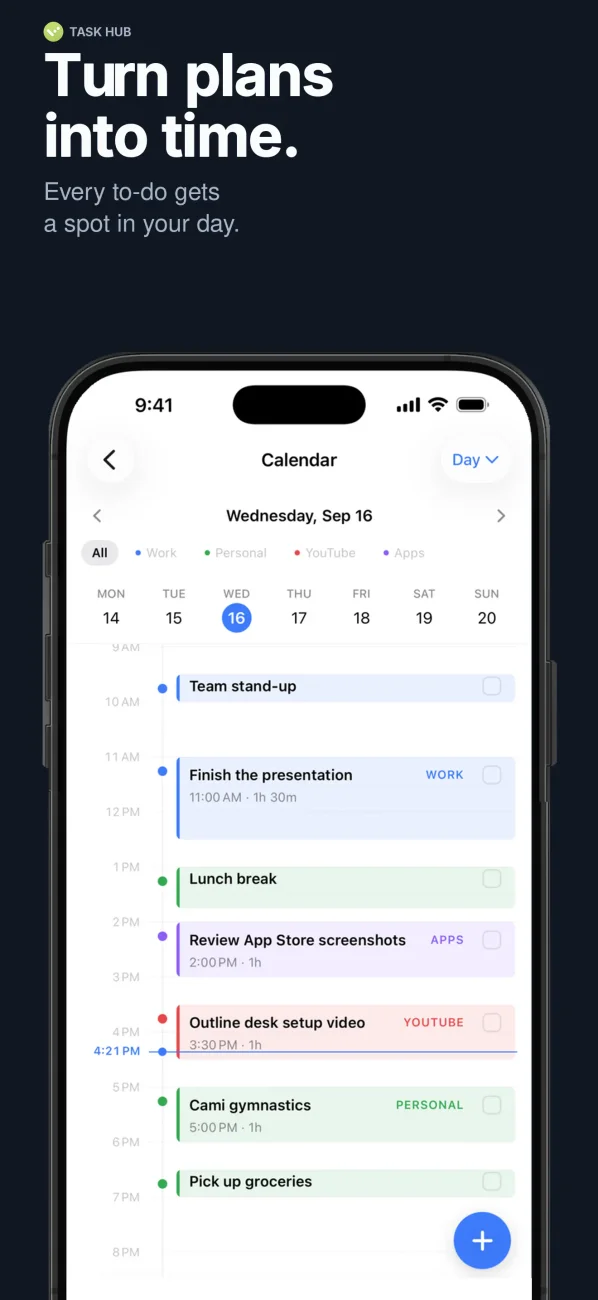
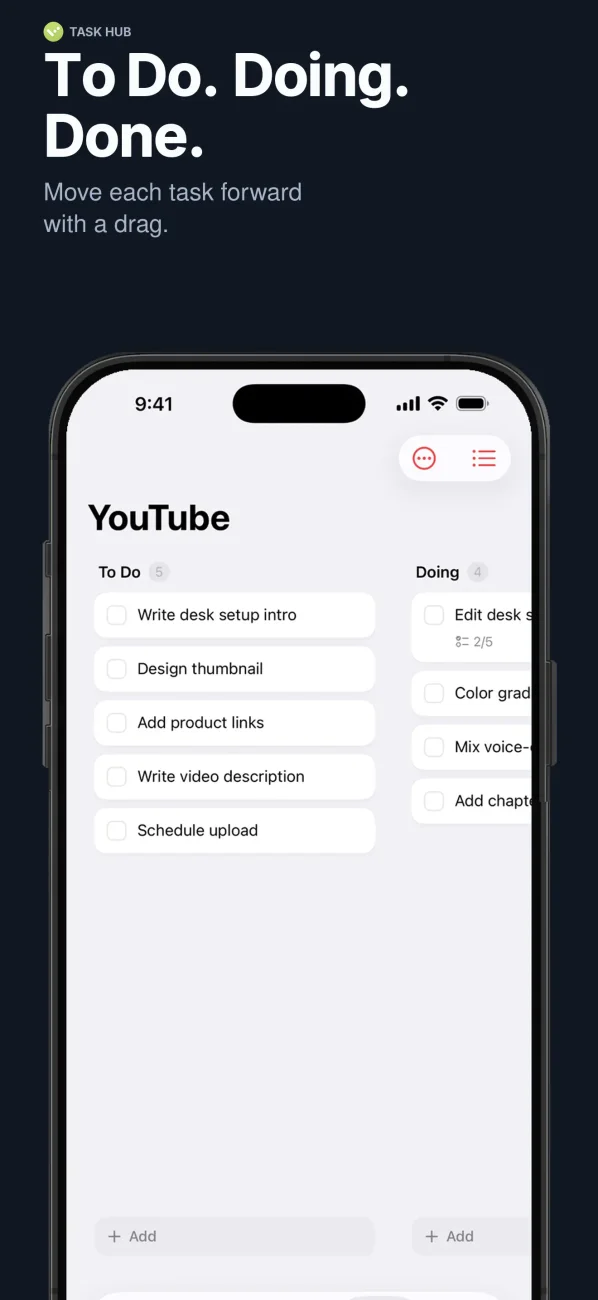
Use a simple list when you want to move fast. Switch to Kanban when you want to see work by stage. Open Calendar when you want to see how tasks fit into your actual day.
Drag a task onto a time slot to turn it into a time block alongside your existing calendar events.
Built for Real Work
• Projects with progress at a glance
• Deadlines and durations
• Recurring tasks
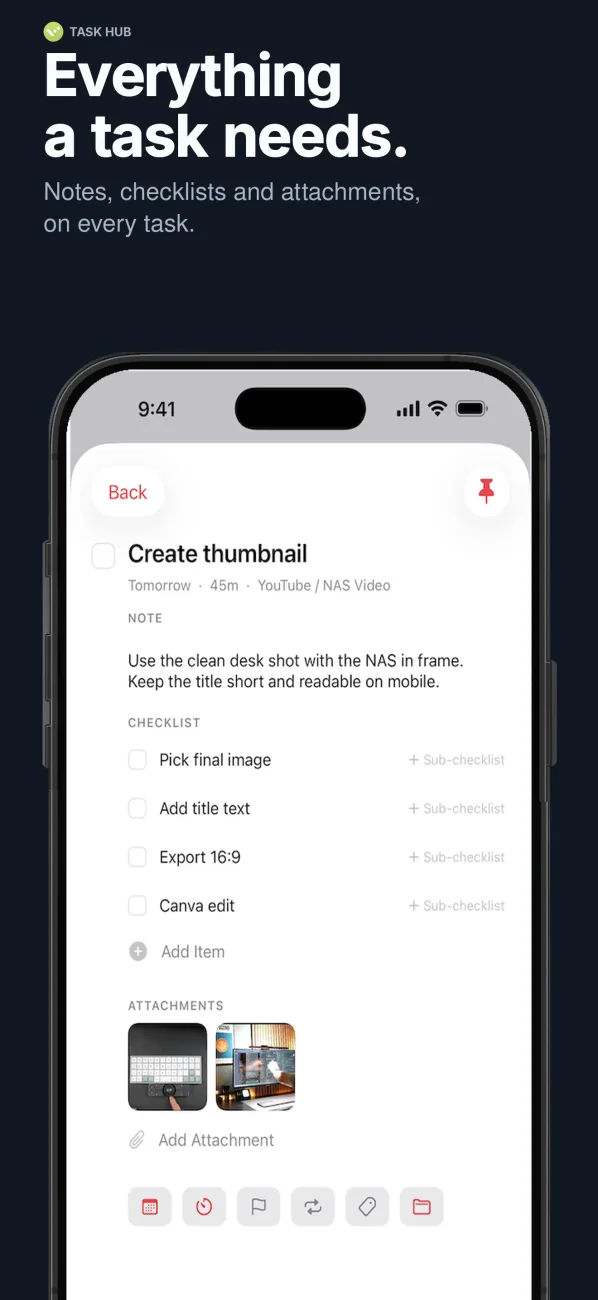
• Checklists inside tasks
• Photos and file attachments
• Swipe to complete
• Long-press to reorder
• A clean, focused interface designed for iPhone
No Account. Nothing to Set Up.
Task Hub works without sign-up or login. Your task data is stored locally on your device.
One Price, Everything Included
Task Hub has no feature tiers. Start with a free month on a Monthly or Annual subscription, or choose Lifetime access with a one-time purchase.
Subscriptions are billed through your Apple Account and renew automatically unless cancelled at least 24 hours before the end of the current period.
Privacy Policy:
https://taskhub-site.vercel.app/taskhub/privacy/
Terms of Use:
https://www.apple.com/legal/internet-services/itunes/dev/stdeula/
Neue Funktionen
Version 1.6.1 · 23.11.2026
One-hand gestures
Swipe in from the right edge of the screen to go to Home or back one screen, or to open Search or a Day, Week or Month view. Turn it on in Settings › Gestures, where you can move the edge area and try it out in the preview. It stays off until you turn it on.
A clearer Task Detail
See when a to-do is scheduled at a glance, pick a date from six quick chips, and find Date, Priority, Duration, Repeat, Tag, Lane and Alert in one row. Complete and Move to Trash now sit together at the bottom.
Share as PDF
From the … menu in Task Detail, share a to-do as a printable PDF with its notes and checklist.
New small widgets
Today's Date and Mini Month.
Repeat
The Repeat card now starts with the days of the week, and works better at larger text sizes.
Apple Watch
After you add a to-do, Undo stays right where the Add button was for a few seconds.
App-Datenschutz
Was kyohei Hanaki im App Store zum Umgang dieser App mit Daten angibt.
-
Keine Daten erfasst
Der Entwickler erfasst keine Daten von dieser App.
Die Datenschutzpraktiken können variieren, zum Beispiel je nach den von Ihnen verwendeten Funktionen oder Ihrem Alter.
Informationen
- Anbieter
- kyohei Hanaki
- Kategorie
- Produktivität
- Version
- 1.6.1
- Aktualisiert
- 23.11.2026
- Veröffentlicht
- 23.09.2026
- Größe
- 21,5 MB
- Erfordert
- iOS 17.0 oder neuer
- Altersfreigabe
- 4+
- In-App-Käufe
- Ja
- Sprachen
- Englisch
- Copyright
- © 2026 Kyohei Hanaki
Das könnte Ihnen auch gefallen
-
 Shasks: Task ManagerProduktivität
-
 easy_TaskProduktivität
-
 Mosf - Tasks AppProduktivität
-
 Notes Lists & Task OrganizerProduktivität
-
 Tasks AllProduktivität
-
 PomodoistAufgaben, Planung und Fokus
-
 Forem Tasks – Task OrganizerProduktivität
-
 FocusPilot: Ziele erreichenPerformance-Tracker & Journal
-
 CheckList - Check It OffTagesplaner, nichts vergessen
-
 Paso: Timeline PlannerProduktivität