Teletype: SSH & Remote Desktop
Terminal, VNC & Screen Sharing
Entwickelt für iPhone, iPad, Mac
Kostenlos · In-App-Käufe
- Altersfreigabe4+
- KategorieEntwickler-Tools
- EntwicklerSergio Fernandez Duran
- Größe121,4 MB
Verlinkt auf die offizielle App Store-Seite
Download.org hostet keine Datei von Teletype: SSH & Remote Desktop. Die Schaltfläche öffnet die App-Seite bei App Store, wo Sergio Fernandez Duran die App veröffentlicht. Eintrag zuletzt geprüft am 16.11.2026.
Screenshots
Info
Der Entwickler hat diesen Text nicht in Ihrer Sprache bereitgestellt.
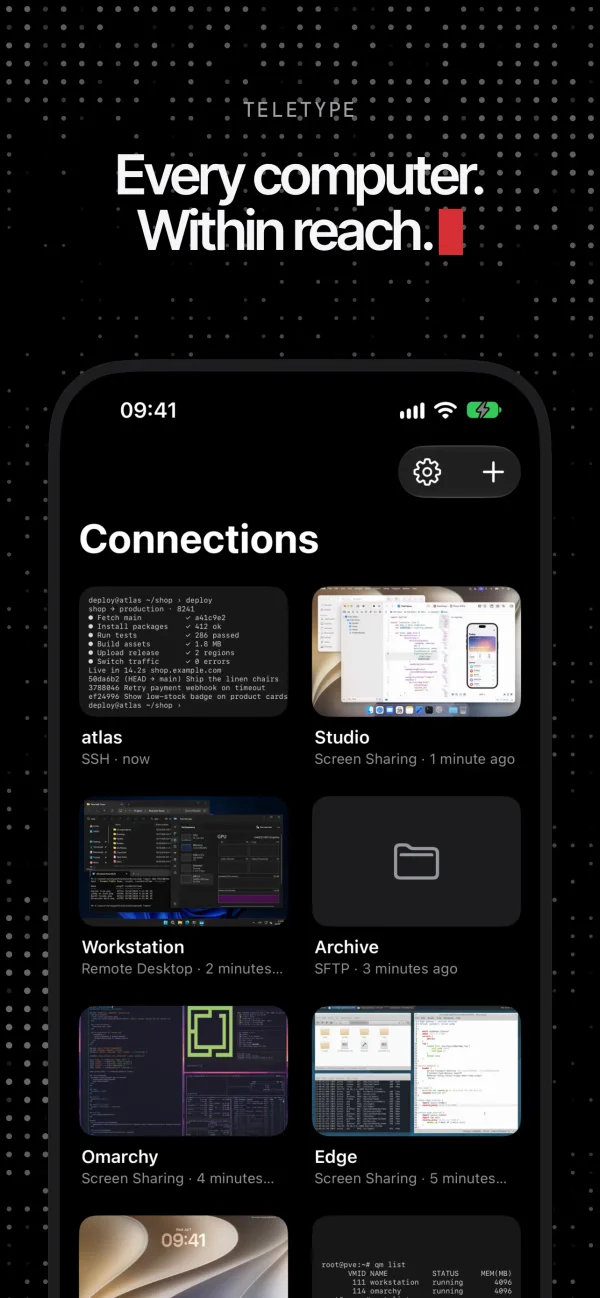
Every computer. Within reach.
Your Mac, your PC and your servers in one native app for iPhone and iPad. Share your Mac’s screen in High Performance with sound, control a Windows PC with Remote Desktop, see a Linux desktop over VNC, work in a terminal over SSH or Mosh, and move files over SFTP.
One connection is free, with every protocol. No account, no card, no relay.
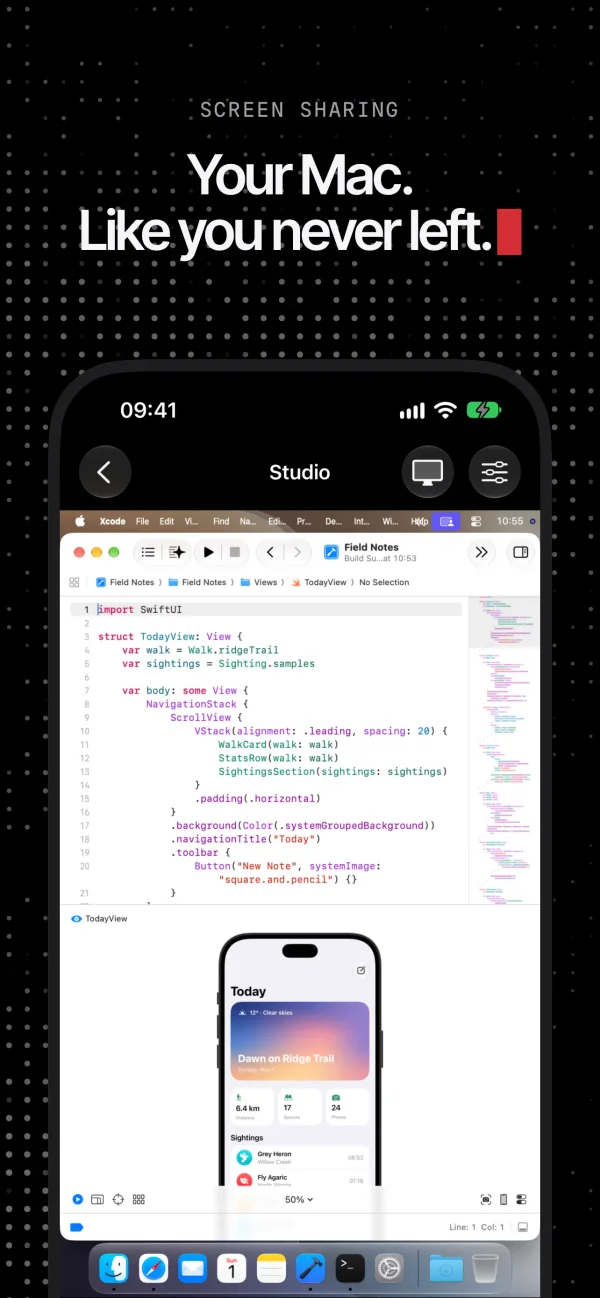
YOUR MAC, LIKE YOU NEVER LEFT
• High Performance Screen Sharing on Macs with Apple silicon: hardware-decoded video up to 5K, the Mac’s own sound, and one or two virtual displays sized to your screen.
• High dynamic range on iPhones and iPads whose screens can show it, so photos and video keep their highlights.
• Standard sessions use Apple’s own codec, so text stays sharp. Works with macOS 26 and 27.
• Copy and paste text, formatted text and images. Send files to the Mac and save files from it.
• Curtain Screen keeps the Mac’s own display dark while you work.
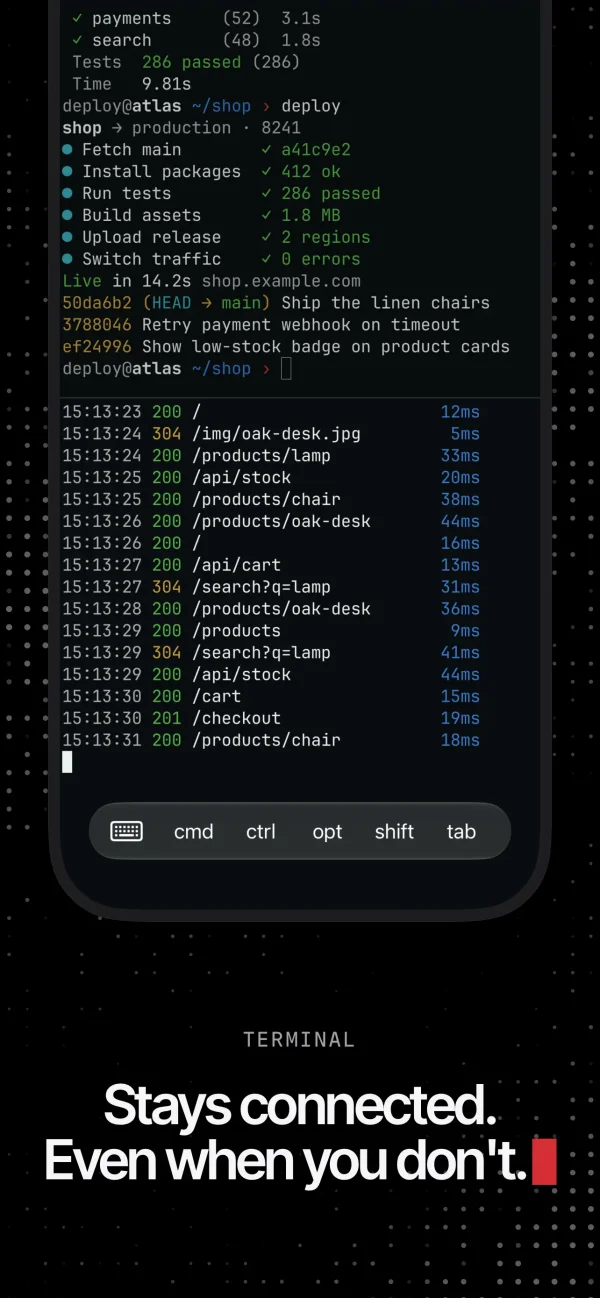
A TERMINAL THAT STAYS CONNECTED
• Mosh keeps your session alive as you move between networks and through sleep.
• Built on Ghostty and drawn with Metal, with 660 themes.
• Split panes, snippets, Find and output export, with the keys a terminal needs right above the keyboard.
• Notifications from programs on your server while the session runs in the background.
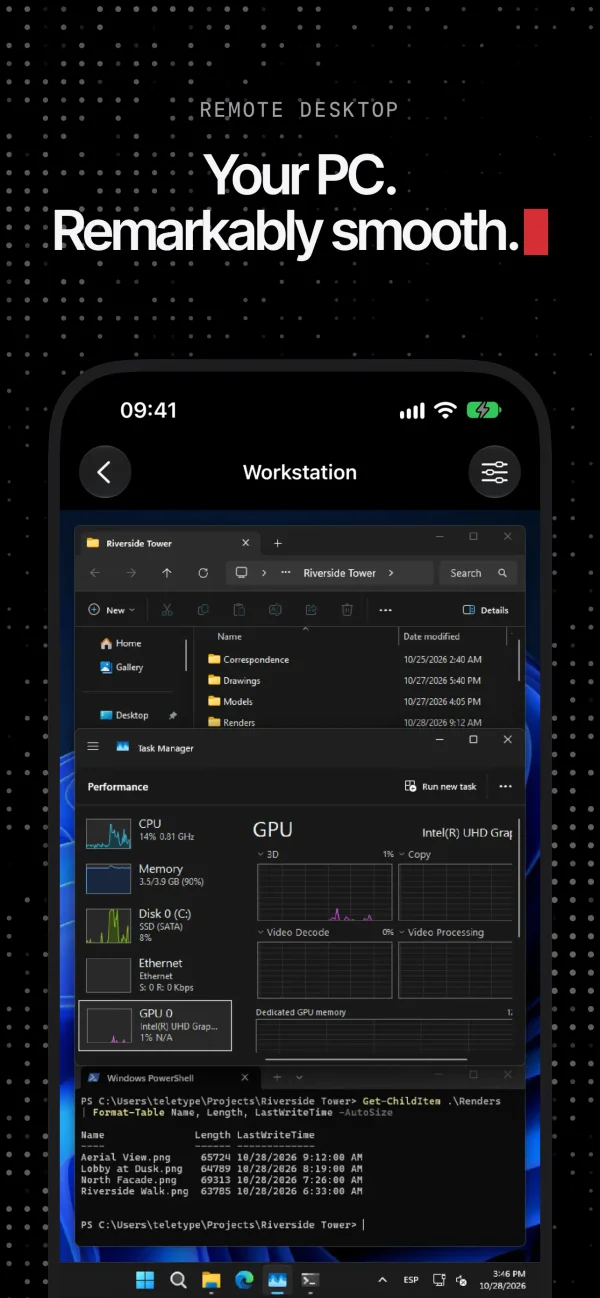
YOUR PC, REMARKABLY SMOOTH
• Remote Desktop to Windows Pro, Enterprise, Education and Server, with sound, microphone, clipboard and shared files.
• A desktop sized to your screen, Remote Desktop Gateway and Network Level Authentication.
• Review a PC’s certificate and trust it once, with a warning if it ever changes.
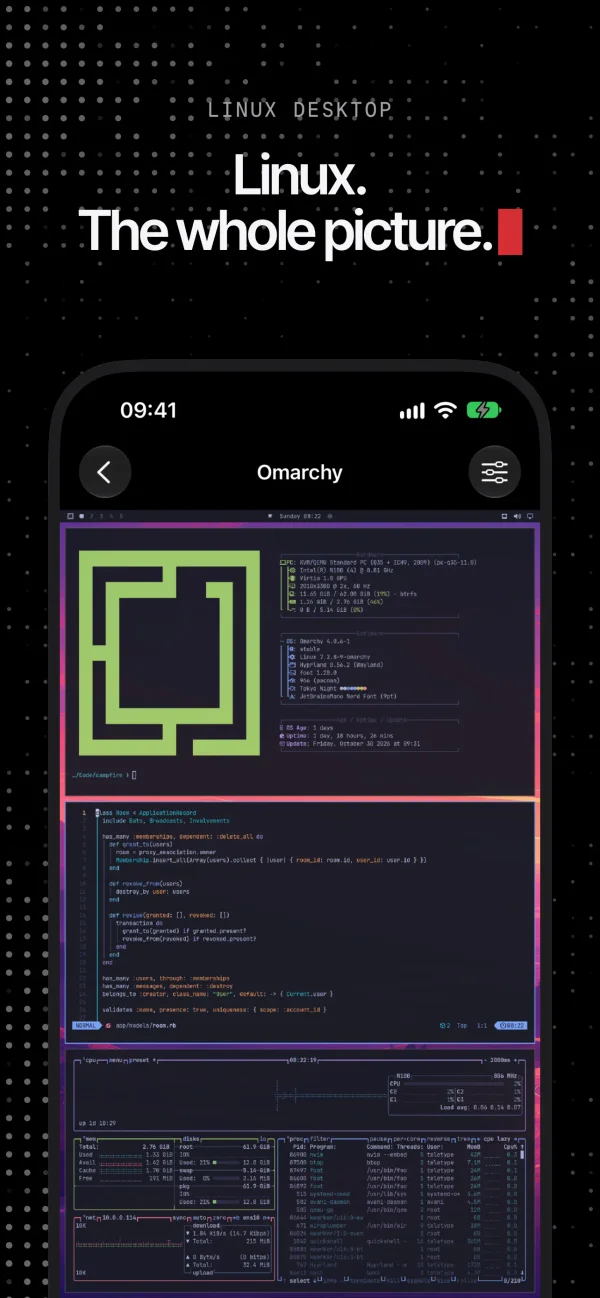
LINUX, THE WHOLE PICTURE
• VNC for Linux desktops on X11 and on Wayland, and the VNC servers you already run.
• Encrypted with TLS when the server offers it, and clipboard text that keeps its accents.
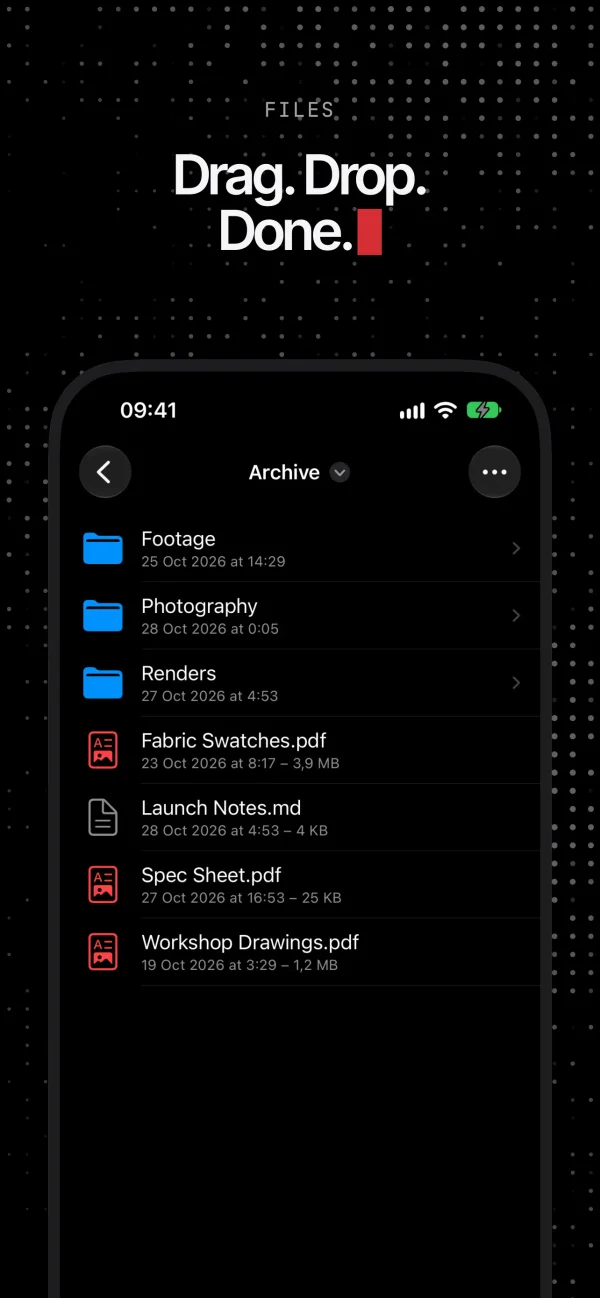
FILES, ONE TAP AWAY
• Browse servers and NAS drives over SFTP, and preview files with Quick Look.
• Upload from Files and Photos, or drag files in. Drag a file onto another folder to move it on the server.
• Rename, organize and create folders on servers that allow it.
REACH EVERY MACHINE
• Jump hosts, port forwarding and SSH agent forwarding.
• Wake-on-LAN wakes a sleeping machine before you connect.
• Computers on your network appear under Nearby.
KEYS THAT NEVER LEAVE YOUR DEVICE
• Create an SSH key in the Secure Enclave and sign in with Face ID. Import Ed25519, ECDSA or RSA keys.
• Teletype checks each server’s identity and warns you if it changes.
TELETYPE PRO
Unlimited connections; iCloud sync of connections, passwords, settings and themes; Picture in Picture for terminals and desktops; your own themes; and alternate app icons. The monthly and annual plans start with a 3-day free trial, or buy once for life. Every plan works with Family Sharing.
Remote connections require a reachable computer with the service turned on. Teletype doesn’t provide a relay.
Privacy Policy: https://teletype.sh/privacy
Terms of Use (EULA): https://www.apple.com/legal/internet-services/itunes/dev/stdeula/
Neue Funktionen
Version 3.0.0 · 07.11.2026
Teletype 3 is our biggest update yet. See your Mac in HDR, split your terminal into panes, browse files in columns with thumbnails, and reach PCs through a Remote Desktop Gateway.
YOUR COMPUTERS
• A gallery of your computers, each showing where you left off.
• Wake a sleeping computer before you connect, and open ssh, sftp, vnc and rdp links and .rdp files straight in Teletype.
• Sessions reconnect on their own after a network change, sleep, or a trip to another app.
MAC SCREEN SHARING
• HDR in High Performance: on iPhones and iPads with HDR displays, photos and video play at their true brightness. Macs that support High Performance use it automatically.
• Connect to a sleeping Mac and its whole lock screen appears, with the password field above the keyboard as you type.
• Zoom in and the view follows your pointer when you use a trackpad or mouse on iPad.
• Type exactly as at the Mac: your keyboard layout, every accent and symbol, and shortcuts like app switching and Spotlight.
• Clicks and keys reach the Mac at once, even while its screen is busy redrawing.
• Encrypted sessions, a choice of the login window or your own session, a shared clipboard, and Curtain Screen to keep the Mac's display private.
WINDOWS
• Smooth and responsive: scrolling and dragging keep up with your fingers, and the picture fits your screen and connection.
• Connect through a Remote Desktop Gateway, share a folder with the PC as a drive, and copy text and images both ways.
LINUX
• Desktops that scale themselves, like GNOME at 200%, look sharp on Retina screens and redraw faster.
TERMINAL
• Split terminals into panes.
• Jump hosts, port forwarding, agent forwarding, and hosts imported from your SSH config.
• Sign in with a key kept in the Secure Enclave and approved with Face ID.
• Snippets: save a command once and send it to any terminal, synced through iCloud.
• Float a terminal in Picture in Picture.
• Teletype Dark and Teletype Light themes, plus ligatures, line height and padding.
FILES
• Drag and drop files onto a Mac or PC to send them, and in and out of server folders. Save files from a Mac with a tap.
• Browse folders in columns or as thumbnails, with Back and Forward.
• Upload many files and photos at once and keep transfers going after you leave the app, up to 7 times faster.
AND MORE
• An input bar you arrange yourself, a fresh app icon with alternates, a quick tour, and Teletype alongside other apps on iPad.
• Changes sync reliably to all your devices.
One connection is still free, with no account.
App-Datenschutz
Was Sergio Fernandez Duran im App Store zum Umgang dieser App mit Daten angibt.
-
Keine Daten erfasst
Der Entwickler erfasst keine Daten von dieser App.
Die Datenschutzpraktiken können variieren, zum Beispiel je nach den von Ihnen verwendeten Funktionen oder Ihrem Alter.
Informationen
- Anbieter
- Sergio Fernandez Duran
- Kategorie
- Entwickler-Tools
- Version
- 3.0.0
- Aktualisiert
- 07.11.2026
- Veröffentlicht
- 20.06.2026
- Größe
- 121,4 MB
- Erfordert
- iOS 26.0 oder neuer
- Altersfreigabe
- 4+
- Preis
- Kostenlos
- In-App-Käufe
- Ja
- Copyright
- © 2026 fdzsergio
Das könnte Ihnen auch gefallen
-
 YoloShell-SSH Fernzugriff, VNCHerdr, RDP
-
 Apperture: Remote Desktop AppsGroße Apps, kleine Bildschirme
-
 terminALL: SSH Remote DesktopEntwickler-Tools
-
 ChibyooShellEntwickler-Tools
-
 Braid CodeEntwickler-Tools
-
 teletype computerEntwickler-Tools
-
 dev-mux: AI coding fleet mgmtEntwickler-Tools
-
 RepoRouteEntwickler-Tools
-
 AirShell - Agent CLI in PocketEntwickler-Tools
-
 TreftEntwickler-Tools