
Timecard: Simple Punch Clock
Hours and pay, no fuss
Entwickelt für iPhone, iPad, Mac
- Altersfreigabe4+
- KategorieWirtschaft
- EntwicklerJacob Koop
- SprachenEnglisch
- Größe4,2 MB
Timecard: Simple Punch Clock ist bei App Store derzeit möglicherweise nicht verfügbar
Bei unserer letzten Prüfung war der Store-Eintrag nicht erreichbar. Der Link führt weiterhin zur offiziellen App Store-Seite.
Screenshots
Info
Der Entwickler hat diesen Text nicht in Ihrer Sprache bereitgestellt.
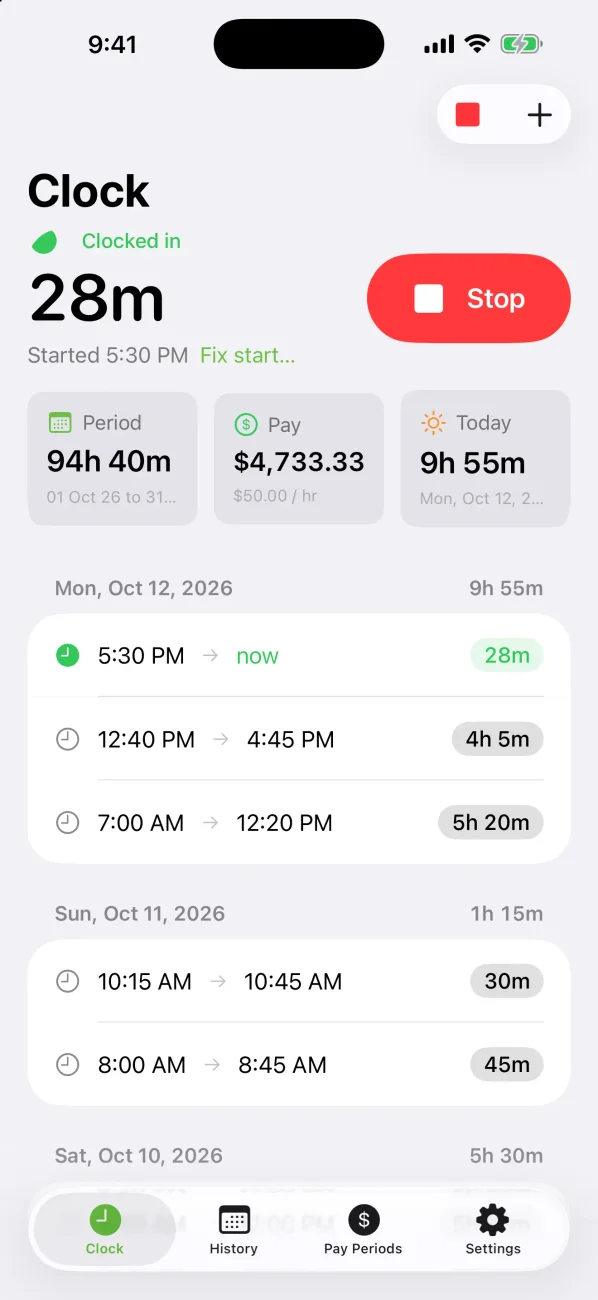
Timecard is a punch clock for people who get paid by the hour and want to know where they stand without doing the math.
Tap Start when you begin and Stop when you finish. Timecard keeps the running time, totals the day, and shows your hours and pay for the current pay period at a glance.
PUNCH IN AND OUT
• One tap to start, one to stop
• Times snap to a 5-minute grid: starts round back, stops round forward (adjustable, or turn it off)
• Forgot to punch in? Start from an earlier time, or fix the start while running
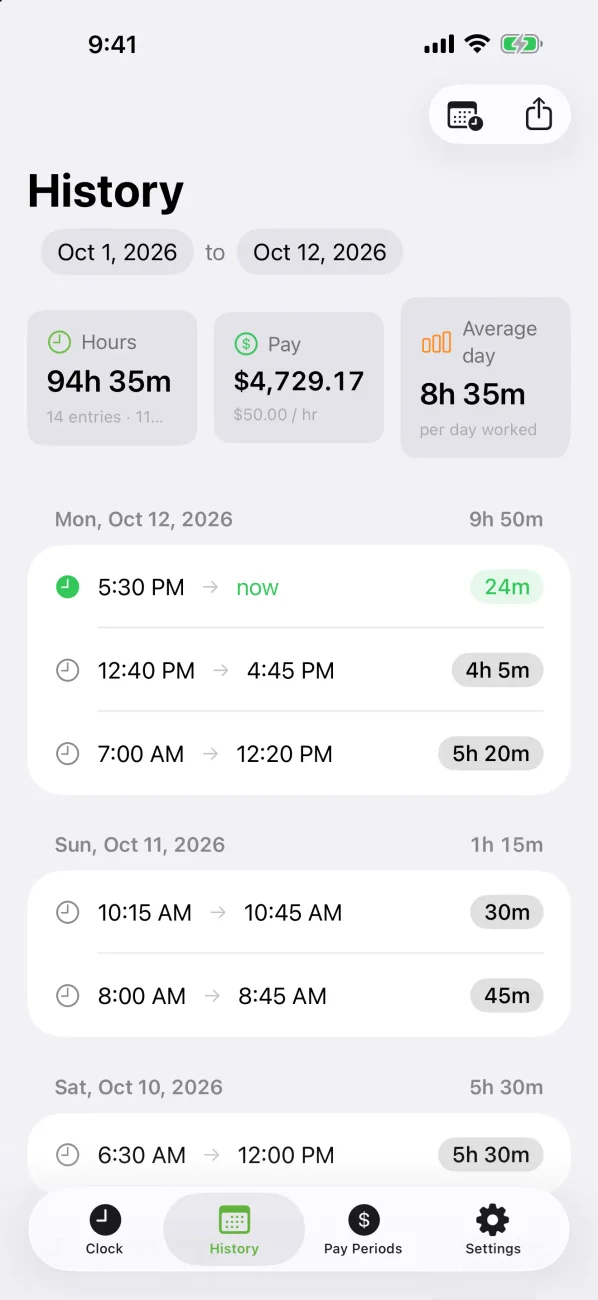
• Tap any entry to nudge it by one step or edit it fully, and add past days by hand
HOURS AND PAY
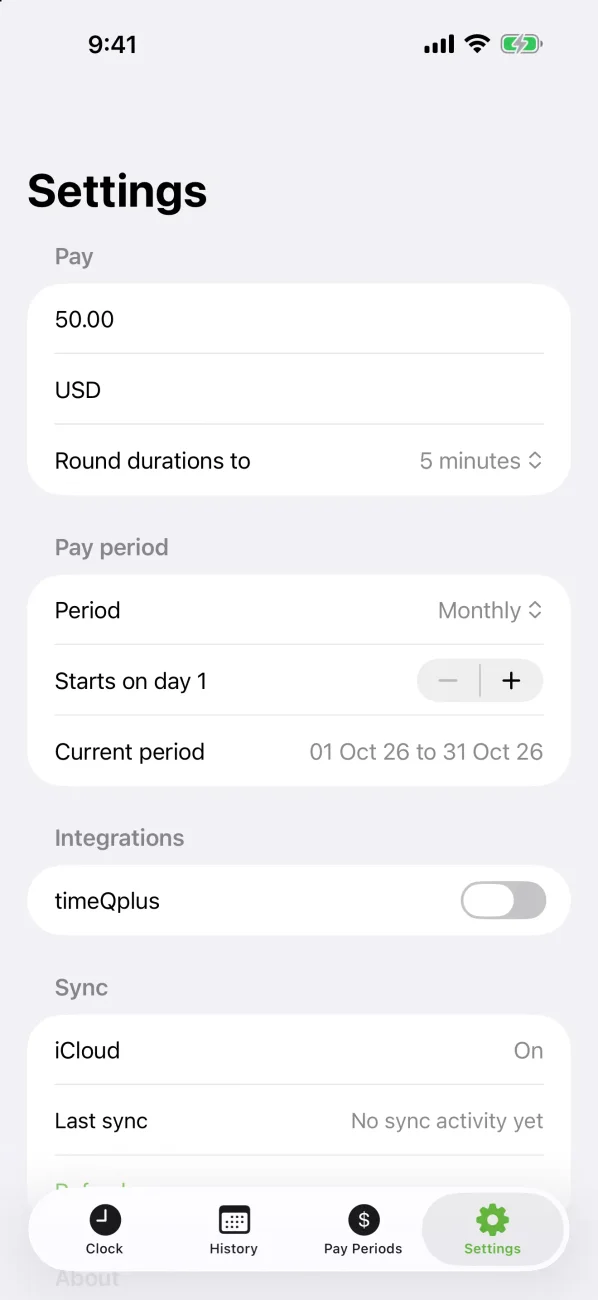
• Set your hourly rate and currency
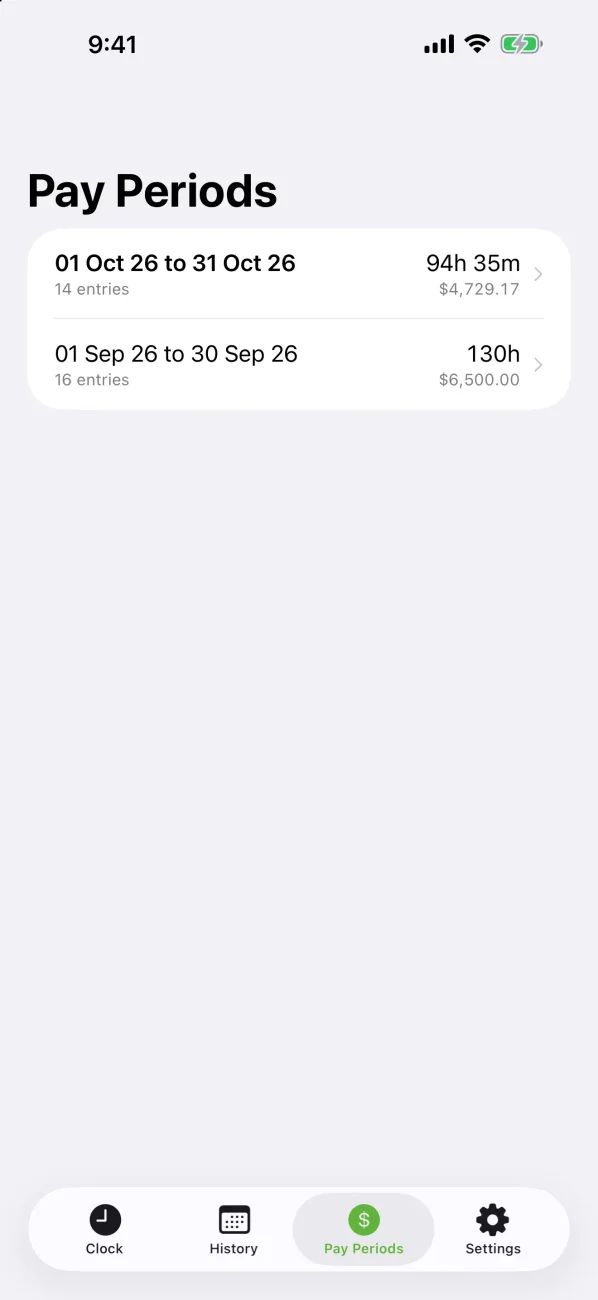
• Monthly, weekly or two-week pay periods, starting on the day you choose
• Pay Periods shows every period with hours and amount
• Export a pay period or any date range as CSV, one line per day
SIRI
• "Punch in with Timecard", "Punch out with Timecard"
• "Punch in at a time with Timecard" when you forgot and are already on the road
• "Am I punched in with Timecard"
APPLE WATCH
• Start, Stop, and edit the start or stop time with the Digital Crown
• A complication that shows today's hours as a ring and turns green while you are punched in
YOUR DATA
• Entries sync between your iPhone, Apple Watch and Mac through your own iCloud account
• No accounts, no sign-up, no ads, no analytics. The developer never sees your data
Optional: Settings → Integrations can connect Timecard to an Acroprint timeQplus time-and-attendance system at your workplace, so a pay period's punches are written to your time card there. It needs a small service installed by your employer next to timeQplus, and it is off by default.
Neue Funktionen
Version 2026.11.19 · 22.11.2026
Time zones: every punch now remembers the time zone it was made in, so your hours read the same wherever you travel, and days, pay periods and overtime stay on the day you worked. Your home time zone is in Settings; it starts as the zone your device is in. Each entry has a Time zone row where you search for a city. The timeQplus sync sends times as worked, so syncing while travelling no longer shifts your punches. Backup: Timecard now saves a copy of your entries on your device every day and offers to put them back if entries go missing. Settings → Backup can restore from a backup, and export or import a backup file.
App-Datenschutz
Was Jacob Koop im App Store zum Umgang dieser App mit Daten angibt.
-
Keine Daten erfasst
Der Entwickler erfasst keine Daten von dieser App.
Die Datenschutzpraktiken können variieren, zum Beispiel je nach den von Ihnen verwendeten Funktionen oder Ihrem Alter.
Informationen
- Anbieter
- Jacob Koop
- Kategorie
- Wirtschaft
- Version
- 2026.11.19
- Aktualisiert
- 22.11.2026
- Veröffentlicht
- 14.10.2026
- Größe
- 4,2 MB
- Erfordert
- iOS 18.0 oder neuer
- Altersfreigabe
- 4+
- Sprachen
- Englisch
- Copyright
- © 2026 Jacob Koop
Das könnte Ihnen auch gefallen
-
 Clockwork TimecardProduktivität
-
 FacialClockWirtschaft
-
 Stempeluhr NFC & FaceGesichtserkennung, Stempeluhr
-
 UAE Dubai Stocks ADX DFMFinanzen
-
 TimeMobi: GPS Attendance AppWirtschaft
-
 Spanish Lookout Credit UnionFinanzen
-
 Evans Express RewardsWirtschaft
-
 Clock RingsProduktivität
-
 Hours calculator : HourlyClock in and out hours tracker
-
 Listing AI - Instant ResellerProduktivität