
Timery: Time Tracker Stopwatch
Pomodoro, study & work hours
Entwickelt für iPhone, iPad
- Altersfreigabe4+
- KategorieProduktivität
- EntwicklerJun Tsuda
- SprachenEnglisch+ 1 weitere
- Größe8,3 MB
Timery: Time Tracker Stopwatch ist bei App Store derzeit möglicherweise nicht verfügbar
Bei unserer letzten Prüfung war der Store-Eintrag nicht erreichbar. Der Link führt weiterhin zur offiziellen App Store-Seite.
Screenshots
Info
Der Entwickler hat diesen Text nicht in Ihrer Sprache bereitgestellt.
Where did your time go? See it at a glance.
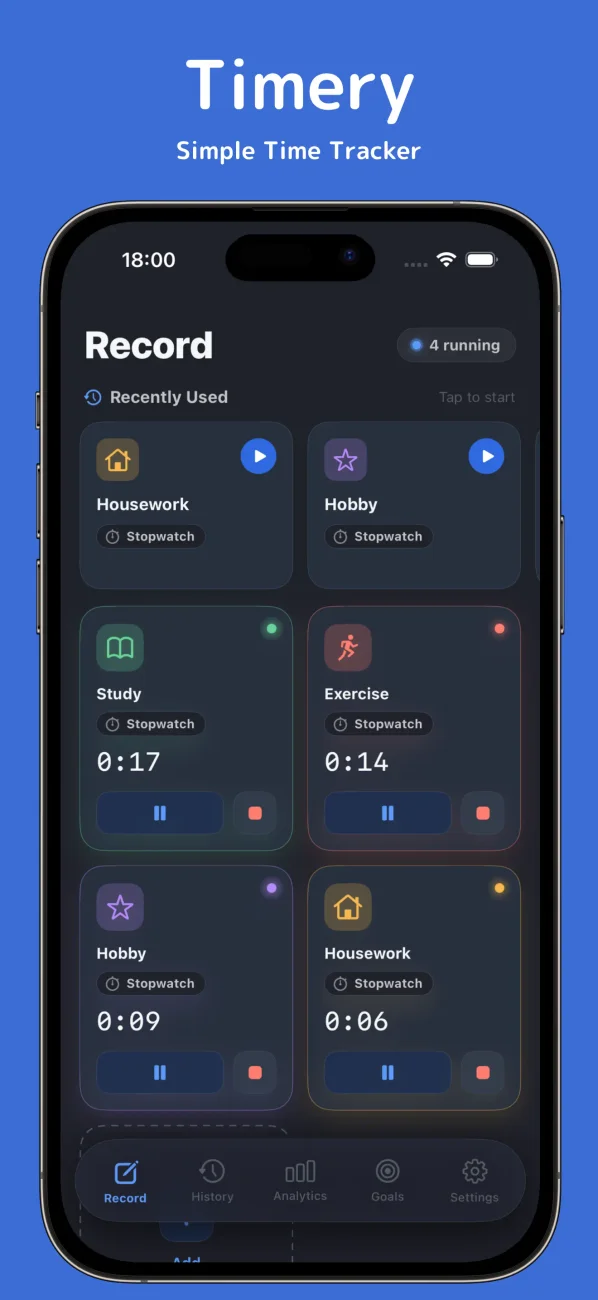
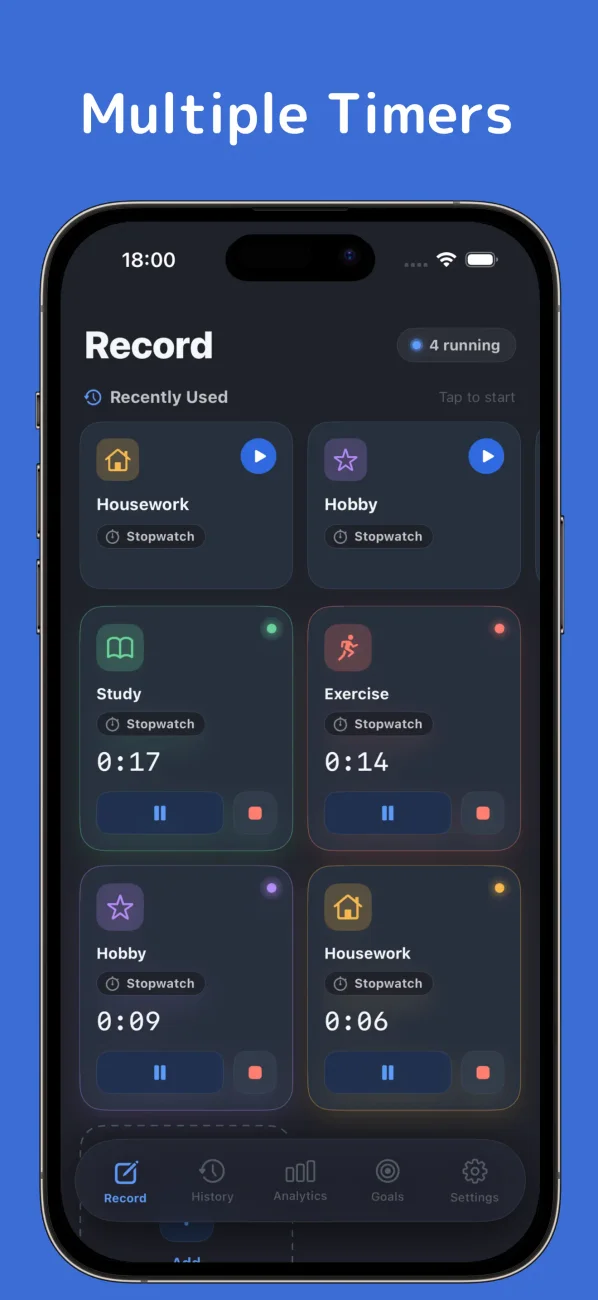
Time work, study and more, all at once.
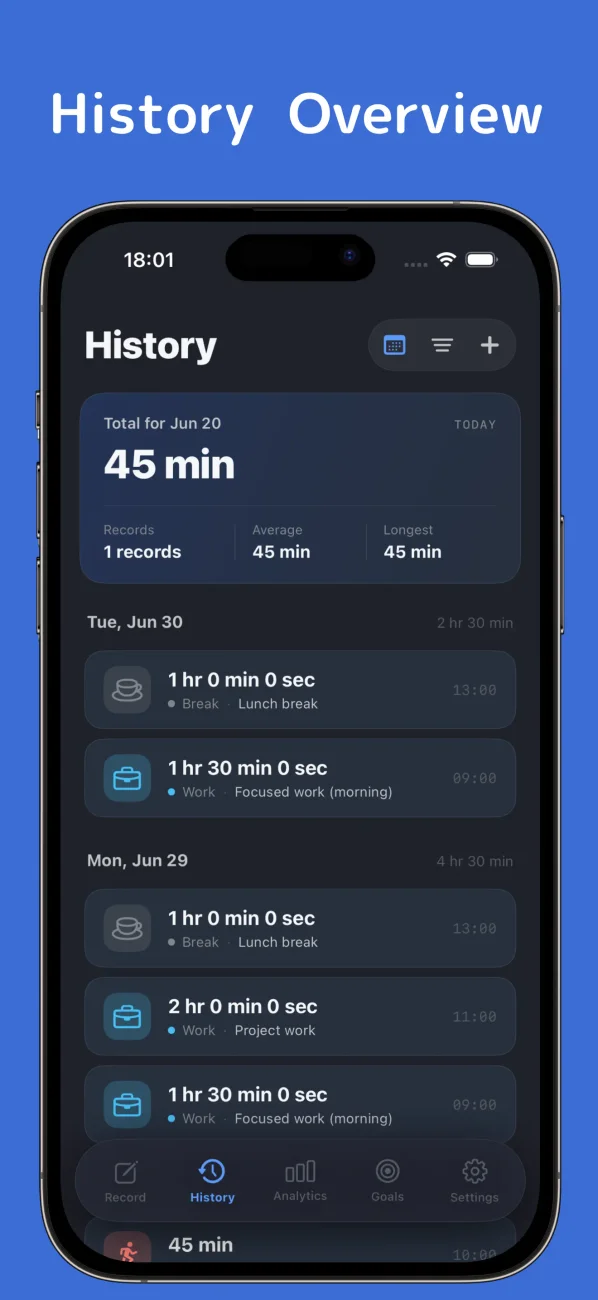
A daily timeline and insights show how you really spend your day.
■ Track
• Multiple timers at once: work with music on, and both get recorded
• Three modes: stopwatch, timer (with sound and notification) and Pomodoro (switches between focus and breaks automatically)
• Start again with one tap from your recent timers
• Distraction notes: jot down what popped into your head, then get back to focus
■ Look back
• Day timeline: see what you did and when, including overlapping time
• "Was this time well spent?": rate each session with one tap when you stop
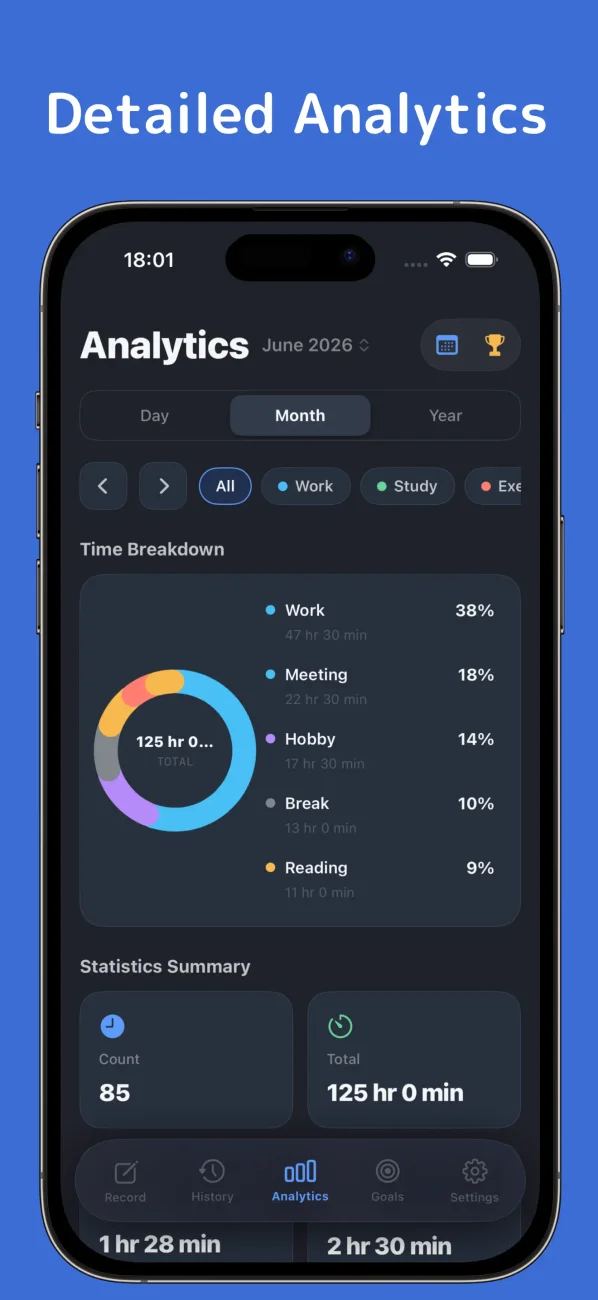
• Analytics: time by category, satisfaction and streaks
• Insights: patterns found in your records, like "work mostly happens on weekday mornings"
• Weekly review: compare with last week and see what grew the most
• History and calendar: add and edit records, export to CSV
■ Keep going
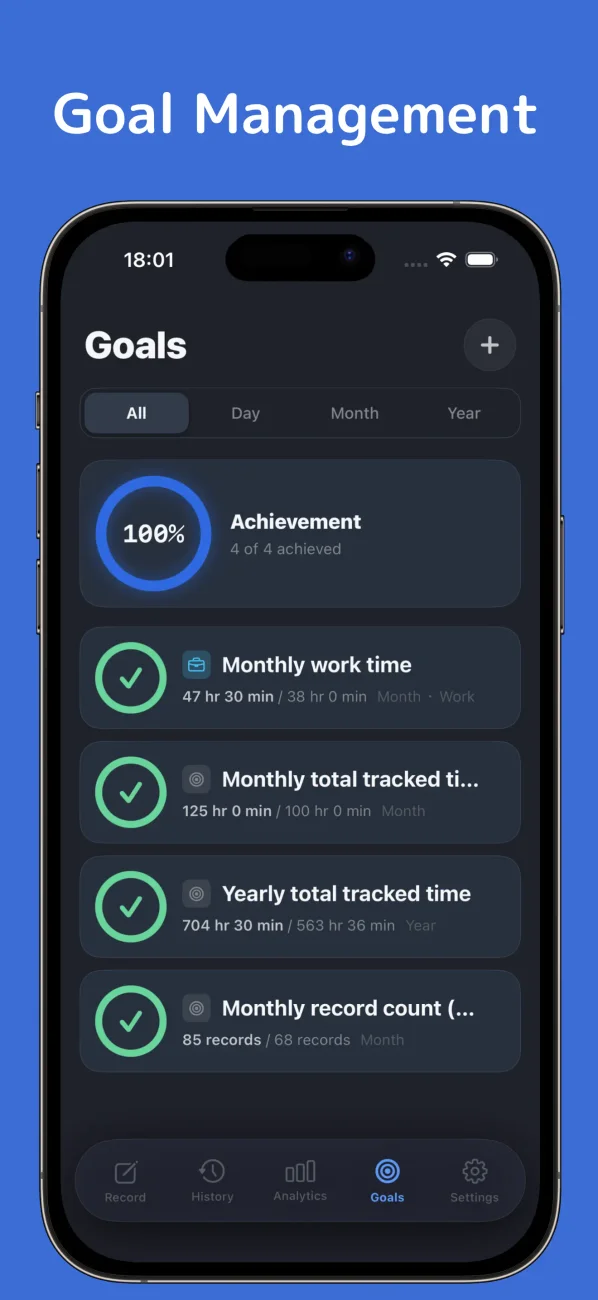
• Goals: daily, monthly or yearly targets for time or count
• Limits: caps like "Social media: 1 hr a day max"
• A 7-day lifelog challenge, plus trophies for streaks and total time
• A daily reminder (only on days you haven't logged yet) and a weekly review notification
■ Always at hand
• Home Screen and Lock Screen widgets, plus Control Center
• Live Activities show running time on the Lock Screen and in the Dynamic Island
• Start and stop timing with Siri and Shortcuts
• Light and dark mode
■ Who it's for
• Anyone who wants to track and review study or work time
• Freelancers keeping an eye on billable hours
• People who focus better with the Pomodoro technique
• Anyone who wants to spend less time on their phone or social media
■ Good to know
• Completely free, every feature included
• Your data syncs via iCloud, so a new device is no problem (you can turn sync off in Settings)
Start seeing where your time actually goes.
Neue Funktionen
Version 7.1 · 21.11.2026
• Light mode. Choose Light, Dark or match your device in Settings > Appearance.
• Day timeline: see what you did and when on one bar, including time you tracked at the same time.
• "Was this time well spent?": rate it with one tap when you stop a timer (you can turn this off in Settings).
• Distraction notes: jot down what pops into your head and get back to focus. Review notes for each timer.
• Insights: spot patterns like "weekday mornings are for work" and see satisfaction by category in Analytics.
• Weekly review: compare with last week and see which category grew most, with a weekend reminder.
• Limit goals: set caps like "Social media: 1 hr a day".
• 7-day lifelog challenge, plus a celebration you can share when you earn a trophy.
• Home Screen and Lock Screen widgets, and Control Center controls, to start and stop timers.
• Siri and Shortcuts: start or stop timers and check today's total.
• Preview how widgets look and what to say to Siri, right from Settings.
• Export your records as CSV.
• Other small improvements.
App-Datenschutz
Was Jun Tsuda im App Store zum Umgang dieser App mit Daten angibt.
-
Daten, die zum Tracking Ihrer Person verwendet werden
Können verwendet werden, um Sie über Apps und Websites anderer Unternehmen hinweg zu verfolgen.
- Kennungen
-
Nicht mit Ihnen verknüpfte Daten
Können erfasst werden, sind aber nicht mit Ihrer Identität verknüpft.
- Kennungen
Die Datenschutzpraktiken können variieren, zum Beispiel je nach den von Ihnen verwendeten Funktionen oder Ihrem Alter.
Informationen
- Anbieter
- Jun Tsuda
- Kategorie
- Produktivität
- Version
- 7.1
- Aktualisiert
- 21.11.2026
- Veröffentlicht
- 01.10.2025
- Größe
- 8,3 MB
- Erfordert
- iOS 17.0 oder neuer
- Altersfreigabe
- 4+
- Sprachen
- Englisch, Japanisch
- Copyright
- © 2026 Jun Tsuda. All rights reserved.
Das könnte Ihnen auch gefallen
-
 SimpleTime – ZeiterfassungEin Tipp startet die Uhr
-
 Timery: Time TrackerProduktivität
-
 Tyme | ZeiterfassungArbeitszeit & Stundennachweis
-
 Toggl: Track Time & Plan WorkProduktivität
-
 Timelines Time TrackingProduktivität
-
 aTimeLogger - Personal TrackerProduktivität
-
 ATracker ZeitmanagementTägliche Gewohnheit + Ziel
-
 Flow: Fokus & Pomodoro TimerKonzentration & Zeitmanagement
-
 Flipd: focus & study timerProduktivität
-
 Clockify - ZeiterfassungEinfache Arbeitszeiterfassung