
Tot Pocket
Your tiny text companion.
Entwickelt für iPhone, iPad
Kostenlos · In-App-Käufe
- Altersfreigabe4+
- KategorieProduktivität
- EntwicklerThe Iconfactory
- SprachenEnglisch
- Größe43,0 MB
Verlinkt auf die offizielle App Store-Seite
Download.org hostet keine Datei von Tot Pocket. Die Schaltfläche öffnet die App-Seite bei App Store, wo The Iconfactory die App veröffentlicht. Eintrag zuletzt geprüft am 18.11.2026.
Screenshots



Info
Der Entwickler hat diesen Text nicht in Ihrer Sprache bereitgestellt.
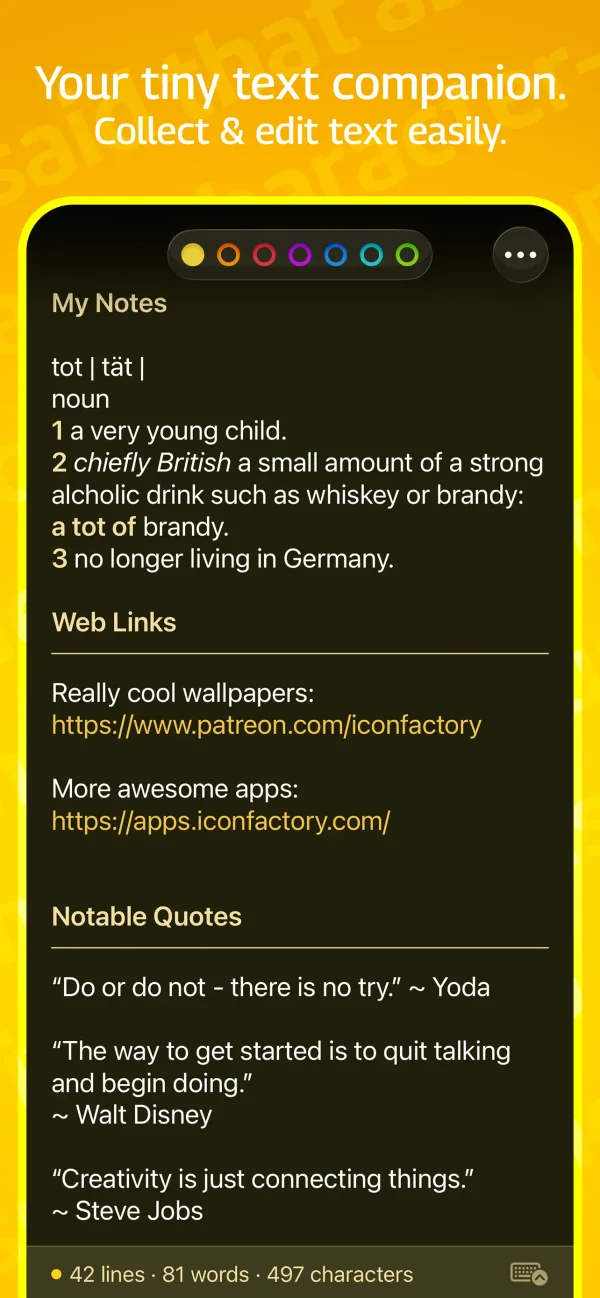
Tot is an elegant, simple way to collect & edit text across your Mac, iPhone, iPad, and Apple Watch. It’s your tiny text companion!
⁕ Less Is More
Tot’s single window design and simple formatting controls mean no more hunting for that chunk of text. Seven color-coded dots let you organize your notes while keeping them from getting out of hand.
⁕ Dark / Light Mode
Designed to look stunning both day and night, Tot takes full advantage of iOS and macOS themes.
⁕ Small Footprint
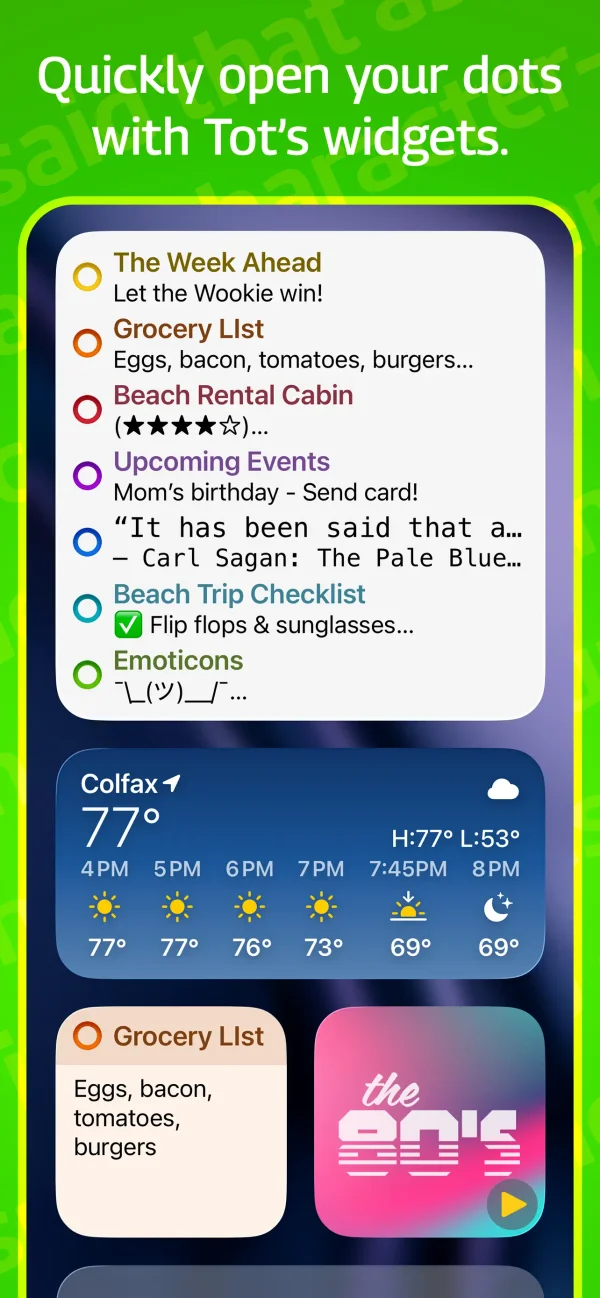
Stays out of the way on the desktop with minimal chrome and can even be controlled via the Menu bar. On mobile, each dot is just a swipe away.
⁕ iCloud Sync
Seamlessly syncs your text across iOS and macOS using iCloud so you can capture thoughts wherever you are.
⁕ Markdown Support
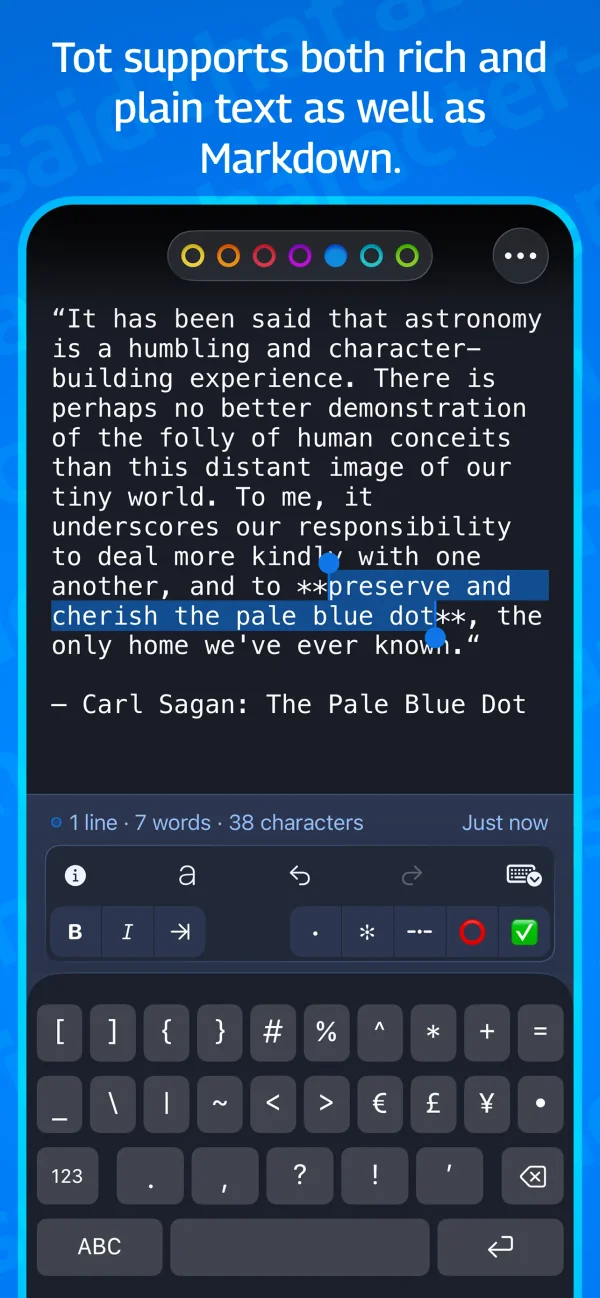
Full support for rich or plain text and even automatically translates text to Markdown for handy use on the web. Have an RTF file you need marked up? No problem!
⁕ Killer Keyboard
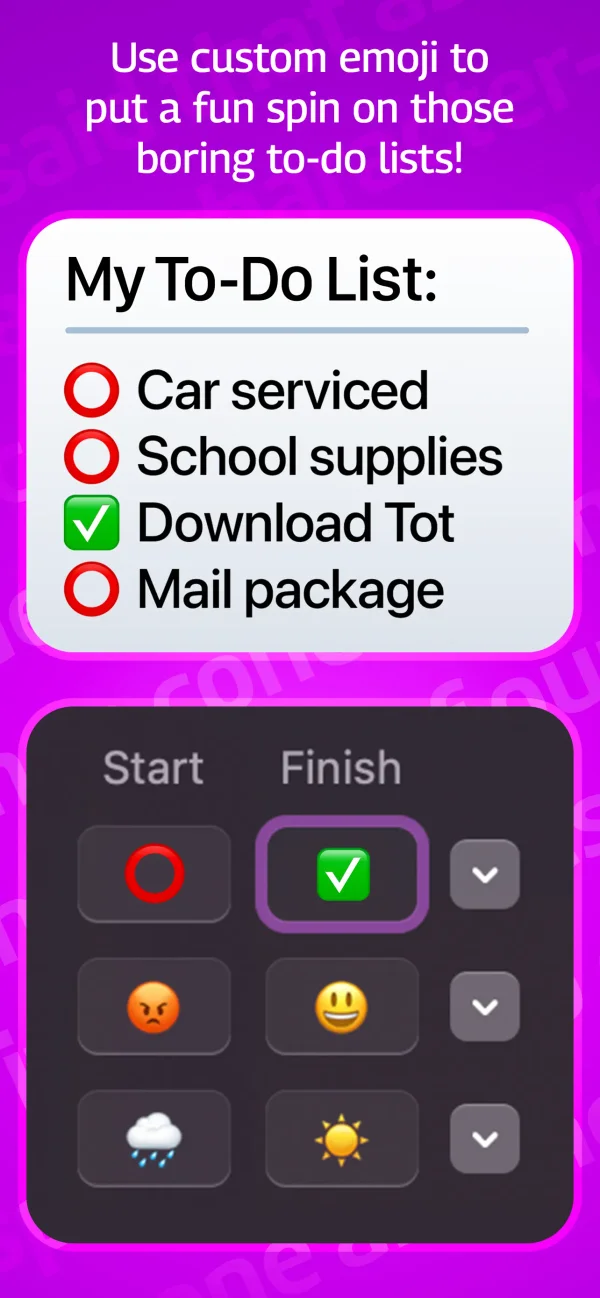
Tot puts common text operations on the keyboard and keeps track of word and character counts as you type.
Available for iOS, macOS, and watchOS.
Neue Funktionen
Version 2.1.1 · 07.10.2025
Action to toggle the formatting bar on/off, added a new rich text font choice, fixed What’s New appearing when it shouldn’t plus fixed some Tahoe bugs.
All:
• Tot’s What’s New view no longer appears when there’s nothing new
• Added "System (Monospaced)" as a rich text font choice
iOS:
• Added a toggle to turn Tot’s formatting bar on/off:
- Tap the Actions Menu (⋯) and toggle Format Bar
- Increases editing area on smaller devices
• Fixed an issue with Compact Dots button not working
macOS:
• Added “Display as Floating Window” back to menu bar:
- Shift-Command-F is default keyboard shortcut
- You can override shortcut in System Settings
• Added a partial workaround for bug on macOS Tahoe:
- Happens when presenting the popover window and the menu bar is hidden
- Fixed window that was too small and placed incorrectly
- There is still a nub that we can't fix: it's arrows displaying incorrectly
App-Datenschutz
Was The Iconfactory im App Store zum Umgang dieser App mit Daten angibt.
-
Keine Daten erfasst
Der Entwickler erfasst keine Daten von dieser App.
Die Datenschutzpraktiken können variieren, zum Beispiel je nach den von Ihnen verwendeten Funktionen oder Ihrem Alter.
Informationen
- Anbieter
- The Iconfactory
- Kategorie
- Produktivität
- Version
- 2.1.1
- Aktualisiert
- 07.10.2025
- Veröffentlicht
- 26.02.2020
- Größe
- 43,0 MB
- Erfordert
- iOS 17.0 oder neuer
- Altersfreigabe
- 4+
- Preis
- Kostenlos
- In-App-Käufe
- Ja
- Sprachen
- Englisch
- Copyright
- © 2025 The Iconfactory, Inc.
Das könnte Ihnen auch gefallen
-
 Simple Scan • Quick ScannerProduktivität
-
 DEVONthink To Go 4Produktivität
-
 Unforgetful: Nichts vergessenAufgaben-Erinnerungen bei ADHS
-
 Remind Me FasterErinnerungen Schnelleingabe
-
 Quick Notes - CaptureBrain dump thoughts & ideas
-
 Bebop: Quick NotesProduktivität
-
 OmniOutliner 6Ihre Gedanken, sortiert.
-
 Funnel - Quick CaptureProduktivität
-
 iA WriterDie Schreibmaschine
-
 Supernotes – Notizen KlarSchnelles MD Zettelkasten