
Tot Pocket
Your tiny text companion.
iPhone, iPad için tasarlandı
Ücretsiz · Uygulama içi satın alma
- Yaş sınırı4+
- KategoriÜretkenlik
- GeliştiriciThe Iconfactory
- Dillerİngilizce
- Boyut43,0 MB
Resmi App Store sayfasına bağlanır
Download.org, Tot Pocket için hiçbir dosya barındırmaz. Düğme, uygulamanın App Store üzerindeki sayfasını açar; uygulamayı orada The Iconfactory yayınlar. Sayfanın son kontrolü: 18.11.2026.
Ekran görüntüleri



Hakkında
Geliştirici bu metni dilinizde sunmamış.
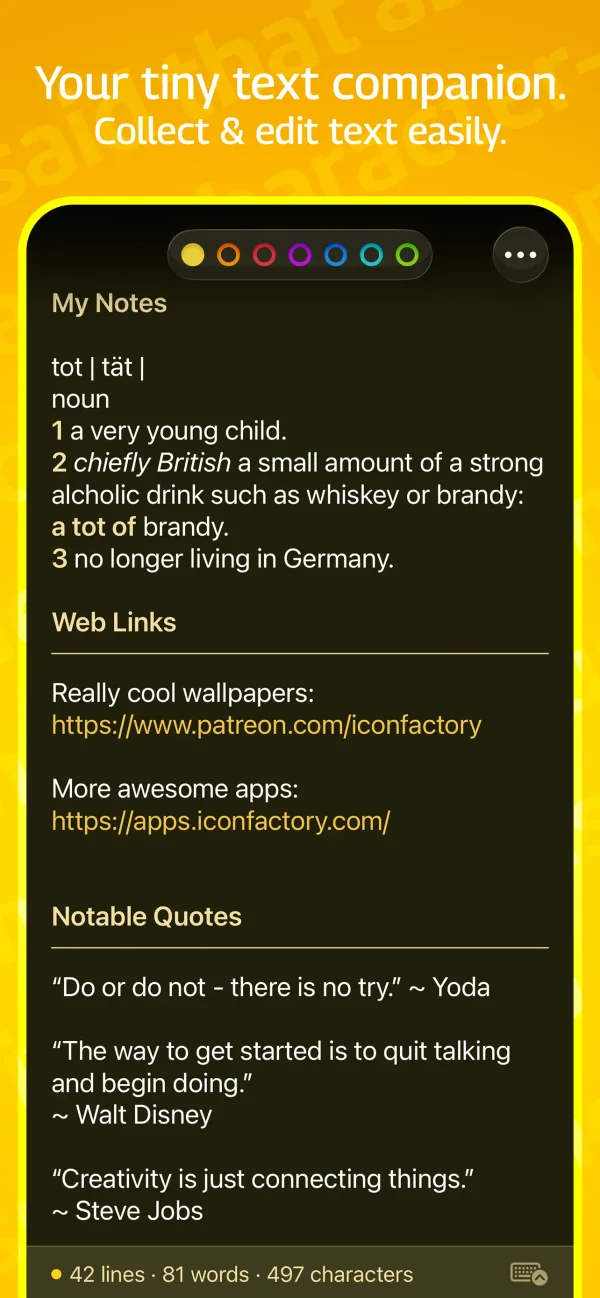
Tot is an elegant, simple way to collect & edit text across your Mac, iPhone, iPad, and Apple Watch. It’s your tiny text companion!
⁕ Less Is More
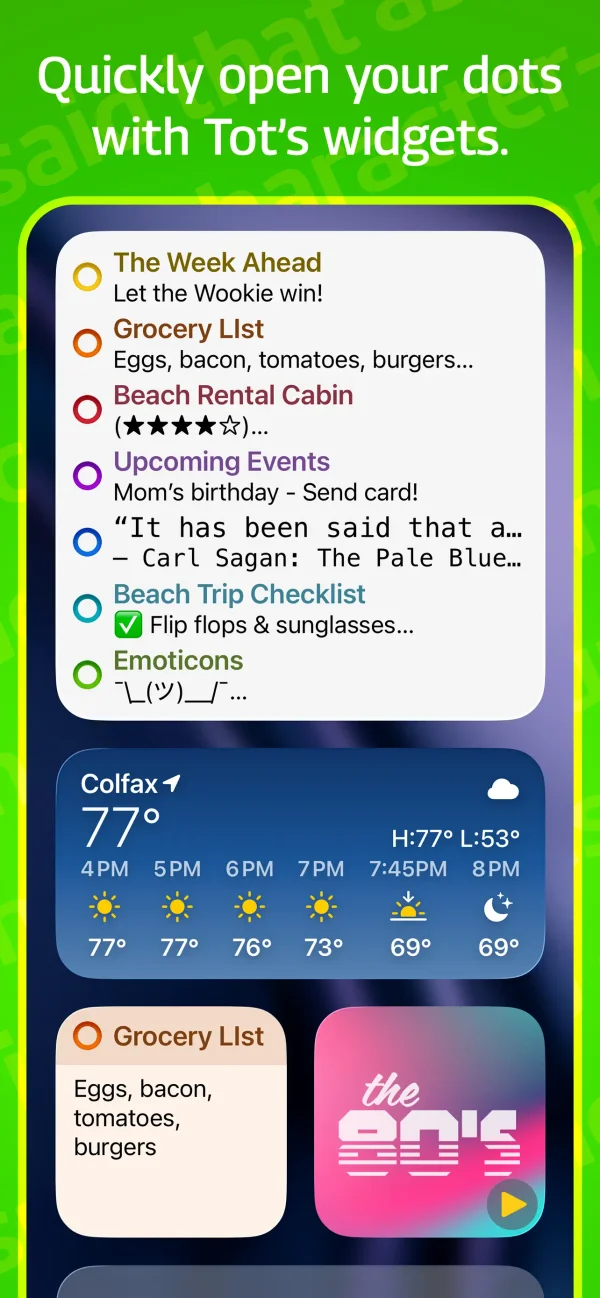
Tot’s single window design and simple formatting controls mean no more hunting for that chunk of text. Seven color-coded dots let you organize your notes while keeping them from getting out of hand.
⁕ Dark / Light Mode
Designed to look stunning both day and night, Tot takes full advantage of iOS and macOS themes.
⁕ Small Footprint
Stays out of the way on the desktop with minimal chrome and can even be controlled via the Menu bar. On mobile, each dot is just a swipe away.
⁕ iCloud Sync
Seamlessly syncs your text across iOS and macOS using iCloud so you can capture thoughts wherever you are.
⁕ Markdown Support
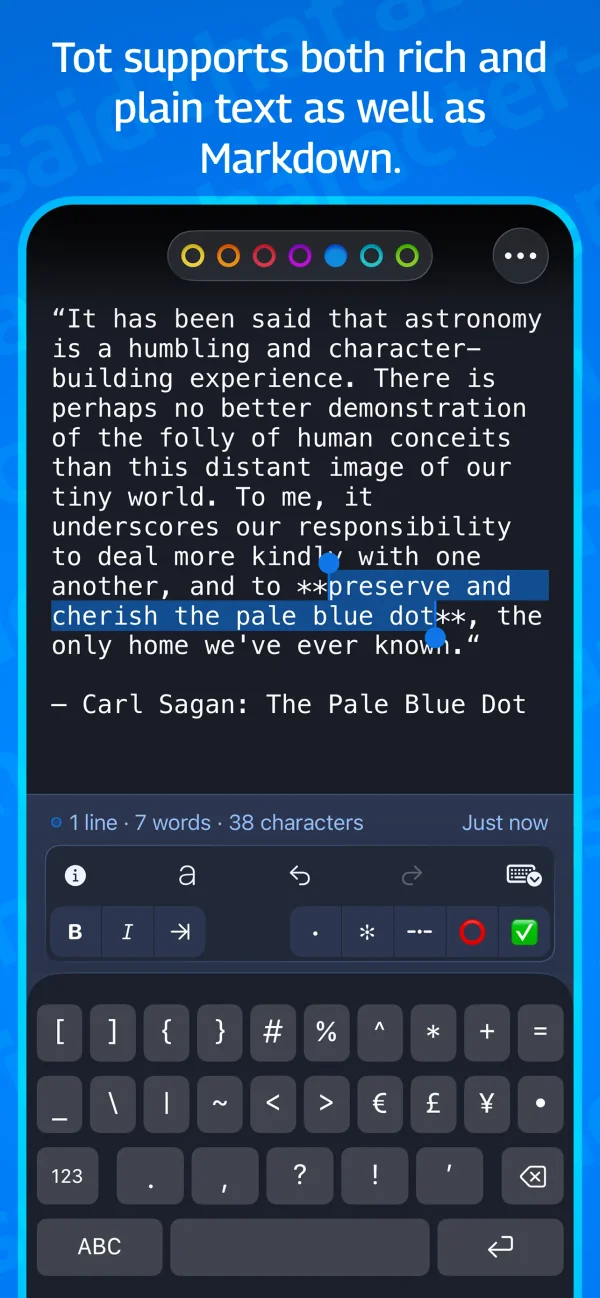
Full support for rich or plain text and even automatically translates text to Markdown for handy use on the web. Have an RTF file you need marked up? No problem!
⁕ Killer Keyboard
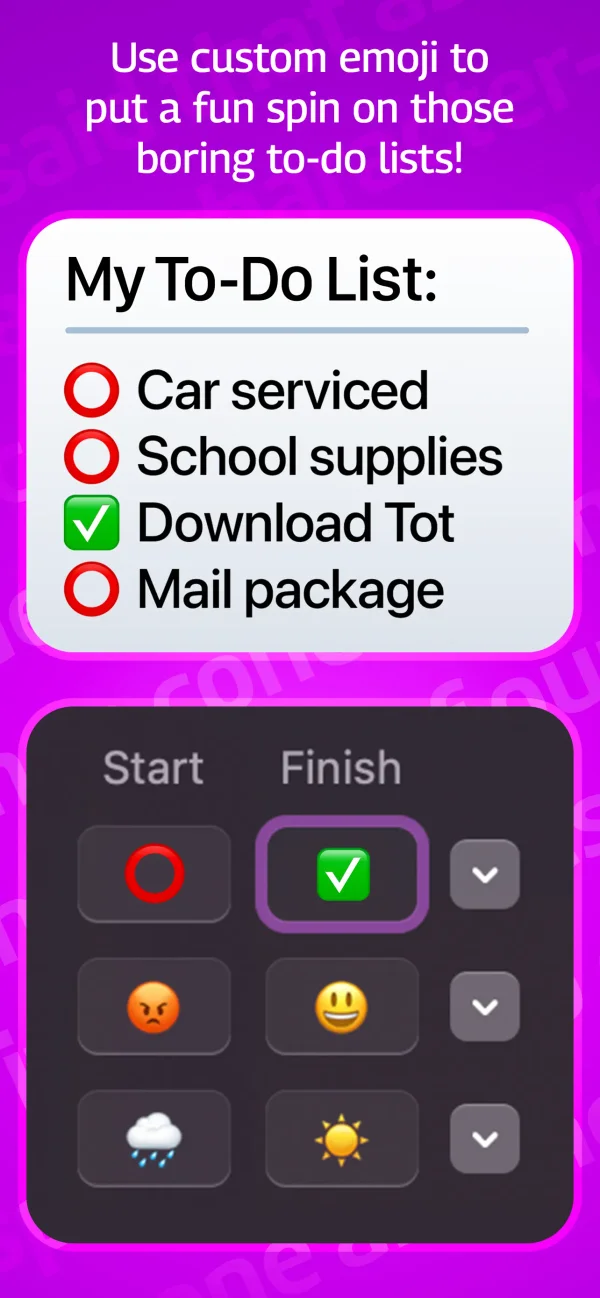
Tot puts common text operations on the keyboard and keeps track of word and character counts as you type.
Available for iOS, macOS, and watchOS.
Yenilikler
Sürüm 2.1.1 · 07.10.2025
Action to toggle the formatting bar on/off, added a new rich text font choice, fixed What’s New appearing when it shouldn’t plus fixed some Tahoe bugs.
All:
• Tot’s What’s New view no longer appears when there’s nothing new
• Added "System (Monospaced)" as a rich text font choice
iOS:
• Added a toggle to turn Tot’s formatting bar on/off:
- Tap the Actions Menu (⋯) and toggle Format Bar
- Increases editing area on smaller devices
• Fixed an issue with Compact Dots button not working
macOS:
• Added “Display as Floating Window” back to menu bar:
- Shift-Command-F is default keyboard shortcut
- You can override shortcut in System Settings
• Added a partial workaround for bug on macOS Tahoe:
- Happens when presenting the popover window and the menu bar is hidden
- Fixed window that was too small and placed incorrectly
- There is still a nub that we can't fix: it's arrows displaying incorrectly
Uygulama gizliliği
Bu uygulamanın verileri nasıl işlediği hakkında The Iconfactory tarafından App Store üzerinde yapılan beyan.
-
Veri toplanmıyor
Geliştirici bu uygulamadan hiçbir veri toplamıyor.
Gizlilik uygulamaları, örneğin kullandığınız özelliklere veya yaşınıza göre değişiklik gösterebilir.
Bilgiler
- Satıcı
- The Iconfactory
- Kategori
- Üretkenlik
- Sürüm
- 2.1.1
- Güncellendi
- 07.10.2025
- Yayın tarihi
- 26.02.2020
- Boyut
- 43,0 MB
- Gereksinim
- iOS 17.0 veya sonrası
- Yaş sınırı
- 4+
- Fiyat
- Ücretsiz
- Uygulama içi satın alma
- Evet
- Diller
- İngilizce
- Telif hakkı
- © 2025 The Iconfactory, Inc.
Bunları da beğenebilirsiniz
-
 Simple Scan • Quick ScannerÜretkenlik
-
 DEVONthink To Go 4Üretkenlik
-
 Unforgetful: Never Lose a TaskÜretkenlik
-
 Remind Me FasterÜretkenlik
-
 Quick Notes - CaptureÜretkenlik
-
 Bebop: Quick NotesÜretkenlik
-
 OmniOutliner 6Üretkenlik
-
 Funnel - Quick CaptureÜretkenlik
-
 iA Writer: Get FocusedÜretkenlik
-
 Supernotes – Notes & JournalÜretkenlik