TT: Typing Practice
Build accuracy with every key
Entwickelt für iPhone, iPad, Mac
Kostenlos · In-App-Käufe
- Altersfreigabe4+
- KategorieBildung
- Entwickler伟 邓
- SprachenEnglisch+ 9 weitere
- Größe13,9 MB
Verlinkt auf die offizielle App Store-Seite
Download.org hostet keine Datei von TT: Typing Practice. Die Schaltfläche öffnet die App-Seite bei App Store, wo 伟 邓 die App veröffentlicht. Eintrag zuletzt geprüft am 23.11.2026.
Screenshots


Info
Der Entwickler hat diesen Text nicht in Ihrer Sprache bereitgestellt.
Build more accurate, consistent typing habits with TT. Key-position learning, guided lessons and clear feedback work together.
PRACTICE WITH A PURPOSE
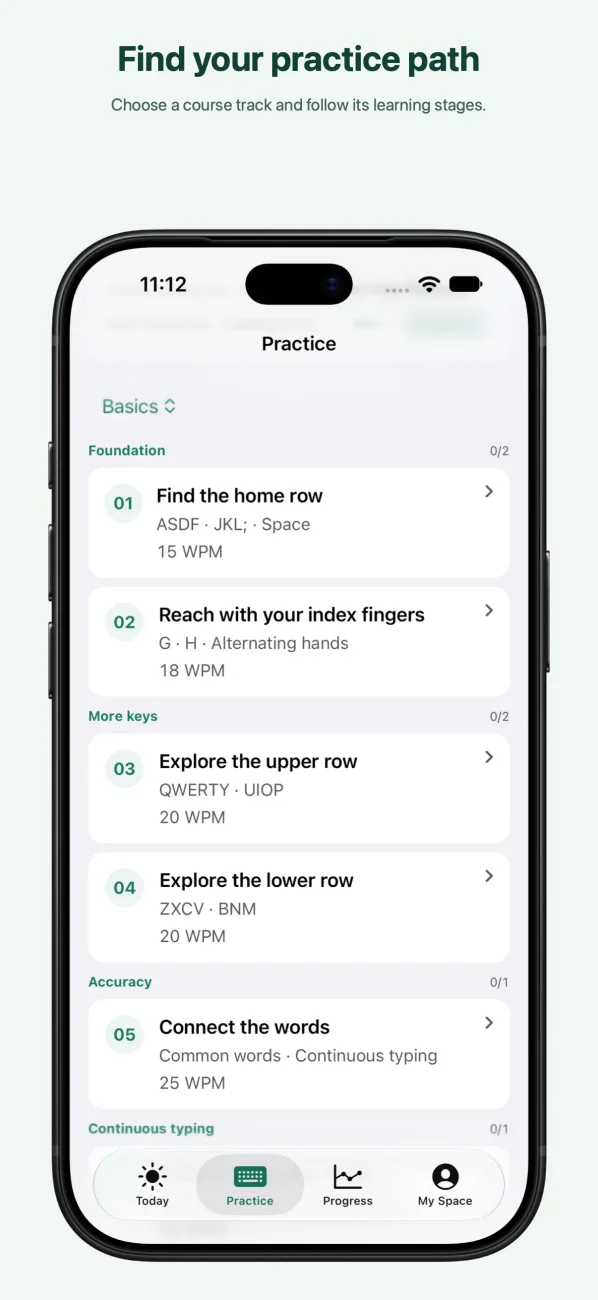
Explore 32 lessons across Basics, Programmer, Typist, Data Entry and Clerical tracks. Practice home-row keys, capitals, numbers and symbols, then move into code, office writing and records. Each session generates fresh material. Three guidance levels adapt to your experience or can be selected manually.
KNOW WHAT TO PRACTICE NEXT
Choose a daily goal of 5, 10 or 15 minutes. Follow warm-up, weak-point practice, a next lesson and a check. Start with an optional short diagnostic. Completed steps are saved, so you can return to unfinished steps later.
TURN RESULTS INTO PRACTICE
Review effective WPM, accuracy, difficult keys, trends and session history. Revisit weak keys, key pairs and Shift combinations, and compare results under matching conditions. Key-memory quizzes and phone typing are tracked separately.
USE YOUR PREFERRED LAYOUT
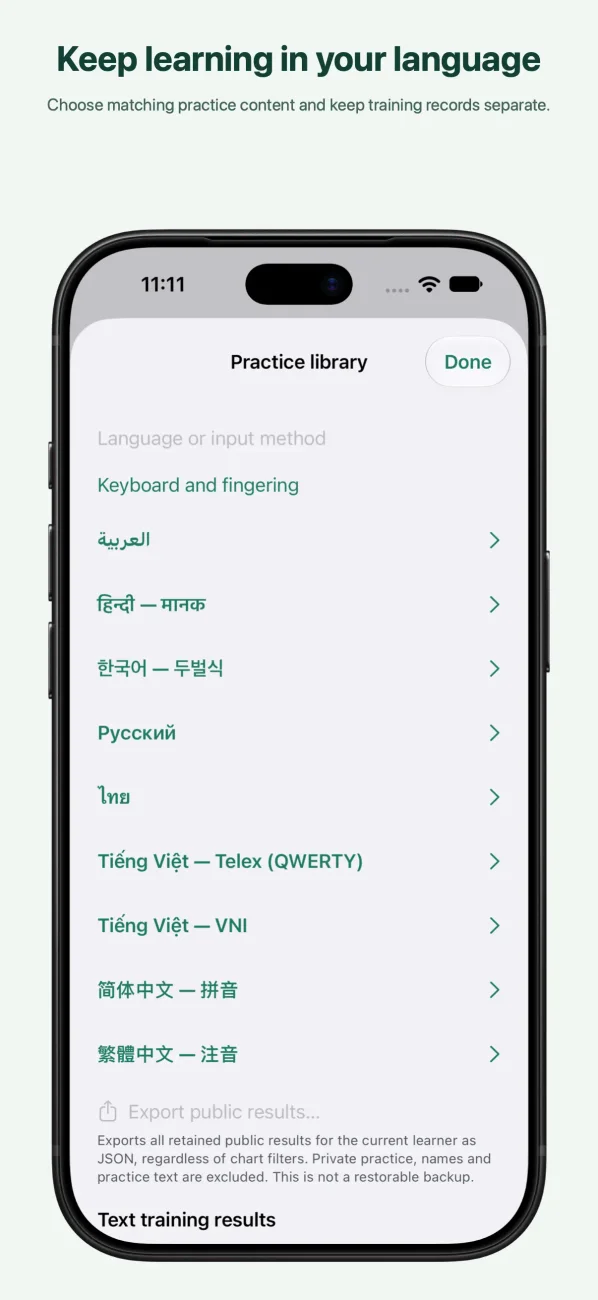
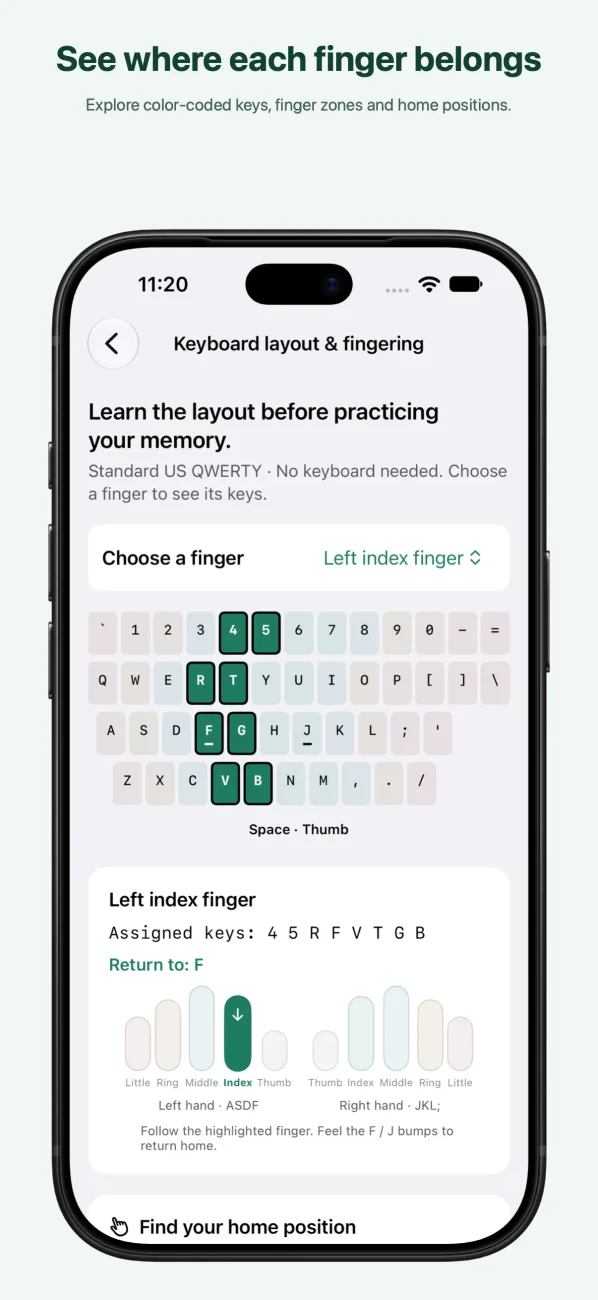
Choose US QWERTY, Dvorak, Colemak, Apple French ISO or Apple German ISO. Japanese practice offers JIS direct kana and US QWERTY romaji input, with 14 hiragana lessons per method and separate progress. Follow the setup prompts to switch your input source and check the keys. The interface supports English, Simplified Chinese, Traditional Chinese, French, German, Japanese, Korean, Russian, Spanish and Portuguese. Interface and practice languages are independent. Dedicated Chinese IME training is not supported.
BRING YOUR OWN MATERIAL
Practice code, office and data-entry tasks, or paste or import supported text and preview it before starting. Custom text, titles and related results stay on this device and are excluded from iCloud and companion mode. Export the current learner's non-private results as JSON.
TURN YOUR IPHONE INTO A TYPING HOST
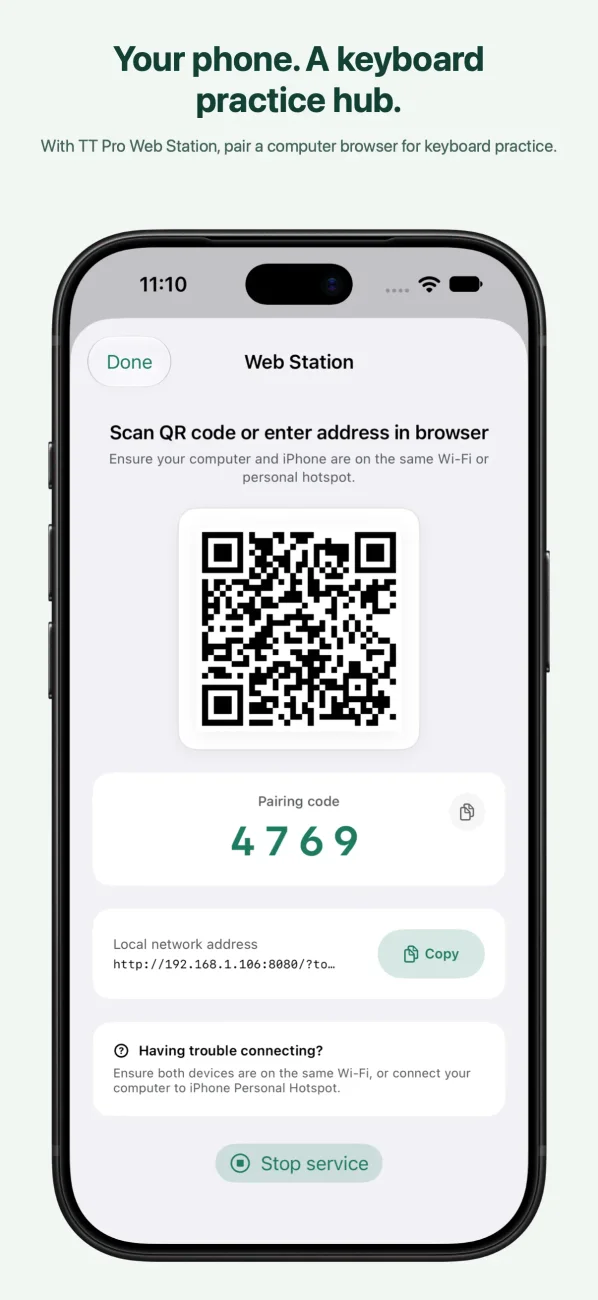
Start Web Station on iPhone and connect from a Windows, Linux or Mac browser on the same Wi-Fi or hotspot. No desktop app is needed. Practice on a physical keyboard while iPhone shows live WPM, accuracy, combo and chunk progress. Finished sessions are saved to the current learner's Progress, with automatic and manual save retry if the connection drops. The Web Station page follows your iPhone language and supports 10 interface languages. Web Station requires TT Pro.
PRACTICE ON IPHONE AND IPAD
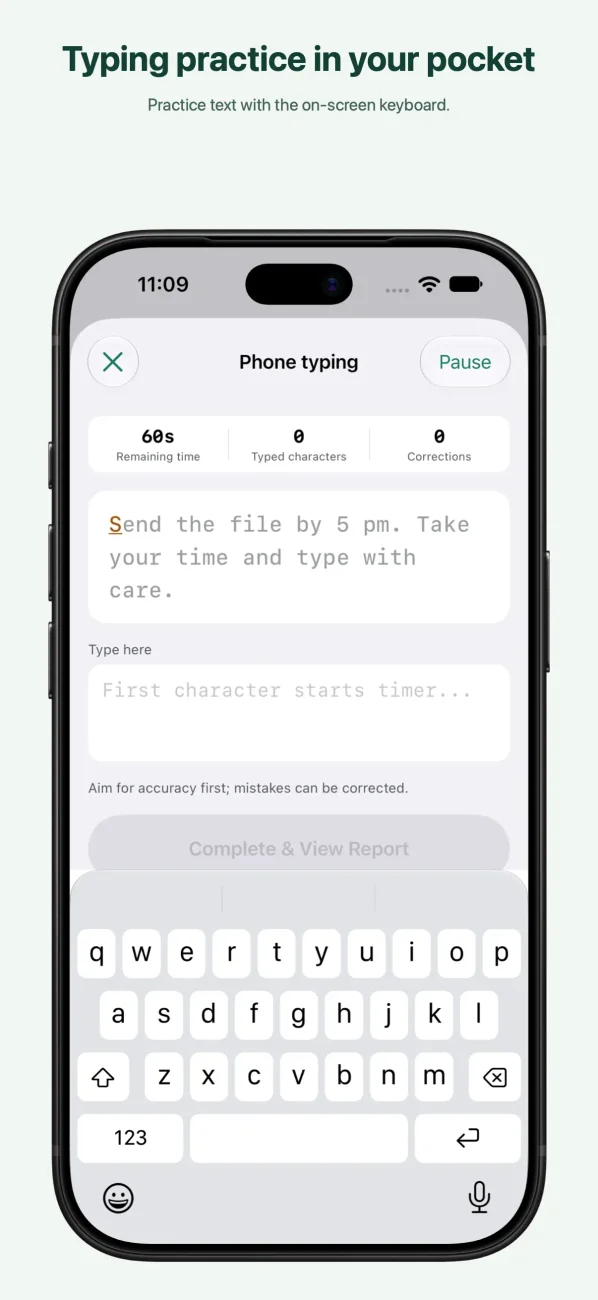
On iPhone, study key positions, take memory quizzes or practice phone typing. On iPad, connect an external keyboard and match your system input source to the selected layout. With Pro, use iPhone to follow a nearby Mac's live practice or get camera-based hand-position and home-row reminders. Both devices need TT and active Pro for companion mode. Camera guidance is iPhone-only; it does not verify individual keystroke fingers or affect scores.
YOUR DATA, YOUR CONTROL
No TT account is required. Practice data is stored locally. iCloud sync is on by default and can be turned off in Settings; it syncs learner profiles, built-in lesson results and key-memory records. Camera images are processed on iPhone without recording or upload.
FREE PRACTICE AND TT PRO
Without a subscription, use six selected basic lessons, one introductory lesson in each of four career tracks, weak-key review, practice history and iCloud sync. TT Pro unlocks the full course library, additional learner profiles, Mac-to-iPhone companion mode and iPhone camera guidance.
Terms of Use (Apple Standard EULA): https://www.apple.com/legal/internet-services/itunes/dev/stdeula/
Neue Funktionen
Version 1.4.2 · 19.11.2026
• Growth now opens with a line chart of all results, connecting your saved history over time, including results from older versions and short practice sessions.
• Switch between speed, accuracy and available scores. See averages, peaks and the selected result to review each practice session.
• Continue filtering results by matching training conditions, with improved charts for older results that previously appeared only as isolated points when training details were missing.
• Improved translations for result groups, lesson labels, chart tips and axis descriptions so they follow your selected interface language.
• Refined Pro badges and title layouts, with improvements for long titles, larger text sizes and VoiceOver.
App-Datenschutz
Was 伟 邓 im App Store zum Umgang dieser App mit Daten angibt.
-
Keine Daten erfasst
Der Entwickler erfasst keine Daten von dieser App.
Die Datenschutzpraktiken können variieren, zum Beispiel je nach den von Ihnen verwendeten Funktionen oder Ihrem Alter.
Informationen
- Anbieter
- 伟 邓
- Kategorie
- Bildung
- Version
- 1.4.2
- Aktualisiert
- 19.11.2026
- Veröffentlicht
- 19.10.2026
- Größe
- 13,9 MB
- Erfordert
- iOS 17.0 oder neuer
- Altersfreigabe
- 4+
- Preis
- Kostenlos
- In-App-Käufe
- Ja
- Sprachen
- Englisch, Französisch, Deutsch, Japanisch, Koreanisch, Portugiesisch, Russisch, Vereinf. Chinesisch, Spanisch, Tradit. Chinesisch
- Copyright
- © 2026
Das könnte Ihnen auch gefallen
-
 Medical Coding CCS PrepBildung
-
 Give Me Words AACBildung
-
 Medical Coding Flashcards 2026Bildung
-
 Teach Your Kid to ReadBildung
-
 Verbal AUTISM PlusBildung
-
 Maven AACBildung
-
 ABC Phonics & Reading for KidsBildung
-
 TTT Letter BoardBuchstabentafel für UK
-
 TBoard: Letterboard AAC TypingBildung
-
 Boones Creek CCBildung