TT: Typing Practice
Build accuracy with every key
Projetado para iPhone, iPad, Mac
Grátis · Compras no app
- Classificação etária4+
- CategoriaEducação
- Desenvolvedor伟 邓
- IdiomasInglêse mais 9
- Tamanho14,3 MB
Leva à página oficial na App Store
O Download.org não hospeda nenhum arquivo de TT: Typing Practice. O botão abre a página do app na App Store, onde 伟 邓 o publica. Página verificada pela última vez em 27/11/2026.
Capturas de tela
Sobre
O desenvolvedor não forneceu este texto no seu idioma.
Build more accurate, consistent typing habits with TT. Key-position learning, guided lessons and clear feedback work together.
PRACTICE WITH A PURPOSE
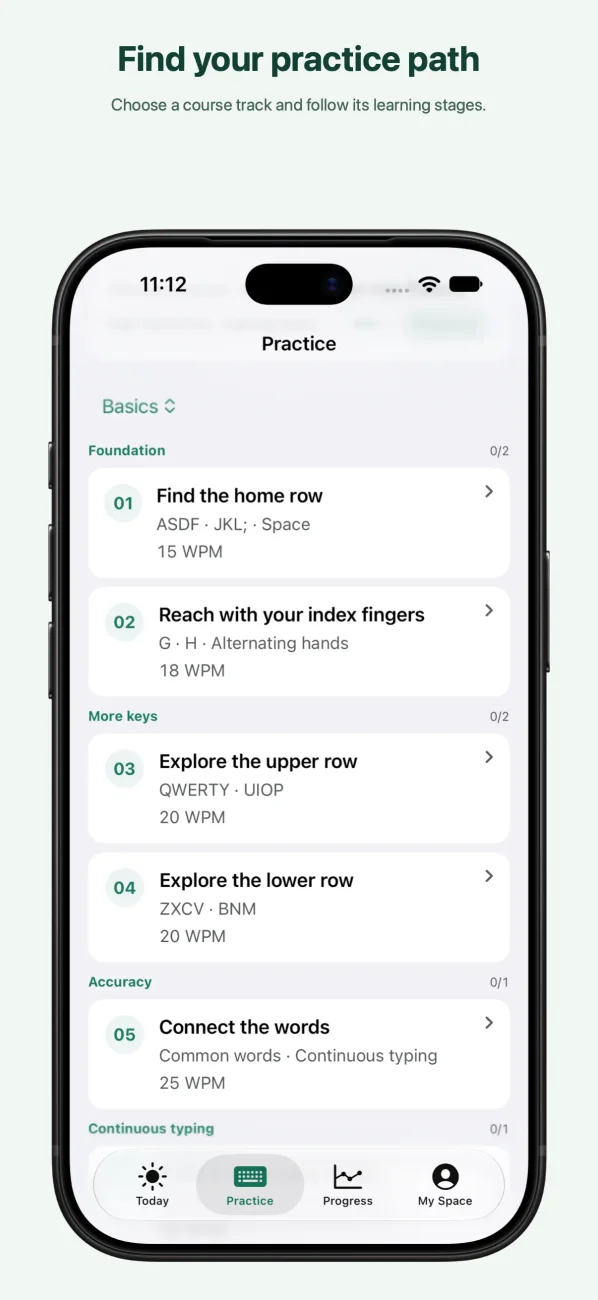
Explore 32 lessons across Basics, Programmer, Typist, Data Entry and Clerical tracks. Practice home-row keys, capitals, numbers and symbols, then move into code, office writing and records. Each session generates fresh material. Three guidance levels adapt to your experience or can be selected manually.
KNOW WHAT TO PRACTICE NEXT
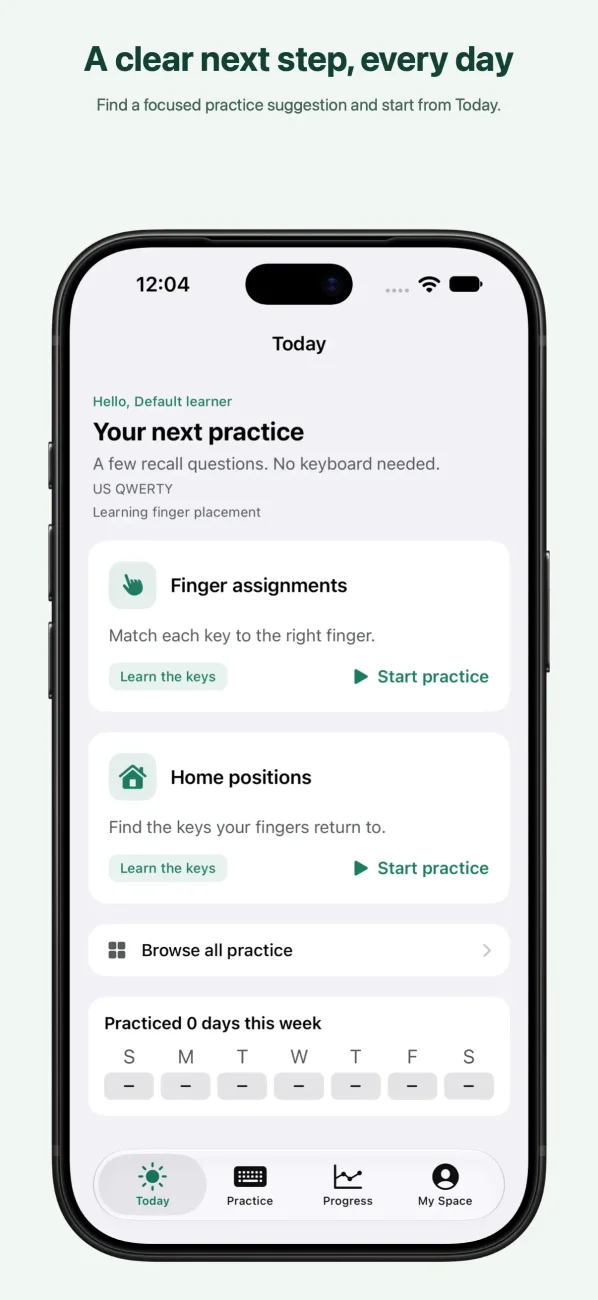
Choose a daily goal of 5, 10 or 15 minutes. Follow warm-up, weak-point practice, a next lesson and a check. Start with an optional short diagnostic. Completed steps are saved, so you can return to unfinished steps later.
TURN RESULTS INTO PRACTICE
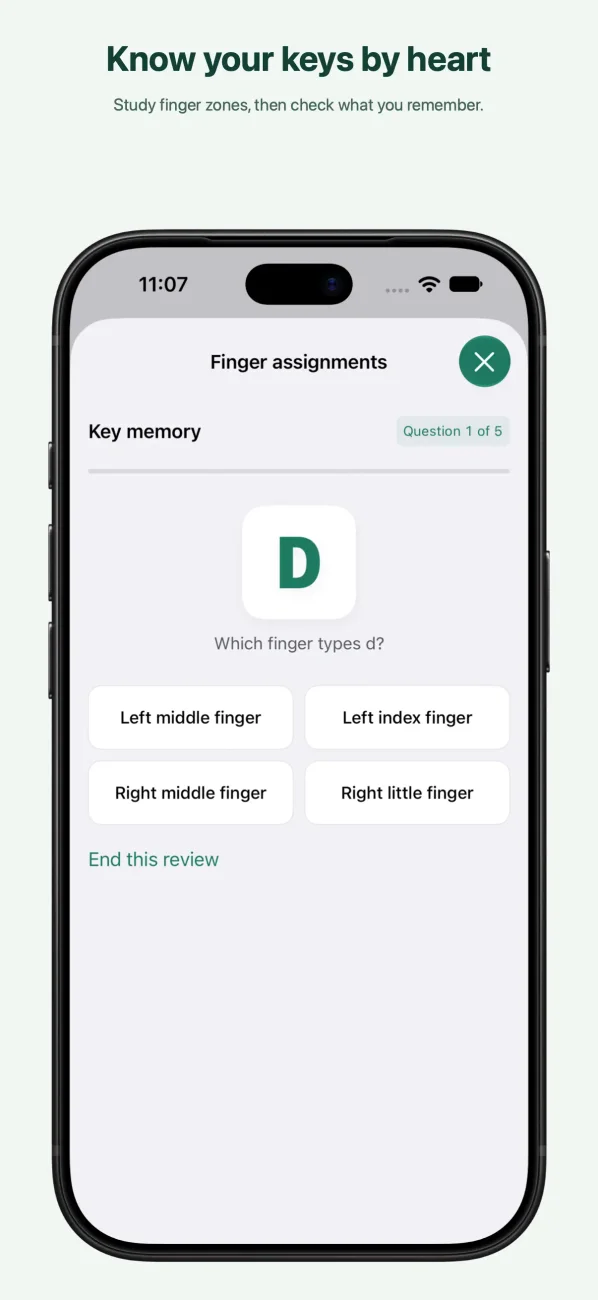
Review effective WPM, accuracy, difficult keys, trends and session history. Revisit weak keys, key pairs and Shift combinations, and compare results under matching conditions. Key-memory quizzes and phone typing are tracked separately.
USE YOUR PREFERRED LAYOUT
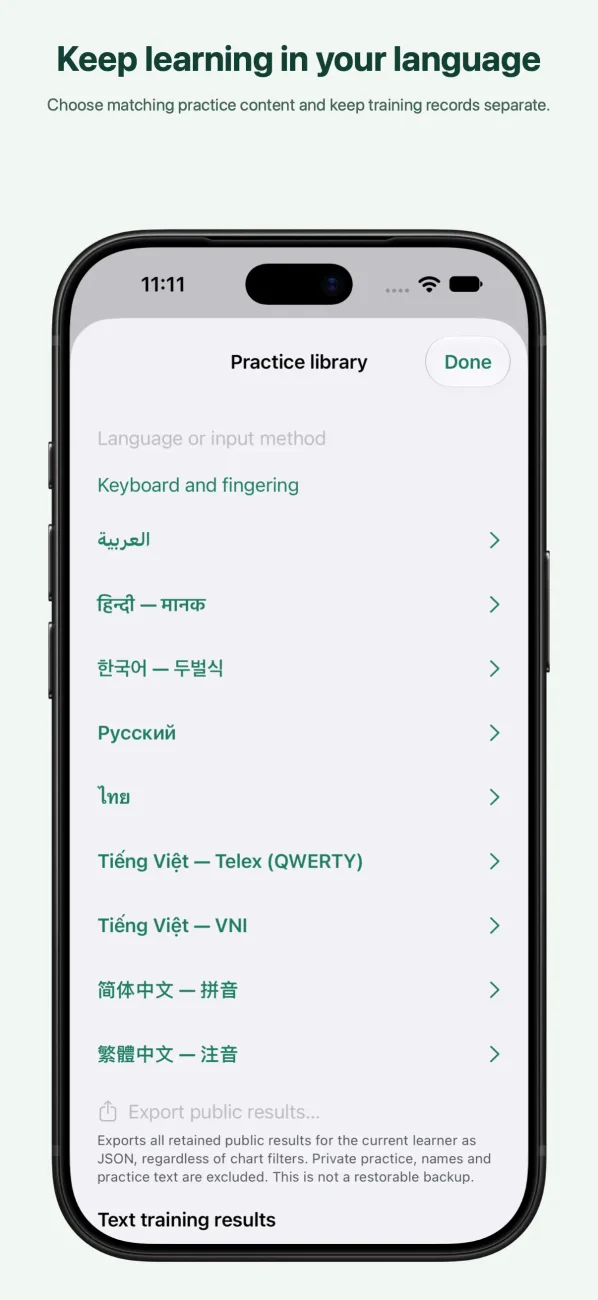
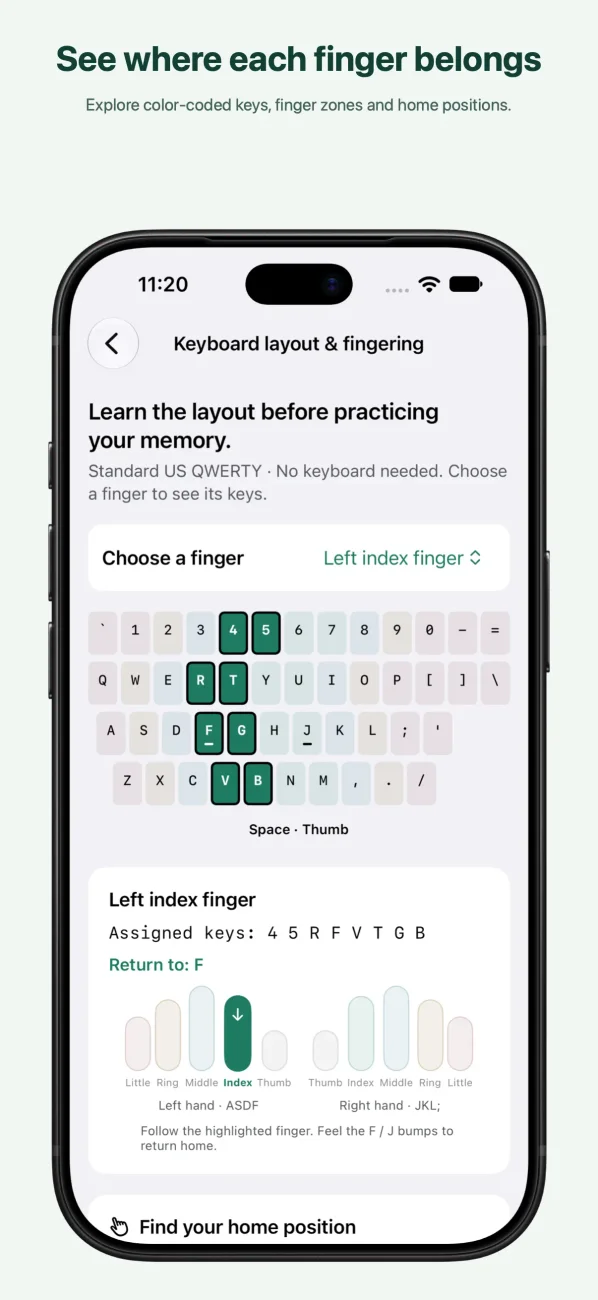
Choose US QWERTY, Dvorak, Colemak, Apple French ISO or Apple German ISO. Japanese practice offers JIS direct kana and US QWERTY romaji input, with 14 hiragana lessons per method and separate progress. Follow the setup prompts to switch your input source and check the keys. The interface supports English, Simplified Chinese, Traditional Chinese, French, German, Japanese, Korean, Russian, Spanish and Portuguese. Interface and practice languages are independent. Dedicated Chinese IME training is not supported.
BRING YOUR OWN MATERIAL
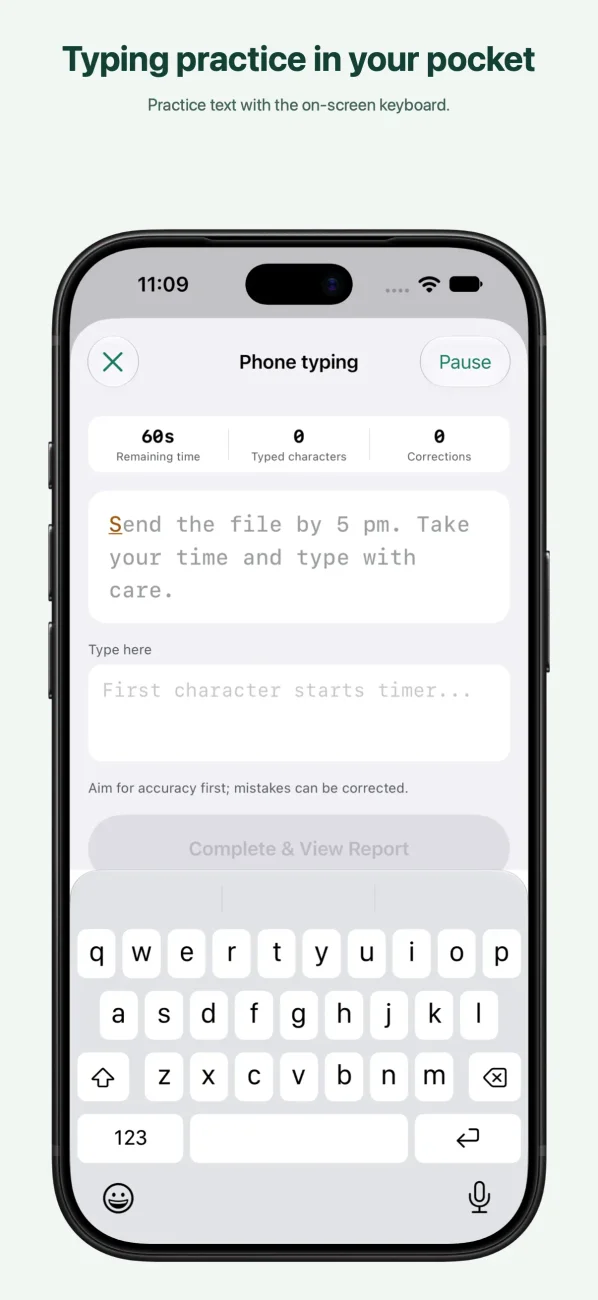
Practice code, office and data-entry tasks, or paste or import supported text and preview it before starting. Custom text, titles and related results stay on this device and are excluded from iCloud and companion mode. Export the current learner's non-private results as JSON.
TURN YOUR IPHONE INTO A TYPING HOST
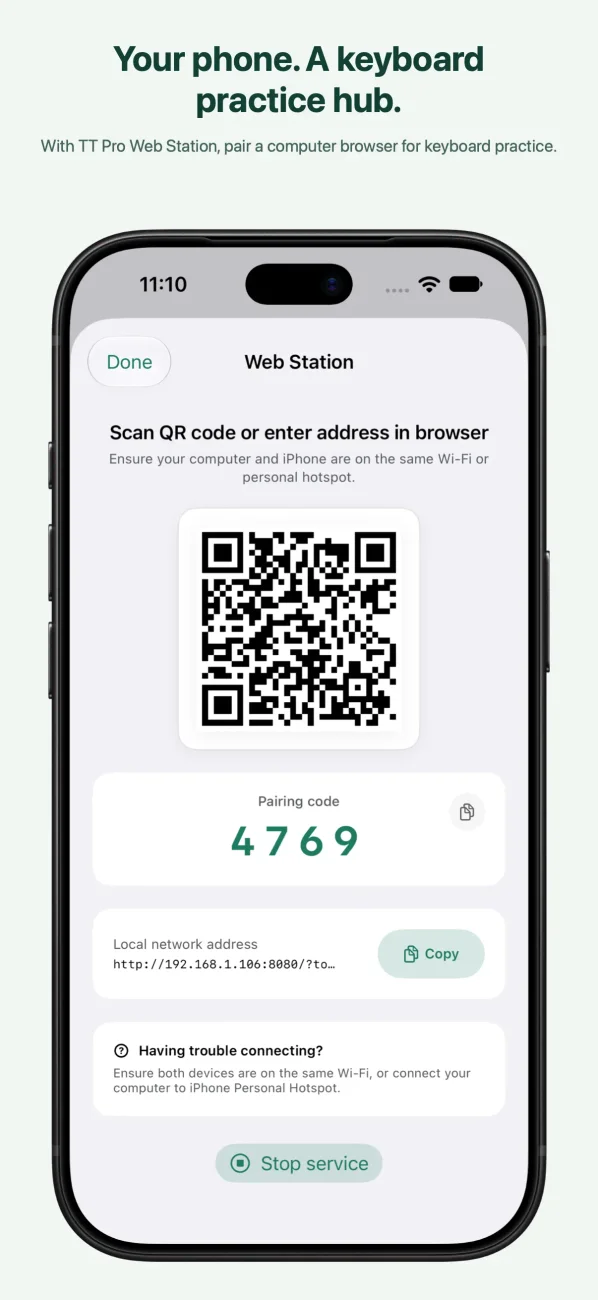
Start Web Station on iPhone and connect from a Windows, Linux or Mac browser on the same Wi-Fi or hotspot. No desktop app is needed. Practice on a physical keyboard while iPhone shows live WPM, accuracy, combo and chunk progress. Finished sessions are saved to the current learner's Progress, with automatic and manual save retry if the connection drops. The Web Station page follows your iPhone language and supports 10 interface languages. Web Station requires TT Pro.
PRACTICE ON IPHONE AND IPAD
On iPhone, study key positions, take memory quizzes or practice phone typing. On iPad, connect an external keyboard and match your system input source to the selected layout. With Pro, use iPhone to follow a nearby Mac's live practice or get camera-based hand-position and home-row reminders. Both devices need TT and active Pro for companion mode. Camera guidance is iPhone-only; it does not verify individual keystroke fingers or affect scores.
YOUR DATA, YOUR CONTROL
No TT account is required. Practice data is stored locally. iCloud sync is on by default and can be turned off in Settings; it syncs learner profiles, built-in lesson results and key-memory records. Camera images are processed on iPhone without recording or upload.
FREE PRACTICE AND TT PRO
Without a subscription, use six selected basic lessons, one introductory lesson in each of four career tracks, weak-key review, practice history and iCloud sync. TT Pro unlocks the full course library, additional learner profiles, Mac-to-iPhone companion mode and iPhone camera guidance.
Terms of Use (Apple Standard EULA): https://www.apple.com/legal/internet-services/itunes/dev/stdeula/
Novidades
Versão 1.4.3 · 27/11/2026
Make daily practice easier to keep up.
• Set a daily practice reminder at a time that suits you. Reminders stop for the day once you save a practice result or answer a memory question.
• Revisit mastered lessons you haven't practiced recently, with updated warm-ups, review plans and clearer guidance on what to practice next.
• Back up and restore your local learner profiles, results, plans, private practice texts and notes.
• Continue today's training plan directly from the iPad home screen. Fixed an issue on iPhone that asked for a physical keyboard after choosing the onscreen keyboard.
• Improved Web Station connections and result saving. Fixed repeated lesson segments caused by network delays and corrected speed calculations after deleting characters.
• Fixed language inconsistencies in practice statistics and prompts, exit confirmation when results fail to save, and heatmap crashes caused by invalid records.
Privacidade do app
O que 伟 邓 declara na App Store sobre como este app lida com os dados.
-
Dados não coletados
O desenvolvedor não coleta nenhum dado deste app.
As práticas de privacidade podem variar, por exemplo, com base nos recursos que você usa ou na sua idade.
Informações
- Vendedor
- 伟 邓
- Categoria
- Educação
- Versão
- 1.4.3
- Atualizado
- 27/11/2026
- Lançamento
- 19/10/2026
- Tamanho
- 14,3 MB
- Requer
- iOS 17.0 ou posterior
- Classificação etária
- 4+
- Preço
- Grátis
- Compras no app
- Sim
- Idiomas
- Inglês, Francês, Alemão, Japonês, Coreano, Português, Russo, Chinês simplificado, Espanhol, Chinês tradicional
- Copyright
- © 2026
Você também pode gostar
-
 Medical Coding CCS PrepEducação
-
 Give Me Words AACEducação
-
 Medical Coding Flashcards 2026Educação
-
 Teach Your Kid to ReadEducação
-
 Verbal AUTISM PlusEducação
-
 Maven AACEducação
-
 ABC Phonics & Reading for KidsEducação
-
 TTT Letter BoardPrancha de letras para CAA
-
 TBoard: Letterboard AAC TypingEducação
-
 Boones Creek CCEducação