
Ubimi: Remote Desktop
Use your Mac from your iPhone
Entwickelt für iPhone
Kostenlos · In-App-Käufe
- Altersfreigabe17+
- KategorieProduktivität
- EntwicklerMesut iNAM
- SprachenEnglisch+ 1 weitere
- Größe15,1 MB
Verlinkt auf die offizielle App Store-Seite
Download.org hostet keine Datei von Ubimi: Remote Desktop. Die Schaltfläche öffnet die App-Seite bei App Store, wo Mesut iNAM die App veröffentlicht. Eintrag zuletzt geprüft am 23.11.2026.
Screenshots
Info
Der Entwickler hat diesen Text nicht in Ihrer Sprache bereitgestellt.
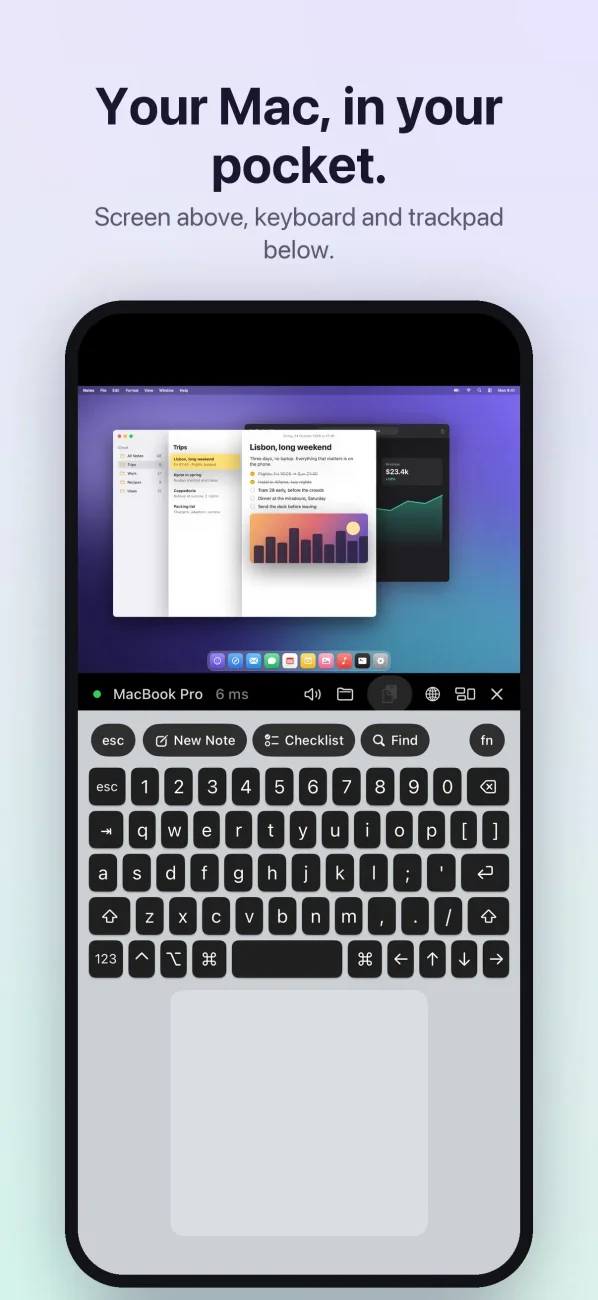
Ubimi puts your own Mac in your pocket. Half-fold iPhone Duo and it becomes a tiny MacBook: your Mac's screen on top, a real Mac keyboard and trackpad below. Lay it flat for a big trackpad, or turn it sideways for the full screen.
HOW IT WORKS
• Install the free Ubimi Agent on your Mac from ubimi.app.
• Pair once with the 6-digit code your Mac shows.
• On the same Wi-Fi it connects in an instant. No account, nothing to set up.
WHAT YOU GET
• Laptop posture: screen above, Mac keyboard and trackpad below, plus shortcuts for the app in front.
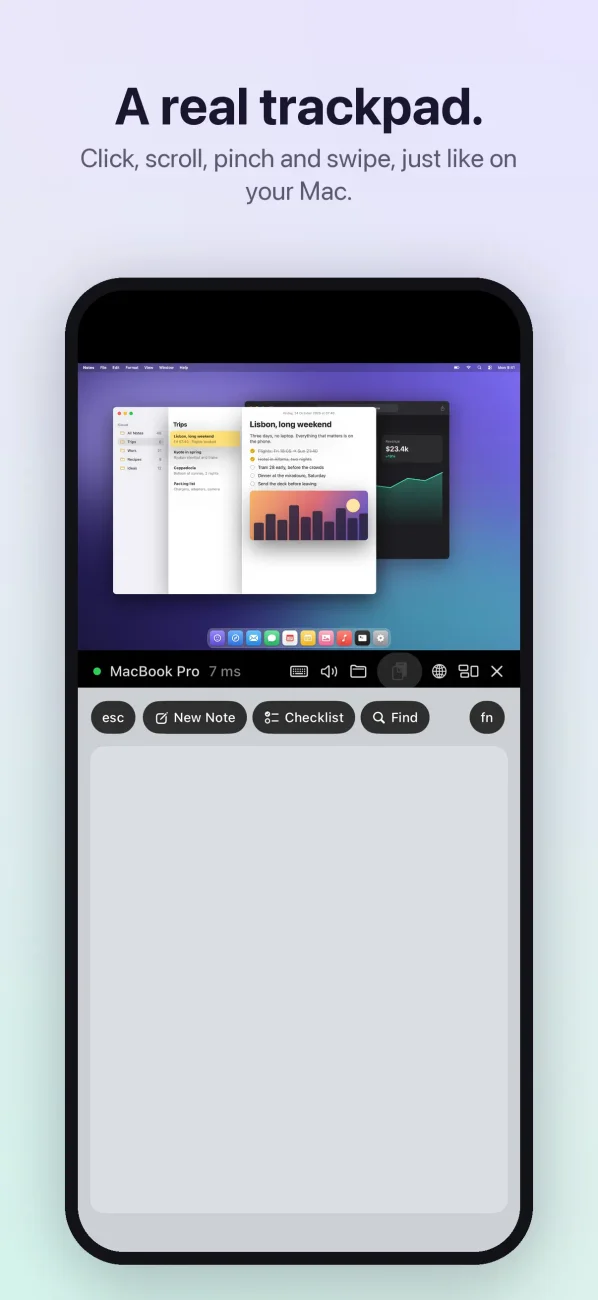
• Trackpad that feels like your Mac's: click, right-click, two-finger scroll, pinch to zoom.
• Copy on your Mac, paste on your phone, and the other way round.
• End-to-end encrypted: your screen and keystrokes travel only between your phone and your Mac.
• Works on any iPhone; the laptop posture needs iPhone Duo.
UBIMI PRO
• Access from anywhere: home, office or mobile data, with nothing to configure.
• Approval mode: remote access opens only after Touch ID or Face ID, and your Mac tells you.
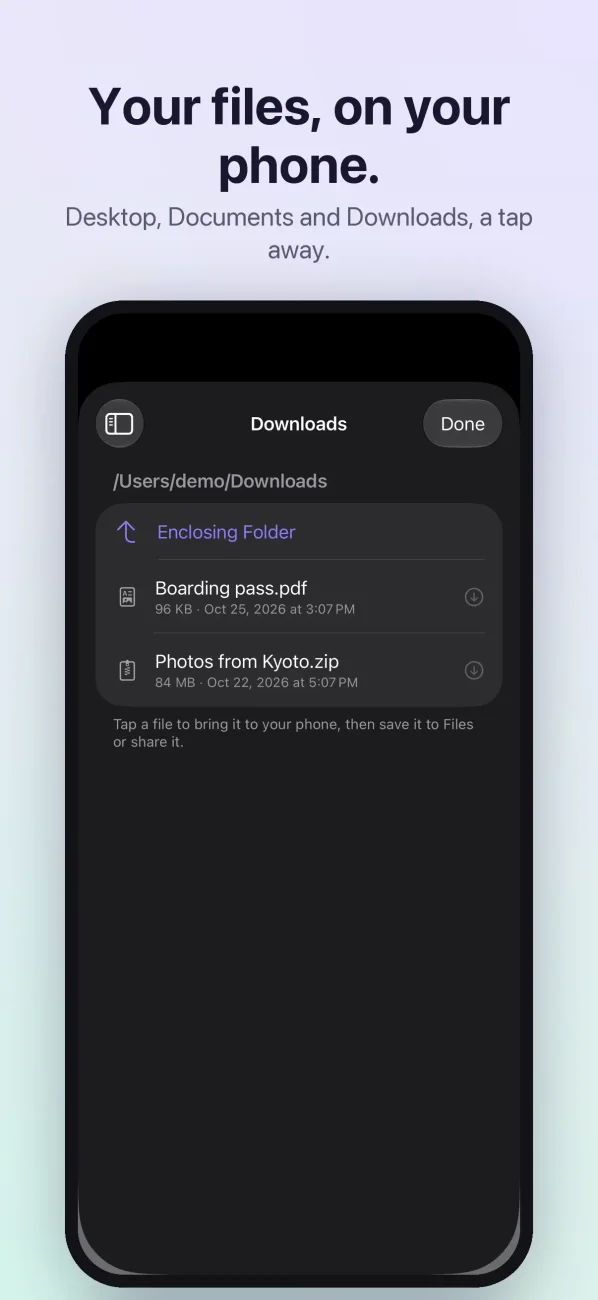
• Files: bring anything from Desktop, Documents and Downloads to your phone.
• Your Mac's sound on your phone.
• Pair all your Macs.
Ubimi Pro is available monthly or yearly, each with a free first week, or as a one-time lifetime purchase. Payment is charged to your Apple Account. Subscriptions renew automatically unless cancelled at least 24 hours before the end of the current period; manage or cancel them in Settings.
Requires a Mac with macOS 14 or later running Ubimi Agent.
Terms of Use: https://www.apple.com/legal/internet-services/itunes/dev/stdeula/
Privacy Policy: https://ubimi.app/privacy
Neue Funktionen
Version 1.0.2 · 20.11.2026
- A keyboard that looks like your Mac: pick Silver, Space Black, Midnight or Starlight. On automatic it follows your Mac's light or dark mode (Ubimi Agent 0.5.4).
- Backlit keys that fade when you stop typing and come back at the first touch.
- Sound, files, paste and the other controls moved off the hinge into the key row, within easy reach. The top bar now just shows where you're connected.
- Caps lock with its light, rows of equal width and arrow keys in an inverted T.
- With the phone closed, the cover screen shows that your computer is waiting inside.
App-Datenschutz
Was Mesut iNAM im App Store zum Umgang dieser App mit Daten angibt.
-
Mit Ihnen verknüpfte Daten
Können erfasst und mit Ihrer Identität verknüpft werden.
- Kennungen
Die Datenschutzpraktiken können variieren, zum Beispiel je nach den von Ihnen verwendeten Funktionen oder Ihrem Alter.
Informationen
- Anbieter
- Mesut iNAM
- Kategorie
- Produktivität
- Version
- 1.0.2
- Aktualisiert
- 20.11.2026
- Veröffentlicht
- 09.11.2026
- Größe
- 15,1 MB
- Erfordert
- iOS 17.0 oder neuer
- Altersfreigabe
- 17+
- Preis
- Kostenlos
- In-App-Käufe
- Ja
- Sprachen
- Englisch, Türkisch
- Copyright
- © 2026 FixLab
Das könnte Ihnen auch gefallen
-
 House Call: Remote ComputerProduktivität
-
 Uplid: Remote DesktopTastatur & Trackpad für Mac
-
 Morning First: App BlockerProduktivität
-
 Aspect MobileProduktivität
-
 Rufus Mail – E-Mail-SignaturGenerator mit Logo und Foto
-
 LilDisplayProduktivität
-
 Vibing: Remote & VideoProduktivität
-
 GoMask VPN Schutz & KontrolleSicher Mail Prüfen und Surfen
-
 DuoBook: Mac für die TascheiPhone Duo wird zum Mac
-
 San Bruno RespondsProduktivität