LilDisplay
Second display for your Mac
Entwickelt für iPhone, iPad, iPod touch
Kostenlos · In-App-Käufe
- Altersfreigabe4+
- KategorieProduktivität
- EntwicklerSaeed Garmeh
- SprachenEnglisch
- Größe1,9 MB
Verlinkt auf die offizielle App Store-Seite
Download.org hostet keine Datei von LilDisplay. Die Schaltfläche öffnet die App-Seite bei App Store, wo Saeed Garmeh die App veröffentlicht. Eintrag zuletzt geprüft am 24.11.2026.
Screenshots
Info
Der Entwickler hat diesen Text nicht in Ihrer Sprache bereitgestellt.
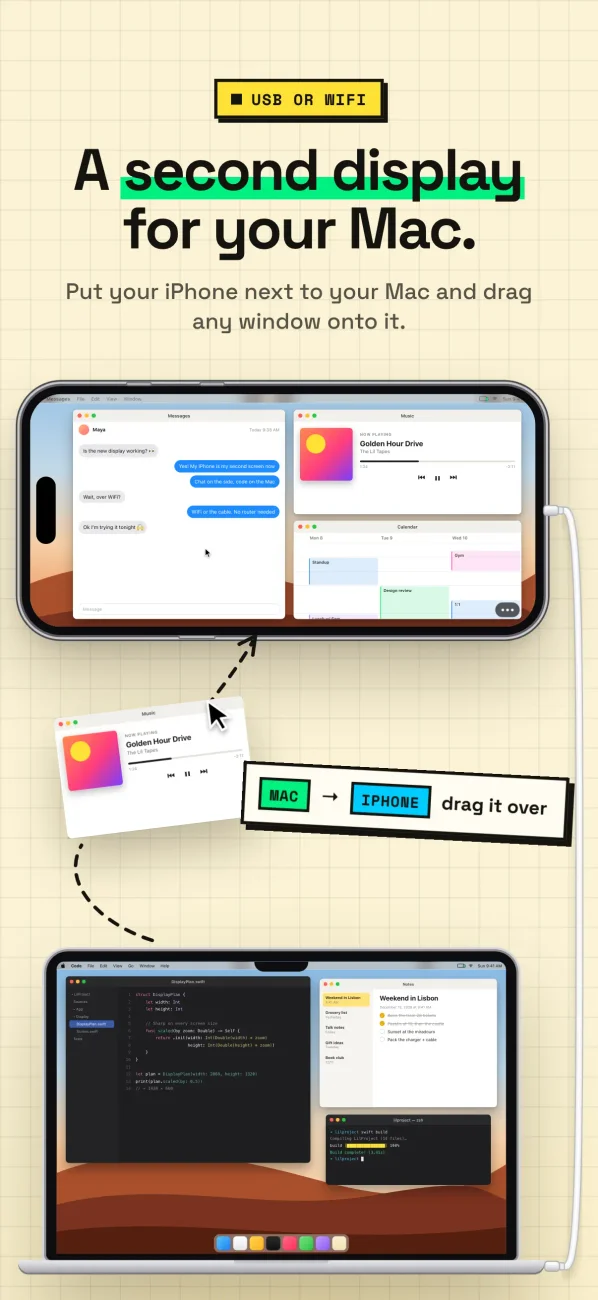
Use your iPhone or iPad as a second display for your Mac. One you can touch.
• SECOND DISPLAY: drag any window onto it. Portrait or landscape.
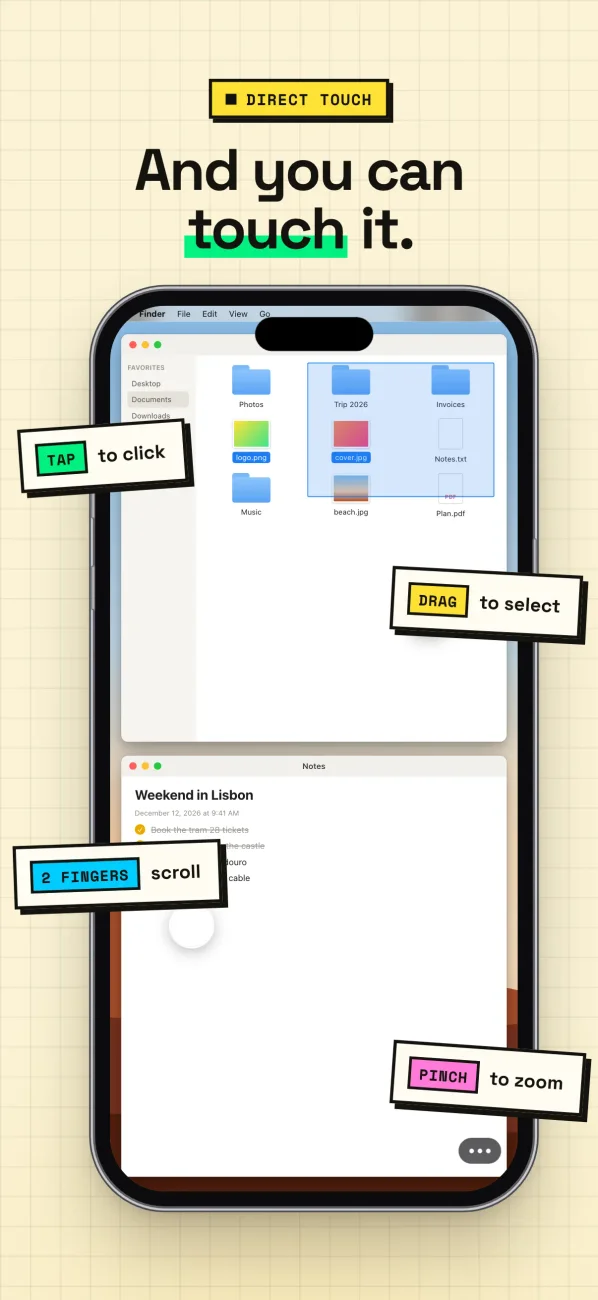
• TOUCH: tap, drag, scroll and pinch right on your Mac's windows.
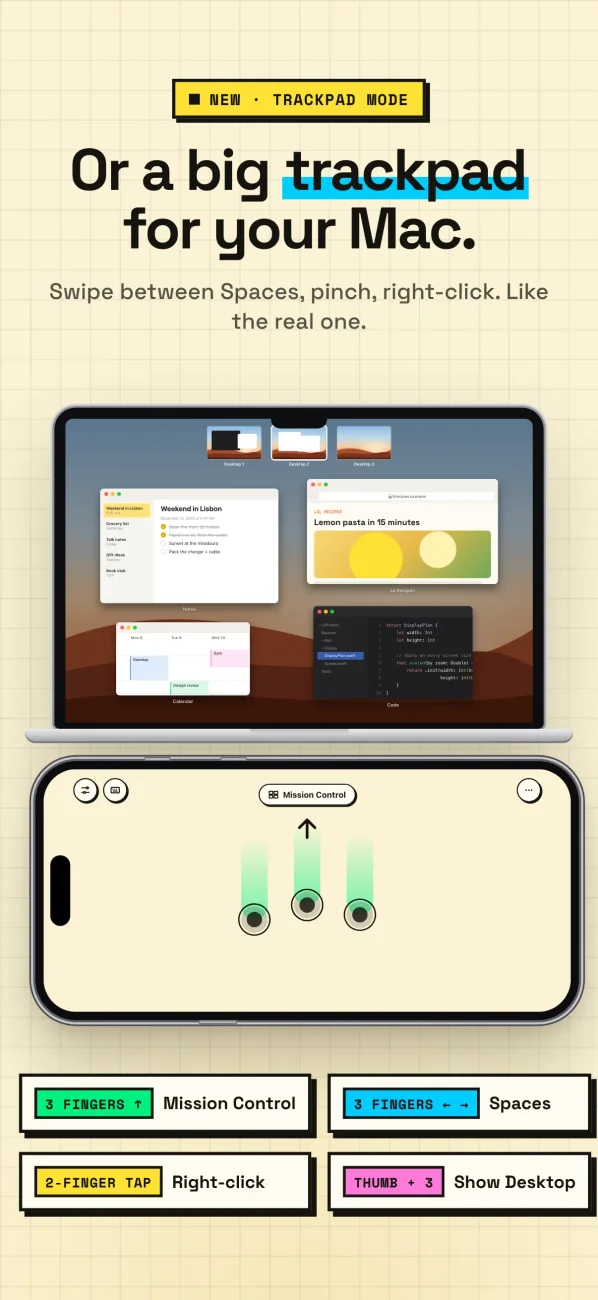
• TRACKPAD MODE: a big Mac trackpad with all the gestures.
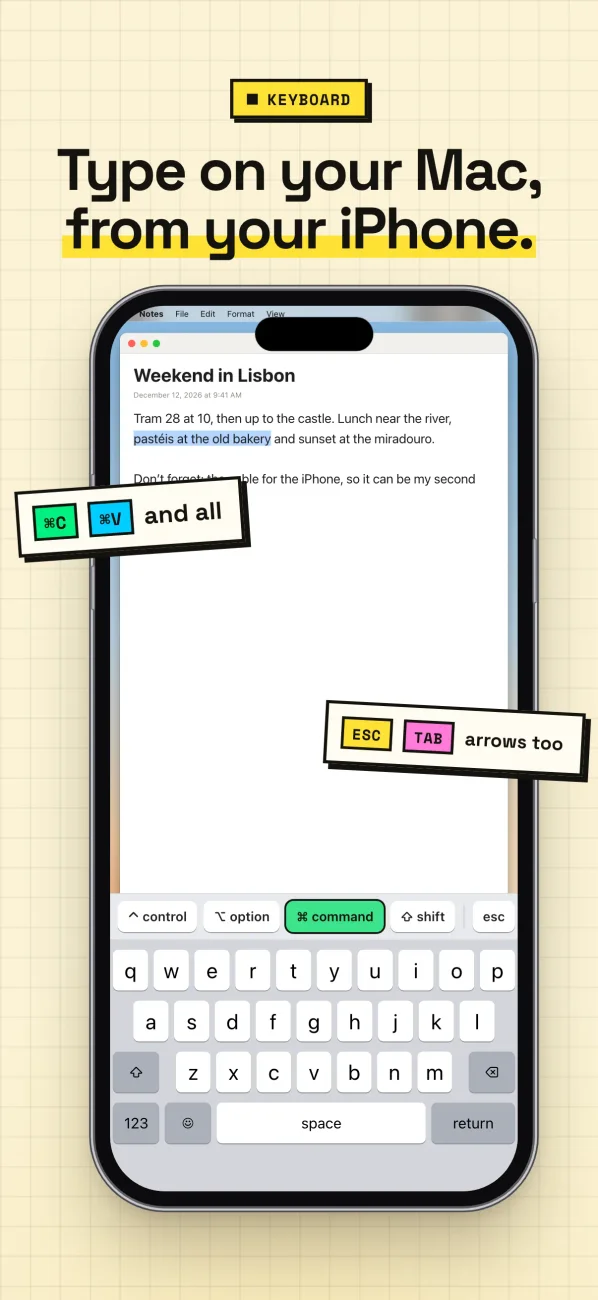
• KEYBOARD: type on your Mac, with ⌘, Esc, Tab and arrows.
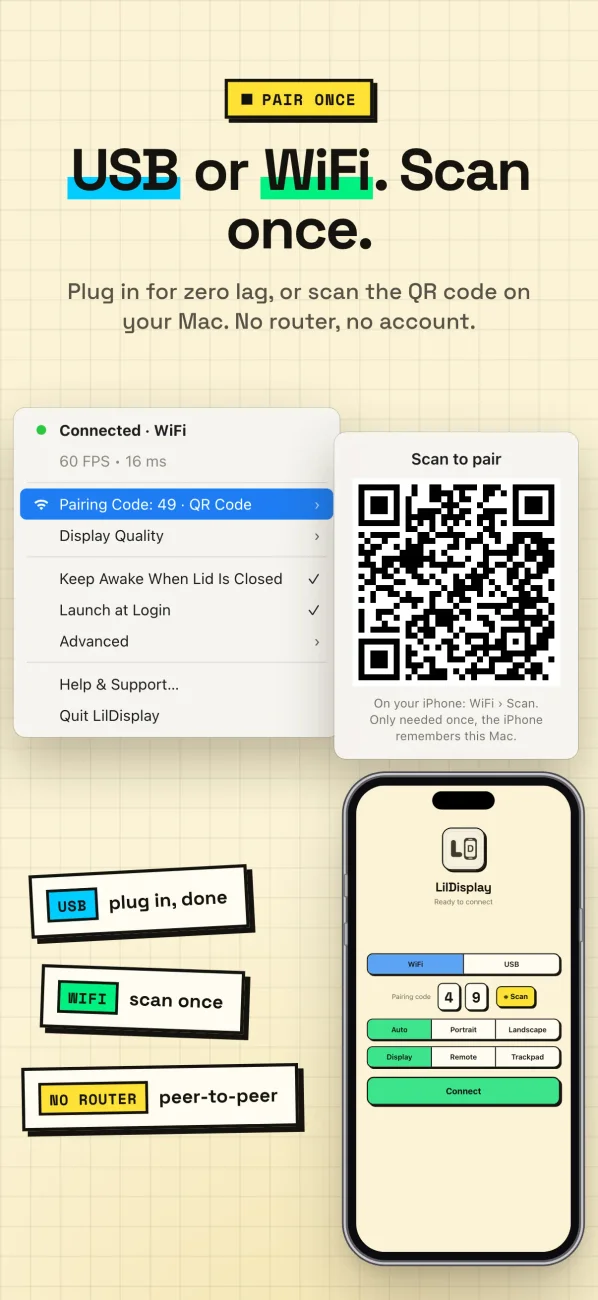
• USB OR WIFI: plug in for zero lag, or connect without a router. Scan once, then just tap Connect.
• APPLE PENCIL and IPHONE DUO supported.
• LID CLOSED: run your MacBook with the lid shut.
Private: everything stays between your devices. No account.
Try 3 sessions free, then pay once. No subscription.
Needs the free LilDisplay for Mac app (macOS 14.6+) from lilstudio.app/lildisplay.
Neue Funktionen
Version 3.3 · 23.11.2026
NEW
• Trackpad mode: your iPhone or iPad becomes a big Mac trackpad, with all the Mac gestures.
• Pair once: scan the QR code on your Mac, then just tap Connect.
• New gestures: back, forward, rotate and Show Desktop.
• Setup help when your Mac is missing a permission.
Needs the free LilDisplay for Mac 3.3 from lilstudio.app/lildisplay.
App-Datenschutz
Was Saeed Garmeh im App Store zum Umgang dieser App mit Daten angibt.
-
Keine Daten erfasst
Der Entwickler erfasst keine Daten von dieser App.
Die Datenschutzpraktiken können variieren, zum Beispiel je nach den von Ihnen verwendeten Funktionen oder Ihrem Alter.
Informationen
- Anbieter
- Saeed Garmeh
- Kategorie
- Produktivität
- Version
- 3.3
- Aktualisiert
- 23.11.2026
- Veröffentlicht
- 07.01.2026
- Größe
- 1,9 MB
- Erfordert
- iOS 15.6 oder neuer
- Altersfreigabe
- 4+
- Preis
- Kostenlos
- In-App-Käufe
- Ja
- Sprachen
- Englisch
- Copyright
- © 2026 LilDisplay
Das könnte Ihnen auch gefallen
-
 Any Display: Zweiter MonitoriPad: Monitor, Stift & Webcam
-
 XeOS: Externer Display-DesktopVollbild-Desktop-Modus / AR/VR
-
 OpenDisplayProduktivität
-
 Meinen Computer verbindenFür Mac entwickelt
-
 Duet Air - Remote DesktopProduktivität
-
 Duet DisplayBe Twice As Productive
-
 UTM Remote Virtual MachinesProduktivität
-
 DeskIn Remote DesktopProduktivität
-
 RealVNC Viewer: Remote DesktopProduktivität
-
 spacedesk - USB Display für PCZweites Display für Windows-PC