
Urine Log: Voiding Diary
Bladder Diary & Bowel Tracker
Entwickelt für iPhone, iPad
Kostenlos · In-App-Käufe
- Altersfreigabe4+
- KategorieMedizin
- EntwicklerTAKASHI KOJIMA
- SprachenEnglisch+ 12 weitere
- Größe6,8 MB
Verlinkt auf die offizielle App Store-Seite
Download.org hostet keine Datei von Urine Log: Voiding Diary. Die Schaltfläche öffnet die App-Seite bei App Store, wo TAKASHI KOJIMA die App veröffentlicht. Eintrag zuletzt geprüft am 26.11.2026.
Screenshots

Info
Der Entwickler hat diesen Text nicht in Ihrer Sprache bereitgestellt.
Urine Log is a simple voiding diary (bladder diary) that makes it easy to log urination and bowel movements and review them in graphs, calendars and PDFs. The app uses S for urination (pee) and L for a bowel movement (poop). These short labels come from “small” and “large” bathroom visits; they identify the type of visit, not the amount.
Keep a daily voiding diary to review changes, or show it at a medical appointment.
■ Easy logging
• Tap S or L once to record the current time; add an optional note.
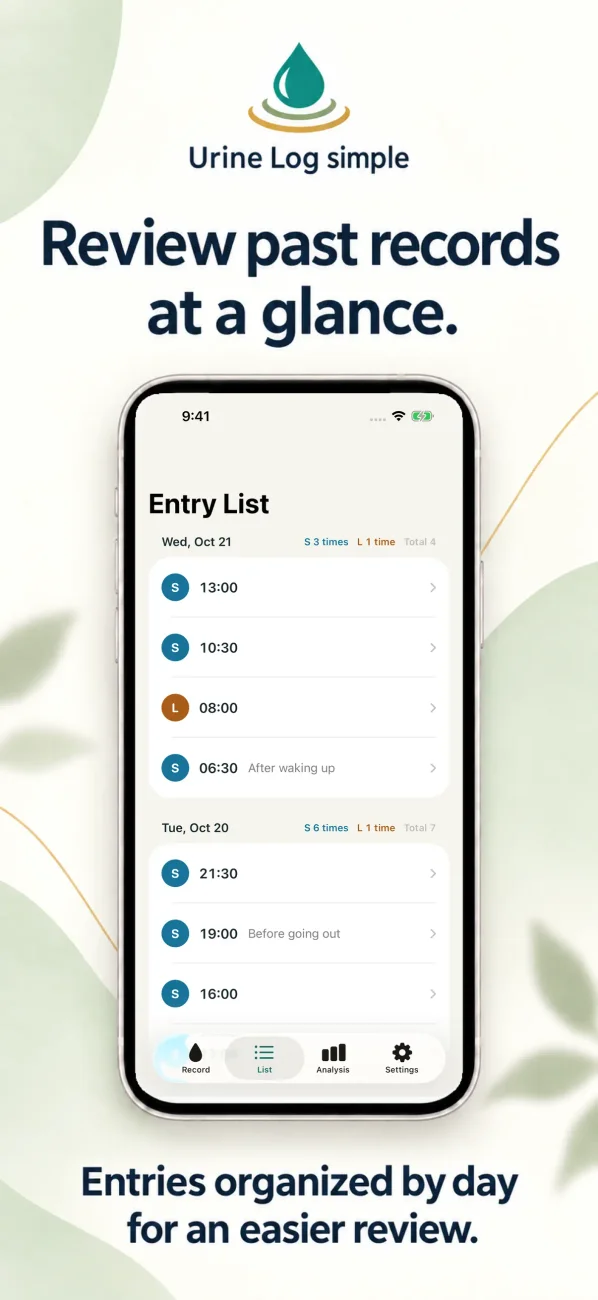
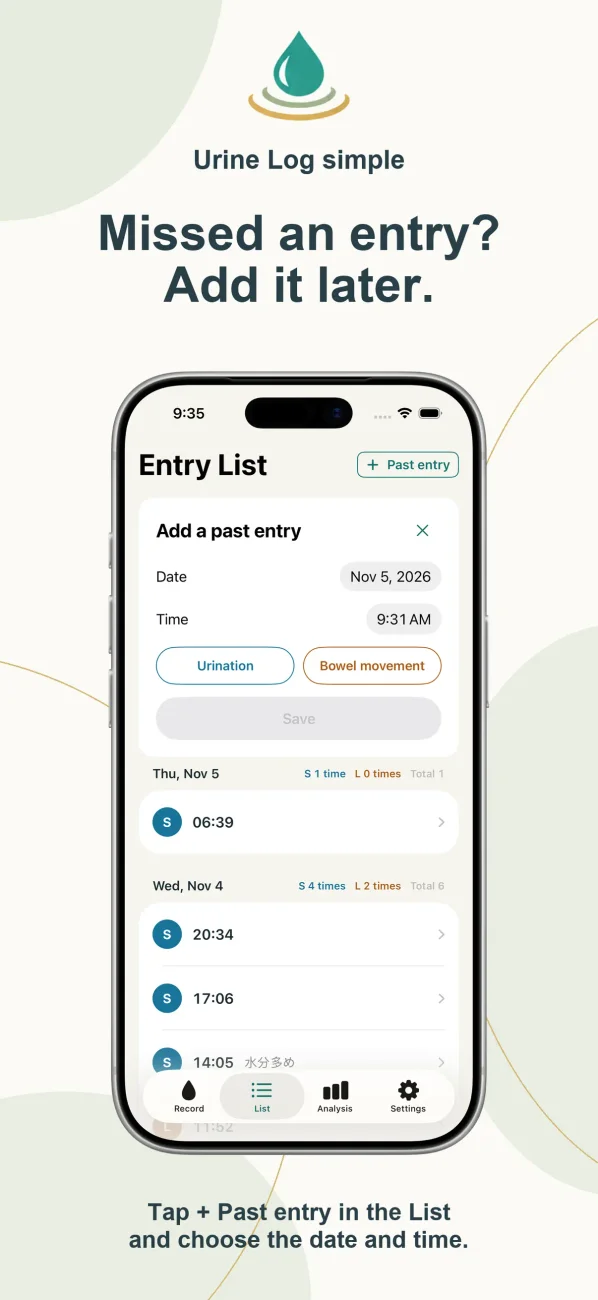
• Review past entries and edit their times or notes in the log list.
• Log without opening the app using a Home Screen widget. The small widget has your chosen button; the medium widget has both.
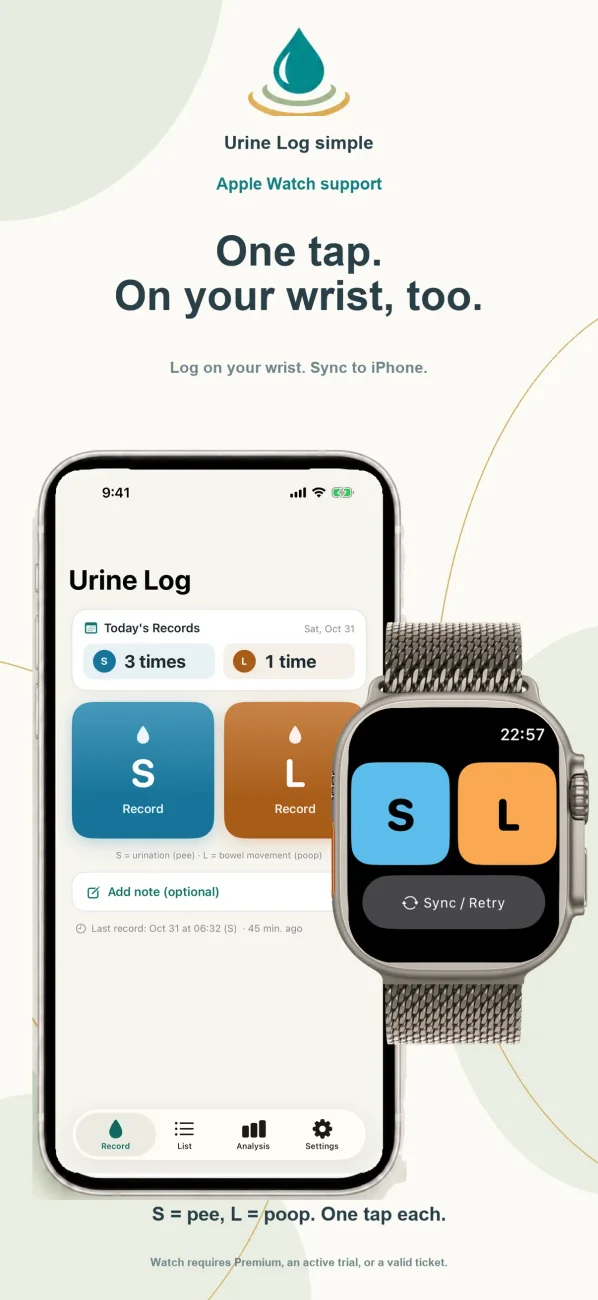
• Log on Apple Watch and sync entries to iPhone.
■ Review each type separately
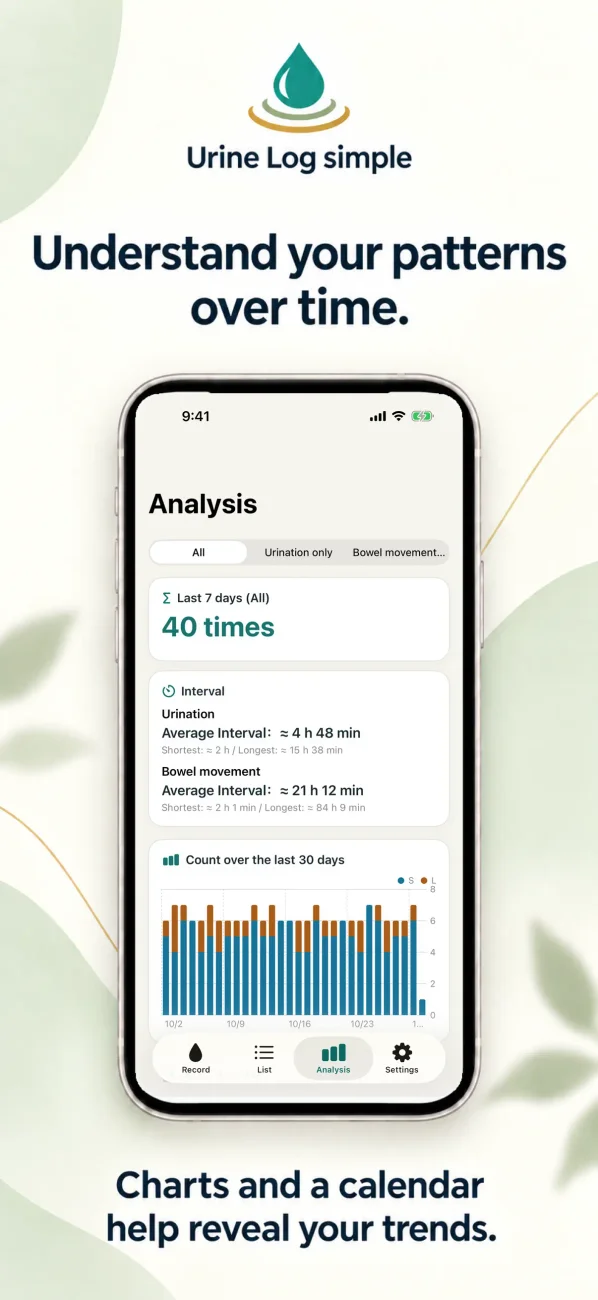
• See daily counts in graphs and the calendar.
• Check average, shortest and longest intervals for each type in hours and minutes (Based on the last 7 days. Intervals under 5 min are excluded).
• Switch between “All”, “Urination only” and “Bowel movement only”.
• See the total for the last seven days, including today.
■ Monthly reports and export
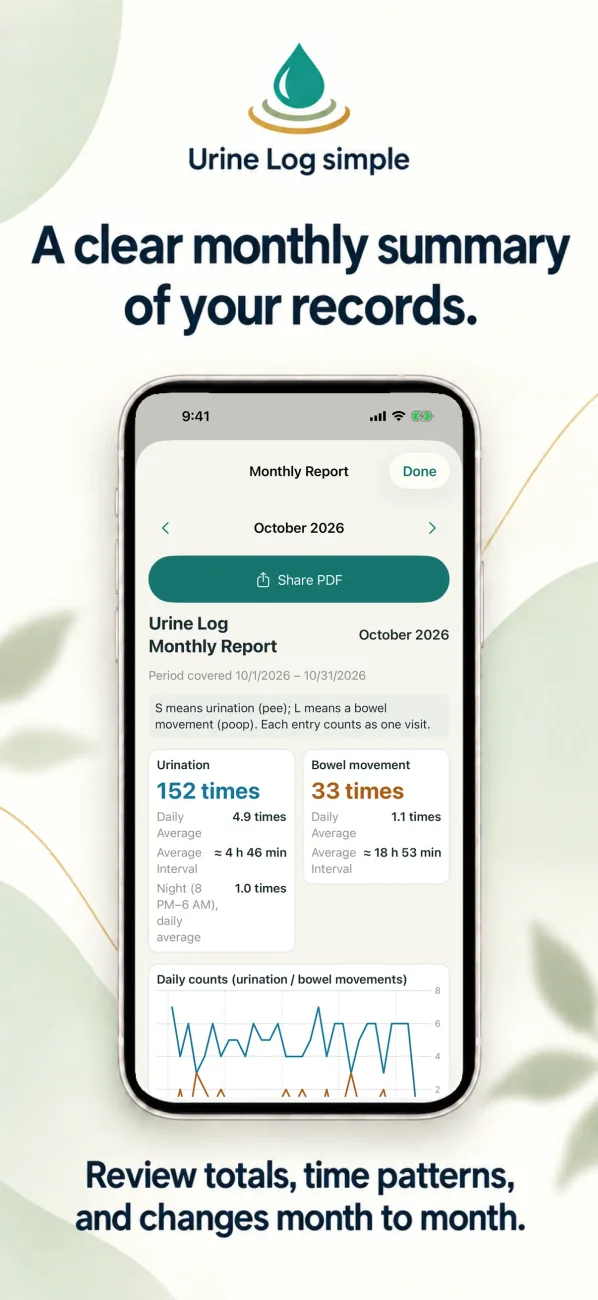
• Separate counts, daily averages and average intervals for urination and bowel movements.
• Daily graphs, hourly counts and comparison with the previous month.
• Average daily nighttime urination count, from 8 p.m. to 6 a.m.
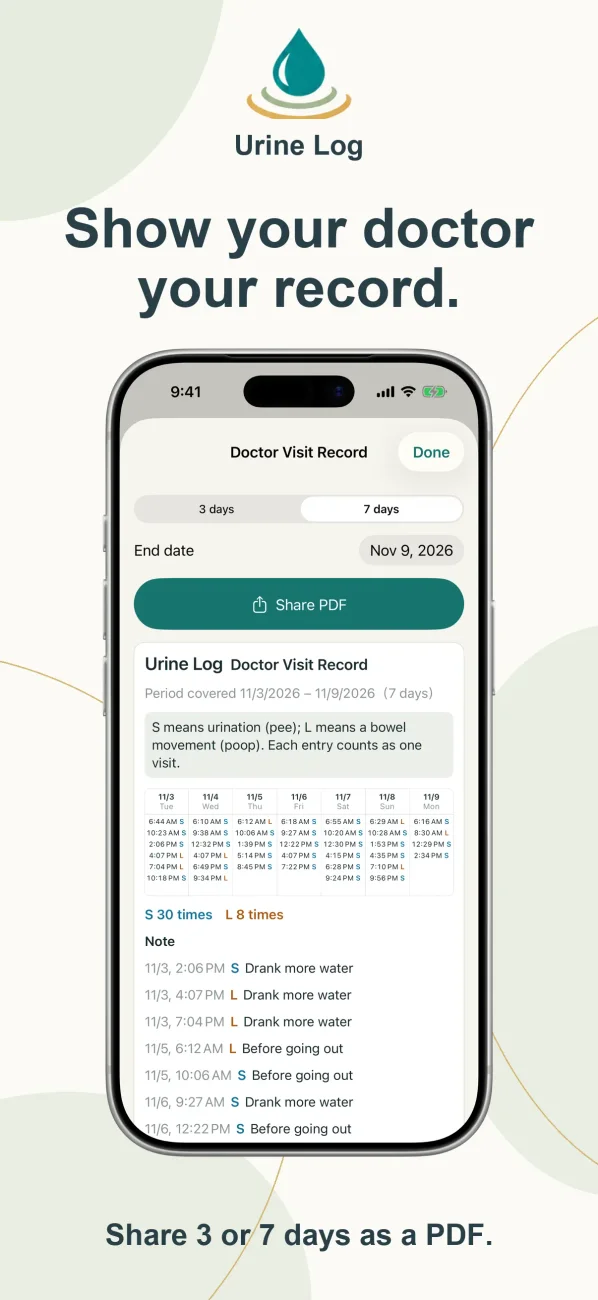
• Doctor Visit Record (3 or 7 days): a voiding-diary-style PDF listing the time of each entry by day. The last 3 or 7 days, including today, are available to everyone.
• Share a one-page A4 PDF, or export a date range as CSV for use on a computer.
• Choose the new or previous format under Settings > Monthly Report > Format. The previous format retains combined counts and intervals and the clock-face time-of-day chart.
■ Free features and access
Regular iPhone logging and the log list are free and unlimited. Home Screen widget logging requires no purchase.
After the seven-day trial, analysis, monthly reports and CSV export are limited to the last seven days. A one-time Premium purchase or an active 30-Day Pass provides access to the full period.
Apple Watch logging requires an active trial, Premium or an active 30-Day Pass.
■ Please note
This app organizes records you enter for personal use. It does not diagnose, treat conditions or medically assess your records. Consult a healthcare professional about your health.
“Nighttime” is a fixed period from 8 p.m. to 6 a.m.; the app does not automatically measure urination during sleep or awakenings to urinate.
Records are stored on your device.
Make daily logging an easy habit.
Neue Funktionen
Version 3.1 · 25.11.2026
Added the "Today's Summary" widget and a summary screen on Apple Watch.
- Widget "Today's Summary": place it on the Home Screen (small or medium) or the Lock Screen to see today's S and L counts and the time since your last entry at a glance. It is view-only, with no record buttons.
- Apple Watch: from the record buttons, turn the Digital Crown or swipe up to open "Today's Summary" with today's counts and the time since the last entry (calculated and sent by your iPhone). Apple Watch features are available with a lifetime Premium purchase, during your free trial, or while your 30-Day Pass is active.
- Lock Screen: "Today's Records" is now also a Lock Screen widget (rectangular and circular). Record S and L straight from the Lock Screen and see today's counts at the same time.
- In Settings, "How to Use & Useful Features" explains widgets, Lock Screen widgets, controls, Apple Watch and Siri in one place.
How records are stored and purchase options are unchanged.
App-Datenschutz
Was TAKASHI KOJIMA im App Store zum Umgang dieser App mit Daten angibt.
-
Keine Daten erfasst
Der Entwickler erfasst keine Daten von dieser App.
Die Datenschutzpraktiken können variieren, zum Beispiel je nach den von Ihnen verwendeten Funktionen oder Ihrem Alter.
Informationen
- Anbieter
- TAKASHI KOJIMA
- Kategorie
- Medizin
- Version
- 3.1
- Aktualisiert
- 25.11.2026
- Veröffentlicht
- 01.08.2026
- Größe
- 6,8 MB
- Erfordert
- iOS 26.0 oder neuer
- Altersfreigabe
- 4+
- Preis
- Kostenlos
- In-App-Käufe
- Ja
- Sprachen
- Englisch, Arabisch, Bengalisch, Französisch, Deutsch, Hindi, Italienisch, Japanisch, Koreanisch, Portugiesisch, Vereinf. Chinesisch, Spanisch + 1 weitere
- Copyright
- © 2026 Takashi Kojima
Das könnte Ihnen auch gefallen
-
 PeeLog: Bladder Diary TrackerMedizin
-
 排尿日誌 - 泌尿器科で見せやすい記録-Gesundheit und Fitness
-
 ToiLog - AI Health LogWC-Tagebuch mit KI-Analyse
-
 排尿日誌プラス|夜間頻尿・水分記録とPDFMedizin
-
 うんこログ - 排便・排尿記録Gesundheit und Fitness
-
 Urination Record Ver.2Medizin
-
 Fluen AI: BlasentagebuchUrin & Wasser, mit Arzt teilen
-
 Blasentagebuch: HarndrangMiktionstagebuch & Urinmenge
-
 Urine LogGesundheit und Fitness
-
 Blasen TrackerUrinprotokoll leicht gemacht